
Brahe
FreeNot checkedExposes the astrodynamics capabilities of the Brahe library enabling language models to perform space situational awareness and astrodynamics calculations.

About
Exposes the astrodynamics capabilities of the Brahe library enabling language models to perform space situational awareness and astrodynamics calculations.
README


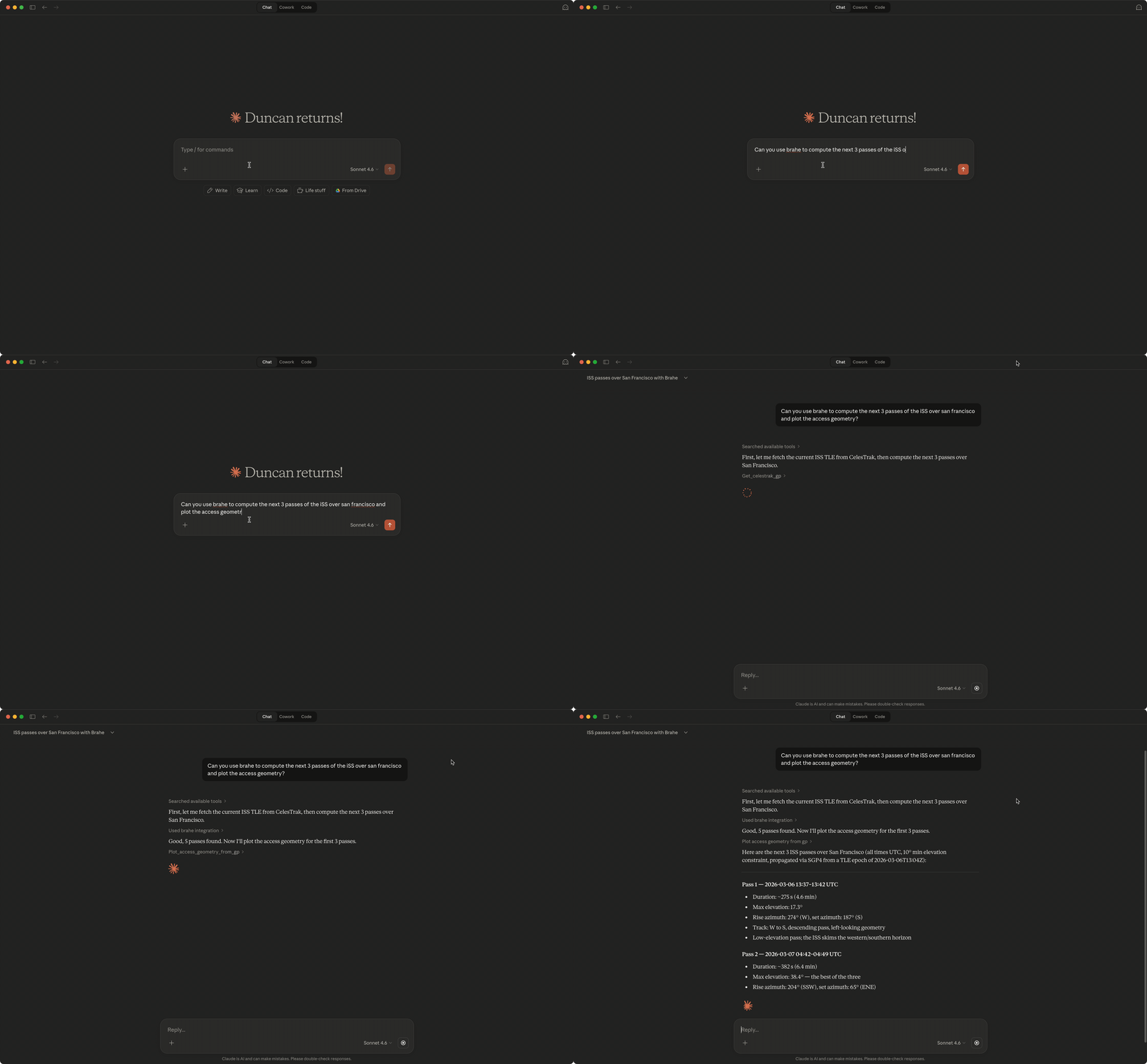
This project provides a Model Context Protocol (MCP) server that exposes the astrodynamics capabilities of the Brahe library enabling language models to get smarter about astrodynamics and space situational awareness.
Installation
uv tool install brahe-mcp
or
pip install brahe-mcp
Then configure your MCP client to use the installed tool:
{
  "mcpServers": {
    "brahe": {
      "command": "brahe-mcp"
    }
  }
}
The MCP configuration location depends on your client. For popular tools you can find it here:
| Client | Config Location |
|---|---|
| Claude Desktop (macOS) | ~/Library/Application Support/Claude/claude_desktop_config.json |
| Claude Desktop (Windows) | %APPDATA%\Claude\claude_desktop_config.json |
| Claude Code | .claude/settings.json (project-level or global) |
| Gemini CLI | ~/.gemini/settings.json |
| OpenAI Codex CLI | ~/.codex/config.toml (see below) |
[!NOTE]
ChatGPT Desktop does not support local stdio MCP servers — it requires remote HTTPS endpoints
OpenAI Codex CLI
Codex CLI stores MCP configuration in TOML format at ~/.codex/config.toml (or project-scoped .codex/config.toml):
[mcp_servers.brahe]
command = "brahe-mcp"
args = []
You can also add it via the CLI:
codex mcp add brahe -- brahe-mcp
To include SpaceTrack credentials:
codex mcp add brahe --env [email protected] --env SPACETRACK_PASS=your-password -- brahe-mcp
SpaceTrack Configuration
The SpaceTrack tools require a Space-Track.org account. Add your credentials via the env key in the server config:
{
  "mcpServers": {
    "brahe": {
      "command": "brahe-mcp",
      "env": {
        "SPACETRACK_USER": "[email protected]",
        "SPACETRACK_PASS": "your-password"
      }
    }
  }
}
[!NOTE]
Claude Desktop does not expand shell variables like${SPACETRACK_USER}— you must put the actual values in the config. Claude Code inherits your shell environment, so you can alternatively set the variables in~/.zshrcand omit theenvblock.
Without these variables, the CelesTrak tools will still work normally — only the SpaceTrack tools will return an error prompting you to set the credentials.
Local Setup
To run the server from a local clone (useful for development or testing before installing):
git clone https://github.com/duncaneddy/brahe-mcp.git
cd brahe-mcp
uv sync --group dev
Then configure your MCP client to launch the server via uv run. Add the following to your MCP settings file:
{
  "mcpServers": {
    "brahe": {
      "command": "uv",
      "args": ["run", "--directory", "/path/to/brahe-mcp", "brahe-mcp"]
    }
  }
}
Replace /path/to/brahe-mcp with the absolute path to your local clone.
Development
uv sync --group dev
uv run pytest tests/
Install Brahe in Claude Desktop, Claude Code & Cursor
unyly install brahe-mcpInstalls into Claude Desktop, Claude Code, Cursor & VS Code — handles npx, uvx and build-from-source repos for you.
First time? Get the CLI: curl -fsSL https://unyly.org/install | sh
Or configure manually
Run in your terminal:
claude mcp add brahe-mcp -- uvx brahe-mcpFAQ
Is Brahe MCP free?
Yes, Brahe MCP is free — one-click install via Unyly at no cost.
Does Brahe need an API key?
No, Brahe runs without API keys or environment variables.
Is Brahe hosted or self-hosted?
Self-hosted: the server runs locally on your machine via the install command above.
How do I install Brahe in Claude Desktop, Claude Code or Cursor?
Open Brahe on unyly.org, pick your client tab (Claude Desktop, Claude Code, Cursor) and press Install — the config is generated automatically, no JSON editing.
Related MCPs
GitHub
PRs, issues, code search, CI status
 by GitHub
Filesystem
Secure file operations with configurable access controls.
Memory
Knowledge graph-based persistent memory system.
Template MCP Server
A CLI tool to create a new Model Context Protocol server project with TypeScript support, dual transport options, and an extensible structure
 by mcpdotdirect
Compare Brahe with
Not sure what to pick?
Find your stack in 60 seconds
Author?
Embed badge for your README
Browse similar
All development MCPs