
Browserbash
FreeNot checkedPlain-English browser tests for AI agents: real Chrome, deterministic verdicts. Free, no API keys.

About
Plain-English browser tests for AI agents: real Chrome, deterministic verdicts. Free, no API keys.
README
Plain-English browser automation. No selectors. Free and open-source.
npm version npm downloads license Node
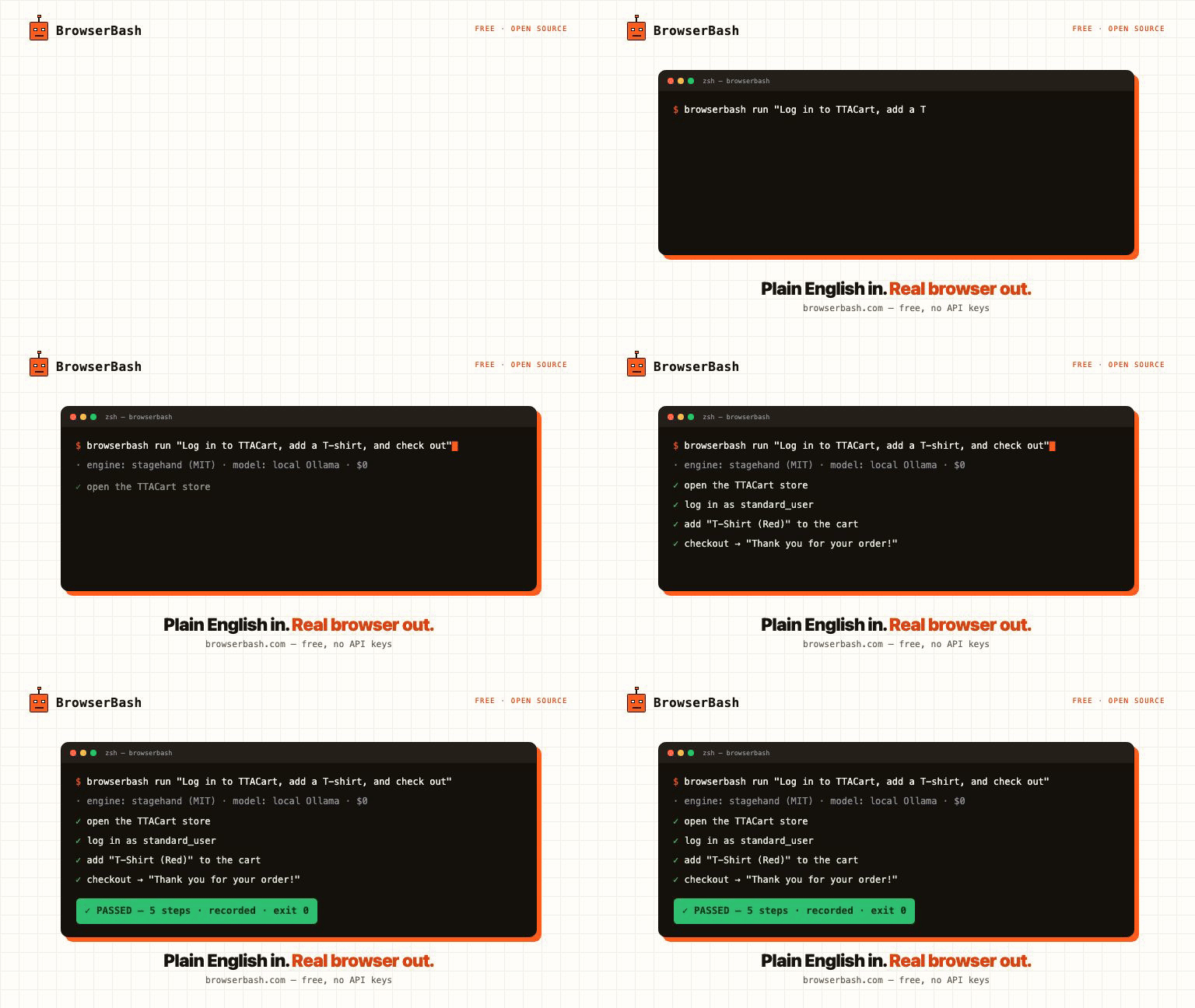
You write a plain-English objective. An AI agent drives a real Chrome browser step by step — no selectors, no scripts. Ollama-first, so it runs on free local models with no API keys and nothing ever leaves your machine.
npm install -g browserbash-cli
browserbash run "Open news.ycombinator.com and store the top story title as 'top_story'"
Website · Docs / Learn · Tutorials · npm
Both layers are swappable: the engine interprets the English, the provider runs the browser.
Engines (who interprets the English)
| Engine | What it is | License |
|---|---|---|
stagehand (default) |
Stagehand — open-source AI browser automation framework by Browserbase. act/extract/observe/agent primitives, self-healing, supports Anthropic/OpenAI/Google models. | MIT |
builtin |
In-repo Anthropic tool-use loop driving Playwright. Used automatically for grids Stagehand can't attach to (LambdaTest, BrowserStack). | Apache-2.0 |
Providers (where the browser runs)
| Provider | Where the browser runs | Engine | Auth |
|---|---|---|---|
local (default) |
Chromium/Chrome on this machine | stagehand or builtin | none |
cdp |
Any Chrome DevTools Protocol endpoint (your grid, docker, Playwright MCP-managed browser) | stagehand or builtin | none |
browserbase |
Browserbase cloud browsers | stagehand only | BROWSERBASE_API_KEY / BROWSERBASE_PROJECT_ID |
lambdatest |
LambdaTest / TestMu AI cloud grid | builtin (auto) | LT_USERNAME / LT_ACCESS_KEY |
browserstack |
BrowserStack Automate cloud grid | builtin (auto) | BROWSERSTACK_USERNAME / BROWSERSTACK_ACCESS_KEY |
LLM backends (who does the thinking) — open source first
Default model is auto, resolved in this order:
- Ollama running locally →
ollama/<OLLAMA_MODEL or first installed model>— free, open source, no keys ANTHROPIC_API_KEYset →claude-opus-4-8OPENAI_API_KEYset →openai/gpt-4.1- otherwise: error with setup guidance
| Backend | Model flag | Needs |
|---|---|---|
| Ollama — local, free, OSS (preferred) | auto or ollama/<model> e.g. ollama/qwen3 |
Ollama running; OLLAMA_BASE_URL to override http://localhost:11434/v1, OLLAMA_MODEL to pin auto-detection. Same flag works for any OpenAI-compatible server (vLLM, LM Studio, llama.cpp). |
| Anthropic | claude-opus-4-8 |
ANTHROPIC_API_KEY |
| OpenAI / Google | openai/gpt-4.1, google/gemini-2.5-flash |
provider key (Stagehand engine) |
| OpenRouter — hundreds of models, one key | openrouter/<vendor>/<model> e.g. openrouter/anthropic/claude-sonnet-4-6, openrouter/meta-llama/llama-3.3-70b-instruct |
OPENROUTER_API_KEY (https://openrouter.ai/keys); override endpoint with OPENROUTER_BASE_URL |
| Anthropic-compatible gateway | claude-* + ANTHROPIC_BASE_URL |
builtin engine routes through any Anthropic-compatible endpoint (e.g. a LiteLLM proxy fronting local models) |
Fully free / open-source stack (the default)
ollama pull qwen3                 # or any tool-capable local model
browserbash run "Open https://example.com and store the heading as 'h1'"
Stagehand engine (MIT) + local Chromium + Ollama (MIT) — zero cloud cost, no API keys. Tip: small models (≤8B) are flaky on multi-step objectives; Qwen3 / Llama 3.3 70B class works best.
Note: cloud-grid providers (lambdatest, browserstack) use the builtin engine, which speaks the Anthropic API — pair them with ANTHROPIC_API_KEY or an ANTHROPIC_BASE_URL gateway.
Install
npm install
npm run build
npm link        # exposes the `browserbash` command
Requires Node ≥ 18 and Google Chrome stable (for the local provider).
Quick start
export ANTHROPIC_API_KEY=sk-ant-...

# One-shot objective, local browser, Stagehand engine (default)
browserbash run "Open https://news.ycombinator.com and store the top story title as 'top_story'"

# Browserbase cloud (Stagehand native)
export BROWSERBASE_API_KEY=... BROWSERBASE_PROJECT_ID=...
browserbash run "..." --provider browserbase

# Cloud grid (auto-switches to builtin engine)
export LT_USERNAME=... LT_ACCESS_KEY=...
browserbash run "..." --provider lambdatest --headless

# Attach to an existing browser (CDP / Playwright MCP)
browserbash run "..." --cdp-endpoint ws://localhost:9222/devtools/browser/<id>

# Force the builtin engine
browserbash run "..." --engine builtin
Agent mode (for AI coding tools & CI)
--agent switches stdout to NDJSON — one JSON object per line, stable schema:
browserbash run "<objective>" --agent --headless --timeout 120
- Progress events:
{"type":"step","step":1,"status":"passed","action":"navigate","remark":"...","cached":false} - Terminal event:
{"type":"run_end","status":"passed|failed|error|timeout","summary":"...","final_state":{...},"duration_ms":...,"provider":"local","cache":"hit|miss|off","tokens_in":...,"tokens_out":...,"test_url":"..."}
Exit codes: 0 passed · 1 failed · 2 error · 3 timeout. cached, cache, tokens_in/tokens_out are additive fields (present when relevant), so existing consumers are unaffected.
Full agent integration guide: docs/agents.md.
MCP server (agents consume BrowserBash natively)
BrowserBash is a validation layer for AI agents: your coding agent builds a feature, BrowserBash proves it works in a real browser. One line plugs it into any MCP host:
claude mcp add browserbash -- browserbash mcp     # Claude Code
# Cursor / Windsurf / Zed / Codex: command "browserbash", args ["mcp"]
Tools exposed: run_objective (one plain-English objective), run_test_file (a *_test.md), run_suite (a folder, parallel). Each returns the structured verdict JSON: status, summary, final_state, assertions, cost_usd, duration_ms. A failed test is a successful validation, so the tool call succeeds and the agent reads the verdict. No extra dependencies, stdio only, nothing leaves your machine.
Dashboards
Every run is kept in a private on-disk store (~/.browserbash/runs, secrets masked, capped at 200). Two ways to see them:
Local dashboard — free, no account, fully local:
browserbash dashboard                 # serve http://localhost:4477 and open it
browserbash run "..." --record --dashboard   # run, then open the dashboard on this run
browserbash dashboard --clear         # wipe the local store
Left panel lists your runs; the main pane shows the verdict, extracted values and the recording — with --record you get a screenshot plus a session video (stagehand engine, video needs ffmpeg, bundled) or a native Playwright trace you can open at trace.playwright.dev (builtin engine). Nothing leaves your machine.
Cloud dashboard — optional, opt-in per run: a hosted dashboard at browserbash.com/dashboard with run history across machines and shareable per-run pages.
browserbash connect --key bb_...      # one-time, key from browserbash.com/dashboard
browserbash run "..." --record --upload   # push THIS run (verdict + recording) to the cloud
Without --upload nothing is sent to the cloud. BrowserBash is free and open source; cloud runs are kept 15 days.
Replay cache (warm runs skip the model)
A green run records the actions it took. The next identical run replays them with zero model calls, and the agent only steps back in when the page actually changed. Steady-state suites run at close to script speed and cost.
browserbash testmd run ./checkout_test.md            # run 1: records the journal
browserbash testmd run ./checkout_test.md            # run 2: replays, no model
browserbash testmd run ./checkout_test.md --no-cache      # ignore the cache for this run
browserbash testmd run ./checkout_test.md --refresh-cache # wipe this test's entry, re-record
run_end.cache reports hit / miss / off. On by default; config set cache.enabled false to disable, cache.dir to relocate (default .browserbash/cache, gitignored by init). Secrets never enter the cache: values arrive through the variables channel (Stagehand) or are re-templatized to {{name}} tokens (builtin), and any cached action that types a secret is origin-pinned — replaying it on a different origin fails closed. Builtin journals are also HMAC-signed with a per-machine key (~/.browserbash/cache.key); an edited or foreign journal is ignored and simply re-recorded. CI fleets that want to share committed caches can set the same BROWSERBASH_CACHE_KEY (64 hex chars) on every runner.
Parallel suites (run-all)
Run a whole folder of *_test.md files at once with memory-aware scheduling:
browserbash run-all .browserbash/tests --concurrency 8 --junit out/junit.xml
- Concurrency is auto-derived from CPU and free memory (
min(requested, cpus, floor((mem - 2GB) / budget))), so big suites do not thrash the machine. Override with--concurrency, tune the estimate with--memory-budget <mb>. A hard watchdog also kills any test whose whole process tree (Node + Chromium) exceeds--memory-cap <mb>(default 2x the budget,0disables); the test is reported as an infra error with atest_killevent, and retried per--retries. - Each test runs as an isolated child process with its own
Result.md; a failure never leaks state to the next test. --retries <n>retries infra errors only (not real failures),--max-failures <n>stops early,--stagger <ms>softens burst load.- Outputs: a merged NDJSON stream (
--events, add--agentto also stream on stdout), JUnit XML (--junit), and aRunAll-Result.mdwith a flaky column. - Run history in
.browserbash/memory/history.jsonorders the next run (previously-failed first, then slowest first) and flags flaky tests.--no-memoryopts out. - Sharding:
--shard 2/4runs a deterministic slice, computed on sorted discovery order so parallel CI machines agree without coordination. - Viewport matrix:
--matrix-viewport 1280x720,390x844runs every test once per viewport; cells are labeled in events, JUnit and results. Single runs take--viewport WxHtoo. - Budgets:
--budget-usd 2.50(or--budget-tokens) stops launching new tests once estimated spend crosses the budget; the rest are reportedskippedand the suite exits2. Spend lands inRunAll-Result.mdand JUnit<properties>. - Webhooks:
--notify <url>POSTs the suite verdict when it ends (Slack URLs get Slack formatting). - Exit code:
0all passed ·1any failed ·2infra error or budget stop ·3suite timeout.
Cheap-model routing
Plan on a strong model, execute on a cheap one, escalate back automatically after a failed step:
browserbash run "..." --model claude-opus-4-8 --model-exec claude-haiku-4-5
run_end reports tokens_in / tokens_out (builtin engine) so you can see what a run costs, plus a cost_usd estimate from a bundled per-model price table (override at ~/.browserbash/pricing.json; unknown models get no estimate rather than a wrong one). Set persistently with config set routing.executionModel <id>.
Test files (*_test.md)
Committable, reviewable Markdown tests:
# Login flow

- Open {{base_url}}/login
- Type {{username}} into the email field
- Type {{password}} into the password field and press Enter
- Verify the dashboard heading is visible
- Store the logged-in user name as 'user_name'
browserbash testmd run ./.browserbash/tests/login_test.md --provider browserstack
Composition via @import ./helpers/login.md (steps are spliced in place). After every run a Result.md is written next to the test file.
testmd v2: assertions and API steps that never lie
Add version: 2 frontmatter and steps execute ONE AT A TIME against a single browser session, with two deterministic step types that never touch a model:
---
version: 2
auth: staging
---
# Checkout with seeded data

- POST {{base_url}}/api/seed with body {"sku": "tshirt-red"}
- Expect status 201, store $.order.id as 'order_id'
- Open {{base_url}}/cart
- Click the checkout button
- Verify the URL contains 'checkout'
- Verify the 'Thank you for your order!' heading is visible
- Verify stored 'order_id' equals '{{expected_id}}'
- API steps (
GET/POST/PUT/DELETE/PATCH url [with body {...}]+Expect status N[, store $.path as 'name']) run as plain HTTP: seed data, then verify through the UI. Stored values feed{{variables}}in later steps. Verifysteps compile to real Playwright checks (URL contains, title is/contains, text visible,'name' button|link|headingvisible, element counts, stored equals). A pass means the condition held; a fail comes with expected vs actual evidence inrun_end.assertionsand theResult.mdassertion table. Verify lines outside the grammar still run, agent-judged and flaggedjudged: true.- Consecutive plain-English steps run as grouped agent blocks on the same page, so login state and navigation carry through.
- v1 files (no frontmatter) behave exactly as before. v2 currently drives the builtin engine (needs
ANTHROPIC_API_KEYor anANTHROPIC_BASE_URLgateway).
Variables
{{key}} placeholders are substituted in objectives and test steps. Load order (highest priority last):
- Global:
~/.browserbash/variables/*.json - Project:
./.browserbash/variables/*.json --variables-file <path>--variables '<json>'
Mark sensitive values {"value": "...", "secret": true} — they are masked as ***** in all logs and NDJSON output.
Saved logins (browserbash auth)
Real suites live behind a login. Log in once, reuse the session everywhere:
browserbash auth save staging --url https://app.example.com/login   # log in, press Enter
browserbash run "Open the dashboard and store the balance as 'balance'" --auth staging
browserbash run-all .browserbash/tests --auth staging               # every test, no re-login
browserbash auth list && browserbash auth delete staging
Sessions are Playwright storageState files in ~/.browserbash/auth/ (mode 0600, they hold live credentials). Test files can pin their own profile with auth: staging frontmatter. A profile whose saved origins do not cover the target URL prints a warning instead of silently doing nothing.
Author tests without writing them
# Record: click through the flow once in a real browser, get a test file
browserbash record https://app.example.com --out .browserbash/tests/checkout_test.md

# Import: convert an existing Playwright suite to plain English
browserbash import ./e2e --out-dir .browserbash/imported
record captures clicks, typing and navigation (password values never leave the page; the generated step reads Type {{password}} into ...). import translates common Playwright calls deterministically and writes everything it could NOT translate to IMPORT-REPORT.md instead of guessing. Both outputs are starting points to review, not gospel.
Monitoring (browserbash monitor)
The same tests double as production checks:
browserbash monitor .browserbash/tests/checkout_test.md --every 10m \
  --notify https://hooks.slack.com/services/T0/B0/xyz
Alerts fire on pass<->fail STATE CHANGES only, both directions, never on every green run. Slack webhook URLs get Slack formatting; any other URL receives the raw JSON payload. With the replay cache warm, a monitor makes zero model calls until the page actually changes.
Configuration
browserbash init                          # scaffold ./.browserbash/
browserbash config show
browserbash config set defaultProvider lambdatest
browserbash providers                     # list providers
browserbash login --provider lambdatest --username "$USER" --access-key "$KEY"
browserbash whoami
Precedence: flags > env vars > ~/.browserbash/config.json defaults.
CI recipe (GitHub Actions)
- run: npm ci && npm run build
- run: |
    node dist/index.js login --provider lambdatest --username "$LT_USERNAME" --access-key "$LT_ACCESS_KEY"
    node dist/index.js testmd run .browserbash/tests/smoke_test.md --agent --headless --timeout 180
  env:
    ANTHROPIC_API_KEY: ${{ secrets.ANTHROPIC_API_KEY }}
    LT_USERNAME: ${{ secrets.LT_USERNAME }}
    LT_ACCESS_KEY: ${{ secrets.LT_ACCESS_KEY }}
The process exit code is the test verdict — no output parsing needed.
Or use the official GitHub Action (PR verdict comment, artifacts, sharded matrix jobs, budget stop):
- uses: PramodDutta/browserbash@main
  with:
    tests: .browserbash/tests
    budget-usd: '2.00'
  env:
    ANTHROPIC_API_KEY: ${{ secrets.ANTHROPIC_API_KEY }}
Full guide: docs/github-action.md.
Architecture
src/
├── index.ts            # CLI (commander): run, testmd, run-all, monitor, auth, record, import, mcp, ...
├── runner.ts           # engine routing + provider session + replay cache + vendor status reporting
├── engine/
│   ├── stagehand.ts    # default engine: Stagehand agent (stagehand.dev, MIT) — LOCAL / cdpUrl / Browserbase
│   ├── agent.ts        # builtin engine: Anthropic tool-use loop (manual loop → NDJSON step events)
│   ├── tools.ts        # builtin browser tools: navigate, snapshot, click, type_text, wait_for, extract, done
│   ├── assertions.ts   # deterministic Verify grammar + executor (no model in the loop)
│   ├── replay.ts       # builtin replay-first cache: replay recorded actions, origin-pinned
│   └── routing.ts      # per-model thinking config + cheap-exec model routing
├── providers/          # vendor abstraction — add a new vendor by implementing BrowserProvider
│   ├── types.ts        # BrowserProvider / ProviderSession + context options (auth, viewport)
│   ├── local.ts        # system Chrome
│   ├── cdp.ts          # attach to any CDP endpoint (incl. Playwright MCP browsers)
│   ├── lambdatest.ts   # LambdaTest/TestMu grid + setTestStatus reporting
│   └── browserstack.ts # BrowserStack Automate grid + setSessionStatus reporting
├── orchestrator/       # run-all: memory-aware scheduler + child-process suite runner
│   ├── scheduler.ts    # concurrency formula, admission watermark, shard/matrix, JUnit
│   └── run-all.ts      # spawn children, aggregate NDJSON, verdicts, retries, budgets
├── mcp/server.ts       # MCP stdio server: run_objective / run_test_file / run_suite
├── testmd/             # parser (@import, frontmatter), v1 runner, v2 per-step runner + API steps
├── import/playwright.ts# heuristic Playwright spec -> *_test.md converter
├── record/             # interactive recorder: capture script + events -> English steps
├── monitor.ts          # interval checks, state-change alerts
├── auth-store.ts       # saved storageState profiles (~/.browserbash/auth)
├── pricing.ts          # cost_usd estimates (overridable price table)
├── notify.ts           # webhook payloads (Slack autodetect)
├── cache-store.ts      # builtin action-journal cache (re-templatized, origin-pinned, HMAC-signed)
├── memory-store.ts     # run history: ordering + flaky report
├── config.ts           # ~/.browserbash/config.json + credential resolution
├── variables.ts        # {{var}} substitution, secrets masking
└── output.ts           # NDJSON / human reporter
Adding a vendor = one file implementing BrowserProvider (connect() returning a Playwright Browser/Page) + one registry line in providers/index.ts.
License
Apache-2.0
Install Browserbash in Claude Desktop, Claude Code & Cursor
unyly install browserbashInstalls into Claude Desktop, Claude Code, Cursor & VS Code — handles npx, uvx and build-from-source repos for you.
First time? Get the CLI: curl -fsSL https://unyly.org/install | sh
Or configure manually
Run in your terminal:
claude mcp add browserbash -- npx -y browserbash-cliFAQ
Is Browserbash MCP free?
Yes, Browserbash MCP is free — one-click install via Unyly at no cost.
Does Browserbash need an API key?
No, Browserbash runs without API keys or environment variables.
Is Browserbash hosted or self-hosted?
Self-hosted: the server runs locally on your machine via the install command above.
How do I install Browserbash in Claude Desktop, Claude Code or Cursor?
Open Browserbash on unyly.org, pick your client tab (Claude Desktop, Claude Code, Cursor) and press Install — the config is generated automatically, no JSON editing.
Related MCPs
Playwright
Browser automation, scraping, screenshots
 by Microsoft
Puppeteer
Browser automation and web scraping.
 by modelcontextprotocol
opentabs-dev/opentabs
Plugin-based MCP server + Chrome extension that gives AI agents access to web applications through the user's authenticated browser session. 100+ plugins with a
 by opentabs-dev
robhunter/agentdeals
1,500+ developer infrastructure deals, free tiers, and startup programs across 54 categories. Search deals, compare vendors, plan stacks, and track pricing chan
 by robhunter
Compare Browserbash with
Not sure what to pick?
Find your stack in 60 seconds
Author?
Embed badge for your README
Browse similar
All browse MCPs