
Broxy
FreeNot checkedBroxy fronts multiple upstream MCP servers as one, aggregates capabilities across protocols, and exposes only what presets allow.

About
Broxy fronts multiple upstream MCP servers as one, aggregates capabilities across protocols, and exposes only what presets allow.
README
Broxy — your single MCP endpoint
Broxy fronts multiple upstream MCP servers as one, aggregates capabilities across protocols, and exposes only what presets allow. It runs locally, can be securely accessed over the internet, and supports OAuth plus dynamic client registration via upstream integrations where available.
broxy.run · Features · Connections · CLI jar
Why Broxy
- 💰 Save tokens and money by exposing only the essential tools, prompts, and resources per task.
- 🎯 Build more efficient agents with focused toolsets and fewer distractions.
- 🔌 Connect ChatGPT and other HTTP-only MCP clients to local STDIO MCP servers.
- ⚡ Instantly context-switch by hot-swapping presets.
- 🔐 Sign in with Google to access the dashboard and remote connectivity features.
- 📄 Apache 2.0 licensed for personal or commercial use.
Features
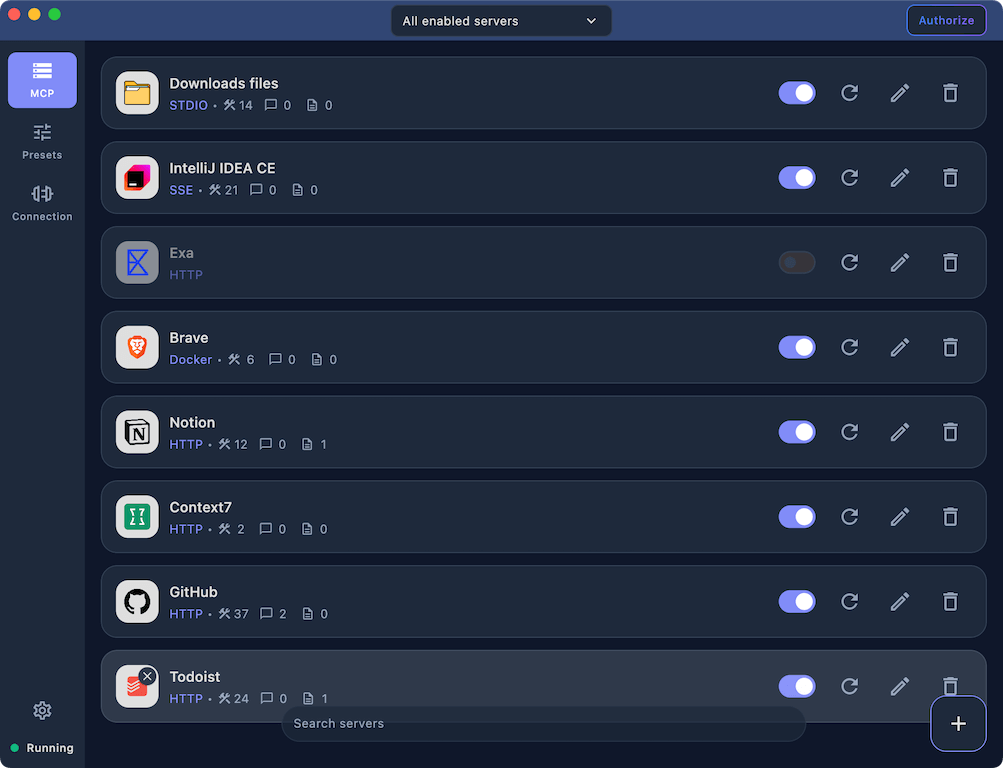
Set up your MCP servers onceCentralize MCP servers without duplicating per-client settings. Connect local or remote servers over STDIO, HTTP, SSE, or WebSocket, and add custom icons to keep large lists readable. |
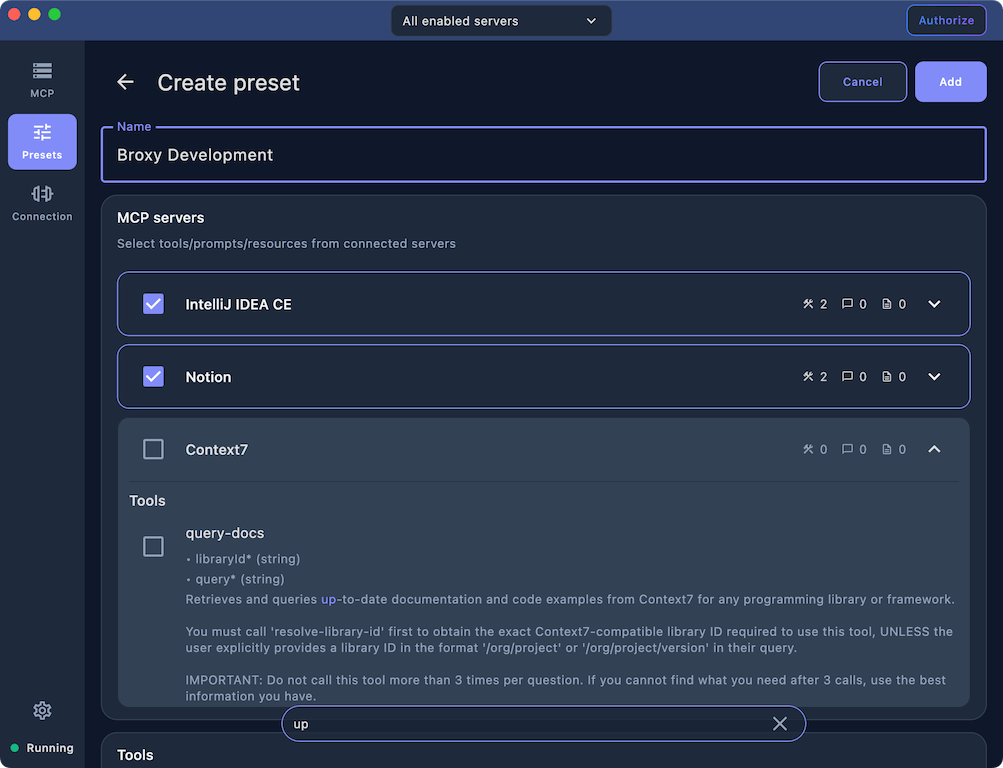
Mix capabilities from MCP serversBuild purpose-built presets by mixing tools, prompts, and resources from any connected server. Each preset exposes only what an agent needs and reduces context noise. |
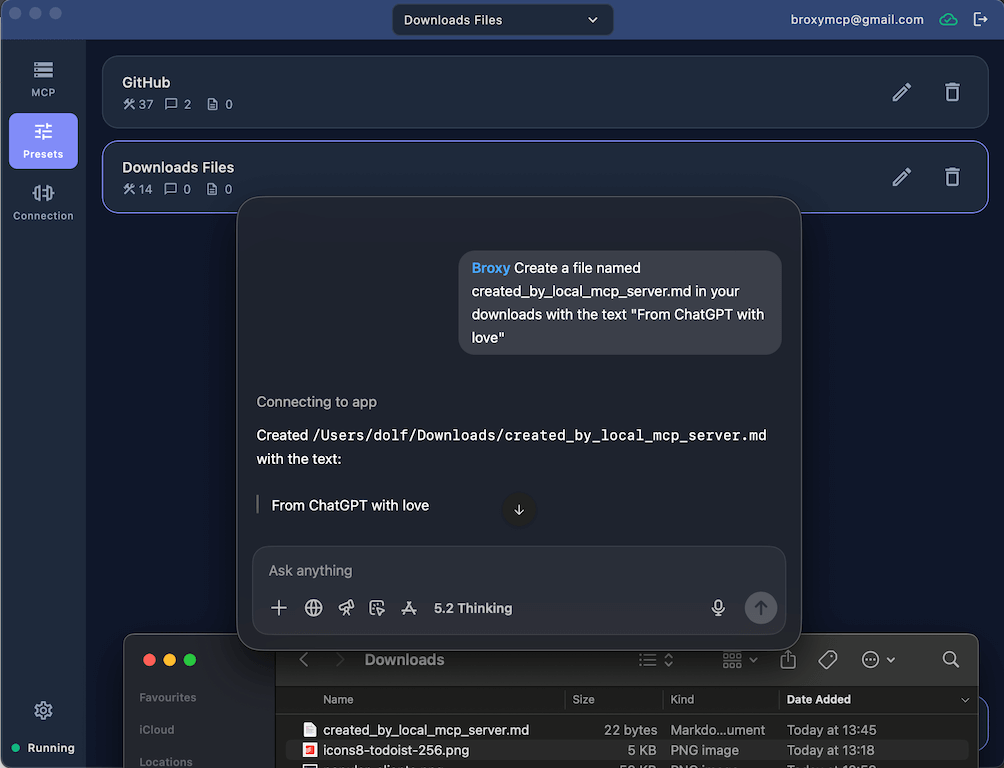
Connect ChatGPT to local MCP serversUse local MCP servers inside ChatGPT on web, desktop, or mobile. Broxy Cloud bridges the connection securely so private tools are available anywhere you sign in. |
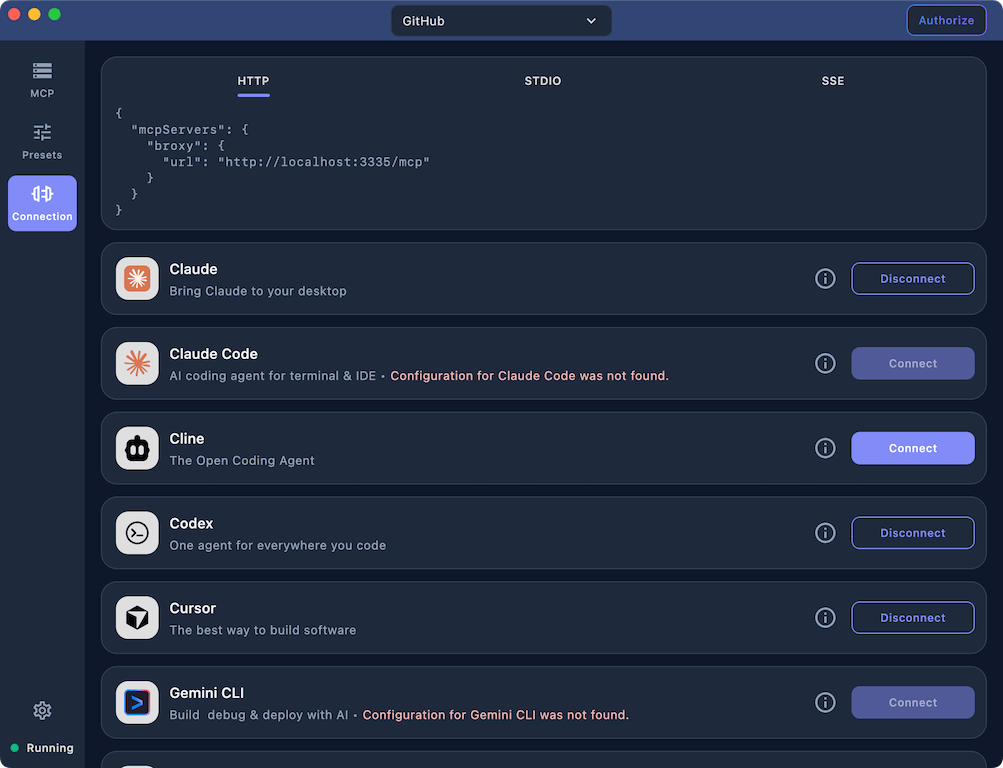
Connect to popular clients in one clickAuto-configure popular AI clients across HTTP, SSE, and STDIO modes. Broxy updates only the MCP section so the rest of your client configuration stays untouched. |
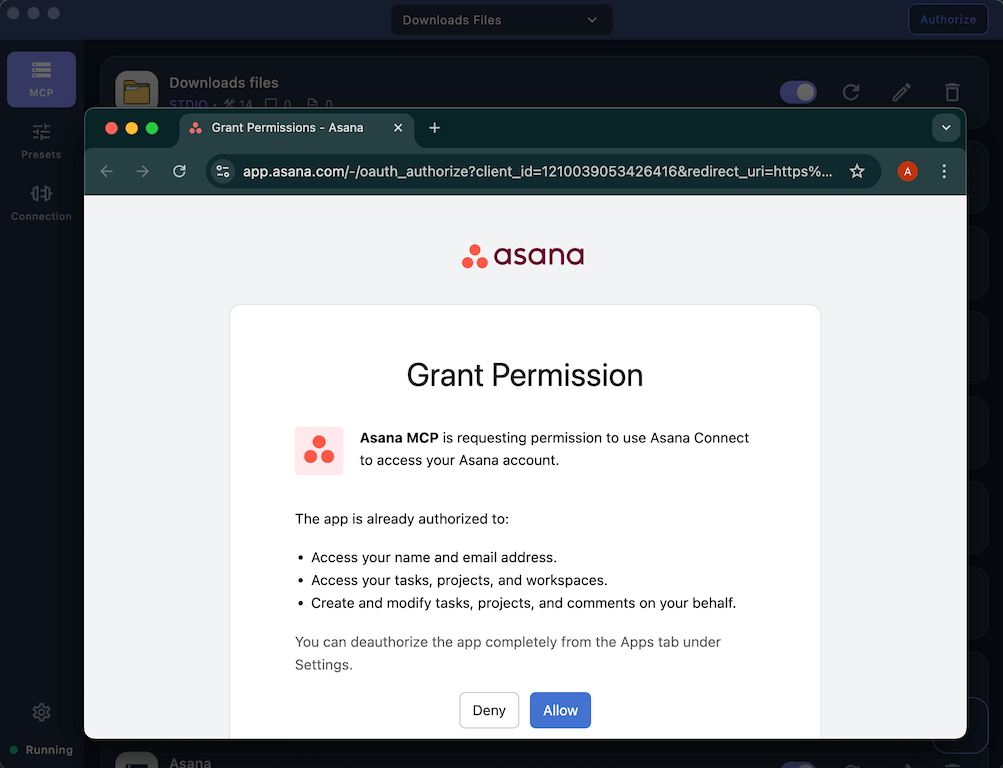
Dynamic client registration with OAuthAuthorize servers that require personal data without manual client setup. Broxy discovers OAuth metadata, registers clients dynamically, and works even when the target client lacks OAuth support. |
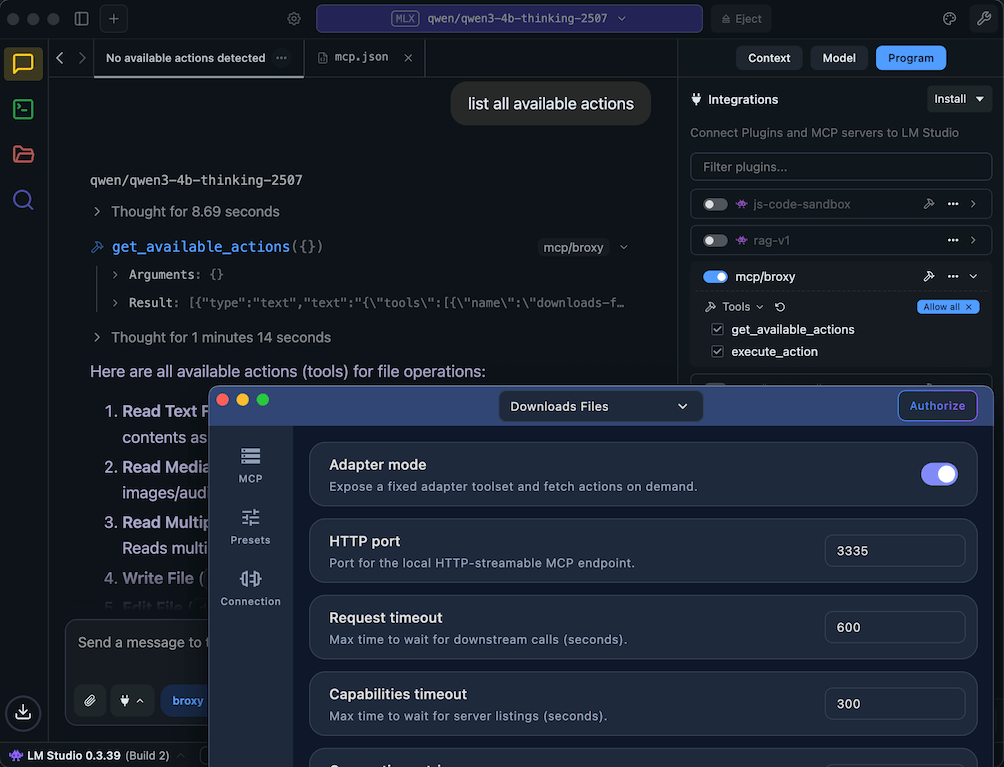
Stable MCP surface for preset changesExpose a stable MCP surface so clients do not need to refresh capabilities when presets change. Adapter mode also surfaces prompts and resources for clients that only support tools, including ChatGPT. |
Connections
STDIO (local connection)
Use STDIO when your client expects a local MCP process.
{
    "mcpServers": {
        "broxy": {
            "command": "/Applications/broxy.app/Contents/MacOS/broxy",
            "args": [
                "--stdio-proxy"
            ]
        }
    }
}
Streamable HTTP
Broxy exposes Streamable HTTP on http://localhost:3335/mcp by default.
{
    "mcpServers": {
        "broxy": {
            "url": "http://localhost:3335/mcp"
        }
    }
}
SSE inbound
SSE is served on the same host and port at /sse.
GET http://localhost:3335/sseopens the SSE stream and returns the session endpoint.POST http://localhost:3335/sse?sessionId=...forwards MCP JSON-RPC messages into the session.
Developer Documentation
For contributors and AI code agents:
- Start with
docs/readme.md(2-level docs index). - Use
docs/agent_quickstart.mdfor task-to-doc mapping, invariants, and required checks. - Canonical runtime contracts are in:
docs/core_contracts.mddocs/proxy_facade.mddocs/inbound_transports.mddocs/presets_and_filtering.mddocs/configuration_and_hot_reload.md
CLI jar
Build the jar
./gradlew :cli:shadowJar
The jar is generated at cli/build/libs/broxy-cli.jar.
Run STDIO
java -jar cli/build/libs/broxy-cli.jar proxy \
  --preset-id <preset-id> \
  --config-dir ~/.config/broxy \
  --inbound stdio
Run Streamable HTTP + SSE
java -jar cli/build/libs/broxy-cli.jar proxy \
  --preset-id <preset-id> \
  --config-dir ~/.config/broxy \
  --inbound http \
  --url http://localhost:3335/mcp
The CLI expects mcp.json and preset_<id>.json in the config directory (default ~/.config/broxy).
Installing Broxy
This server has no published package — it is built from source. Open the repository and follow its README.
▸ github.com/qent/broxyFAQ
Is Broxy MCP free?
Yes, Broxy MCP is free — one-click install via Unyly at no cost.
Does Broxy need an API key?
No, Broxy runs without API keys or environment variables.
Is Broxy hosted or self-hosted?
Self-hosted: the server runs locally on your machine via the install command above.
How do I install Broxy in Claude Desktop, Claude Code or Cursor?
Open Broxy on unyly.org, pick your client tab (Claude Desktop, Claude Code, Cursor) and press Install — the config is generated automatically, no JSON editing.
Related MCPs
GitHub
PRs, issues, code search, CI status
 by GitHub
Filesystem
Secure file operations with configurable access controls.
Memory
Knowledge graph-based persistent memory system.
Template MCP Server
A CLI tool to create a new Model Context Protocol server project with TypeScript support, dual transport options, and an extensible structure
 by mcpdotdirect
Compare Broxy with
Not sure what to pick?
Find your stack in 60 seconds
Author?
Embed badge for your README
Browse similar
All development MCPs