
Cashpilot
БесплатноПоддерживаетсяMCP server that exposes any CashPilot instance to LLMs, enabling monitoring of passive income earnings, managing bandwidth-sharing services, and controlling fle

Описание
MCP server that exposes any CashPilot instance to LLMs, enabling monitoring of passive income earnings, managing bandwidth-sharing services, and controlling fleet workers
README
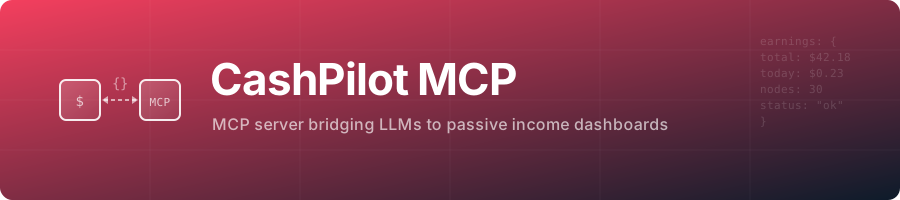
cashpilot-mcp





A tiny bridge that exposes any CashPilot instance as an MCP server, enabling LLMs to monitor passive income earnings, manage services, and control fleet workers.
It talks to your own CashPilot instance with its API key, over stdio or Streamable HTTP.
Speaks MCP 2026-07-28 and every earlier revision down to 2024-11-05 from the same binary: current clients that still use the initialize handshake (Claude Code, Claude Desktop, Cursor, VS Code) and 2026-07-28 clients (server/discover, stateless requests) both work.
Features
- Earnings: totals, per-service balances with cashout eligibility, daily series and history.
- Fleet: deployed services, the deployable catalog, workers, health scores and collector alerts, as tools and as
cashpilot://resources. - Service control on any worker: start, stop, restart, deploy, remove, logs, plus
trigger_collectionand a Docker Compose export per architecture. - Read-only mode:
CASHPILOT_READ_ONLY=trueregisters only the tools that change nothing. - Every tool has a title and read-only/destructive hints, list tools return structured JSON, inputs are validated.
- HTTP mode listens on
127.0.0.1:8081, checksOrigin, caps request size and requiresMCP_AUTH_TOKENon any non-loopback address.
Install
Every snippet runs the npm package over stdio. Use the admin key (CASHPILOT_ADMIN_API_KEY) for full control, or the read-only key (CASHPILOT_READONLY_API_KEY) with CASHPILOT_READ_ONLY=true. Never the fleet key.
Claude Code
claude mcp add --transport stdio --env CASHPILOT_URL=http://localhost:8080 --env CASHPILOT_API_KEY=<key> cashpilot -- npx -y cashpilot-mcp
Claude Desktop (claude_desktop_config.json) and Cursor (~/.cursor/mcp.json or .cursor/mcp.json)
{
  "mcpServers": {
    "cashpilot": {
      "command": "npx",
      "args": ["-y", "cashpilot-mcp"],
      "env": {
        "CASHPILOT_URL": "http://localhost:8080",
        "CASHPILOT_API_KEY": "<key>"
      }
    }
  }
}
VS Code (.vscode/mcp.json; the key is asked once and stored by VS Code)
{
  "inputs": [
    { "id": "cashpilot-key", "type": "promptString", "description": "CashPilot API key", "password": true }
  ],
  "servers": {
    "cashpilot": {
      "type": "stdio",
      "command": "npx",
      "args": ["-y", "cashpilot-mcp"],
      "env": { "CASHPILOT_URL": "http://localhost:8080", "CASHPILOT_API_KEY": "${input:cashpilot-key}" }
    }
  }
}
Codex (~/.codex/config.toml)
[mcp_servers.cashpilot]
command = "npx"
args = ["-y", "cashpilot-mcp"]
env = { CASHPILOT_URL = "http://localhost:8080", CASHPILOT_API_KEY = "<key>" }
Docker, the HTTP server and local builds are in Getting started; every variable is in Configuration.
Tools
| Tool | What it does | Changes the fleet |
|---|---|---|
get_earnings_summary |
Totals: today, this month, all time | no |
get_earnings_breakdown |
Balance and cashout eligibility per service | no |
get_earnings_daily |
One total per day, 1 to 365 days | no |
get_earnings_history |
Records for a week, month, year or all | no |
list_deployed_services |
What runs where, with status and resources | no |
list_available_services |
Deployable catalog with the env keys each needs | no |
get_fleet_summary |
Workers and containers, online and total | no |
list_workers |
Worker ids for worker_id |
no |
get_health_scores |
Health per service over 1 to 90 days | no |
get_collector_alerts |
Errors from the last earnings collection | no |
get_service_logs |
Latest container log lines (untrusted content) | no |
get_compose |
docker-compose.yml for amd64, arm64 or arm | no |
trigger_collection |
Collect earnings now, in the background | yes |
start_service / restart_service |
Start or restart a container | yes |
stop_service |
Stop a container; it stops earning | yes, destructive |
deploy_service |
Deploy or redeploy with env, hostname, instances | yes, destructive |
remove_service |
Remove a deployment; volumes are kept | yes, destructive |
With more than one worker online, service tools need worker_id (from list_workers). Resources and details are in Usage.
Documentation
- Getting started: Docker Compose, npm, local build
- Configuration: environment variables and MCP client configuration
- Usage: resources and tools
- Development: testing, contributing, credits
- Related projects: the family and registry listings
Related projects
CashPilot, the passive income fleet manager this server talks to.
License
Установить Cashpilot в Claude Desktop, Claude Code, Cursor
unyly install cashpilot-mcpСтавит в Claude Desktop, Claude Code, Cursor и VS Code — сам разбирается с npx, uvx и сборкой из исходников.
Впервые? Поставь CLI: curl -fsSL https://unyly.org/install | sh
Или настроить вручную
Выполни в терминале:
claude mcp add cashpilot-mcp --env CASHPILOT_API_KEY="" --env CASHPILOT_URL="" -- npx -y cashpilot-mcpПошаговые гайды: как установить Cashpilot
FAQ
Cashpilot MCP бесплатный?
Да, Cashpilot MCP бесплатный — установка в пару кликов через Unyly без оплаты.
Нужен ли API-ключ для Cashpilot?
Да, требуются переменные окружения: CASHPILOT_API_KEY, CASHPILOT_URL. Unyly подставит их в конфиг при установке.
Cashpilot — hosted или self-hosted?
Self-hosted: сервер запускается локально на твоей машине командой из раздела установки.
Как установить Cashpilot в Claude Desktop, Claude Code или Cursor?
Открой Cashpilot на unyly.org, выбери вкладку своего клиента (Claude Desktop, Claude Code, Cursor) и нажми Install — конфиг сгенерируется автоматически, без правки JSON.
Изменения
Версии и запрашиваемые доступы со временем.
- Новая версия опубликована
- Новая версия опубликована
- Новая версия опубликована
- Изменились запрашиваемые доступы+ CASHPILOT_API_KEY+ CASHPILOT_URL
- Новая версия опубликована
- Новая версия опубликована
- Новая версия опубликована
- Новая версия опубликована
Похожие MCP
GitHub
PRs, issues, code search, CI status
 автор: GitHub
Filesystem
Secure file operations with configurable access controls.
Memory
Knowledge graph-based persistent memory system.

Unyly Deploy
Deploy sites and MCP servers to Unyly straight from your AI agent
 автор: Unyly
Amap Maps Mcp Server
MCP server for using the AMap Maps API
 автор: duxiaohui
PayMCP
Lightweight payments layer for MCP servers: turn tools into paid endpoints with a two-line decorator. [PyPI](https://pypi.org/project/paymcp/) · [npm](https://w
 автор: blustAI
Server For Power BI
Enables exploring Microsoft Fabric / Power BI workspaces and semantic models, and executing ad-hoc DAX queries.
 автор: Mitsubishi-Fuso
Template MCP Server
A CLI tool to create a new Model Context Protocol server project with TypeScript support, dual transport options, and an extensible structure
 автор: mcpdotdirect
Supabase
Database, auth and storage
 автор: Supabase
Everything
Reference / test server with prompts, resources, and tools.
Compare Cashpilot with
Не уверен что выбрать?
Найди свой стек за 60 секунд
Автор?
Embed-бейдж для README
Похожее
Все в категории development