
Cloud Command
FreeNot checkedEnables LLMs to create, destroy, and manage AWS EC2 instances, including running commands via interactive shells.

About
Enables LLMs to create, destroy, and manage AWS EC2 instances, including running commands via interactive shells.
README
Cloud Command is a web-based GUI for creating and managing multiple AWS EC2 instances. It takes roughly a minute and 30 seconds to create an instance and start the first interactive shell.
The built-in MCP server allows LLMs to connect to Cloud Command to create/destroy EC2s and run commands on them.
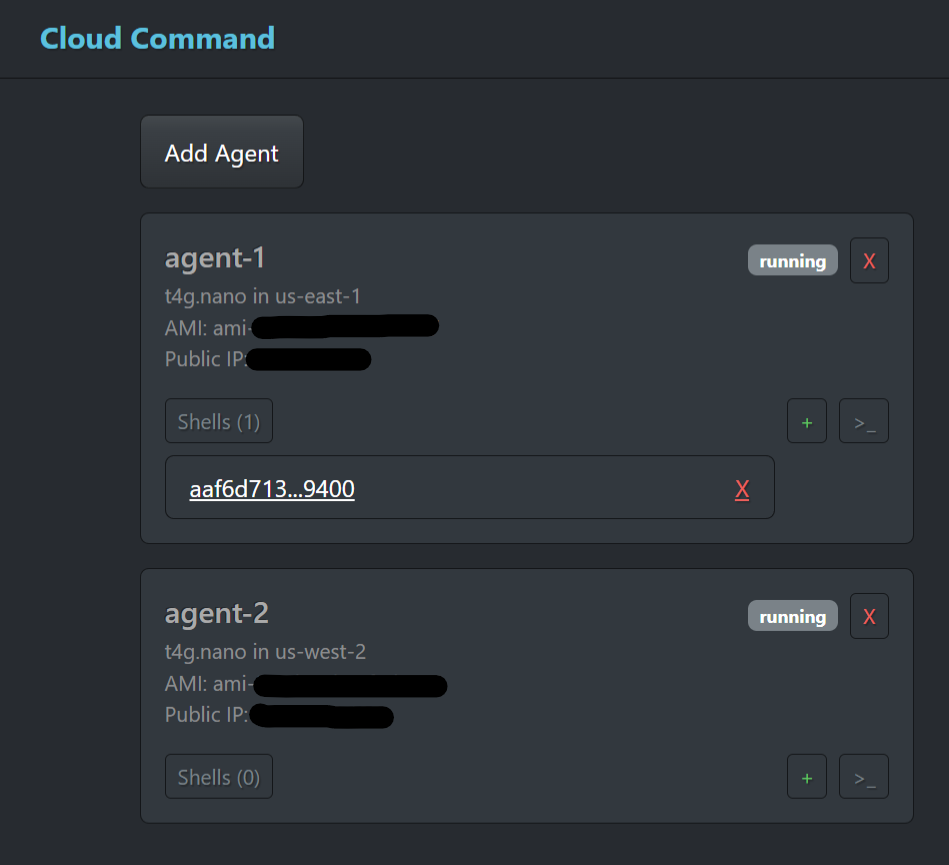
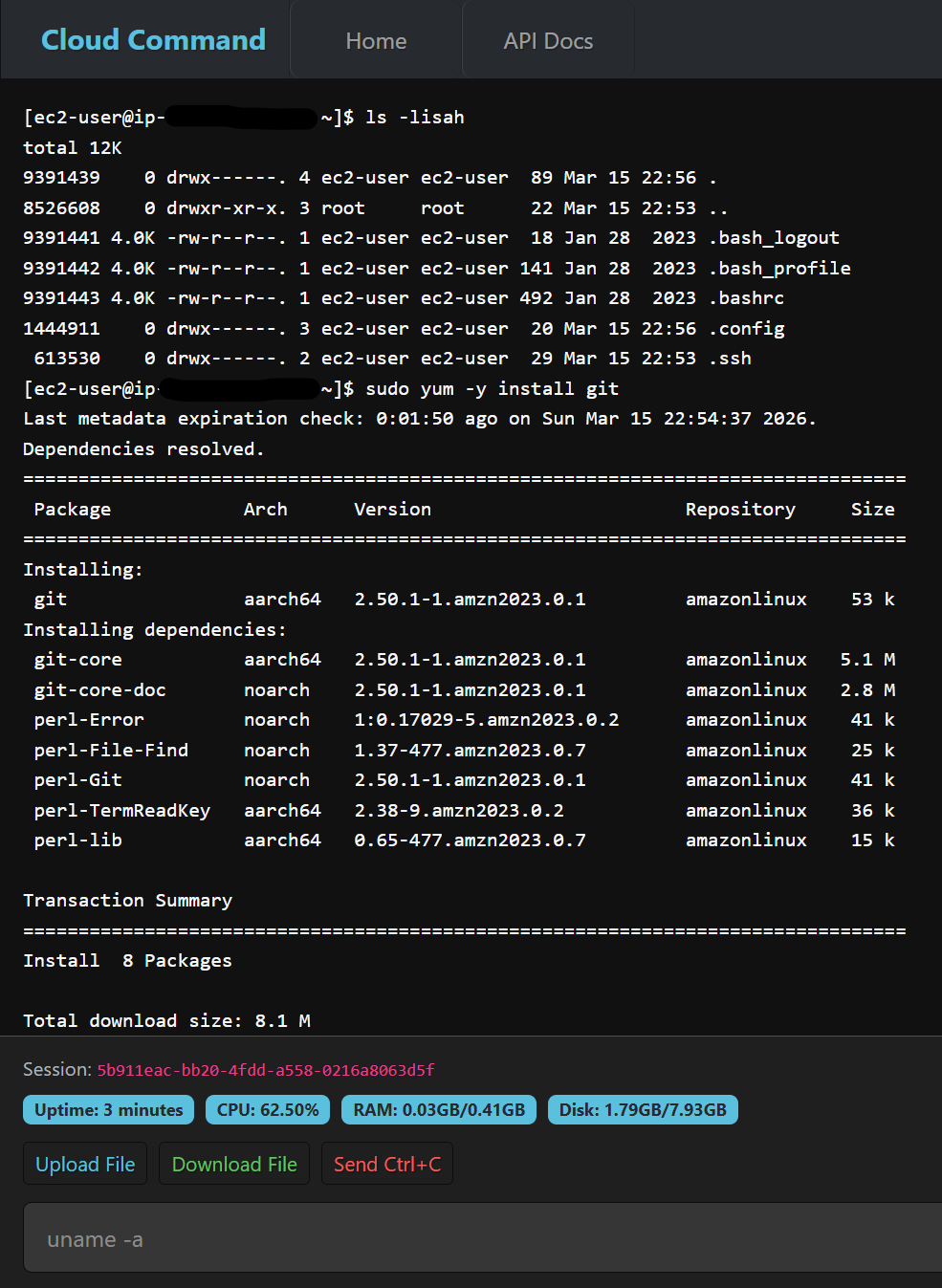
Features
- Create and destroy EC2 instances
- Interactive terminal via the Web UI
- File upload/download via SFTP
- MCP server for AI agent integration
Setup
Cloud Command requires that the aws cli be installed and connected to an AWS account.
Args
usage: cloud_command [-h] [--version] [--host HOST] [--port PORT]
                     [--private-key-path PRIVATE_KEY_PATH]
                     [--public-key-path PUBLIC_KEY_PATH]
                     [--list-all] [--delete-all]

GUI for commanding multiple AWS assets

options:
  -h, --help            show this help message and exit
  --version             show program's version number and exit

uvicorn options:
  --host HOST           Uvicorn server IP, default: 127.0.0.1
  --port PORT           Uvicorn server port, default: 8080
  --private-key-path PRIVATE_KEY_PATH
                        Path to SSL private key file
  --public-key-path PUBLIC_KEY_PATH
                        Path to SSL certificate file

management options:
  --list-all            Lists all EC2s with a 'cloud_command' tag
  --delete-all          Destroys all EC2s with a 'cloud_command' tag
MCP integration
The MCP server is hosted at /api/mcp, these are the configs for claude:
{
  "mcpServers": {
    "cloud-command": {
      "type": "http",
      "url": "https://127.0.0.1:8080/api/mcp/"
    }
  }
}
NOTE: you may need to disable SSL verification when using self-signed certificates
Deployment
Linux: Download the .bin file, make it executable, then move it to /usr/bin/cloud_command to add it to your PATH:
chmod +x cloud_command.bin
sudo mv cloud_command.bin /usr/bin/cloud_command
Windows: Download the .exe file, move it to a permanent location (e.g. %APPDATA%\CloudCommand\), then add that directory to your system PATH:
- Open Settings → System → About → Advanced system settings
- Click Environment Variables
- Under System variables, select Path and click Edit
- Click New and add the path to the directory containing
cloud_command.exe - Click OK to save
Build from source
# Create virtual environment
python3 -m venv .venv

# Activate (Linux)
source .venv/bin/activate
# Activate (Windows)
.venv/Scripts/activate.ps1

# Install dependencies
pip install .[dev]

# Run normally
python3 cloud_command/runner.py

# Build standalone executable
python3 build.py --help
Installing Cloud Command
This server has no published package — it is built from source. Open the repository and follow its README.
▸ github.com/Androsh7/cloud_commandFAQ
Is Cloud Command MCP free?
Yes, Cloud Command MCP is free — one-click install via Unyly at no cost.
Does Cloud Command need an API key?
No, Cloud Command runs without API keys or environment variables.
Is Cloud Command hosted or self-hosted?
A hosted option is available: Unyly runs the server in the cloud, no local setup required.
How do I install Cloud Command in Claude Desktop, Claude Code or Cursor?
Open Cloud Command on unyly.org, pick your client tab (Claude Desktop, Claude Code, Cursor) and press Install — the config is generated automatically, no JSON editing.
Related MCPs
GitHub
PRs, issues, code search, CI status
 by GitHub
Filesystem
Secure file operations with configurable access controls.
Memory
Knowledge graph-based persistent memory system.
Template MCP Server
A CLI tool to create a new Model Context Protocol server project with TypeScript support, dual transport options, and an extensible structure
 by mcpdotdirect
Compare Cloud Command with
Not sure what to pick?
Find your stack in 60 seconds
Author?
Embed badge for your README
Browse similar
All development MCPs