
CrewAI Enterprise
FreeNot checkedConnects to CrewAI Enterprise workflows, enabling kickoff and monitoring of collaborative agent teams for complex task delegation without leaving your interface

About
Connects to CrewAI Enterprise workflows, enabling kickoff and monitoring of collaborative agent teams for complex task delegation without leaving your interface.
README
Overview
A Model Context Protocol (MCP) server implementation that provides deployed CrewAI workflows. This server enables kicking off your deployed crew and inspect the status giving the results of your crew.
Tools
- kickoff_crew
- get_crew_status
Env Variables
retrieve from app.crewai.com
MCP_CREWAI_ENTERPRISE_SERVER_URL
MCP_CREWAI_ENTERPRISE_BEARER_TOKEN
Usage with Claude Desktop
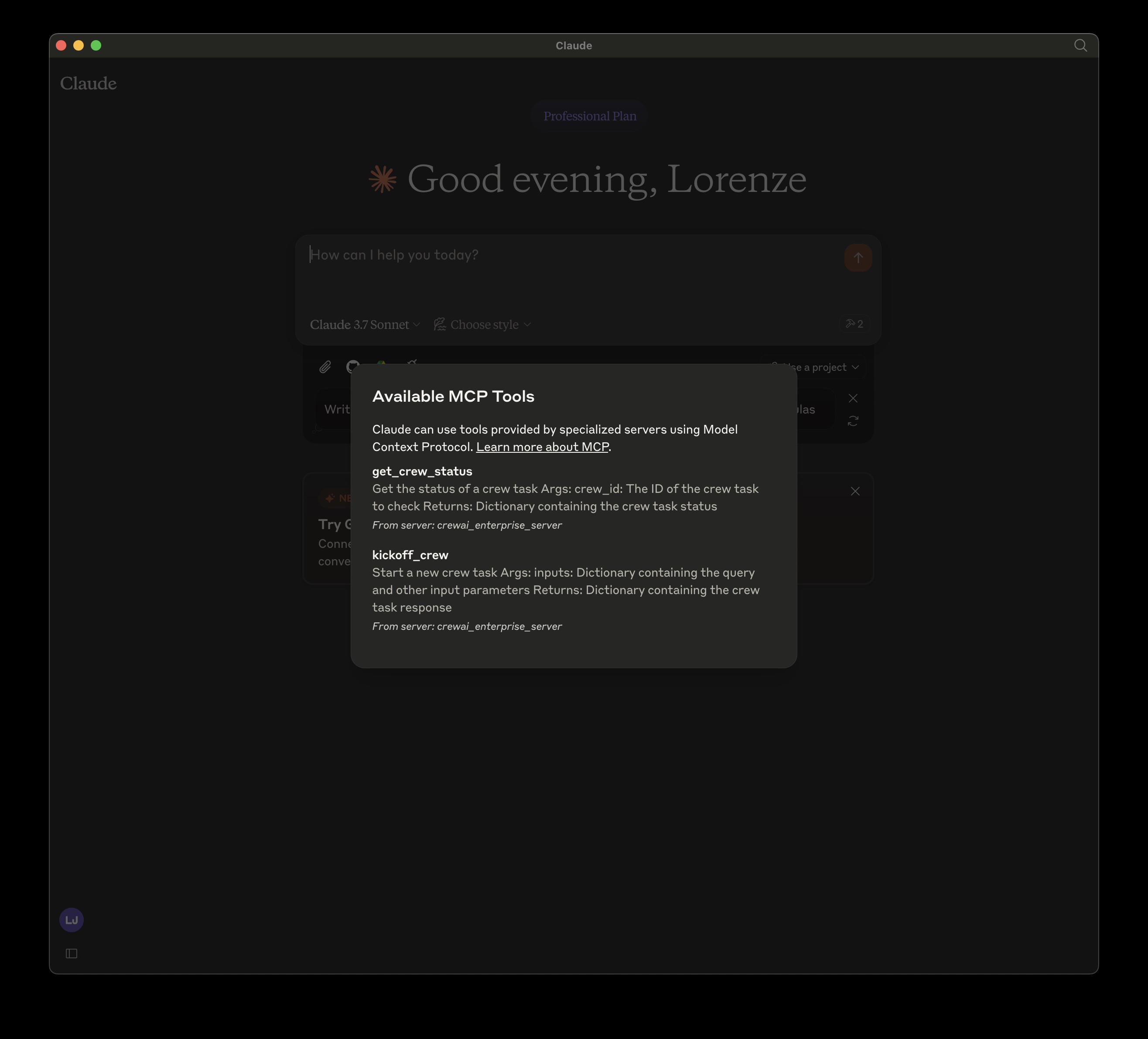
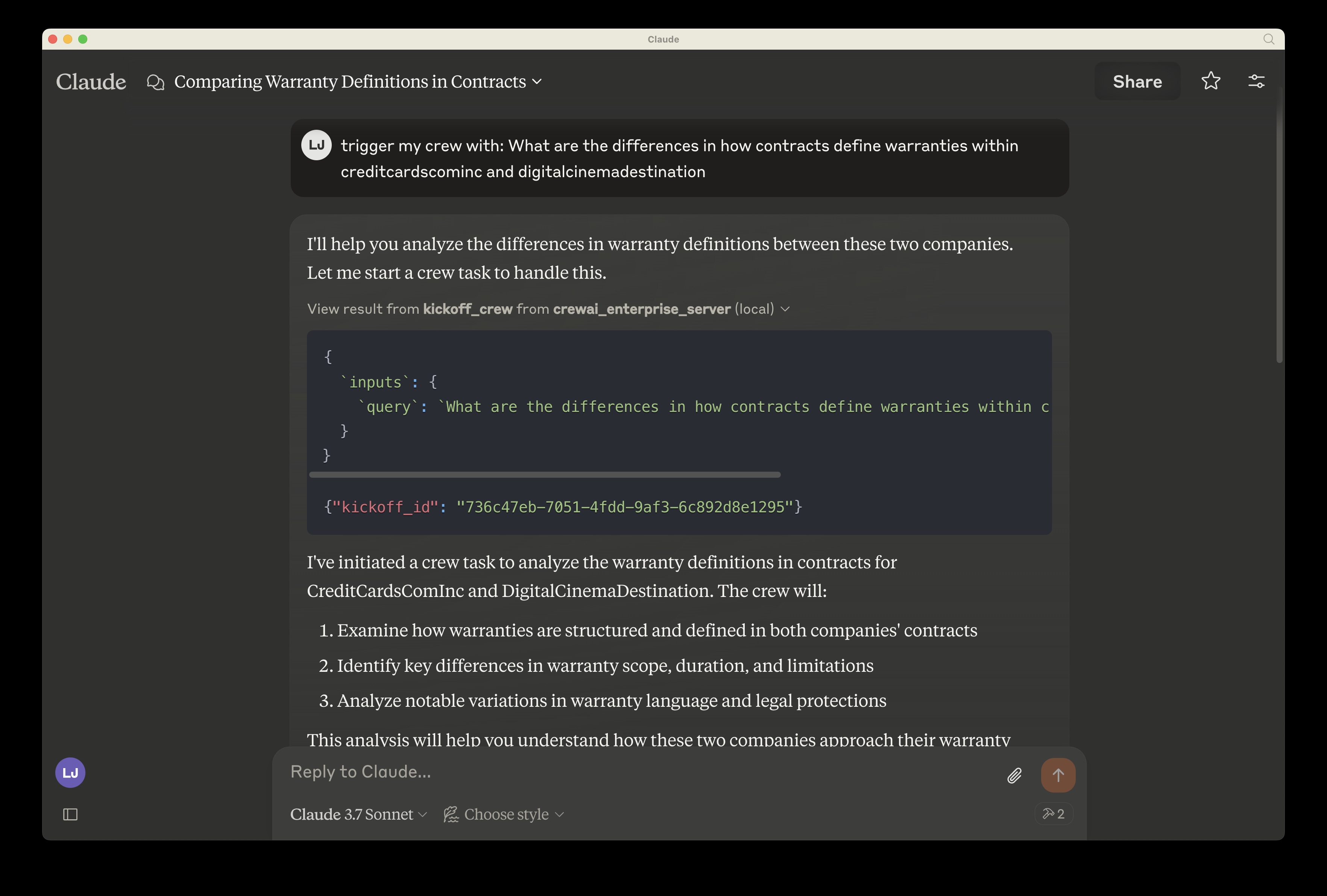
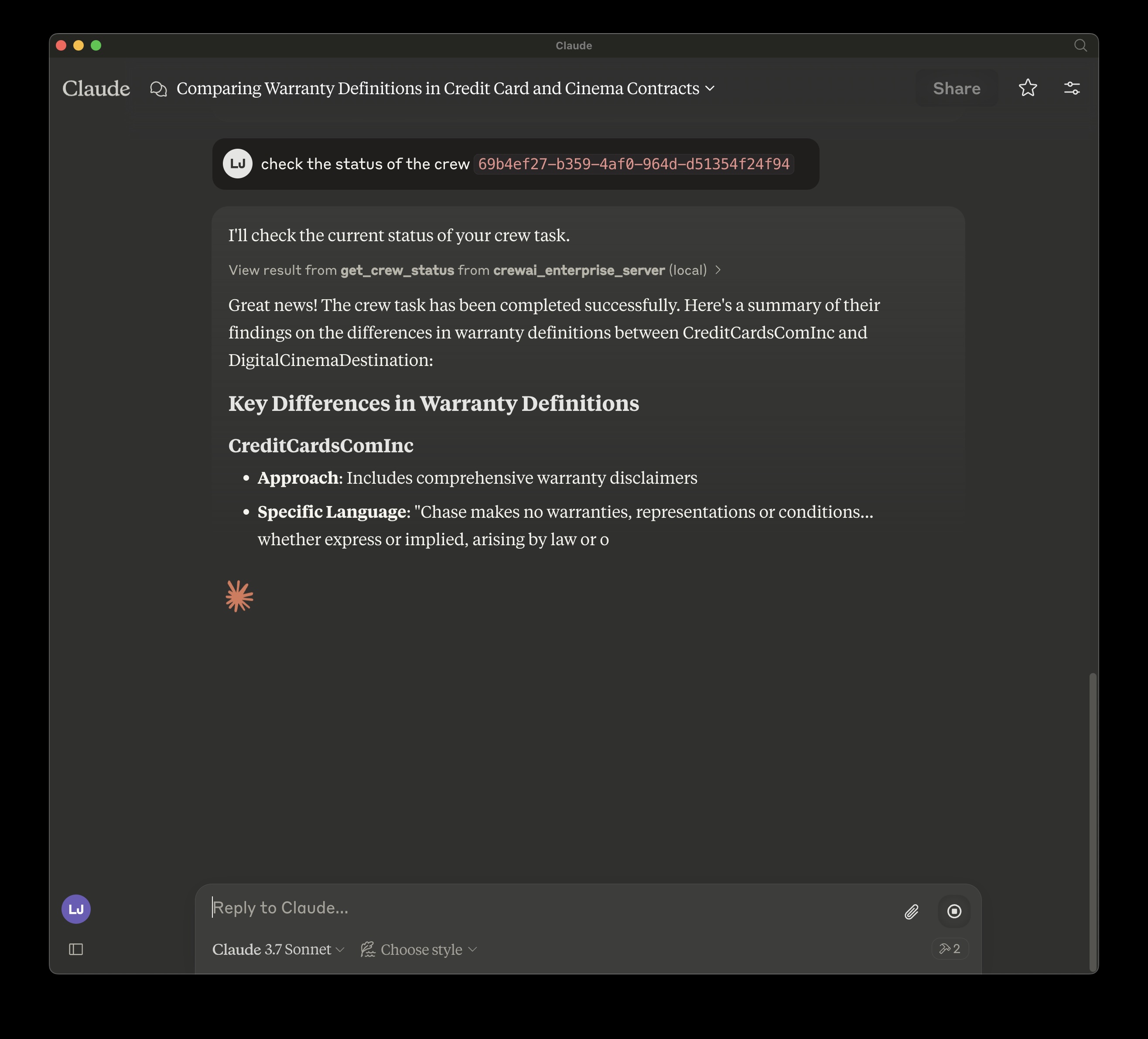
To use this MCP server with Claude Desktop, follow these steps:
- Open Claude Desktop
- Go to Settings > Developer Settings
- Add a new MCP server with the configuration shown below
Locally, cloned repo:
Install mcp and mcp[cli] locally
{
  "mcpServers": {
    "crewai_enterprise_server": {
      "command": "uv",
      "args": [
        "run",
        "--with",
        "mcp[cli]",
        "mcp",
        "run",
        "<filepath of cloned repo>",
        "/crewai_enterprise_server.py"
      ],
      "env": {
        "MCP_CREWAI_ENTERPRISE_SERVER_URL": "<>",
        "MCP_CREWAI_ENTERPRISE_BEARER_TOKEN": "<>"
      }
    }
  }
}
TODO: Added on PyPI:
Installing CrewAI Enterprise
This server has no published package — it is built from source. Open the repository and follow its README.
▸ github.com/crewaiinc/enterprise-mcp-serverFAQ
Is CrewAI Enterprise MCP free?
Yes, CrewAI Enterprise MCP is free — one-click install via Unyly at no cost.
Does CrewAI Enterprise need an API key?
No, CrewAI Enterprise runs without API keys or environment variables.
Is CrewAI Enterprise hosted or self-hosted?
Self-hosted: the server runs locally on your machine via the install command above.
How do I install CrewAI Enterprise in Claude Desktop, Claude Code or Cursor?
Open CrewAI Enterprise on unyly.org, pick your client tab (Claude Desktop, Claude Code, Cursor) and press Install — the config is generated automatically, no JSON editing.
Related MCPs
Gmail
Read, send and search emails from Claude
 by Google
Slack
Send, search and summarize Slack messages
 by Slack
Runbear
No-code MCP client for team chat platforms, such as Slack, Microsoft Teams, and Discord.
Discord Server
A community discord server dedicated to MCP by [Frank Fiegel](https://github.com/punkpeye)
Compare CrewAI Enterprise with
Not sure what to pick?
Find your stack in 60 seconds
Author?
Embed badge for your README
Browse similar
All communication MCPs