

About
Interface with Datafocus data tables via natural language.
README
A Model Context Protocol (MCP) server enables artificial intelligence assistants to directly query data results. Users can obtain data results from DataFocus using natural language.
Features
- Register on DataFocus to open an application space, and import (directly connect to) the data tables to be analyzed.
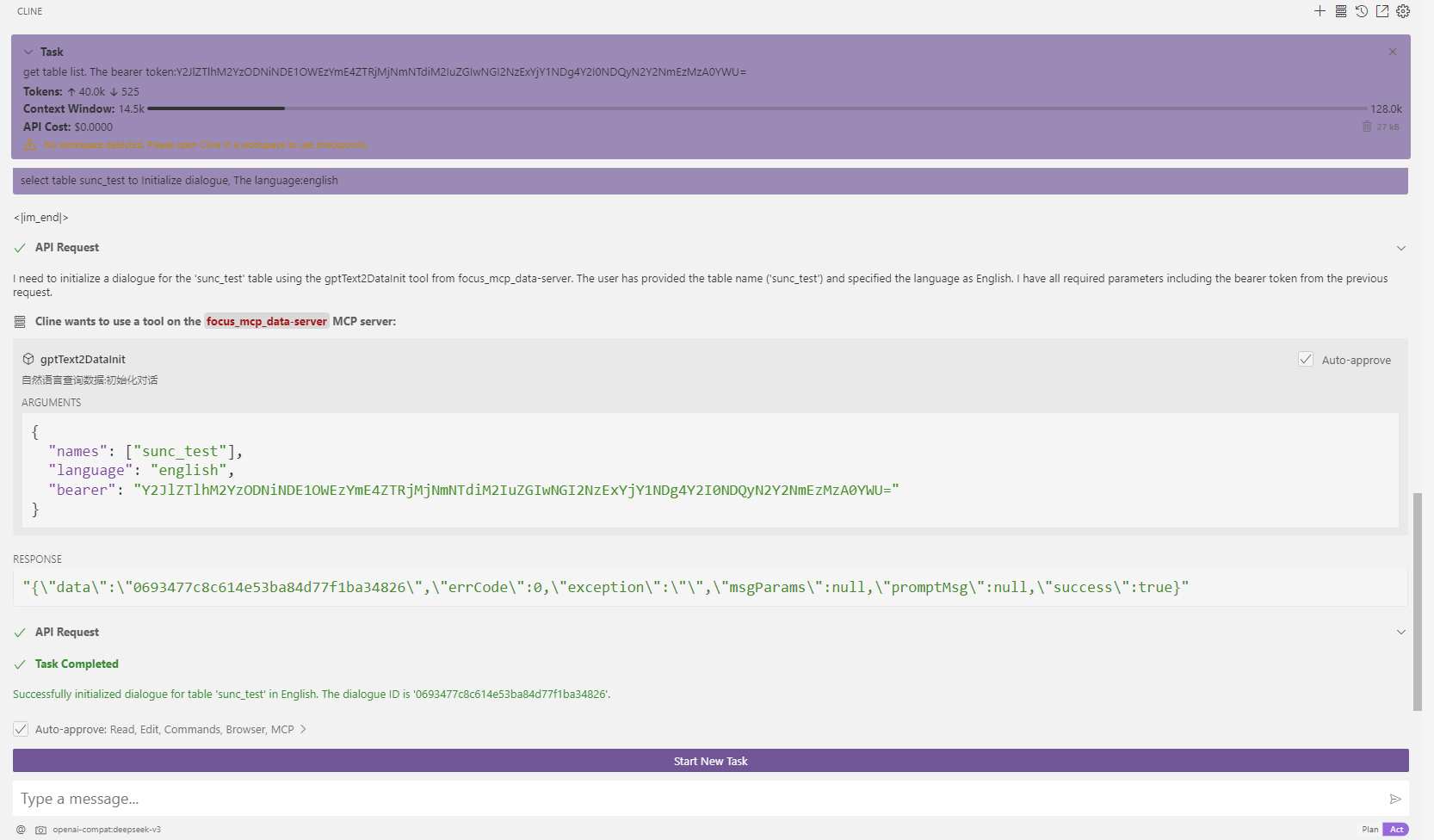
- Select Datafocus data table initialization dialogue
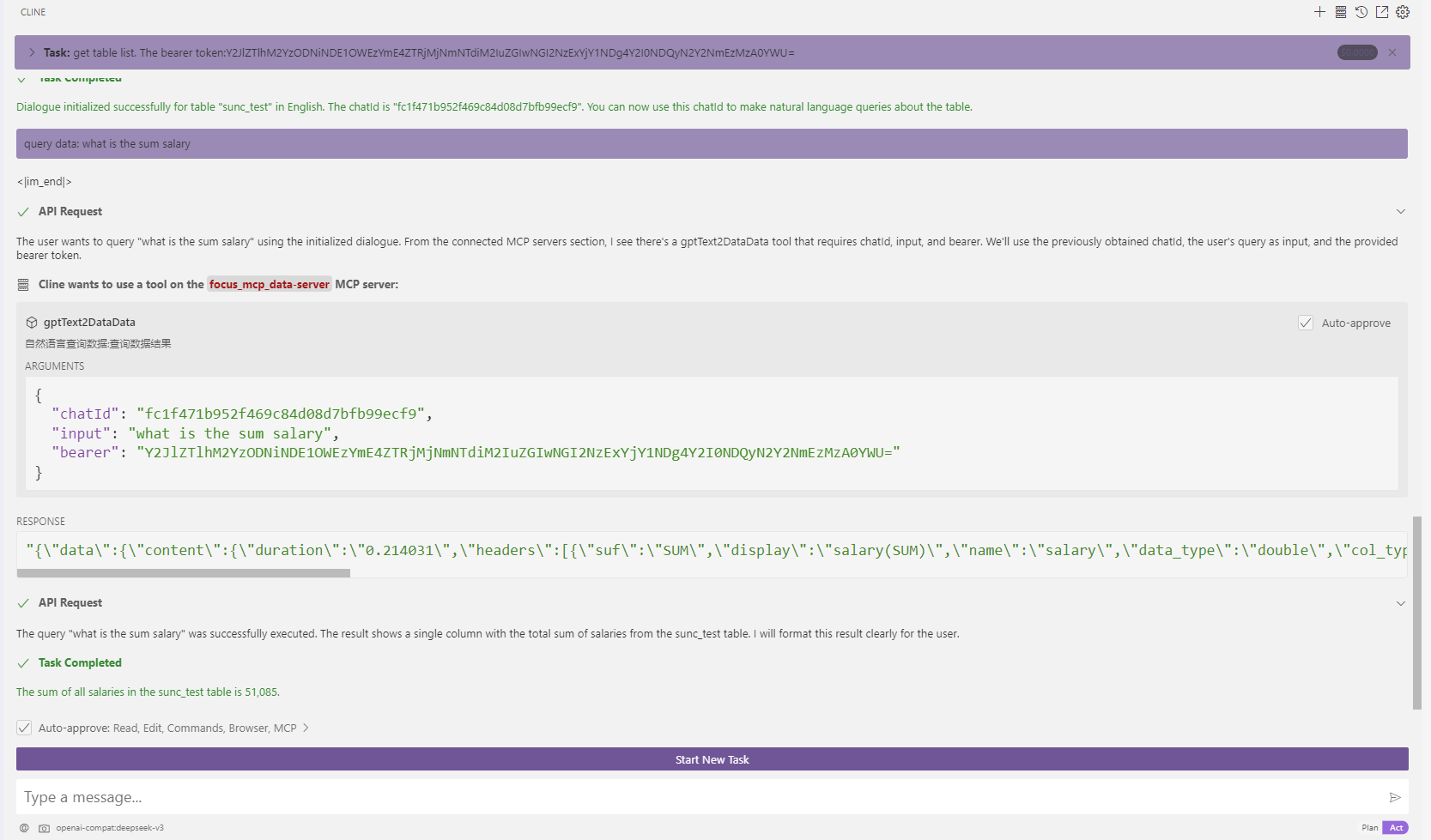
- Natural language data acquisition results
Prerequisites
- jdk 23 or higher. Download jdk
- gradle 8.12 or higher. Download gradle
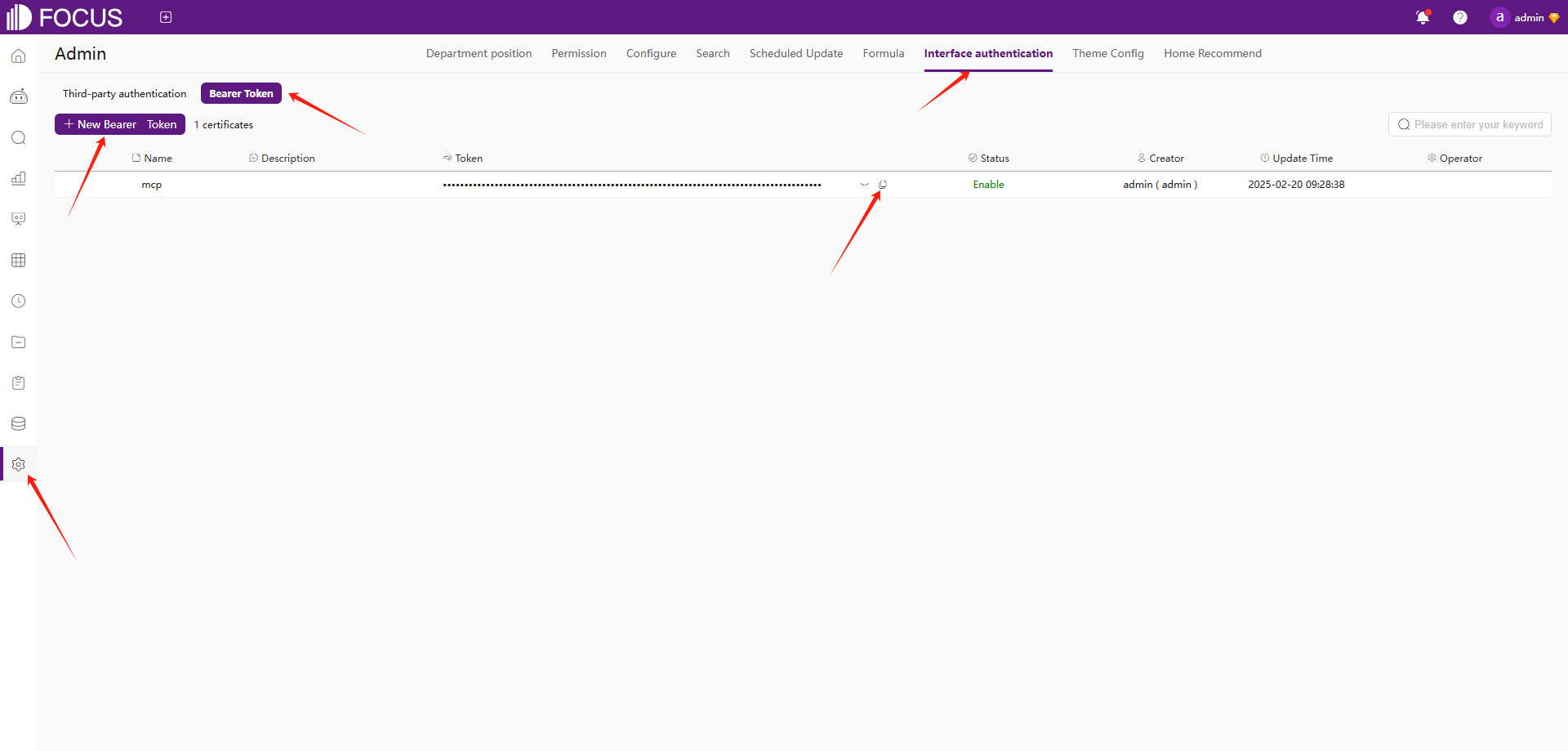
- register Datafocus to obtain bearer token:
- Register an account in Datafocus
- Create an application
- Enter the application
- Admin -> Interface authentication -> Bearer Token -> New Bearer Token
Installation
- Clone this repository:
git clone https://github.com/FocusSearch/focus_mcp_data.git
cd focus_mcp_data
- Build the server:
gradle clean
gradle bootJar

The jar path: build/libs/focus_mcp_data.jar
MCP Configuration
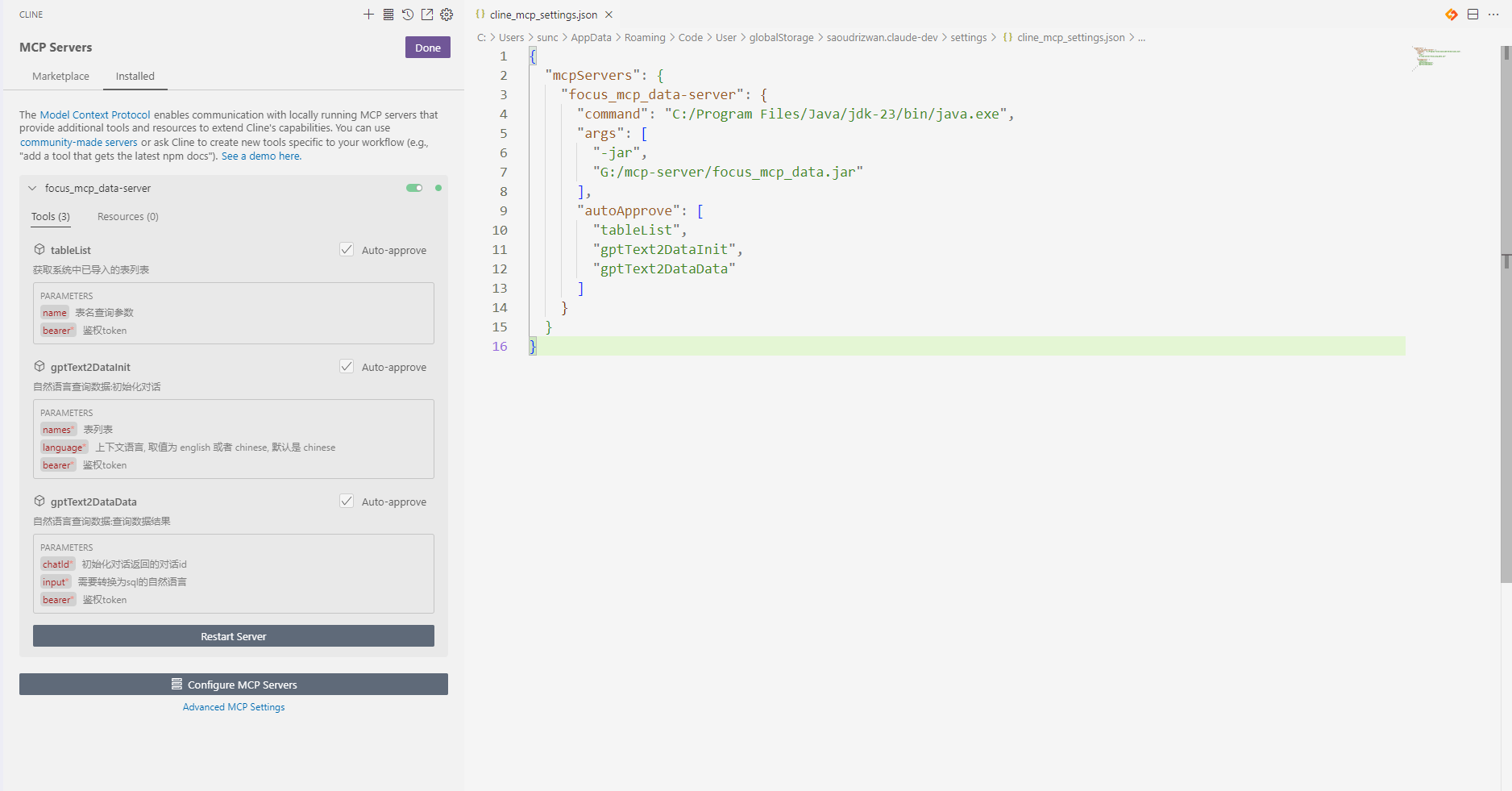
Add the server to your MCP settings file (usually located
at ~/AppData/Roaming/Code/User/globalStorage/saoudrizwan.claude-dev/settings/cline_mcp_settings.json):
{
  "mcpServers": {
    "focus_mcp_data": {
      "command": "java",
      "args": [
        "-jar",
        "path/to/focus_mcp_data/focus_mcp_data.jar"
      ],
      "autoApprove": [
        "tableList",
        "gptText2DataInit",
        "gptText2DataData"
      ]
    }
  }
}
Available Tools
1. tableList
Get table list in datafocus.
Parameters:
name(optional): table name to filterbearer(required): bearer token
Example:
{
  "name": "test",
  "bearer": "ZTllYzAzZjM2YzA3NDA0ZGE3ZjguNDJhNDjNGU4NzkyYjY1OTY0YzUxYWU5NmU="
}
2. gptText2DataInit
Initialize dialogue.
Parameters:
names(required): selected table namesbearer(required): bearer tokenlanguage(optional): language ['english','chinese']
Example:
{
  "names": [
    "test1",
    "test2"
  ],
  "bearer": "ZTllYzAzZjM2YzA3NDA0ZGE3ZjguNDJhNDjNGU4NzkyYjY1OTY0YzUxYWU5NmU="
}
3. gptText2DataData
Query data results.
Parameters:
chatId(required): chat idinput(required): Natural languagebearer(required): bearer token
Example:
{
  "chatId": "03975af5de4b4562938a985403f206d4",
  "input": "max(age)",
  "bearer": "ZTllYzAzZjM2YzA3NDA0ZGE3ZjguNDJhNDjNGU4NzkyYjY1OTY0YzUxYWU5NmU="
}
Response Format
All tools return responses in the following format:
{
  "errCode": 0,
  "exception": "",
  "msgParams": null,
  "promptMsg": null,
  "success": true,
  "data": {
  }
}
Visual Studio Code Cline Sample
- vsCode install cline plugin
- mcp server config
- use
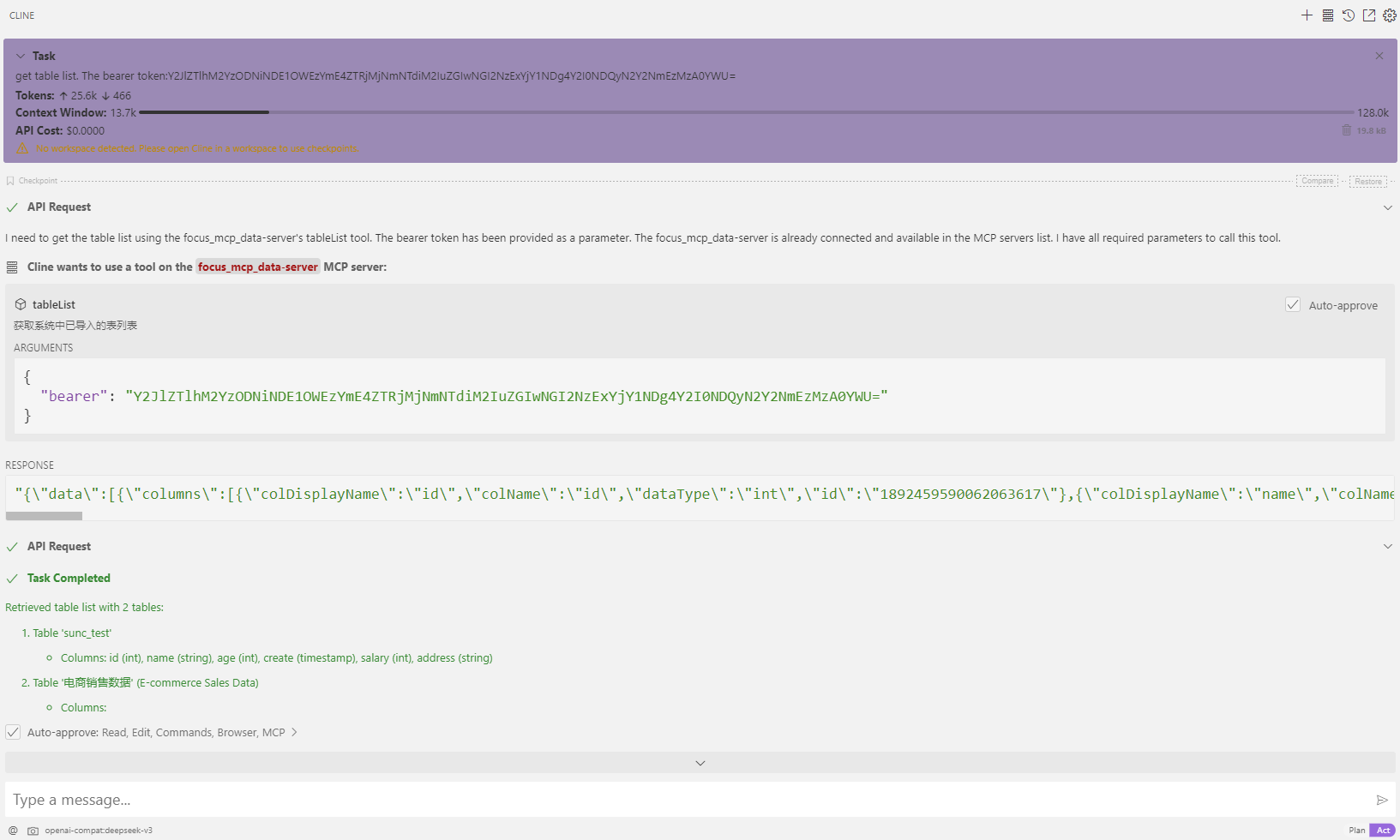
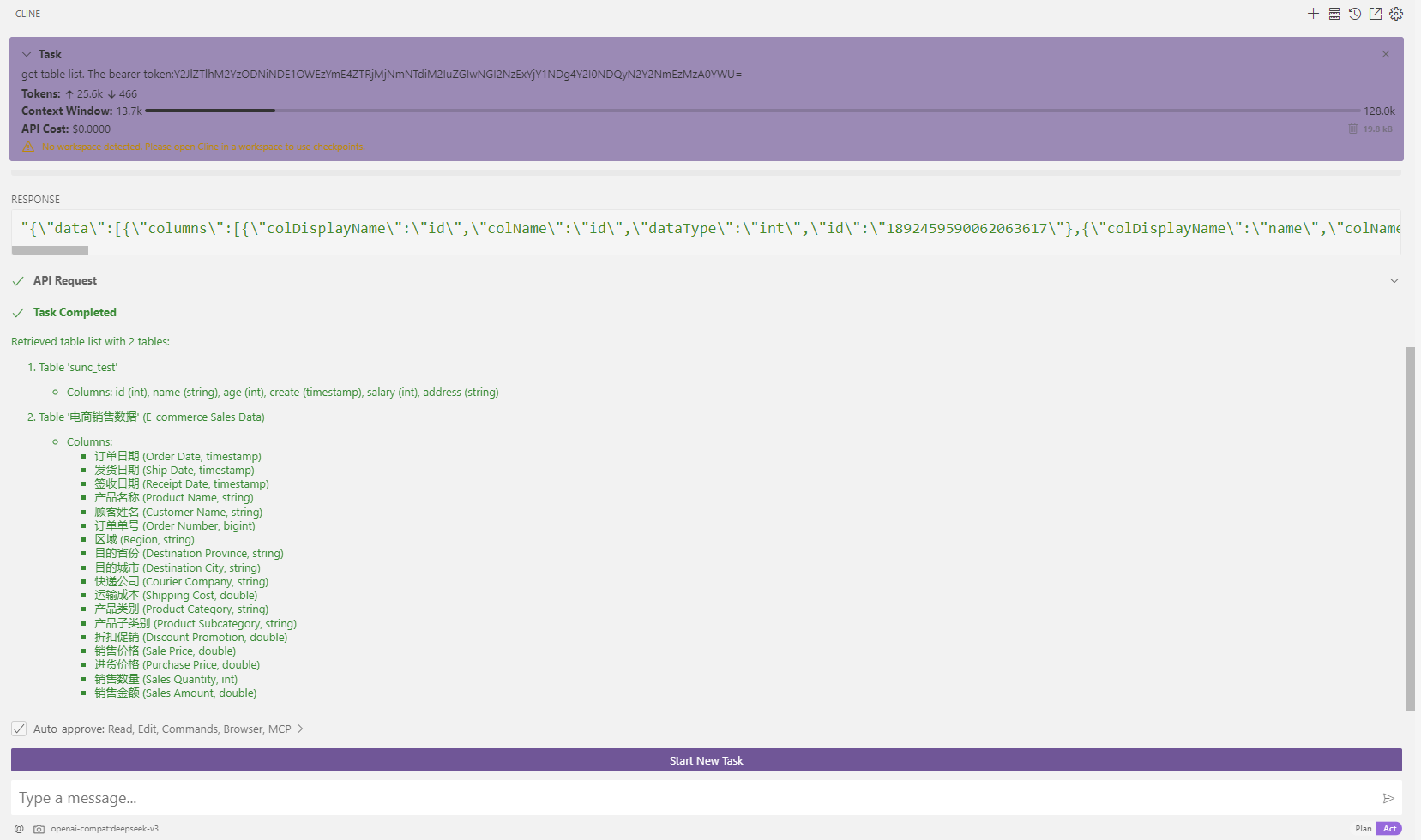
- get table list
- Initialize dialogue
- query: what is the sum salary
- get table list
Contact:

Installing Datafocus
This server has no published package — it is built from source. Open the repository and follow its README.
▸ github.com/focussearch/focus_mcp_dataFAQ
Is Datafocus MCP free?
Yes, Datafocus MCP is free — one-click install via Unyly at no cost.
Does Datafocus need an API key?
No, Datafocus runs without API keys or environment variables.
Is Datafocus hosted or self-hosted?
Self-hosted: the server runs locally on your machine via the install command above.
How do I install Datafocus in Claude Desktop, Claude Code or Cursor?
Open Datafocus on unyly.org, pick your client tab (Claude Desktop, Claude Code, Cursor) and press Install — the config is generated automatically, no JSON editing.
Related MCPs
GitHub
PRs, issues, code search, CI status
 by GitHub
Filesystem
Secure file operations with configurable access controls.
Memory
Knowledge graph-based persistent memory system.
Template MCP Server
A CLI tool to create a new Model Context Protocol server project with TypeScript support, dual transport options, and an extensible structure
 by mcpdotdirect
Compare Datafocus with
Not sure what to pick?
Find your stack in 60 seconds
Author?
Embed badge for your README
Browse similar
All development MCPs