
Develop
FreeMaintainedCamStack developer tooling — catalogue, scaffold, validate, and example lookup shared by the CLI and MCP server.

About
CamStack developer tooling — catalogue, scaffold, validate, and example lookup shared by the CLI and MCP server.
README
Your cameras and your smart home, on your own hardware.
CamStack watches your cameras, records what matters, recognises people, cars, animals and parcels, and lets you know — without sending your video anywhere. It runs on a home server, a NAS or a spare computer, and it is free and open source.
0.1 is a beta. Guides and install steps: camstack-docs.zentik.app

What you get
- Live view that just works. All your cameras in a fast grid — on your phone, in the browser or in the desktop app. Talk back through cameras that have a speaker.
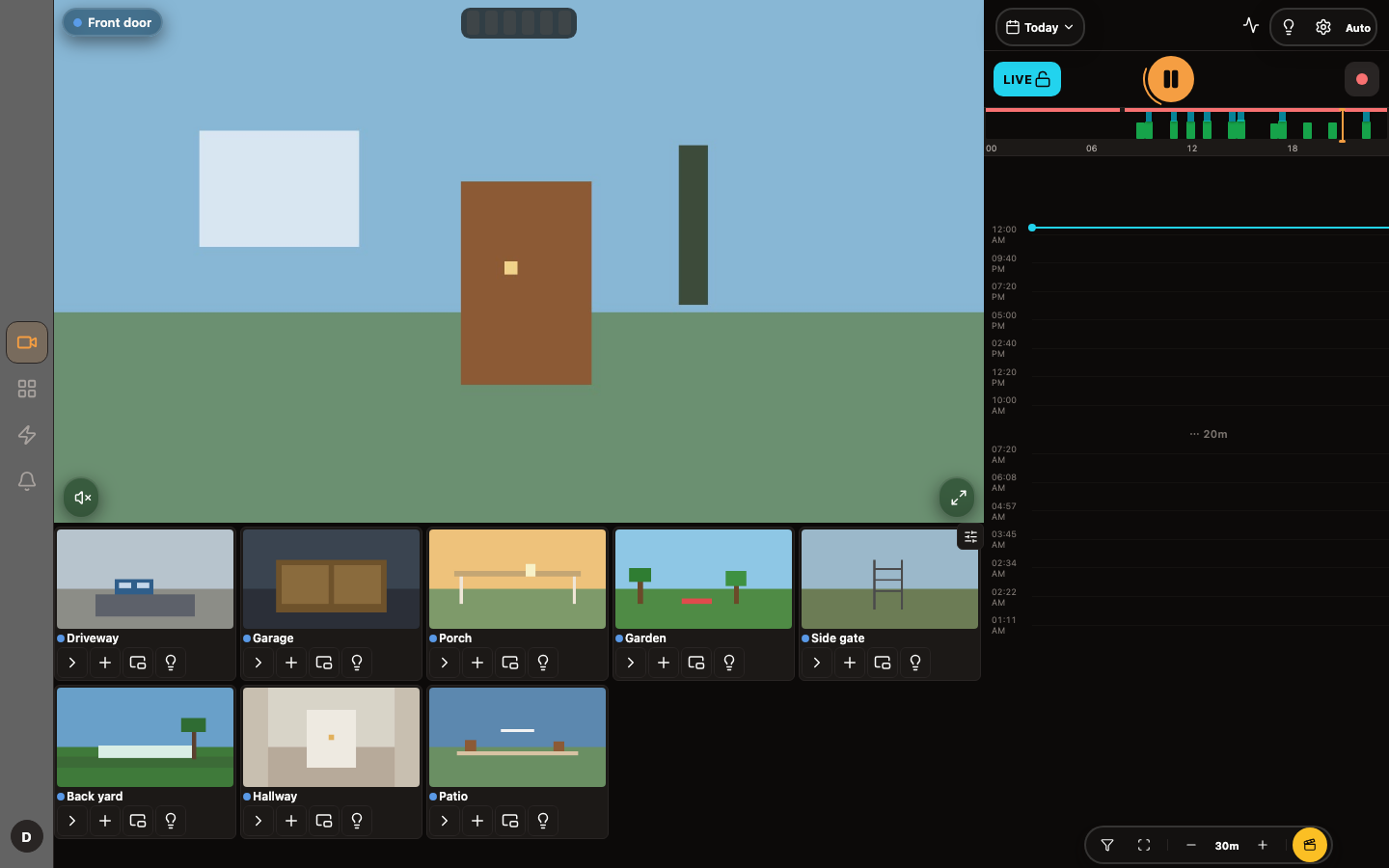
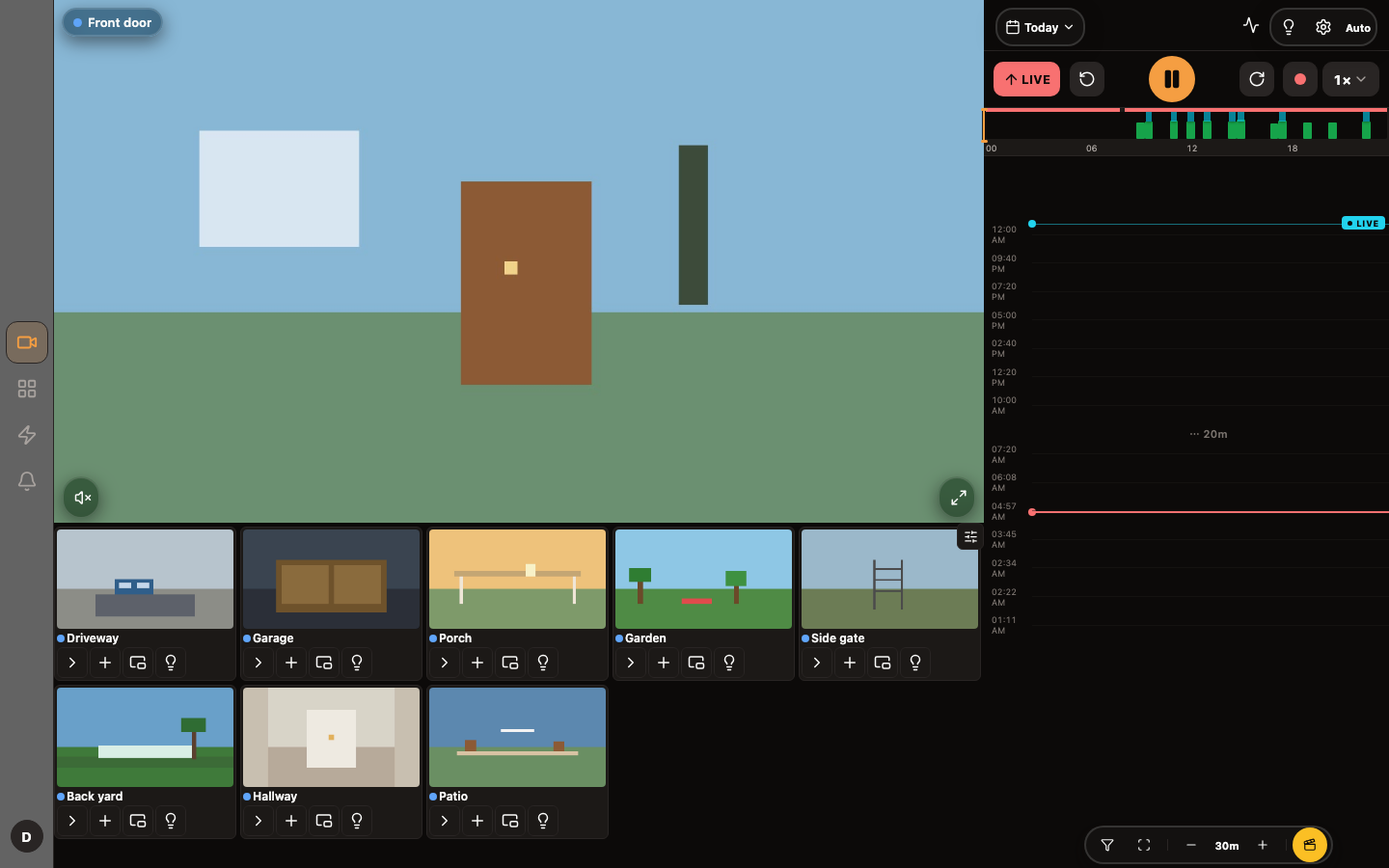
- Recordings you can search. Record all the time or only when something happens. A timeline shows you when there was activity, and the event library lets you jump straight to the person, the car or the parcel.
- Smart detection, at home. People, vehicles, animals, parcels, faces, number plates and sounds such as a smoke alarm — analysed on your own machine, using whatever it has: a regular CPU, Intel, AMD, Apple or NVIDIA graphics, or a Coral stick.
- Alerts worth opening. Decide which camera, which area and which hours matter. Each alert comes with a picture, and optionally a one-line description written by an AI model of your choice.
- Part of your smart home. Your lights, sensors, locks, robot vacuums and climate units sit next to your cameras, and everything can be shared with Home Assistant, Apple Home, Alexa or Google Home.
- Grows with your house. Add more computers as you add cameras. CamStack spreads the work across them and moves it when one is busy.
- Make it yours. Adjust how any device reports its state, combine sensors into new devices, write automations, and train the detector on your own scenes.
A look around
 |
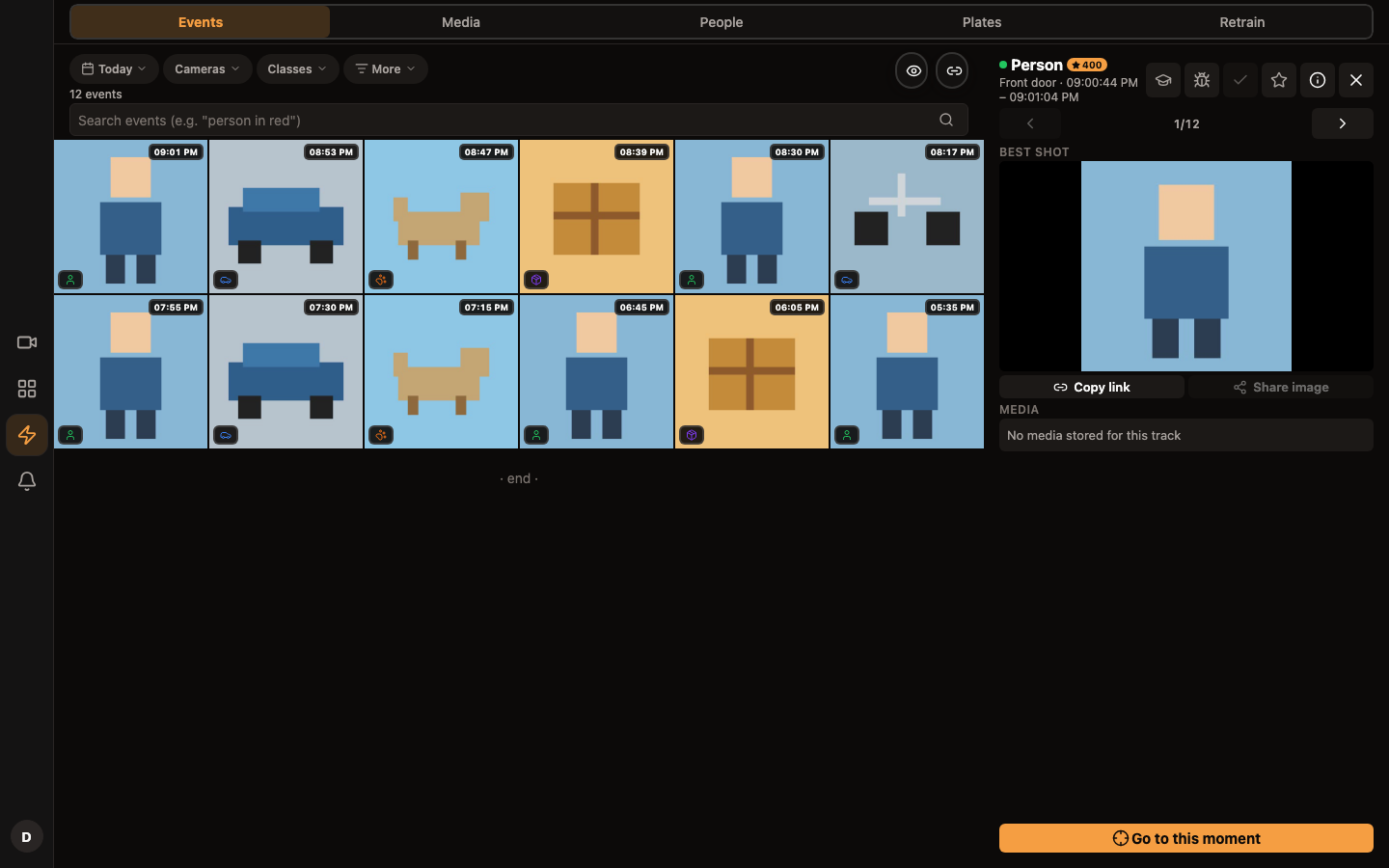 |
| Live view with the activity timeline | Events, filtered by what was seen |
 |
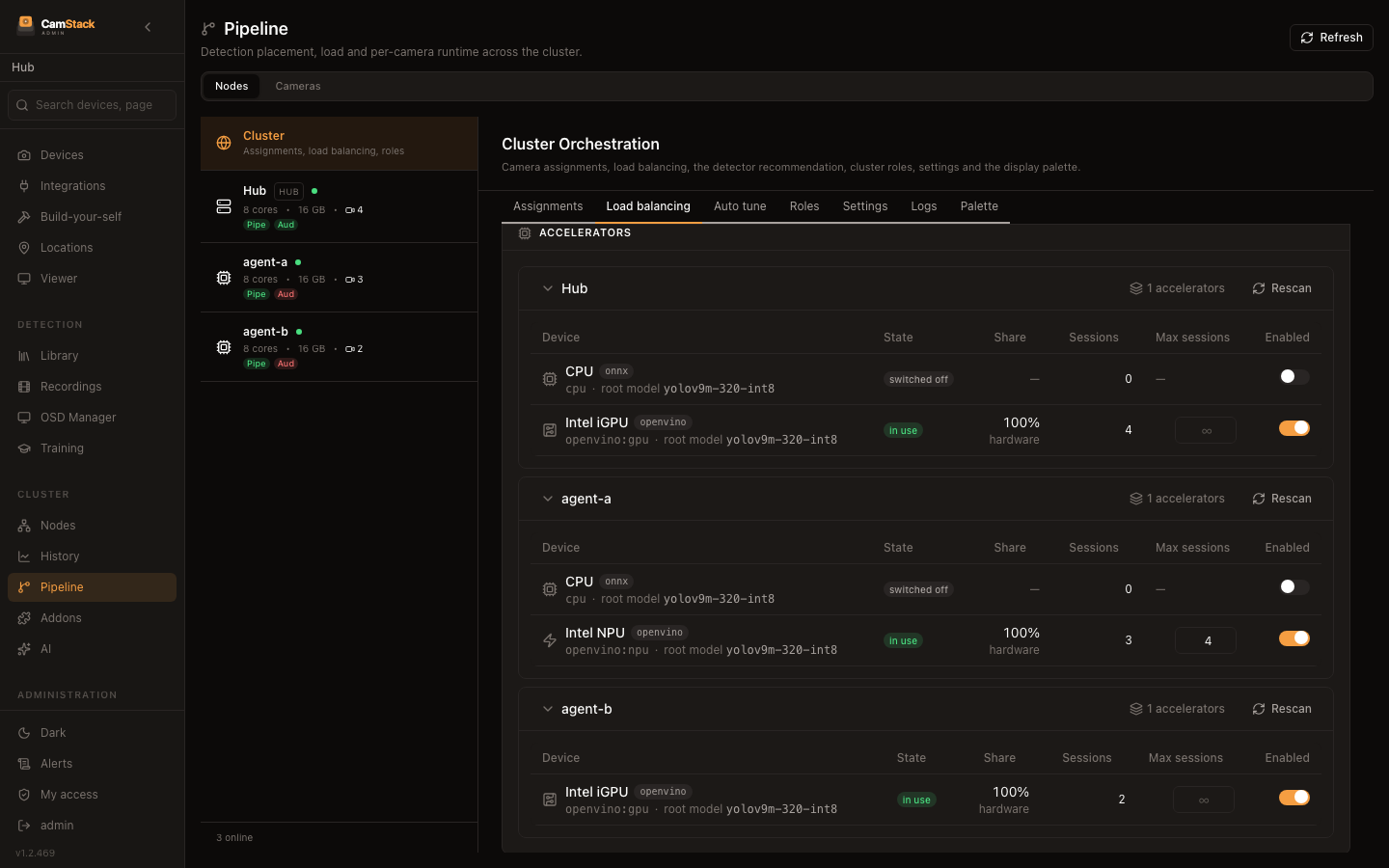 |
| Recordings and playback | Several machines, balanced automatically |
 |
 |
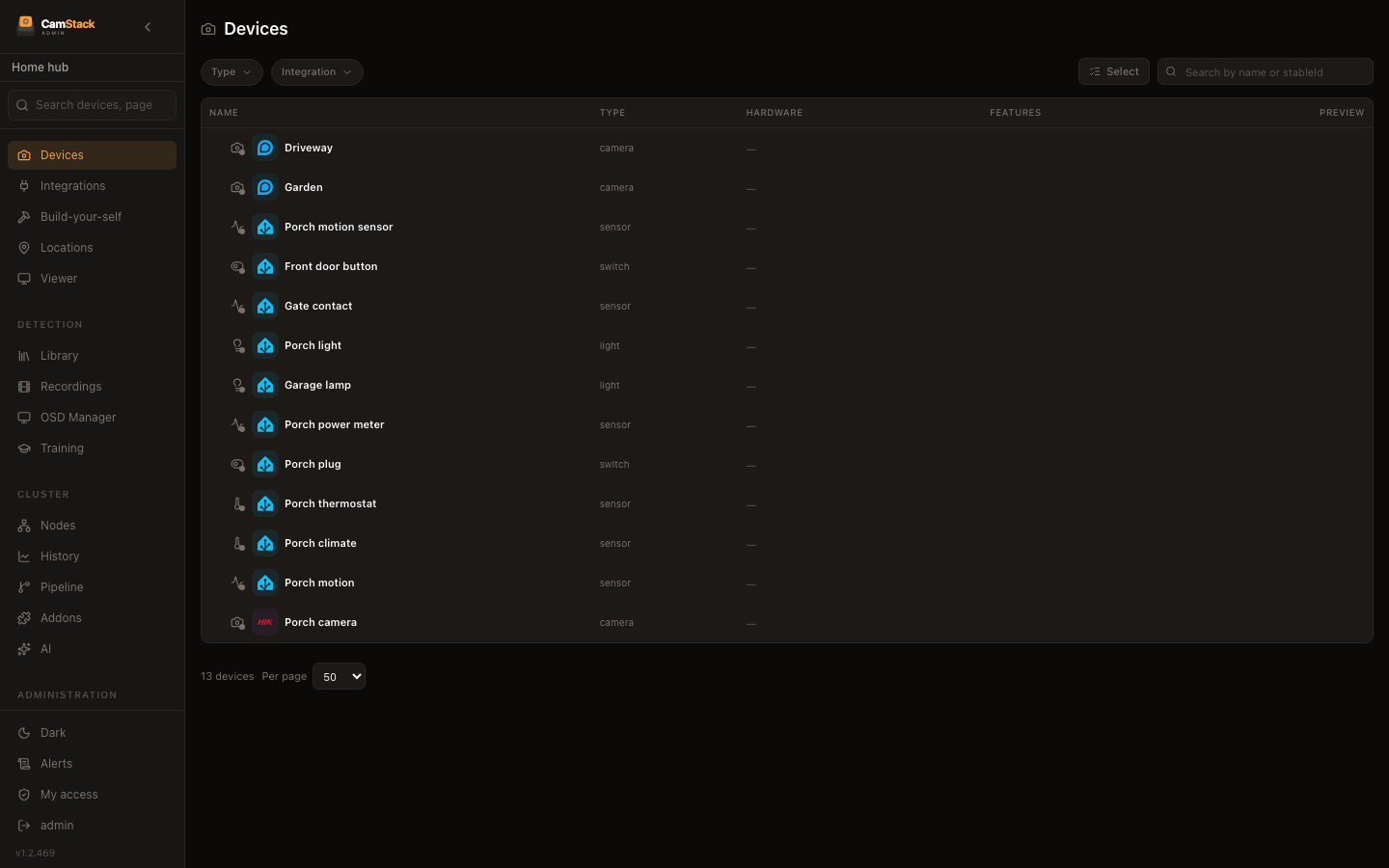
| Cameras and home devices together | The mobile app |
Works with
| Cameras | Reolink, Hikvision, Amcrest, UniFi, Wyze, and any ONVIF or RTSP camera |
| Home devices | Home Assistant, Tuya, Bosch (Smart Home, Home Connect, HomeCom), Homematic, Velux, Dreame, PetKit, VeSync, Gree, Dreo, Ecowitt, Rademacher, MQTT |
| Share to | Home Assistant, Apple Home (with HomeKit Secure Video), Alexa, Google Home, Matter, MQTT |
| Alerts | Zentik, ntfy, Pushover, Gotify, Telegram, Discord, WhatsApp, email, webhooks |
| Storage | Local disks, plus S3-compatible, WebDAV, SFTP and SMB destinations |
| Remote access | Cloudflare Tunnel or Tailscale — no port forwarding needed |
| Apps | iOS, Android, web, and a desktop app for macOS and Linux |
Each integration is a plugin you add from the admin page. Missing one? Plugins are ordinary npm packages — see how to write one and the examples.
Private by design
Everything — video, recordings, detections, faces — stays on your machines. There is no CamStack account.
Two small hosted pieces exist because the other side requires them: the Alexa skill talks to a small cloud function — ours by default, or your own if you prefer to deploy it — and the page at camstack.zentik.app that lets the mobile app find your server from a link. It never sees your video.
Updates, plugins and detection models are downloaded from public sources (npm, GitHub and Hugging Face). Anything else that leaves your house is an integration you turned on yourself.
Get started
| How | |
|---|---|
| Docker | ghcr.io/camstack/camstack:intel-latest (or amd-latest) — guide |
| Unraid | Community template — guide |
| Proxmox | One-line install script — guide |
| Desktop | macOS and Linux apps on the releases page |
Then open https://<your-server>:4443, sign in as admin / changeme, and
pick a new password.
Community
Questions and ideas: Discussions · Bugs: Issues · Contributing: CONTRIBUTING.md · Security: SECURITY.md
CamStack is released under the MIT licence.
Install Develop in Claude Desktop, Claude Code & Cursor
unyly install developInstalls into Claude Desktop, Claude Code, Cursor & VS Code — handles npx, uvx and build-from-source repos for you.
First time? Get the CLI: curl -fsSL https://unyly.org/install | sh
Or configure manually
Run in your terminal:
claude mcp add develop -- npx -y @camstack/developStep-by-step: how to install Develop
FAQ
Is Develop MCP free?
Yes, Develop MCP is free — one-click install via Unyly at no cost.
Does Develop need an API key?
No, Develop runs without API keys or environment variables.
Is Develop hosted or self-hosted?
Self-hosted: the server runs locally on your machine via the install command above.
How do I install Develop in Claude Desktop, Claude Code or Cursor?
Open Develop on unyly.org, pick your client tab (Claude Desktop, Claude Code, Cursor) and press Install — the config is generated automatically, no JSON editing.
Related MCPs
GitHub
PRs, issues, code search, CI status
 by GitHub
Filesystem
Secure file operations with configurable access controls.
Memory
Knowledge graph-based persistent memory system.

Unyly Deploy
Deploy sites and MCP servers to Unyly straight from your AI agent
 by Unyly
Amap Maps Mcp Server
MCP server for using the AMap Maps API
 by duxiaohui
PayMCP
Lightweight payments layer for MCP servers: turn tools into paid endpoints with a two-line decorator. [PyPI](https://pypi.org/project/paymcp/) · [npm](https://w
 by blustAI
Server For Power BI
Enables exploring Microsoft Fabric / Power BI workspaces and semantic models, and executing ad-hoc DAX queries.
 by Mitsubishi-Fuso
Template MCP Server
A CLI tool to create a new Model Context Protocol server project with TypeScript support, dual transport options, and an extensible structure
 by mcpdotdirect
Supabase
Database, auth and storage
 by Supabase
Everything
Reference / test server with prompts, resources, and tools.
Compare Develop with
Not sure what to pick?
Find your stack in 60 seconds
Author?
Embed badge for your README
Browse similar
All development MCPs