loading…
en/
Browse all
 by Microsoft
 by modelcontextprotocol
 by opentabs-dev
 by robhunter
Dgmo
FreeNot checkedMCP server for rendering 35+ diagram types — sequence, flowchart, ER, C4, gantt, mindmap, infra, and more — to SVG/PNG with browser preview. Local rendering wit

About
MCP server for rendering 35+ diagram types — sequence, flowchart, ER, C4, gantt, mindmap, infra, and more — to SVG/PNG with browser preview. Local rendering with palette/theme support and shareable diagrammo.app URLs.
README
Turn a conversation into a real diagram — without leaving your AI tool.
npm version npm downloads license
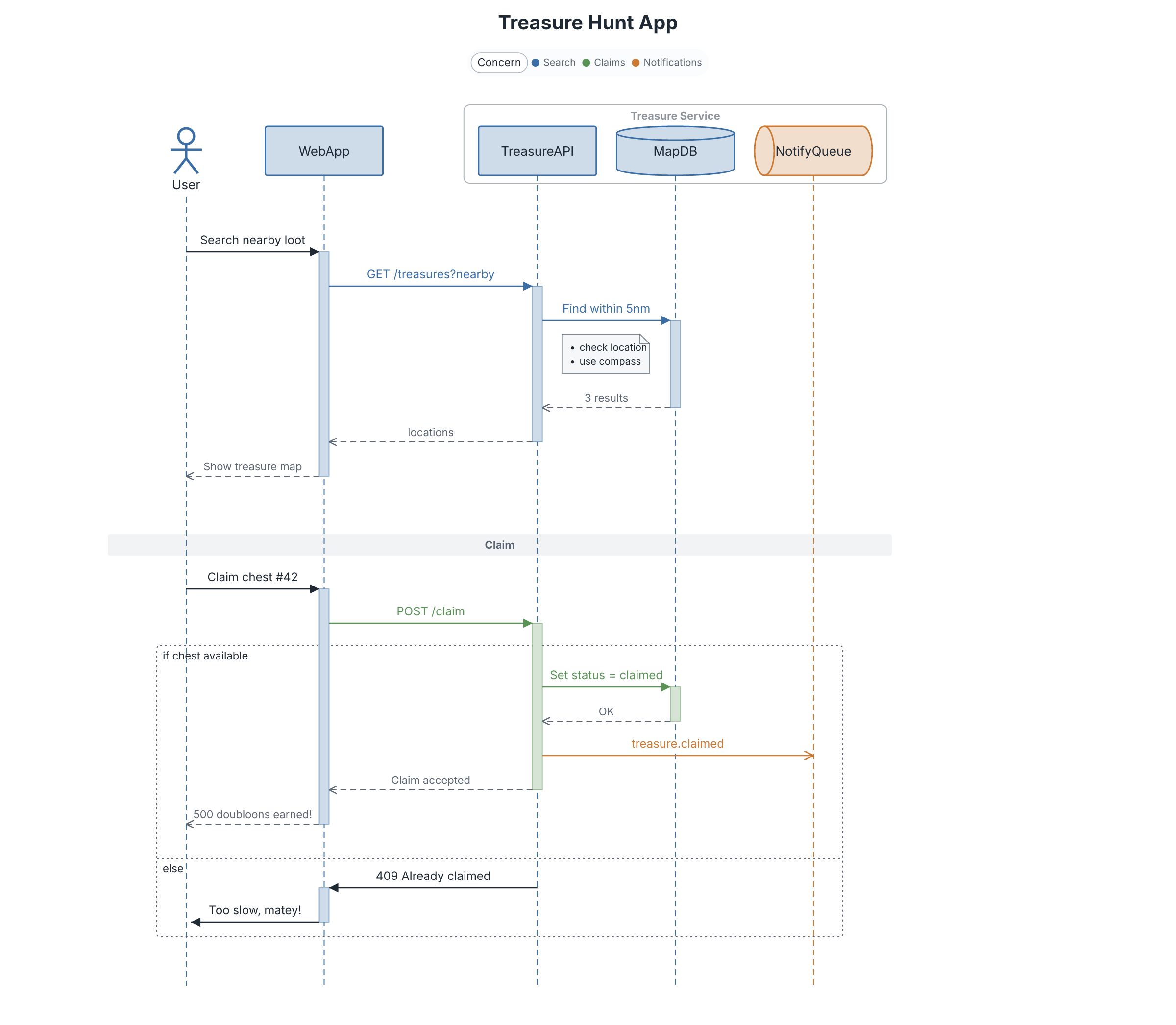
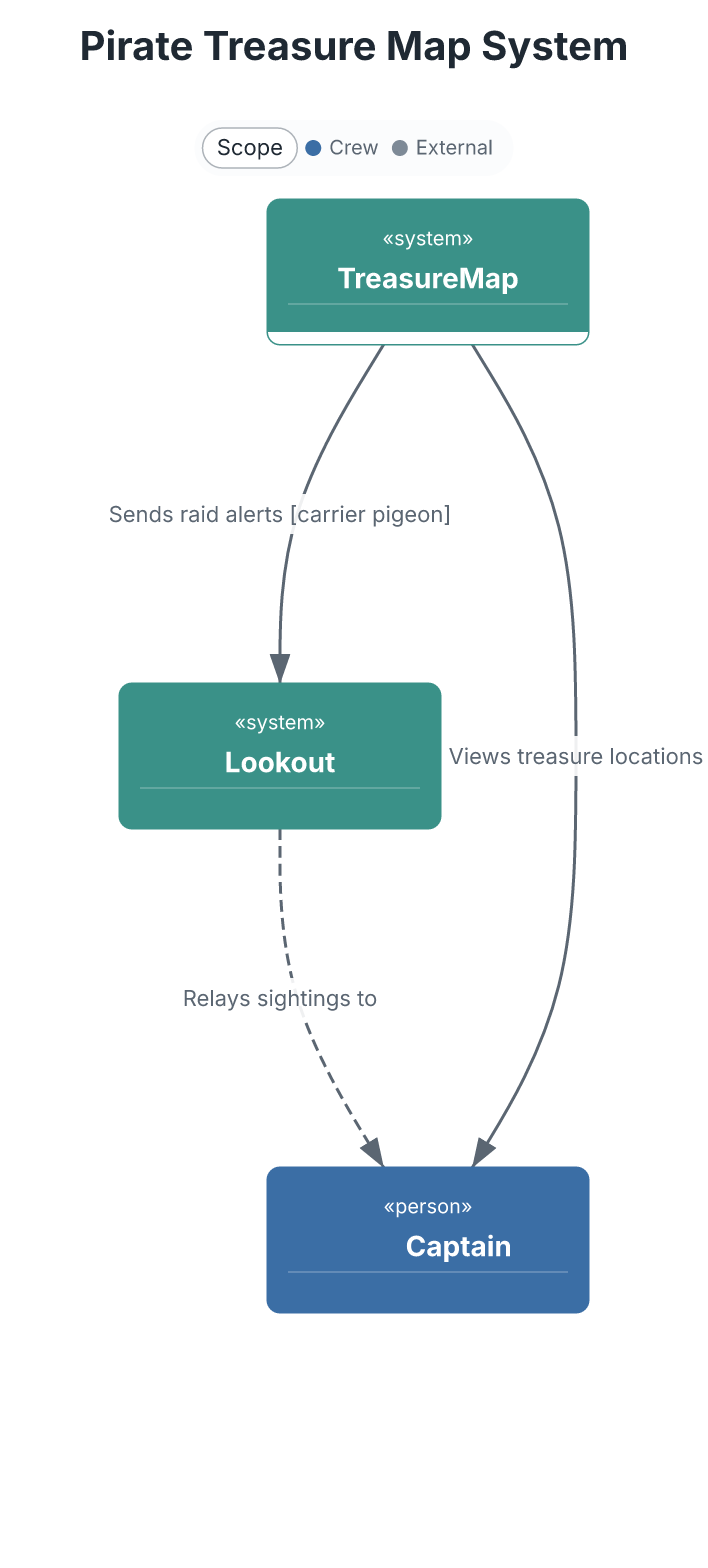
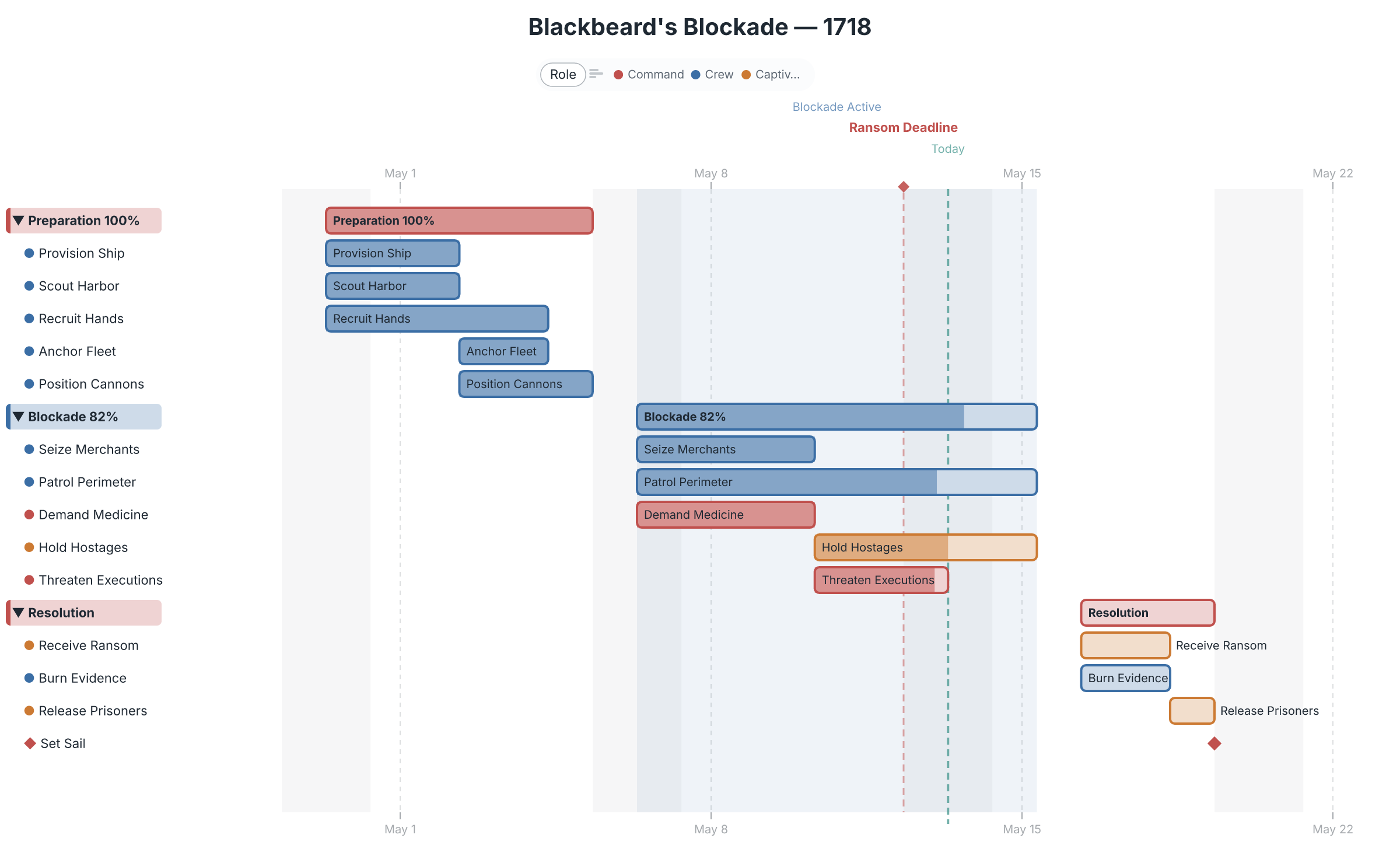
This MCP server gives Claude (and any MCP-compatible AI tool) the ability to render sequence diagrams, flowcharts, ER diagrams, C4 architecture, gantt charts, and 35+ other chart types from concise text markup — then hand the result off to a full editor for refinement. Ask for a diagram in chat; get a real one back.
 |
 |
 |
 |
What you can do
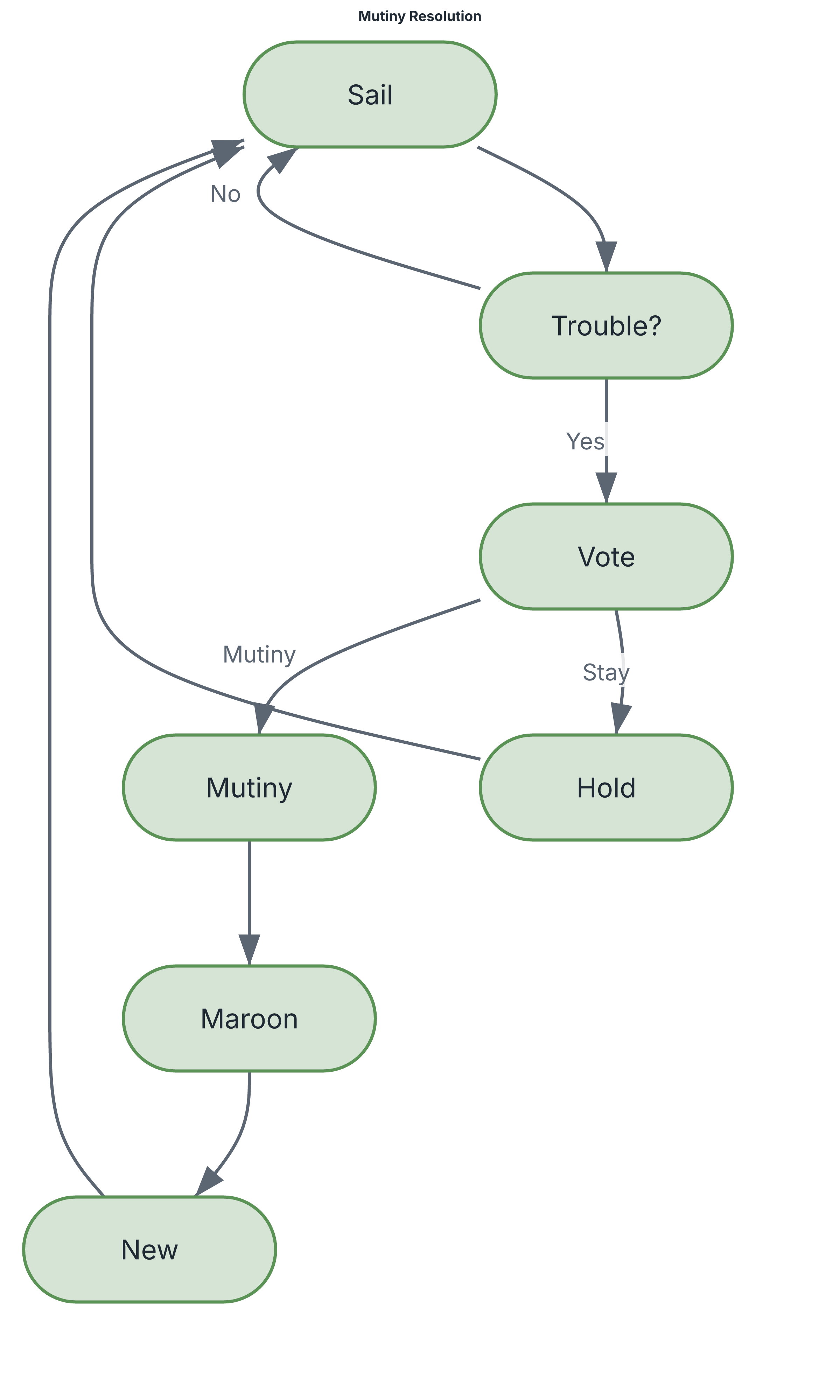
Ask in plain language — "diagram the auth flow as a sequence", "chart the Q3 plan as a gantt", "draw our services as a C4 diagram" — and Claude writes the markup and renders it. The markup stays readable and diffable:
flowchart Mutiny Resolution
direction-tb

[Sail]     Set sail under the captain
{Trouble?} Discontent in the crew?
{Vote}     Crew vote called
[Mutiny]   Seize the ship

(Sail) -> (Trouble?)
(Trouble?) -Yes-> (Vote)
(Vote) -Mutiny-> (Mutiny)
→ renders to the flowchart above. All rendering happens locally — no diagram data leaves your machine.
Tools
| Tool | What it does |
|---|---|
render_diagram |
Render DGMO markup to SVG or PNG |
preview_diagram |
Render one or more diagrams and open an HTML preview in the browser |
generate_report |
Build a polished multi-section HTML report with ToC and optional source |
list_chart_types |
List all supported chart types |
get_language_reference |
Get DGMO syntax documentation for accurate generation |
share_diagram |
Get a shareable diagrammo.app URL — hand your diagram to the web editor |
open_in_app |
Open the diagram straight into the Diagrammo desktop app for editing |
The last two are the bridge out of chat: a diagram Claude generates becomes something you can refine, restyle, and embed — see below.
Beyond the MCP server
The MCP server is one entry point into Diagrammo — a whole ecosystem built on the same DGMO markup. Generate in chat, refine in a real editor, embed anywhere:
- diagrammo.app — the desktop app.
open_in_appdrops an AI-generated diagram straight into it, with live preview, palettes, and export. - online.diagrammo.app — a full editor in the
browser, zero install.
share_diagramURLs open right here. - Docs integrations — drop DGMO fenced code blocks into your docs site: remark-dgmo, astro-dgmo, docusaurus-plugin-dgmo, fumadocs-dgmo.
- Obsidian — the Diagrammo Diagrams community plugin renders DGMO in your vault.
- CLI —
npx @diagrammo/dgmo file.dgmo -o out.png, or install via Homebrew.
One markup, everywhere. A diagram you generate here renders identically in the app, in your docs, and in Obsidian — because they all speak DGMO.
→ Try it free at diagrammo.app
Setup
Claude Code
Add to your project's .claude/settings.local.json (or run
npx @diagrammo/dgmo --install-claude-code-integration to do it automatically):
{
  "mcpServers": {
    "dgmo": {
      "command": "npx",
      "args": ["-y", "@diagrammo/dgmo-mcp"]
    }
  }
}
Claude Desktop
Add to ~/Library/Application Support/Claude/claude_desktop_config.json:
{
  "mcpServers": {
    "dgmo": {
      "command": "npx",
      "args": ["-y", "@diagrammo/dgmo-mcp"]
    }
  }
}
Restart Claude Desktop after saving — the tools appear automatically.
Privacy
All rendering is local. Your diagram markup and the images it produces never leave
your machine, except when you explicitly call share_diagram (which encodes the diagram
into a diagrammo.app URL). See the privacy terms.
Contributing & releases
Development setup and the release workflow live in CONTRIBUTING.md.
License
MIT
How to install
Run in your terminal:
claude mcp add dgmo-mcp -- npx Related MCPs
Playwright
Browser automation, scraping, screenshots
by Microsoft4.915.2K
Puppeteer
Browser automation and web scraping.
by modelcontextprotocolopentabs-dev/opentabs
Plugin-based MCP server + Chrome extension that gives AI agents access to web applications through the user's authenticated browser session. 100+ plugins with a
by opentabs-devrobhunter/agentdeals
1,500+ developer infrastructure deals, free tiers, and startup programs across 54 categories. Search deals, compare vendors, plan stacks, and track pricing chan
by robhunterCompare Dgmo with
Not sure what to pick?
Find your stack in 60 seconds
Author?
Embed badge for your README
Browse similar
All browse MCPs