
Eagle
FreeNot checked[MCP] A Model Context Protocol (MCP) server for Eagle. Manages local media files (e.g., images, mp3, mp4)

About
[MCP] A Model Context Protocol (MCP) server for Eagle. Manages local media files (e.g., images, mp3, mp4)
README
[!NOTE] Official MCP support is planned for Eagle v5 (public beta in Q1 2026)
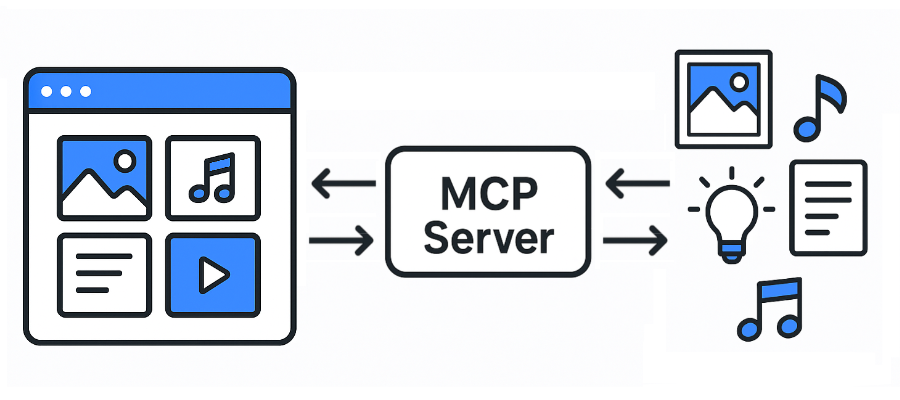
A Model Context Protocol (MCP) server for Eagle.
Supported file formats:
JPG/JPEGPNGPDFSVGMP4MP3FBXOBJEPSTIF/TIFFWebPBMPICORAW- etc
- Eagle: https://eagle.cool/
- Eagle API docs: https://api.eagle.cool/
Requirements
- Python 3.13
- uv
Prerequisites
Install the required dependencies:
uv sync
Usage
- Launch the Eagle app.
- Launch this MCP server by running the following command:
uv run main.py
Connecting to the MCP Server using Streamable HTTP
MCP config:
{
  "mcpServers": {
    "eagle-mcp-server": {
      "url": "http://localhost:8000/mcp"
    }
  }
}
If you need stdio transport instead:
{
  "mcpServers": {
    "eagle-mcp-server": {
      "command": "uvx",
      "args": [
        "--from", "git+https://github.com/tuki0918/eagle-mcp-server@fastmcp-stdio",
        "eagle-mcp-server"
      ]
    }
  }
}
See #17 for more details.
Tools
| Supported | Eagle API endpoint | Operation ID | Enabled (default) | Category |
|---|---|---|---|---|
| ✅ | - | connect |
MCP | |
| ✅ | /api/application/info | get_application_info |
⚫︎ | Application |
| ✅ | /api/folder/create | create_folder |
⚫︎ | Folder |
| ✅ | /api/folder/rename | rename_folder |
Folder | |
| ✅ | /api/folder/update | update_folder |
⚫︎ | Folder |
| ✅ | /api/folder/list | get_folder_list |
⚫︎ | Folder |
| ✅ | /api/folder/listRecent | get_folder_list_recent |
Folder | |
| ✅ | /api/item/addFromURL | add_item_from_url |
Item | |
| ✅ | /api/item/addFromURLs | add_items_from_urls |
Item | |
| ✅ | /api/item/addFromPath | add_item_from_path |
⚫︎ | Item |
| ✅ | /api/item/addFromPaths | add_items_from_paths |
Item | |
| ✅ | /api/item/addBookmark | add_bookmark |
Item | |
| ✅ | /api/item/info | get_item_info |
⚫︎ | Item |
| ✅ | - | get_item_source |
⚫︎ | Item |
| ✅ | /api/item/thumbnail | get_item_thumbnail |
Item | |
| ✅ | /api/item/list | get_item_list |
⚫︎ | Item |
| ✅ | /api/item/moveToTrash | move_item_to_trash |
⚫︎ | Item |
| ✅ | /api/item/refreshPalette | refresh_item_palette |
Item | |
| ✅ | /api/item/refreshThumbnail | refresh_item_thumbnail |
Item | |
| ✅ | /api/item/update | update_item |
⚫︎ | Item |
| ✅ | /api/library/info | get_library_info |
⚫︎ | Library |
| ✅ | /api/library/history | get_library_history |
Library | |
| ✅ | /api/library/switch | switch_library |
Library | |
| ✅ | /api/library/icon | get_library_icon |
Library |
MCP Server API docs:
Enabling Disabled Tools
Some tools are disabled by default (shown as empty cells in the "Enabled (default)" column above). To enable these disabled tools:
- Locate the tool definition in the source code
- Remove the
tags=["Disabled"]line from the tool configuration - Restart the MCP server
This will make the previously disabled tools available for use.
Use Cases
1) Same Host (Recommended)
flowchart LR

    subgraph 192.168.1.100
        direction LR

        subgraph FileSystem [File System]
        end
        subgraph EagleApp [Eagle App<br/>localhost:41595]
        end
        subgraph MCPServer [MCP Server<br/>localhost:8000]
        end
        subgraph MCPClient [MCP Client]
        end
    end

    EagleApp ==> MCPServer e1@==> MCPClient
    MCPClient e2@==> MCPServer ==> EagleApp
    EagleApp ==> FileSystem
    FileSystem ==> EagleApp

    e1@{ animate: true }
    e2@{ animate: true }
[!TIP] You have direct access to the filesystem.
2) Other Host (MCP Client) + Same Host (MCP Server, Eagle App)
flowchart LR

    subgraph 192.168.1.100
        subgraph FileSystem [File System]
        end
        subgraph EagleApp [Eagle App<br/>localhost:41595]
        end
        subgraph MCPServer [MCP Server<br/>localhost:8000]
        end
    end

    subgraph 192.168.1.xxx
        subgraph MCPClient [MCP Client]
        end
    end

    EagleApp ==> MCPServer e1@==> MCPClient
    MCPClient e2@==> MCPServer ==> EagleApp
    EagleApp ==> FileSystem
    FileSystem ==> EagleApp

    e1@{ animate: true }
    e2@{ animate: true }
[!WARNING] You don't have access to the filesystem.
3) Other Host
flowchart LR

    subgraph 192.168.1.100
        subgraph FileSystem [File System]
        end
        subgraph EagleApp [Eagle App<br/>localhost:41595]
        end
    end

    subgraph 192.168.1.101
        subgraph MCPServer [MCP Server<br/>localhost:8000]
        end
    end

    subgraph 192.168.1.xxx
        subgraph MCPClient [MCP Client]
        end
    end

    EagleApp ==> MCPServer e1@==> MCPClient
    MCPClient e2@==> MCPServer ==> EagleApp
    EagleApp ==> FileSystem
    FileSystem ==> EagleApp

    e1@{ animate: true }
    e2@{ animate: true }
[!WARNING] You don't have access to the filesystem.
Installing Eagle
This server has no published package — it is built from source. Open the repository and follow its README.
▸ github.com/tuki0918/eagle-mcp-serverFAQ
Is Eagle MCP free?
Yes, Eagle MCP is free — one-click install via Unyly at no cost.
Does Eagle need an API key?
No, Eagle runs without API keys or environment variables.
Is Eagle hosted or self-hosted?
Self-hosted: the server runs locally on your machine via the install command above.
How do I install Eagle in Claude Desktop, Claude Code or Cursor?
Open Eagle on unyly.org, pick your client tab (Claude Desktop, Claude Code, Cursor) and press Install — the config is generated automatically, no JSON editing.
Related MCPs
ARA
Generate images, video and audio from any AI agent — one connector.
 by ARA
Omni Video
An MCP server that transforms LLM-enabled IDEs into professional video editors by pre-processing footage into text proxies, generating motion graphics via HTML/
 by buildwithtaza
YouTube
Transcripts, channel stats, search
 by YouTube
EverArt
AI image generation using various models.
 by modelcontextprotocol
Compare Eagle with
Not sure what to pick?
Find your stack in 60 seconds
Author?
Embed badge for your README
Browse similar
All media MCPs