
EdgeOne Geolocation
FreeNot checkedProvides user geolocation data from EdgeOne's edge functions in structured JSON format for location-aware responses

About
Provides user geolocation data from EdgeOne's edge functions in structured JSON format for location-aware responses
README
This project demonstrates how to use EdgeOne Pages Functions to retrieve user geolocation information and integrate it with large language models through MCP (Model Context Protocol).
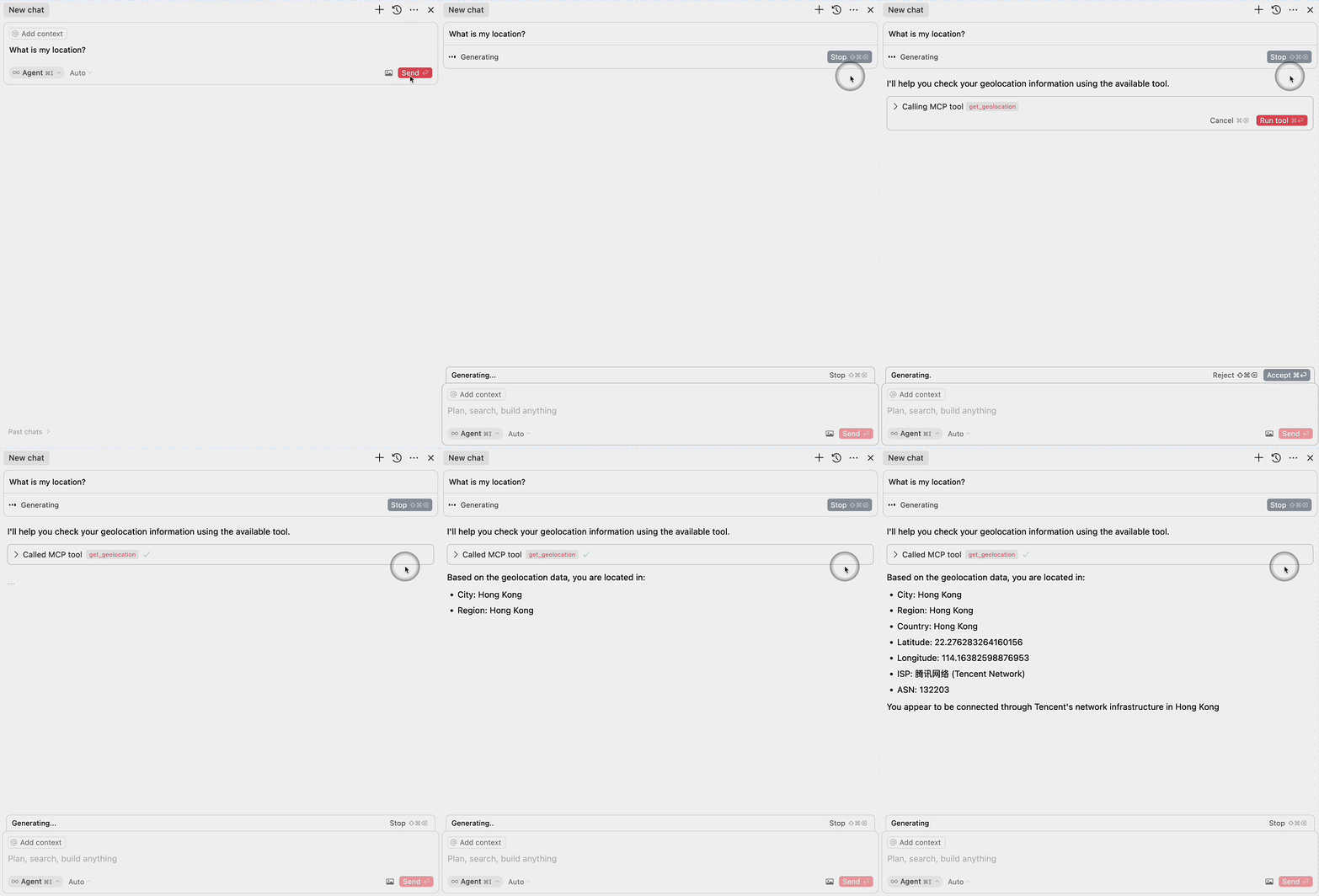
Demo
Deploy
More Templates: EdgeOne Pages
Components
1. EdgeOne Pages Functions: Geolocation
The project includes an EdgeOne Pages Function that retrieves user geolocation information:
- Uses the EdgeOne request context to access geolocation data
- Returns location information in a JSON format
- Located in
functions/get_geo.ts
2. MCP Server Integration
The MCP server component provides an interface for large language models to access geolocation data:
- Implements the Model Context Protocol (MCP)
- Exposes a
get_geolocationtool that can be used by AI models - Uses the EdgeOne Pages Function to fetch geolocation data
- Located in
mcp-server/index.ts
MCP Configuration
To use the MCP server with large language models, add the following configuration:
{
  "mcpServers": {
    "edgeone-geo-mcp-server": {
      "command": "tsx",
      "args": ["path/to/mcp-server/index.ts"]
    }
  }
}
Learn More
- EdgeOne Pages
- EdgeOne Pages Functions documentation
- Model Context Protocol (MCP) - Learn about integrating AI models with external tools and services
Installing EdgeOne Geolocation
This server has no published package — it is built from source. Open the repository and follow its README.
▸ github.com/edgego/mcp-geo-pubFAQ
Is EdgeOne Geolocation MCP free?
Yes, EdgeOne Geolocation MCP is free — one-click install via Unyly at no cost.
Does EdgeOne Geolocation need an API key?
No, EdgeOne Geolocation runs without API keys or environment variables.
Is EdgeOne Geolocation hosted or self-hosted?
Self-hosted: the server runs locally on your machine via the install command above.
How do I install EdgeOne Geolocation in Claude Desktop, Claude Code or Cursor?
Open EdgeOne Geolocation on unyly.org, pick your client tab (Claude Desktop, Claude Code, Cursor) and press Install — the config is generated automatically, no JSON editing.
Related MCPs
GitHub
PRs, issues, code search, CI status
 by GitHub
Filesystem
Secure file operations with configurable access controls.
Memory
Knowledge graph-based persistent memory system.
Template MCP Server
A CLI tool to create a new Model Context Protocol server project with TypeScript support, dual transport options, and an extensible structure
 by mcpdotdirect
Compare EdgeOne Geolocation with
Not sure what to pick?
Find your stack in 60 seconds
Author?
Embed badge for your README
Browse similar
All development MCPs