
Eds
FreeNot checkedMCP server for Adobe Edge Delivery Services — 20 tools for AI agents to preview, publish, read content, query metrics, and manage EDS sites

About
MCP server for Adobe Edge Delivery Services — 20 tools for AI agents to preview, publish, read content, query metrics, and manage EDS sites
README
npm installs MCP Registry awesome-mcp-servers license
Let an AI agent run your Adobe Edge Delivery site.
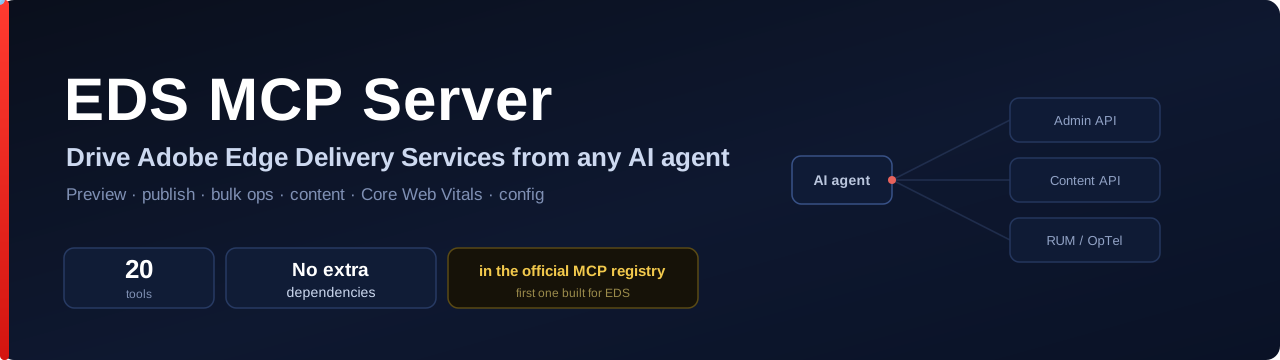
20 tools. No extra dependencies beyond the MCP SDK. Works with any EDS site. The first MCP server purpose-built for Edge Delivery Services.
⚡ Do it in three lines
claude mcp add eds -e EDS_OWNER=your-org -e EDS_REPO=your-site -- npx @focusgts/eds-mcp-server
Then just ask your agent:
"Preview and publish the homepage." "What are the Core Web Vitals across the site?" "Find every page about pricing and list the ones missing a description."
That's it — no local AEM, no scripts, no glue code.
🧠 How it works
flowchart LR
  A["AI agent<br/>(Claude Code · Cursor · Copilot)"] -- MCP / stdio --> B["eds-mcp-server<br/>20 tools"]
  B --> C["Admin API<br/>admin.hlx.page"]
  B --> D["Content API<br/>*.aem.live"]
  B --> E["RUM / OpTel<br/>Core Web Vitals"]
  C --> F["Your EDS site"]
  D --> F
  E --> F
The agent calls tools; the server talks to the live EDS infrastructure. Read-only tools (content, sitemap, metadata) need no credentials at all.
🔑 One-click sign-in
No more pasting a fresh admin token every day:
sequenceDiagram
  participant You
  participant CLI as eds-mcp-server login
  participant Adobe as admin.hlx.page
  You->>CLI: npx @focusgts/eds-mcp-server login
  CLI->>Adobe: open browser (client_id=aem-cli)
  You->>Adobe: sign in & approve
  Adobe-->>CLI: siteToken → localhost callback
  CLI-->>You: cached ~/.aem/auth-token.json (reused automatically)
Use Chrome or Firefox — Safari blocks the local callback (same as Adobe's AEM CLI).
EDS_API_KEYworks as the CI / fallback path.
🛠️ The 20 tools
Publishing
| Content
| Analytics & config
|
🔌 Add it to your tool
Claude Code — one command
claude mcp add eds -e EDS_OWNER=your-org -e EDS_REPO=your-site -- npx @focusgts/eds-mcp-server
Cursor — .cursor/mcp.json
{
  "mcpServers": {
    "eds": {
      "command": "npx",
      "args": ["@focusgts/eds-mcp-server"],
      "env": { "EDS_OWNER": "your-org", "EDS_REPO": "your-site" }
    }
  }
}
VS Code (GitHub Copilot) — .vscode/mcp.json
{
  "servers": {
    "eds": {
      "command": "npx",
      "args": ["@focusgts/eds-mcp-server"],
      "env": { "EDS_OWNER": "your-org", "EDS_REPO": "your-site" }
    }
  }
}
⚙️ Configuration
| Variable | Required | Description |
|---|---|---|
EDS_OWNER |
Yes | GitHub org/user that owns the EDS site repo |
EDS_REPO |
Yes | GitHub repository name |
EDS_REF |
No | Git branch (default: main) |
EDS_API_KEY |
No | Admin token (see Authentication). Browser login is the alternative. |
EDS_DOMAIN_KEY |
No | OpTel domain key for analytics queries (CWV, 404s, experiments) |
Read-only tools (content, sitemap, metadata) need no keys. Write tools (preview, publish, cache) need an admin token. Analytics tools need EDS_DOMAIN_KEY.
🔐 Authentication
Admin operations require an EDS Admin token. Two ways to provide one.
Browser sign-in (recommended for interactive use)
EDS_OWNER=your-org EDS_REPO=your-site npx @focusgts/eds-mcp-server login
Opens your browser to Adobe's admin.hlx.page login (the same flow as the AEM CLI). The admin site token caches at ~/.aem/auth-token.json (mode 0600, ~24h) and is reused automatically. Use Chrome or Firefox — Safari blocks the local callback.
EDS_API_KEY (CI / automation, and the fallback) — always takes precedence when set.
EDS_OWNER=your-org EDS_REPO=your-site EDS_API_KEY=<your-admin-token> npx @focusgts/eds-mcp-server
To get a token (per Adobe's API key docs): sign in at https://admin.hlx.page/login, then copy the auth_token cookie value from DevTools — or copy the x-auth-token header from an authenticated AEM Sidekick request. For a durable credential, configure a site API key.
🏗️ Architecture
Built following Adobe's MCP conventions (derived from adobe-rnd/da-mcp):
- TypeScript +
@modelcontextprotocol/sdk+zod, stateless per request - Tool naming:
eds_{verb}_{noun}· stdio transport - Native
fetch()(Node 18+) — no HTTP dependencies
git clone https://github.com/Focus-GTS/eds-mcp-server.git
cd eds-mcp-server && npm install && npm run build && npm test
🧩 Part of the FocusGTS EDS suite
| eds-content-ops-skills | AI skills for EDS content ops — first third-party contributor merged into Adobe's official skills repo |
| eds-ops | CLI + GitHub Action for automated site grading and PR gating |
| EDS Score | Free browser-based site health analyzer |
Built by FocusGTS — Adobe Silver Solution Partner · Apache-2.0
Not affiliated with or endorsed by Adobe Inc.
Installing Eds
This server has no published package — it is built from source. Open the repository and follow its README.
▸ github.com/Focus-GTS/eds-mcp-serverFAQ
Is Eds MCP free?
Yes, Eds MCP is free — one-click install via Unyly at no cost.
Does Eds need an API key?
No, Eds runs without API keys or environment variables.
Is Eds hosted or self-hosted?
Self-hosted: the server runs locally on your machine via the install command above.
How do I install Eds in Claude Desktop, Claude Code or Cursor?
Open Eds on unyly.org, pick your client tab (Claude Desktop, Claude Code, Cursor) and press Install — the config is generated automatically, no JSON editing.
Related MCPs
GitHub
PRs, issues, code search, CI status
 by GitHub
Filesystem
Secure file operations with configurable access controls.
Memory
Knowledge graph-based persistent memory system.
Template MCP Server
A CLI tool to create a new Model Context Protocol server project with TypeScript support, dual transport options, and an extensible structure
 by mcpdotdirect
Compare Eds with
Not sure what to pick?
Find your stack in 60 seconds
Author?
Embed badge for your README
Browse similar
All development MCPs