
Eventin Server
FreeNot checkedMCP server for interacting with the Eventin booking system, enabling natural language management of bookings, events, and venues.

About
MCP server for interacting with the Eventin booking system, enabling natural language management of bookings, events, and venues.
README
Eventin MCP Server - Quick Start Guide
Setup Steps:
Install Python 3.13 (if not already installed).
(Recommended) Create and activate a virtual environment: python -m venv .venv ..venv\Scripts\activate
Install uv (if not already installed): pip install uv
Install dependencies: uv pip install -r requirements.txt OR uv pip install -e .
Start eventin locally, and check if it's running in the browser properly
Replace My base_url your yours

Run the Eventin MCP server: uv --directory . run eventin_mcp_server.py
This will start the MCP server for Eventin bookings.
Logs:
- Server logs are written to booking_server.log in this directory.
======================================
Steps to communicate with our MCP server using claude desktop:
- Download and install claude desktop
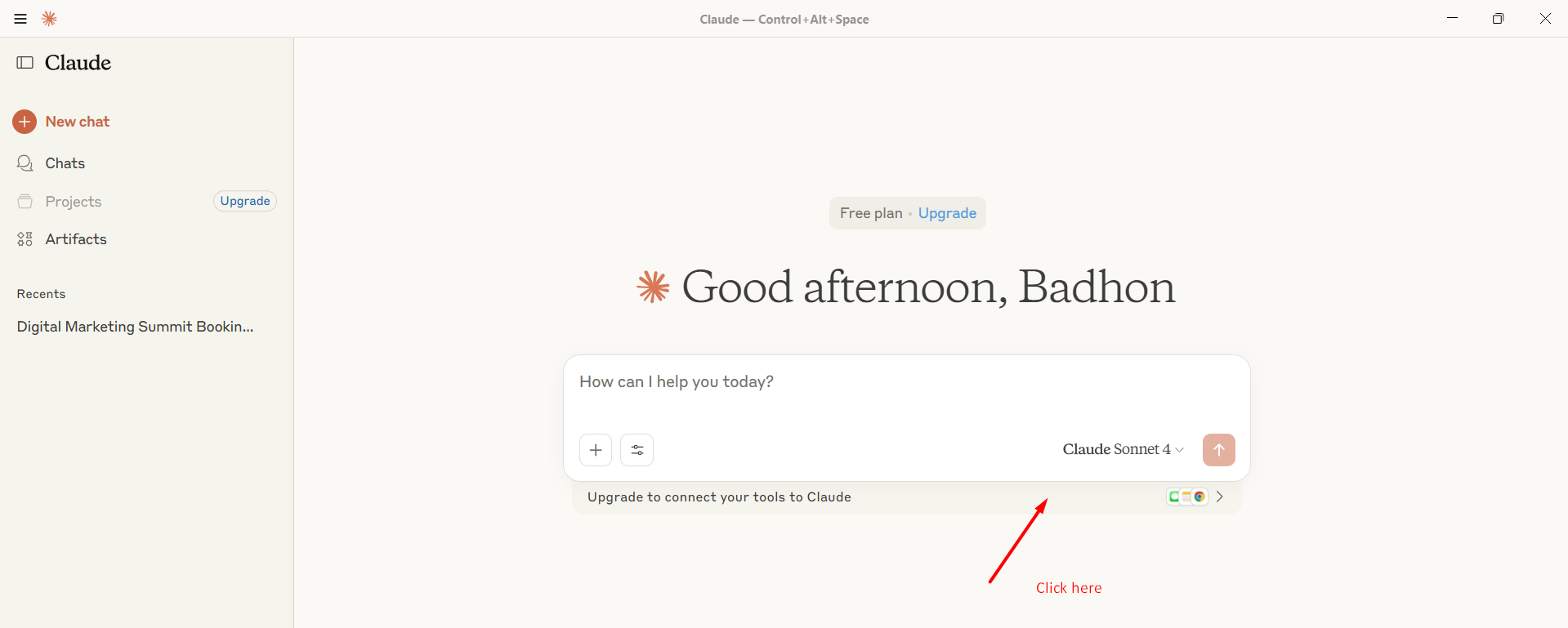
- Open claude desktop, click "Upgrade to connect your tools to Claude"
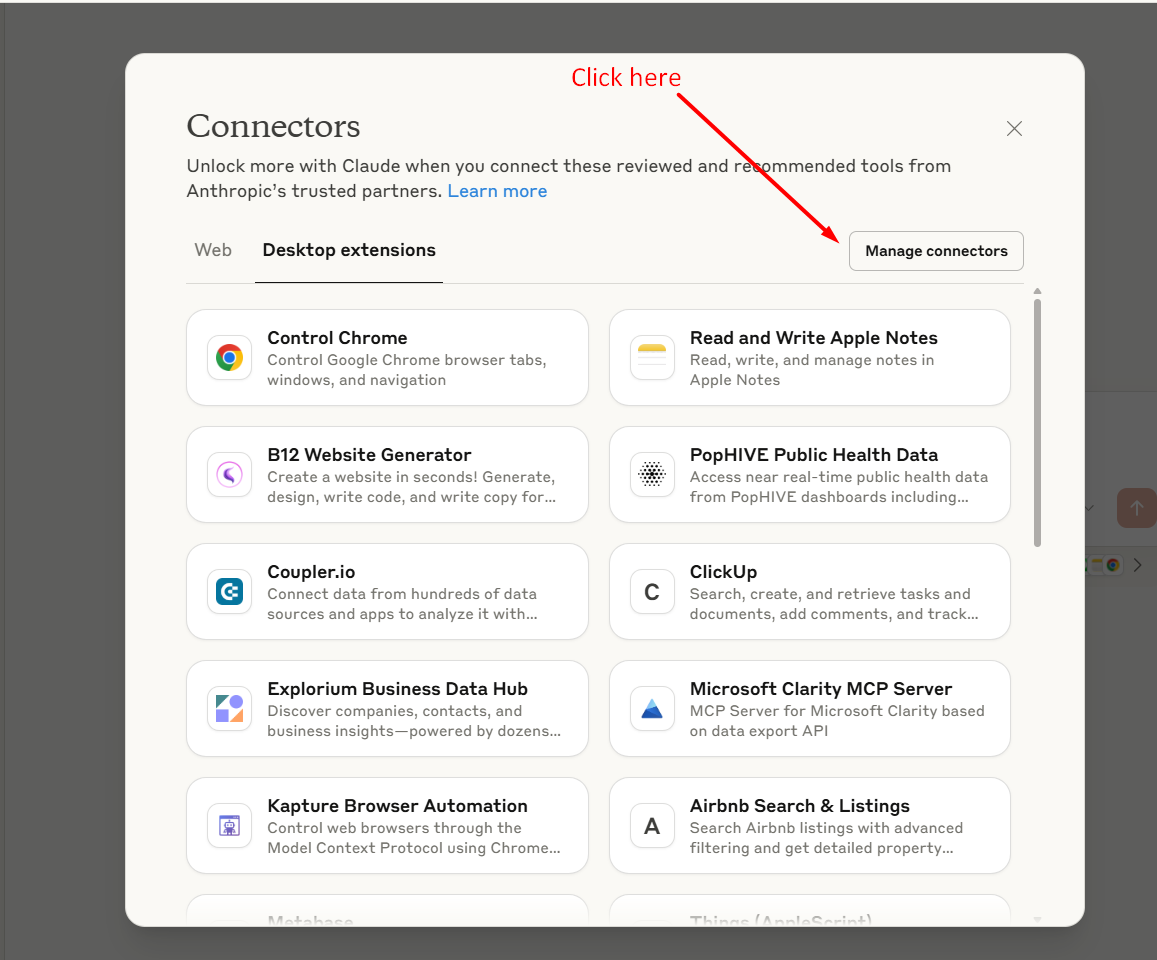
- Click "Manage Connectors" in right corner
- Click "Developer" menu in the left side, and you find "Edit Config" button, click it
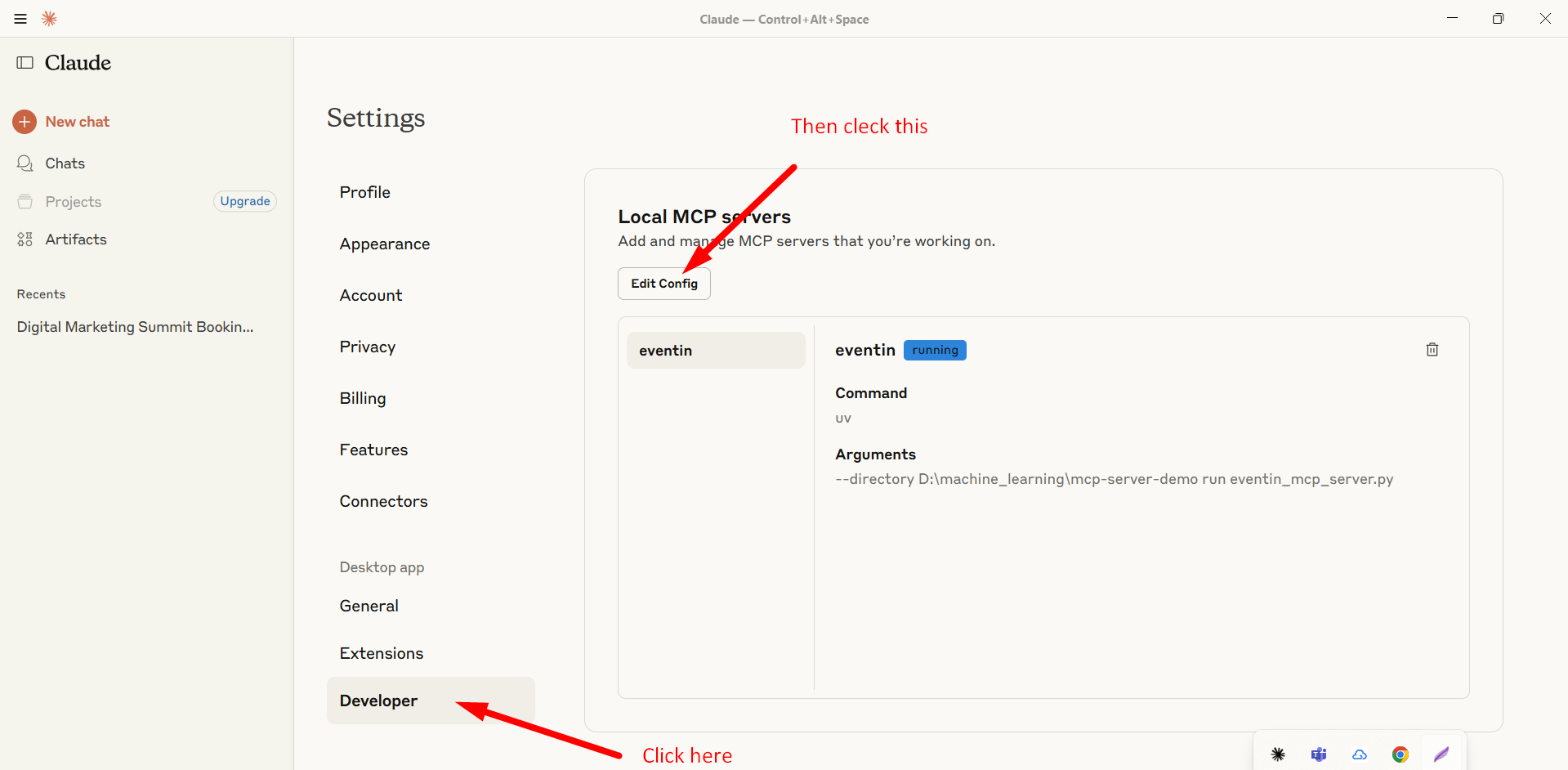
- After that, you will find "claude_desktop_config.json", here just put following code
   {
      "mcpServers": {
         "eventin": {
            "command": "uv",
            "args": [
            "--directory",
            "D:\\machine_learning\\mcp-server-demo", //your directory may be different
            "run",
            "eventin_mcp_server.py"
            ]
         }
      }
   }
- Now you will see that, your mcp tools are connected with the claude
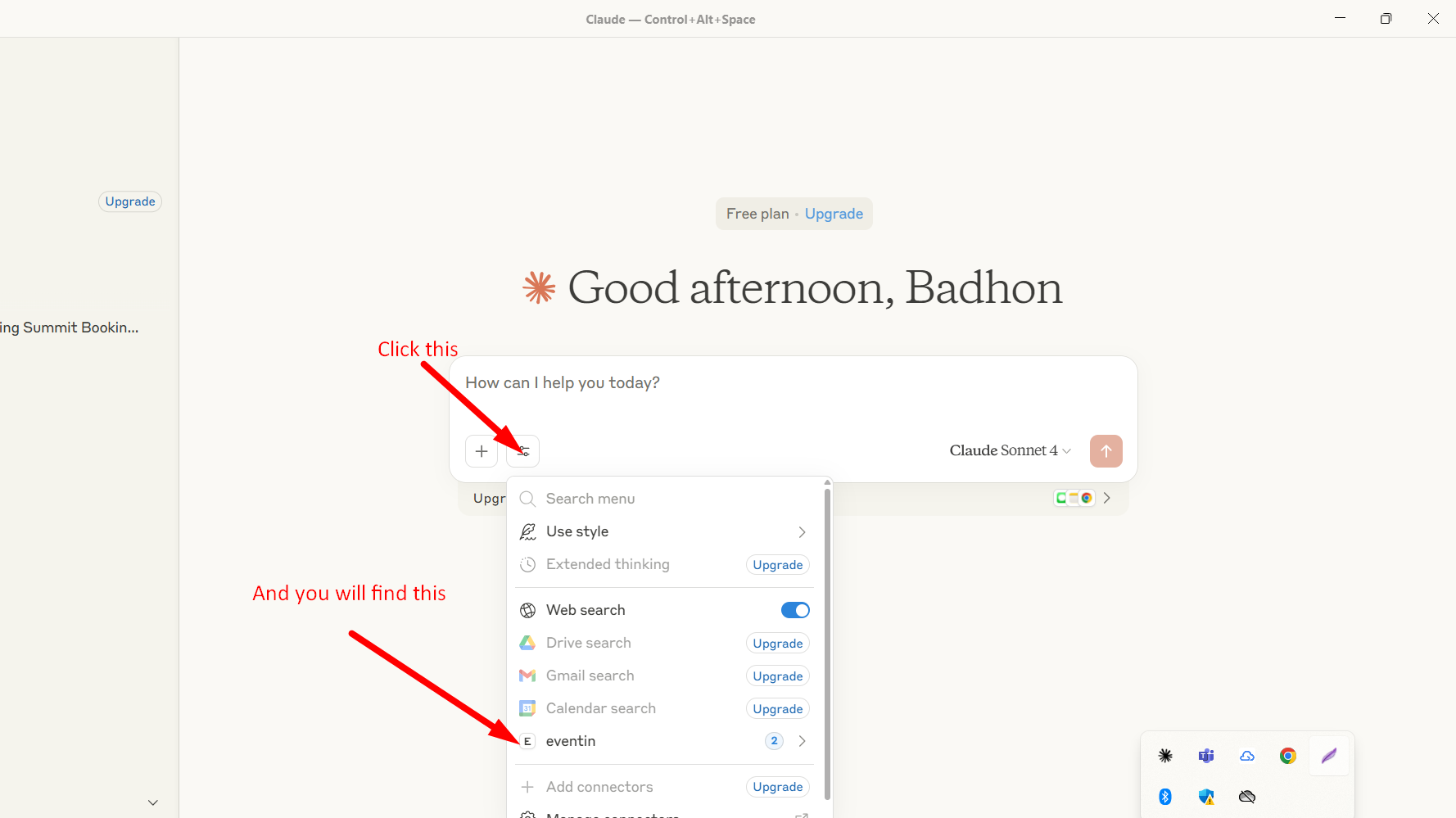
- Sample output
Install Eventin Server in Claude Desktop, Claude Code & Cursor
unyly install eventin-mcp-serverInstalls into Claude Desktop, Claude Code, Cursor & VS Code — handles npx, uvx and build-from-source repos for you.
First time? Get the CLI: curl -fsSL https://unyly.org/install | sh
Or configure manually
Run in your terminal:
claude mcp add eventin-mcp-server -- uvx mcp-server-demoFAQ
Is Eventin Server MCP free?
Yes, Eventin Server MCP is free — one-click install via Unyly at no cost.
Does Eventin Server need an API key?
No, Eventin Server runs without API keys or environment variables.
Is Eventin Server hosted or self-hosted?
Self-hosted: the server runs locally on your machine via the install command above.
How do I install Eventin Server in Claude Desktop, Claude Code or Cursor?
Open Eventin Server on unyly.org, pick your client tab (Claude Desktop, Claude Code, Cursor) and press Install — the config is generated automatically, no JSON editing.
Related MCPs
GitHub
PRs, issues, code search, CI status
 by GitHub
Filesystem
Secure file operations with configurable access controls.
Memory
Knowledge graph-based persistent memory system.
Template MCP Server
A CLI tool to create a new Model Context Protocol server project with TypeScript support, dual transport options, and an extensible structure
 by mcpdotdirect
Compare Eventin Server with
Not sure what to pick?
Find your stack in 60 seconds
Author?
Embed badge for your README
Browse similar
All development MCPs