
Fenshitu
FreeNot checkedGenerates professional A-share intraday stock charts with 1-day and multi-day views, matching Chinese trading software styles.

About
Generates professional A-share intraday stock charts with 1-day and multi-day views, matching Chinese trading software styles.
README
A-share stock intraday chart generation MCP (Model Context Protocol) service. Generates professional stock charts matching Chinese trading software styles (East Money, Tonghuashun).
Features
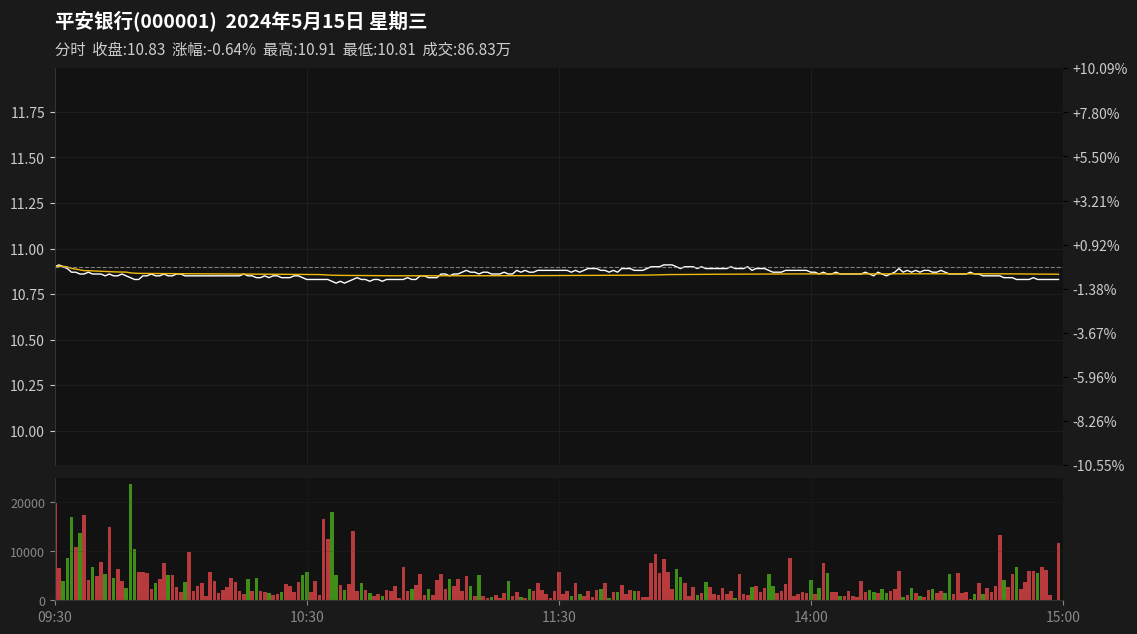
- 1-Day Intraday Chart: Complete trading day chart with price line, VWAP, volume bars
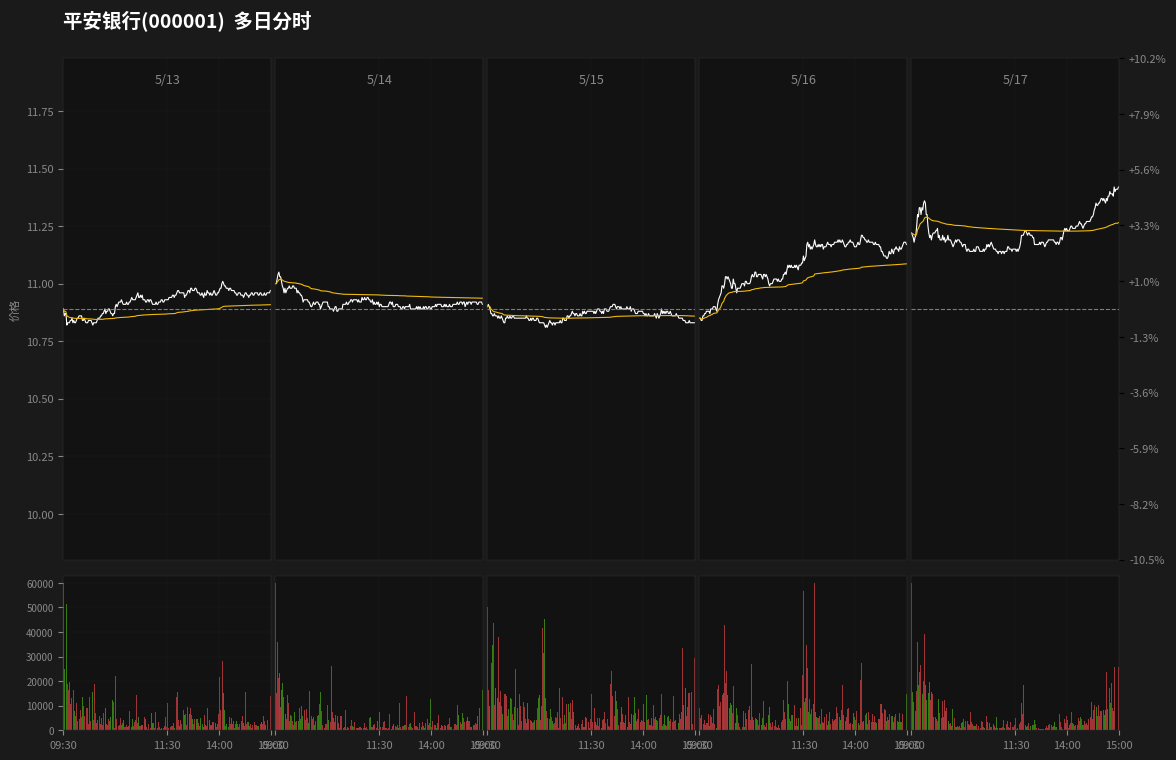
- Multi-Day Chart: Up to 7 consecutive trading days with unified price scale
- Professional Styling: Dark theme, dual Y-axis (price + percentage), red/green volume bars
- Trading Hours: Correctly handles A-share trading hours (09:30-11:30, 13:00-15:00) with proper gap at lunch break
- Data Source: mootdx (TongdaXin market data)
- System Service: systemd support with auto-start
Screenshots
1-Day Intraday Chart
7-Day Multi-Day Chart
Installation
Prerequisites
- Python 3.10+
- Linux system (for systemd service)
Quick Install
git clone https://github.com/hopkdj/fenshitu-mcp.git
cd fenshitu-mcp
python3 -m venv .venv
source .venv/bin/activate
pip install -r requirements.txt
Usage
MCP Integration
Add to your MCP client configuration:
{
  "mcpServers": {
    "fenshitu-mcp": {
      "command": "/path/to/fenshitu-mcp/.venv/bin/python",
      "args": ["-m", "fenshitu.server"],
      "cwd": "/path/to/fenshitu-mcp"
    }
  }
}
Available Tools
generate_intraday_chart
Generate a 1-day intraday chart.
Parameters:
code(required): Stock code, e.g.,"000001","600379"date(optional): Trading date inYYYYMMDDformat, defaults to todayoutput_path(optional): Output file path
Example:
{
  "tool": "generate_intraday_chart",
  "arguments": {
    "code": "000001",
    "date": "20240515"
  }
}
generate_multi_day_chart
Generate a multi-day intraday chart (up to 7 days).
Parameters:
code(required): Stock codestart_date(required): Start date inYYYYMMDDformatend_date(optional): End date inYYYYMMDDformat, defaults tostart_dateoutput_path(optional): Output file path
Example:
{
  "tool": "generate_multi_day_chart",
  "arguments": {
    "code": "000001",
    "start_date": "20240513",
    "end_date": "20240517"
  }
}
HTTP Mode (Standalone)
Run as HTTP service:
export MCP_TRANSPORT=http
export MCP_HOST=0.0.0.0
export MCP_PORT=8090
python -m fenshitu.server
Systemd Service
The service is configured for auto-start:
# Enable and start
sudo systemctl enable fenshitu-mcp.service
sudo systemctl start fenshitu-mcp.service

# Check status
systemctl status fenshitu-mcp.service

# View logs
journalctl -u fenshitu-mcp.service -f
Chart Features
1-Day Chart
- White price line + Yellow VWAP line
- Red/Green volume bars (A-share convention: red=up, green=down)
- Dual Y-axis: Left (price), Right (percentage change)
- Time labels: 09:30, 10:30, 11:30, 13:00, 14:00, 15:00
- Title with stock name, code, date, and weekday
- Info bar: close price, change %, high, low, volume
Multi-Day Chart
- 5 trading days displayed horizontally
- Unified price scale across all days
- Daily price chart + volume chart
- Time labels per day: 09:30, 11:30, 13:00, 15:00
- Proper gap at lunch break (11:30-13:00)
Project Structure
fenshitu-mcp/
├── src/fenshitu/
│   ├── server.py           # MCP server entry point
│   ├── data_fetcher.py     # Data fetching (mootdx)
│   ├── chart_1day.py       # 1-day chart generator
│   ├── chart_7day.py       # Multi-day chart generator
│   ├── indicators.py       # Technical indicators (VWAP)
│   └── styles.py           # Style constants
├── pyproject.toml
├── requirements.txt
├── MCP_INTEGRATION.md      # Detailed integration guide
└── README.md
Dependencies
mcp>=1.20.0: MCP SDKmootdx>=0.11.0: Market data sourcematplotlib>=3.8.0: Chart renderingpandas>=2.0.0: Data processingnumpy>=1.24.0: Numerical operations
License
MIT
Install Fenshitu in Claude Desktop, Claude Code & Cursor
unyly install fenshitu-mcpInstalls into Claude Desktop, Claude Code, Cursor & VS Code — handles npx, uvx and build-from-source repos for you.
First time? Get the CLI: curl -fsSL https://unyly.org/install | sh
Or configure manually
Run in your terminal:
claude mcp add fenshitu-mcp -- uvx --from git+https://github.com/hopkdj/fenshitu-mcp fenshitu-mcpFAQ
Is Fenshitu MCP free?
Yes, Fenshitu MCP is free — one-click install via Unyly at no cost.
Does Fenshitu need an API key?
No, Fenshitu runs without API keys or environment variables.
Is Fenshitu hosted or self-hosted?
A hosted option is available: Unyly runs the server in the cloud, no local setup required.
How do I install Fenshitu in Claude Desktop, Claude Code or Cursor?
Open Fenshitu on unyly.org, pick your client tab (Claude Desktop, Claude Code, Cursor) and press Install — the config is generated automatically, no JSON editing.
Related MCPs
GitHub
PRs, issues, code search, CI status
 by GitHub
Filesystem
Secure file operations with configurable access controls.
Memory
Knowledge graph-based persistent memory system.
Template MCP Server
A CLI tool to create a new Model Context Protocol server project with TypeScript support, dual transport options, and an extensible structure
 by mcpdotdirect
Compare Fenshitu with
Not sure what to pick?
Find your stack in 60 seconds
Author?
Embed badge for your README
Browse similar
All development MCPs