
FiMCP
FreeNot checkedProvides stock market data and technical indicators (RSI, Bollinger Bands, SMA, EMA) via AlphaVantage API.

About
Provides stock market data and technical indicators (RSI, Bollinger Bands, SMA, EMA) via AlphaVantage API.
README
A Model Context Protocol for stock market data using AlphaVantage API
Instructions
- get AlphaVantage api key at https://www.alphavantage.co
- create a .env in the src directory and add the following
ALPHA_VANTAGE_API_KEY=<YOUR_API_KEY>
Adding to Claude
Locate the
claude_desktop_config.jsonfile. On MacOS it is typically located in~/Library/Application Support/Claude/claude_desktop_config.jsonAdd the following to the JSON:
{
  "mcpServers": {
    "MCP_DOCKER": {
      "command": "docker",
      "args": [
        "mcp",
        "gateway",
        "run"
      ]
    },
    "fimcp": {
      "command": "docker",
      "args": [
        "run",
        "-i",
        "--rm",
        "--init",
        "fimcp"
      ]
    }
  },
  ...
}
- Restart Claude and confirm it is added to the connectors in Claude Settings
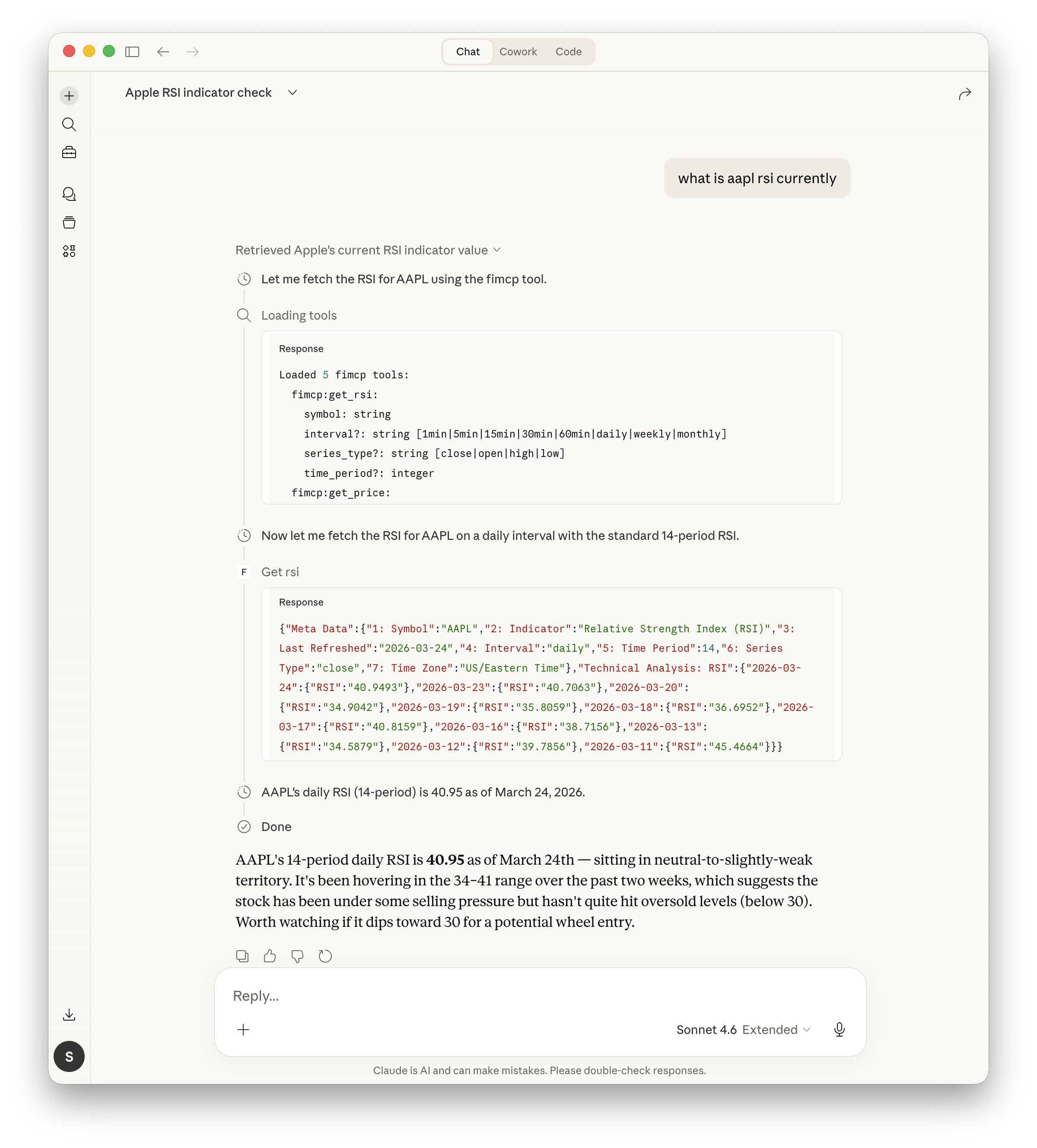
- Query Claude for financial info
Testing
docker build -t fimcp . docker run --env-file .env -it fimcp docker run -d -p 8000:8000 --env-file .env fimcp
Debugging
Follow logs in real time:
tail -n 20 -F ~/Library/Logs/Claude/mcp*.log
Indicators
The following indicators are currently available in addition to stock price:
- Relative Strength Index (RSI)
- Bollinger Bands (BBANDS)
- Simple Moving Average (SMA)
- Exponential Moving Average (EMA)
More indicators can be added based on what's supported by AlphaVantage APIs
Installing FiMCP
This server has no published package — it is built from source. Open the repository and follow its README.
▸ github.com/wisambunni/fiMCPFAQ
Is FiMCP MCP free?
Yes, FiMCP MCP is free — one-click install via Unyly at no cost.
Does FiMCP need an API key?
No, FiMCP runs without API keys or environment variables.
Is FiMCP hosted or self-hosted?
A hosted option is available: Unyly runs the server in the cloud, no local setup required.
How do I install FiMCP in Claude Desktop, Claude Code or Cursor?
Open FiMCP on unyly.org, pick your client tab (Claude Desktop, Claude Code, Cursor) and press Install — the config is generated automatically, no JSON editing.
Related MCPs
GitHub
PRs, issues, code search, CI status
 by GitHub
Filesystem
Secure file operations with configurable access controls.
Memory
Knowledge graph-based persistent memory system.
Template MCP Server
A CLI tool to create a new Model Context Protocol server project with TypeScript support, dual transport options, and an extensible structure
 by mcpdotdirect
Compare FiMCP with
Not sure what to pick?
Find your stack in 60 seconds
Author?
Embed badge for your README
Browse similar
All development MCPs