
Firefly Mcp Cli
FreeMaintainedAdobe Firefly MCP server and CLI for Claude Code, Codex and AI agents. 14 tools for Image 5 generation and editing, video, generative fill, expansion, composite

About
Adobe Firefly MCP server and CLI for Claude Code, Codex and AI agents. 14 tools for Image 5 generation and editing, video, generative fill, expansion, composites, upscaling, reference uploads, jobs and custom models.
README

Adobe Firefly MCP Server & CLI
npm CI License YouTube X LinkedIn
Adobe Firefly MCP server and CLI for Claude Code, Codex and AI agents. 14 tools for Image 5 generation and editing, video, generative fill, expansion, composites, upscaling, reference uploads, jobs and custom models.
One package gives you two ways in: firefly-mcp connects the tools to your AI app, and firefly-cli makes the same tools shell commands. Claude Desktop also has a bundled .mcpb extension.
Built and maintained by Navid Moazzez. Built on Slipway, which turns one definition of each tool into the MCP server and the CLI. The complete setup guide is on navid.me.
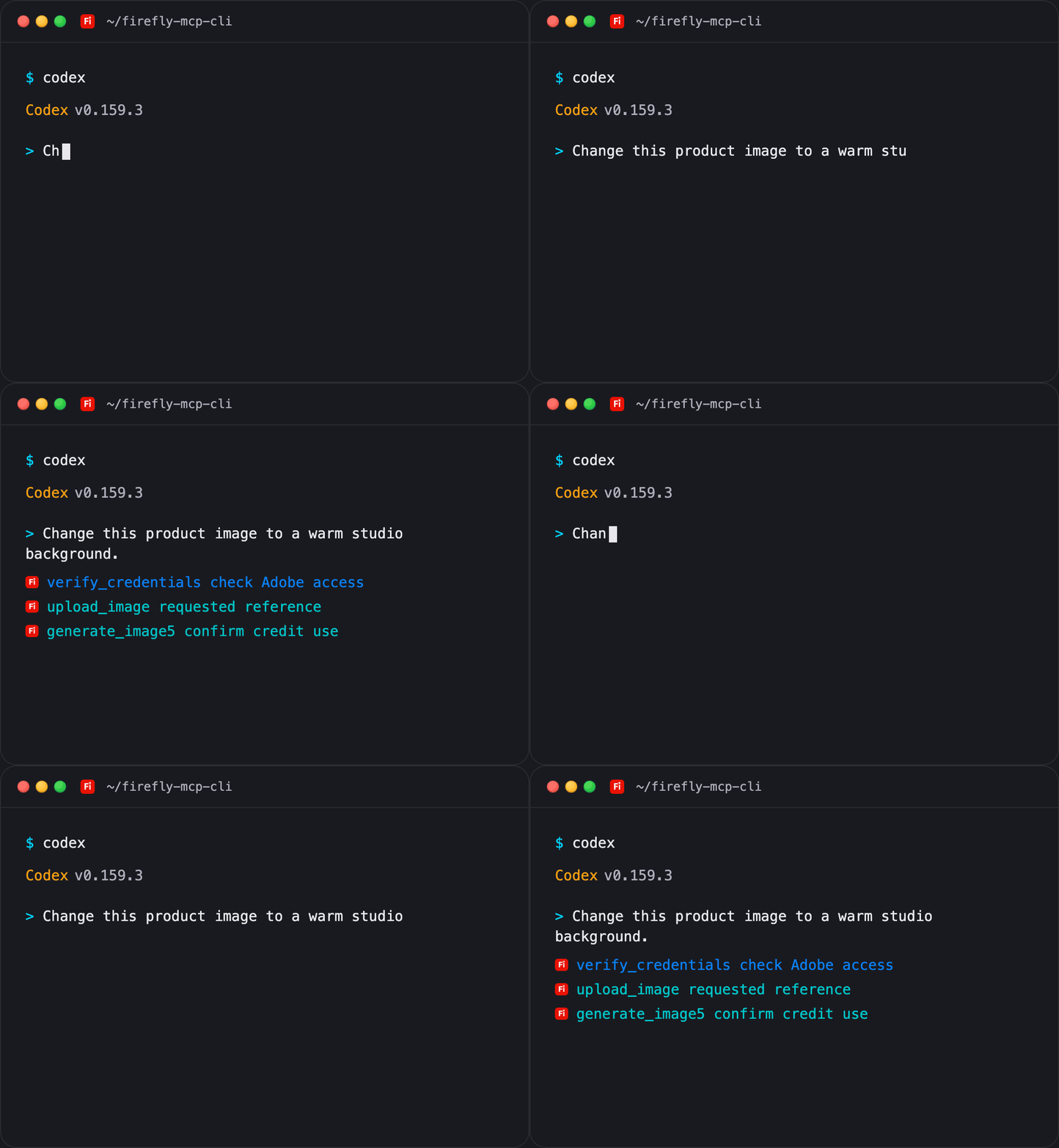
The terminal illustrates shipped tool names and the confirmation flow. It is a presentation preview, not a recording of a paid Adobe job.
You need Adobe Firefly Services API entitlement, with OAuth Server-to-Server credentials from an Adobe Developer Console project. A consumer Firefly plan and your Adobe account password do not supply that access. Generation uses your Adobe credits.
Validation: builds, behavioral tests, clean package installation, real MCP discovery and desktop bundle discovery are checked. Live account generation is still unverified, and no generation success rate is claimed; section 7 has the measured token costs.
Two ways to use it
Command line
npm install -g @thenavidm/firefly-mcp-cli@latest
firefly-cli
firefly-cli generate-image5 --help
firefly-cli schema generate-image5
firefly-cli verify-credentials --agent
firefly-cli list-custom-models --limit 10 --agent
firefly-cli generate-image5 --prompt "A ceramic cup in warm morning light" --aspectRatio 1:1 --confirm --agent
--confirm is the terminal spelling of confirm: true. It authorizes the paid operation you requested. --agent and --yes do not authorize spending.
MCP server, for your AI app
claude mcp add --scope user firefly -- npx -y @thenavidm/firefly-mcp-cli@latest
Configure the credentials in private local settings first, then ask: "Make a square product image. Confirm the credit-spending operation before you run it."
All client configurations and operating-system steps are in INSTALL.md.
Which one
| Where you work | What to use |
|---|---|
| Claude Code, Codex, Cursor or another agent with a terminal | MCP, CLI or both; use the CLI when a shell command fits the workflow |
| Claude Desktop chat | The local MCP server or desktop extension |
| Scripts, cron or CI | CLI commands, or MCP through an MCP client |
| A web client that accepts only a remote MCP URL | This package needs a local stdio-capable client; it does not host a public HTTP endpoint |
Features
| Capability | CLI command | MCP tool |
|---|---|---|
| Image 5 generation and reference editing | firefly-cli generate-image5 |
generate_image5 |
| v3 image generation | firefly-cli generate-image |
generate_image |
| Variations from a source image | firefly-cli generate-similar |
generate_similar |
| Fill a masked region | firefly-cli generative-fill |
generative_fill |
| Expand an image | firefly-cli generative-expand |
generative_expand |
| Scene around a product | firefly-cli generate-object-composite |
generate_object_composite |
| Background/object compositing | firefly-cli precise-composite / adaptive-composite |
precise_composite / adaptive_composite |
| Upscale an image | firefly-cli upscale-image |
upscale_image |
| Five-second video | firefly-cli generate-video |
generate_video |
| Upload a reference image | firefly-cli upload-image |
upload_image |
| Resume an existing job | firefly-cli get-job-status |
get_job_status |
| Check authentication | firefly-cli verify-credentials |
verify_credentials |
| Available custom models | firefly-cli list-custom-models |
list_custom_models |
| Diagnose setup | firefly-cli doctor |
CLI utility |
Contents
| Number | Section | What it covers |
|---|---|---|
| 1 | What you can ask it | Practical prompts |
| 2 | Quick install | MCP, CLI and desktop |
| 3 | Set up Adobe access | Entitlement, credentials and revocation |
| 4 | Connect your client | Every client and OS |
| 5 | Check it works | Doctor, authentication and first read |
| 6 | Output, flags and exit codes | Scripts and agent mode |
| 7 | MCP or CLI and token cost | Method, standing context and task cost |
| 8 | Every tool and argument | All 14 tools, grouped |
| 9 | Image, editing and video workflows | Real argument shapes |
| 10 | Jobs and local files | Polling, timeouts and downloads |
| 11 | Several Adobe projects | Separate configurations |
| 12 | Writing safely | Credit confirmation, read-only and audit |
| 13 | How it works | Shared schemas and handlers |
| 14 | Your data | Hosts, files and credentials |
| 15 | Environment variables | Credentials, safety and tuning |
| 16 | Updates and removal | npm, desktop and disconnecting |
| 17 | Troubleshooting | Symptoms and fixes |
| 18 | API coverage and comparisons | Official and community alternatives |
| 19 | Versions | Release history and migration |
| 20 | FAQ | Common questions |
1. What you can ask it
- Make a square product image with warm morning light. Show me the prompt before spending credits.
- Change this reference image's background to soft blue with Image 5.
- Fill this masked area without changing the rest of the image.
- Expand this image to a wider canvas using the supplied mask and size.
- Put this product into a generated scene, or use a background I supply.
- Create a five-second video from this prompt and return the job immediately.
- Check the job I already submitted; do not generate it again.
- Upload this reference file and use its upload ID for the requested edit.
- List the custom models available to this Adobe project.
The account needs permission for the relevant API. A successful OAuth check does not prove that it can run every generation model.
2. Quick install
Node 22 or newer is required for the CLI and manual MCP configuration. The desktop bundle carries the server's production dependencies.
Claude Code
claude mcp add --scope user firefly -- npx -y @thenavidm/firefly-mcp-cli@latest
Claude Desktop
Download the .mcpb from the latest GitHub release. In Claude Desktop, open Settings → Extensions → Advanced settings → Install Extension…, select the bundle and enter the two credential fields.
Terminal
npm install -g @thenavidm/firefly-mcp-cli@latest
firefly-cli --version
firefly-cli
Install the package first, configure Adobe credentials second, and connect your client third. INSTALL.md supplies copyable blocks for Claude Code, Claude Desktop, Codex, Cursor, Windsurf, VS Code, Gemini CLI, Zed, Cline and other stdio clients.
3. Set up Adobe access
Before the credential fields
Adobe documents a provisioned Firefly Services project and organization access. Follow Adobe's getting-started requirements or check entitlement with your organization administrator or Adobe representative.
Set it up yourself
- Open Adobe Developer Console and select the organization with Firefly Services access.
- Open the provisioned project containing the Firefly API.
- Open its OAuth Server-to-Server credential.
- Copy the Client ID and Client secret into your private client environment settings or local shell. Do not paste them into an issue, chat, repository or shared config.
- Keep the scopes assigned to the project. Use
FIREFLY_SCOPESif they differ from the tutorial defaults. - Run
firefly-cli doctor --network, then the first read below. - Restart your AI client so its server process sees the updated environment.
For a temporary Unix shell, replace the placeholders locally:
export FIREFLY_CLIENT_ID='YOUR_FIREFLY_SERVICES_CLIENT_ID'
export FIREFLY_CLIENT_SECRET='YOUR_FIREFLY_SERVICES_CLIENT_SECRET'
firefly-cli doctor --network
PowerShell:
$env:FIREFLY_CLIENT_ID = 'YOUR_FIREFLY_SERVICES_CLIENT_ID'
$env:FIREFLY_CLIENT_SECRET = 'YOUR_FIREFLY_SERVICES_CLIENT_SECRET'
firefly-cli doctor --network
The CLI does not read .env files automatically. Set variables in the process that launches it. An MCP desktop client launched from the Dock may not inherit your terminal variables; use its private environment settings or the bundle's credential fields.
Let your AI help with setup
Set up the Adobe Firefly MCP server and CLI for me.

1. Verify the package installs and both firefly-cli and firefly-mcp report a version.
2. Guide me to the provisioned Adobe Developer Console project with Firefly API access.
3. Ask me to enter the client ID and secret in private local settings. Never ask me to paste credentials into chat or put them in a repository.
4. Configure my chosen MCP client with npx -y @thenavidm/firefly-mcp-cli@latest.
5. Run doctor, then doctor --network, and explain which check failed.
6. Try list-custom-models as a read-only account check.
7. Do not upload a file or generate media while checking setup.
Existing access token
FIREFLY_ACCESS_TOKEN replaces the client secret, but FIREFLY_CLIENT_ID is still needed. A supplied token is verified with a read from the custom-model API. OAuth Server-to-Server credentials are verified by exchanging them for a token. Neither path proves image/video generation entitlement.
Disconnect or rotate
Rotate or revoke credentials in Adobe Developer Console, then update private client settings and restart its MCP connection. Existing output files remain on your disk.
4. Connect your client
| Client | Setup route |
|---|---|
| Claude Code | claude mcp add --scope user firefly -- npx -y @thenavidm/firefly-mcp-cli@latest |
| Claude Desktop | GitHub release .mcpb and the Extensions settings |
| Codex | codex mcp add firefly -- npx -y @thenavidm/firefly-mcp-cli@latest |
| Cursor | User ~/.cursor/mcp.json, mcpServers and type: "stdio" |
| Windsurf | Private user ~/.codeium/windsurf/mcp_config.json |
| VS Code / GitHub Copilot | servers configuration with type: "stdio" |
| Gemini CLI | User ~/.gemini/settings.json and mcpServers |
| Zed | User context_servers configuration |
| Cline and other local MCP clients | The same command, args and private environment |
For the full JSON blocks, paths on each OS, logs, restarting, Docker and remote-client limits, use INSTALL.md. No public HTTP endpoint is included.
5. Check it works
firefly-cli --version
firefly-cli doctor
firefly-cli doctor --network
firefly-cli verify-credentials --agent
firefly-cli list-custom-models --limit 1 --agent
doctor checks whether local credential settings are present. doctor --network verifies OAuth or performs a custom-model read for a supplied access token. It does not generate media or spend generation credits.
verify-credentials returns authenticated, validation and entitlementChecked. The last remains false because generation permissions are only tested when that operation runs.
An empty custom-model list can be a valid response. A 403 can be a project permission problem. To verify generation, request one small image deliberately and confirm that credit-spending action; the source has not yet been validated against a live entitled account.
6. Output, flags and exit codes
Tool results go to stdout. Errors are JSON on stderr. Reads and generation return structured JSON, so --select can retain nested fields.
firefly-cli get-job-status --jobId JOB_ID_FROM_ADOBE --agent --select status,result.outputs,outputs
firefly-cli list-custom-models --limit 10 --compact
firefly-cli schema generate-image5
| Flag | What it does |
|---|---|
--json |
JSON output |
--compact |
Single-line JSON |
--agent |
Compact JSON and no prompts; never confirms a write |
--select a,b.c |
Keep selected fields; dotted paths descend and arrays are traversed |
--confirm |
Confirm the requested paid media operation |
--no-input, --no-color, --yes |
Automation switches; none overrides the spending guard |
--wait=false |
Return an accepted job instead of polling |
--download |
Save completed media locally; requires waiting for completion |
Global output flags apply to tool commands. doctor has its own --network option, and doctor --json returns its checks as JSON.
| Exit code | Meaning | What a script should do |
|---|---|---|
| 0 | Success | Read stdout |
| 1 | Unexpected error | Report it with the command that failed |
| 2 | Usage, invalid input, a refused write, an unknown command or a hidden write | Fix the input or confirm only the requested action |
| 3 | Job or local upload file not found | Check the ID/path |
| 4 | Authentication or entitlement rejected | Check private credential settings and permissions |
| 5 | API, network or polling failure | Inspect an accepted job before another paid submission |
| 7 | Rate limited | Wait; do not loop over paid submissions |
| 10 | Credentials not configured | Complete local setup |
The underscore spelling also works. generate_image5 and generate-image5 call the same tool. Nested objects use quoted JSON. Arrays of objects use repeated flags, one JSON object at a time.
7. MCP or CLI and token cost
Both surfaces reach the same 14 tools. The comparison concerns model context and workflow, not a cheaper Adobe credit price.
Measured on 2026-10-05 against 2.0.1, with Claude Code 2.1.286 on Claude Opus 5.5 (one short prompt with and without the server connected, the difference read from the API's own usage figures) and Codex 0.159.3 on gpt-6.1-sol:
| Cost | 2.0.1 | 3.0.0 |
|---|---|---|
| Claude Code, every tool loaded, every message | 18,530 | 16,786 |
| Claude Code's default, tool search, every message | 377 | 379 |
SKILL.md, read once |
2,277 | 2,327 |
| Codex over the CLI, one task, median of five | 83,184 | 83,169 |
| Codex over MCP, the same task, median of five | 47,569 | 47,879 |
The task was "find the command that generates an image with Image Model 5, and the flags it requires". Every tool loaded costs less because the paid tools' repeated parts, such as a source image and its URL, are now written once and referred to. Over the CLI, every run read the general help first and carried it through each later step: 3.0.0's is 59 tokens longer, for which, install, the flags and the exit codes it now lists, and its which answer is shorter than the command list that every 2.0.1 run read next. Over MCP, Codex prints its own TypeScript rendering of the tool list and leaves out the argument comments of a tool whose schema is large: generative_expand's shared schema is now small enough to print with them, about 300 more tokens that each later request carries, while every other paid tool prints shorter. SKILL.md costs 50 more because it now says how approval works over MCP and lists every exit code.
Tool-list bytes or characters divided by four are not API usage, no other offering was measured, and no live Adobe generation ran.
Claude Code can defer full tool definitions with MCP tool search. A client that eagerly loads everything behaves differently. A CLI skill also has a recurring description when installed.
For a complete task, use the same request, permissions, selected result fields and completion behavior. Report input/output tokens, latency, retries and Adobe credits separately. Schema overhead alone is not the full bill.
To reduce standing context, disconnect an unused MCP server, keep tool search enabled in clients that support it, or use FIREFLY_READ_ONLY=1 to expose only the three reading tools. --select reduces result text; it does not change Adobe's generation credit usage.
8. Every tool and argument
There are 14 tools: three reads, one upload and ten paid media operations. Every paid operation requires confirmation. The tables below come from the running server's input schemas, rather than a separately maintained tool list.
Image/source arguments that have a URL alias accept either the nested source object or that alias. The Adobe body still requires the image where its operation specifies one.
Images
| MCP tool | CLI command | What it does | Kind |
|---|---|---|---|
generate_image |
firefly-cli generate-image |
Generate images | Uses credits; confirmation required |
generate_image5 |
firefly-cli generate-image5 |
Generate images with Image5 | Uses credits; confirmation required |
generate_similar |
firefly-cli generate-similar |
Generate similar images | Uses credits; confirmation required |
generative_fill |
firefly-cli generative-fill |
Fill image | Uses credits; confirmation required |
generative_expand |
firefly-cli generative-expand |
Expand image | Uses credits; confirmation required |
upscale_image |
firefly-cli upscale-image |
Upscale image | Uses credits; confirmation required |
generate_image
Generate images. Consumes Firefly Services credits. Returns Adobe output URLs. Set wait=false to return an async job.
| Argument | Type | Required | What it does |
|---|---|---|---|
contentClass |
string | No | Directs the style of a generated image to be photographic or like fine art. Values: photo, art |
customModelId |
string | No | Include the specific custom model ID when a custom model type is designated in the x-model-version header parameter. |
negativePrompt |
string | No | A negative prompt of things Firefly will try to avoid generating in the image. Not supported for Firefly Custom Models on Image Model 3 or Firefly Custom Models on Image Model 4. Maximum length: 1024 |
numVariations |
integer | No | The number of variations to generate. numVariations defaults to the number of seed images, or to 1 if you do not specify seeds. Minimum: 1. Maximum: 4 |
prompt |
string | Yes | A text prompt to support the generation of an image. The longer the prompt the better Firefly performs. Minimum length: 1. Maximum length: 1024 |
promptBiasingLocaleCode |
string | No | A hyphen-separated string combining the ISO 639-1 language code and the ISO 3166-1 region (like en-US). When a locale is set, the prompt will be biased to generate more relevant content for that region. If not specified, the locale will be auto-detected based on your profile and the accepted language header. |
seeds |
array of integer | No | An array of seed image IDs. These reference images help ensure consistent image generation across multiple API calls. For example, use the same seed to generate a similar image in different styles. If specified along with numVariations, the number of seeds provided must equal numVariations. Minimum items: 1. Maximum items: 4 |
size |
object | No | The desired width and height for the final image, in pixels. Supported sizes for the output images with image3 are: Square (1:1) - width 2048px, height 2048px Square (1:1) - width 1024px, height 1024px Landscape (4:3) - width 2304px, height 1792px Portrait (3:4) - width 1792px, height 2304px Widescreen (16:9) - width 2688px, height 1536px Widescreen (16:9) - width 2688px, height 1512px (7:4) - width 1344px, height 768px (7:4) - width 1344px, height 756px (9:7) - width 1152px, height 896px (7:9) - width 896px, height 1152px Supported sizes for the output images with image4 are: (1:1) - width 2048px, height 2048px (4:3) - width 2304px, height 1792px (3:4) - width 1792px, height 2304px (16:9) - width 2688px, height 1536px (9:16) - width 1440px, height 2560px . |
structure |
object | No | An object with the reference image details for structure. |
style |
object | No | An object with the reference image details for style. |
upsamplerType |
string | No | Only supported with the model version image4_custom. The default setting upscales generated images to 2k. The low_creativity setting refines the image generation by removing distortions, smoothing textures, and sometimes adding details (like freckles to faces in close-up). This setting is recommended for generating images with human subjects. Values: default, low_creativity |
visualIntensity |
integer | No | Adjust the overall intensity of your photo's characteristics, such as contrast, shadow, and hue. This is not supported with the model version image4_custom. Minimum: 2. Maximum: 10 |
confirm |
boolean | Yes | Must be true to spend Firefly Services credits for the operation the user requested. |
wait |
boolean | No | Wait for completion, default true. Set false to return the job immediately. |
download |
boolean | No | Download completed media to FIREFLY_OUTPUT_DIR, default false. Requires wait=true. |
n |
integer | No | Compatibility alias for numVariations. Do not supply both. Minimum: 1. Maximum: 4 |
width |
integer | No | Compatibility alias: provide together with height instead of size. Minimum: 1. Maximum: 4096 |
height |
integer | No | Compatibility alias: provide together with width instead of size. Minimum: 1. Maximum: 4096 |
Exact schema: firefly-cli schema generate-image. Nested objects use one quoted JSON object; arrays of objects use one repeated flag per object.
generate_image5
Generate images with Image5. Image 5 supports natural-language edits through referenceBlobs. Consumes Firefly Services credits. Returns Adobe output URLs. Set wait=false to return an async job.
| Argument | Type | Required | What it does |
|---|---|---|---|
prompt |
string | Yes | The prompt used to generate the image. The longer the prompt, the better. Minimum length: 1. Maximum length: 1500 |
aspectRatio |
string | No | The aspect ratio of the requested generations. This controls the size of the generated image. When referenceBlobs is included in the request, this property should be omitted or set to auto. Values: 1:1, 4:3, 3:4, 16:9, 9:16, auto |
resolutionLevel |
string | No | The resolution level. Values: 1MP, 2.4MP, 4MP |
modelId |
string | No | The specific model to use for image generation. Available options: 'firefly_image' for Firefly Image model. Values: firefly_image |
modelSpecificPayload |
object | No | Additional model-specific parameters for controlling the generation process. |
numVariations |
integer | No | The number of image variations to generate. Greater than 1 is not supported. Only one image per variation is allowed. For multiple variations, send separate requests. Maximum: 1 |
referenceBlobs |
array of object | No | List of reference blobs that will be used as additional input for the generation process. Only one reference image is supported. When this array is not empty, aspectRatio must be omitted or set to auto. Pre-signed URLs can be used from supported domains. Maximum items: 1 |
seeds |
array of integer | No | The seed value to vary the image generation. Only one seed per variation is allowed. If specified alongside with numVariations, the number of seeds must be equal to numVariations. Maximum items: 1 |
confirm |
boolean | Yes | Must be true to spend Firefly Services credits for the operation the user requested. |
wait |
boolean | No | Wait for completion, default true. Set false to return the job immediately. |
download |
boolean | No | Download completed media to FIREFLY_OUTPUT_DIR, default false. Requires wait=true. |
n |
integer | No | Compatibility alias for numVariations. Do not supply both. Maximum: 1 |
Exact schema: firefly-cli schema generate-image5. Nested objects use one quoted JSON object; arrays of objects use one repeated flag per object.
generate_similar
Generate similar images. Consumes Firefly Services credits. Returns Adobe output URLs. Set wait=false to return an async job.
| Argument | Type | Required | What it does |
|---|---|---|---|
image |
object | No | Firefly will create similar variations. Use a URL or an uploadID as the source for the image. Firefly only allows these listed domains: amazonaws.com windows.net dropboxusercontent.com storage.googleapis.com . |
numVariations |
integer | No | Generate this number of variations. numVariations defaults to the number of seed images, or to 1 if you do not specify seeds. Minimum: 1. Maximum: 4 |
seeds |
array of integer | No | Array of seed image IDs. These reference images help ensure consistent image generation across multiple API calls. If specified along with numVariations, the number of seeds must equal numVariations. Minimum items: 1. Maximum items: 4 |
size |
object | No | The desired width and height for the final image in pixels. The supported sizes for the output images are: Square (1:1) - width 2048px, height 2048px Square (1:1) - width 1024px, height 1024px Landscape (4:3) - width 2304px, height 1792px Portrait (3:4) - width 1792px, height 2304px Widescreen (16:9) - width 2688px, height 1536px (7:4) - width 1344px, height 768px (9:7) - width 1152px, height 896px (7:9) - width 896px, height 1152px . |
confirm |
boolean | Yes | Must be true to spend Firefly Services credits for the operation the user requested. |
wait |
boolean | No | Wait for completion, default true. Set false to return the job immediately. |
download |
boolean | No | Download completed media to FIREFLY_OUTPUT_DIR, default false. Requires wait=true. |
n |
integer | No | Compatibility alias for numVariations. Do not supply both. Minimum: 1. Maximum: 4 |
width |
integer | No | Compatibility alias: provide together with height instead of size. Minimum: 1. Maximum: 4096 |
height |
integer | No | Compatibility alias: provide together with width instead of size. Minimum: 1. Maximum: 4096 |
imageUrl |
string | No | Compatibility URL alias for image.source.url. Format: uri |
Exact schema: firefly-cli schema generate-similar. Nested objects use one quoted JSON object; arrays of objects use one repeated flag per object.
generative_fill
Fill image. Consumes Firefly Services credits. Returns Adobe output URLs. Set wait=false to return an async job.
| Argument | Type | Required | What it does |
|---|---|---|---|
image |
object | No | The image to expand. Use a URL or an uploadID as the source for the image. Firefly only allows these listed domains for input URLs in the request: amazonaws.com windows.net dropboxusercontent.com storage.googleapis.com . |
mask |
object | No | Required. Selected areas of a background image that Firefly uses to fill the source image. |
negativePrompt |
string | No | An optional text prompt up to 1024 characters. Avoid these characteristics in the generated image. Not supported for Firefly Custom Models on Image Model 3 or Firefly Custom Models on Image Model 4. Maximum length: 1024 |
numVariations |
integer | No | Generate this number of variations. numVariations defaults to the number of seed images, or to 1 if you do not specify seeds. Minimum: 1. Maximum: 4 |
prompt |
string | No | An optional text prompt up to 1024 characters. The longer the prompt the better Firefly performs. Minimum length: 1. Maximum length: 1024 |
promptBiasingLocaleCode |
string | No | A hyphen-separated string combining the ISO 639-1 language code and the ISO 3166-1 region, such as en-US. When a locale is set, the prompt will be biased to generate more relevant content for that region. The locale will be auto-detected if not specified based on your profile and the accepted language header. |
seeds |
array of integer | No | Array of seed image IDs. These reference images help ensure consistent image generation across multiple API calls. For example, you can use the same seed to generate a similar image with different styles. If specified along with numVariations, the number of seeds must equal numVariations. Minimum items: 1. Maximum items: 4 |
size |
object | No | The desired width and height for the final expanded image in pixels. The supported sizes for the output images are: Square (1:1) - width 2048px, height 2048px Square (1:1) - width 1024px, height 1024px Landscape (4:3) - width 2304px, height 1792px Portrait (3:4) - width 1792px, height 2304px Widescreen (16:9) - width 2688px, height 1536px (7:4) - width 1344px, height 768px (9:7) - width 1152px, height 896px (7:9) - width 896px, height 1152px . |
confirm |
boolean | Yes | Must be true to spend Firefly Services credits for the operation the user requested. |
wait |
boolean | No | Wait for completion, default true. Set false to return the job immediately. |
download |
boolean | No | Download completed media to FIREFLY_OUTPUT_DIR, default false. Requires wait=true. |
n |
integer | No | Compatibility alias for numVariations. Do not supply both. Minimum: 1. Maximum: 4 |
width |
integer | No | Compatibility alias: provide together with height instead of size. Minimum: 1. Maximum: 4096 |
height |
integer | No | Compatibility alias: provide together with width instead of size. Minimum: 1. Maximum: 4096 |
imageUrl |
string | No | Compatibility URL alias for image.source.url. Format: uri |
maskUrl |
string | No | Compatibility URL alias for mask.source.url. Format: uri |
Exact schema: firefly-cli schema generative-fill. Nested objects use one quoted JSON object; arrays of objects use one repeated flag per object.
generative_expand
Expand image. Consumes Firefly Services credits. Returns Adobe output URLs. Set wait=false to return an async job.
| Argument | Type | Required | What it does |
|---|---|---|---|
image |
object | No | The image to expand. Use a URL or an uploadID as the source for the image. Firefly only allows these listed domains for input URLs in the request: amazonaws.com windows.net dropboxusercontent.com storage.googleapis.com . |
mask |
object | No | Mask image which will be used to expand the given image. |
numVariations |
integer | No | Generate this number of variations. numVariations defaults to the number of seed images, or to 1 if you do not specify seeds. Minimum: 1. Maximum: 4 |
placement |
object | No | The position of the source image after Firefly resizes it. The value describes the horizontal and vertical placement and dimensions of the image in the output. Note you cannot use placement for source images when you also apply a mask image. |
prompt |
string | No | An optional text prompt up to 1024 characters. The longer the prompt the better Firefly performs. Minimum length: 1. Maximum length: 1024 |
seeds |
array of integer | No | Array of seed image IDs. These reference images help ensure consistent image generation across multiple API calls. For example, you can use the same seed to generate a similar image with different styles. If specified along with numVariations, the number of seeds must equal numVariations. Minimum items: 1. Maximum items: 4 |
size |
object | No | The desired width and height for the final expanded image in pixels. The maximum size for the output images is 3999px by 3999px. |
confirm |
boolean | Yes | Must be true to spend Firefly Services credits for the operation the user requested. |
wait |
boolean | No | Wait for completion, default true. Set false to return the job immediately. |
download |
boolean | No | Download completed media to FIREFLY_OUTPUT_DIR, default false. Requires wait=true. |
n |
integer | No | Compatibility alias for numVariations. Do not supply both. Minimum: 1. Maximum: 4 |
width |
integer | No | Compatibility alias: provide together with height instead of size. Minimum: 1. Maximum: 4096 |
height |
integer | No | Compatibility alias: provide together with width instead of size. Minimum: 1. Maximum: 4096 |
imageUrl |
string | No | Compatibility URL alias for image.source.url. Format: uri |
maskUrl |
string | No | Compatibility URL alias for mask.source.url. Format: uri |
Exact schema: firefly-cli schema generative-expand. Nested objects use one quoted JSON object; arrays of objects use one repeated flag per object.
upscale_image
Upscale image. Consumes Firefly Services credits. Returns Adobe output URLs. Set wait=false to return an async job.
| Argument | Type | Required | What it does |
|---|---|---|---|
image |
object | No | The input image for the upsampler (source uploadId or url). |
seeds |
array of integer | Yes | The seed for each variation. Provide one seed per output (1–4 seeds). Minimum items: 1. Maximum items: 4 |
upscaleFactor |
integer | No | The upscale factor (2, 3, 4, or 6). Output dimensions are input dimensions multiplied by this factor. Values: 2, 3, 4, 6 |
confirm |
boolean | Yes | Must be true to spend Firefly Services credits for the operation the user requested. |
wait |
boolean | No | Wait for completion, default true. Set false to return the job immediately. |
download |
boolean | No | Download completed media to FIREFLY_OUTPUT_DIR, default false. Requires wait=true. |
imageUrl |
string | No | Compatibility URL alias for image.source.url. Format: uri |
Exact schema: firefly-cli schema upscale-image. Nested objects use one quoted JSON object; arrays of objects use one repeated flag per object.
Composites
| MCP tool | CLI command | What it does | Kind |
|---|---|---|---|
generate_object_composite |
firefly-cli generate-object-composite |
Generate object composite | Uses credits; confirmation required |
precise_composite |
firefly-cli precise-composite |
Generate precise composite | Uses credits; confirmation required |
adaptive_composite |
firefly-cli adaptive-composite |
Generate adaptive composite | Uses credits; confirmation required |
generate_object_composite
Generate object composite. Consumes Firefly Services credits. Returns Adobe output URLs. Set wait=false to return an async job.
| Argument | Type | Required | What it does |
|---|---|---|---|
contentClass |
string | No | The content class of the image. Values: photo, art |
image |
object | No | The image to expand. Use a URL or an uploadID as the source for the image. Firefly only allows these listed domains for input URLs in the request: amazonaws.com windows.net dropboxusercontent.com storage.googleapis.com . |
mask |
object | No | Selected areas of a background image that Firefly uses to fill the source image. |
numVariations |
integer | No | Generate this number of variations. Defaults to the number of seed images, or to 1 if you do not specify seeds. Minimum: 1. Maximum: 4 |
placement |
object | No | The position of the source image after Firefly adjusts it. The value describes the horizontal and vertical placement and dimensions of the image in the output. Note you cannot use placement for source images when you also apply a mask image. |
prompt |
string | Yes | A text prompt up to 1024 characters. The longer the prompt the better Firefly performs. Minimum length: 1. Maximum length: 1024 |
seeds |
array of integer | No | Array of seed image IDs. These reference images help ensure consistent image generation across multiple API calls. If specified along with numVariations, the number of seeds must equal numVariations. Minimum items: 1. Maximum items: 4 |
size |
object | No | The desired width and height for the final image in pixels. The supported sizes for the output images are: Square (1:1) - width 2048px, height 2048px Square (1:1) - width 1024px, height 1024px Landscape (4:3) - width 2304px, height 1792px Portrait (3:4) - width 1792px, height 2304px Widescreen (16:9) - width 2688px, height 1536px (7:4) - width 1344px, height 768px (9:7) - width 1152px, height 896px (7:9) - width 896px, height 1152px . |
style |
object | No | See the exact structure with schema for this command. |
confirm |
boolean | Yes | Must be true to spend Firefly Services credits for the operation the user requested. |
wait |
boolean | No | Wait for completion, default true. Set false to return the job immediately. |
download |
boolean | No | Download completed media to FIREFLY_OUTPUT_DIR, default false. Requires wait=true. |
n |
integer | No | Compatibility alias for numVariations. Do not supply both. Minimum: 1. Maximum: 4 |
width |
integer | No | Compatibility alias: provide together with height instead of size. Minimum: 1. Maximum: 4096 |
height |
integer | No | Compatibility alias: provide together with width instead of size. Minimum: 1. Maximum: 4096 |
imageUrl |
string | No | Compatibility URL alias for image.source.url. Format: uri |
maskUrl |
string | No | Compatibility URL alias for mask.source.url. Format: uri |
Exact schema: firefly-cli schema generate-object-composite. Nested objects use one quoted JSON object; arrays of objects use one repeated flag per object.
precise_composite
Generate precise composite. Consumes Firefly Services credits. Returns Adobe output URLs. Set wait=false to return an async job.
| Argument | Type | Required | What it does |
|---|---|---|---|
background |
object | Yes | Background image and fill area mask specifying object placement. |
object |
object | Yes | Object image to be placed on the background. |
numVariations |
integer | No | Number of output variations to generate. Minimum: 1. Maximum: 3 |
seeds |
array of integer | No | Random seeds for each variation. Count must match numVariations if both are provided. Defaults: 1 variation → [333], 2 → [333, 222], 3 → [333, 222, 111]. Minimum items: 1. Maximum items: 3 |
blend |
number | No | Controls blend between harmonized and original object appearance (0.0 = fully harmonized, 1.0 = original preserved). Minimum: 0. Maximum: 1. Format: float |
output |
object | No | Output format specification. |
confirm |
boolean | Yes | Must be true to spend Firefly Services credits for the operation the user requested. |
wait |
boolean | No | Wait for completion, default true. Set false to return the job immediately. |
download |
boolean | No | Download completed media to FIREFLY_OUTPUT_DIR, default false. Requires wait=true. |
n |
integer | No | Compatibility alias for numVariations. Do not supply both. Minimum: 1. Maximum: 3 |
Exact schema: firefly-cli schema precise-composite. Nested objects use one quoted JSON object; arrays of objects use one repeated flag per object.
adaptive_composite
Generate adaptive composite. Consumes Firefly Services credits. Returns Adobe output URLs. Set wait=false to return an async job.
| Argument | Type | Required | What it does |
|---|---|---|---|
background |
object | Yes | Background image and fill area mask. |
object |
object | Yes | Object image and optional mask. |
numVariations |
integer | No | Number of output variations to generate. Minimum: 1. Maximum: 3 |
seeds |
array of integer | No | Array of seed image IDs. These reference images help ensure consistent image generation across multiple API calls. If specified alongside numVariations, the number of seeds must equal numVariations. Defaults: 1 variation → [333], 2 → [333, 222], 3 → [333, 222, 111]. Minimum items: 1. Maximum items: 3 |
harmonization |
number | No | Controls how much the object's colors and lighting are adjusted to match the background scene. Minimum: 0. Maximum: 1. Format: float |
shadowIntensity |
number | No | Controls shadow intensity in the composited result. Lower values reduce shadow. Minimum: 0. Maximum: 1. Format: float |
preserveBackground |
boolean | No | When true, preserves original background details within the masked area during compositing. |
output |
object | No | Output format specification. |
confirm |
boolean | Yes | Must be true to spend Firefly Services credits for the operation the user requested. |
wait |
boolean | No | Wait for completion, default true. Set false to return the job immediately. |
download |
boolean | No | Download completed media to FIREFLY_OUTPUT_DIR, default false. Requires wait=true. |
n |
integer | No | Compatibility alias for numVariations. Do not supply both. Minimum: 1. Maximum: 3 |
Exact schema: firefly-cli schema adaptive-composite. Nested objects use one quoted JSON object; arrays of objects use one repeated flag per object.
Video
| MCP tool | CLI command | What it does | Kind |
|---|---|---|---|
generate_video |
firefly-cli generate-video |
Generate video | Uses credits; confirmation required |
generate_video
Generate video. Consumes Firefly Services credits. Returns Adobe output URLs. Set wait=false to return an async job.
| Argument | Type | Required | What it does |
|---|---|---|---|
bitRateFactor |
integer | No | The constant rate factor for encoding video. 0 indicates a lossless generation, with the highest quality and largest file size. 63 indicates the worst quality generation with the smallest file size. The suggested value range is 17-23. Minimum: 0. Maximum: 63 |
image |
object | No | The details of the image used as a keyframe for the generated video. Provided images are used as a first frame or final frame to guide the video generation. |
prompt |
string | No | The prompt used to generate the video. The longer the prompt, the better. |
seeds |
array of integer | No | The seed reference value. Currently only 1 seed is supported. Minimum items: 1. Maximum items: 1 |
sizes |
array of object | No | The dimensions of the generated video. Consult the supported aspect ratios in the usage notes for allowed values. |
videoSettings |
object | No | The camera and shot control settings. |
confirm |
boolean | Yes | Must be true to spend Firefly Services credits for the operation the user requested. |
wait |
boolean | No | Wait for completion, default true. Set false to return the job immediately. |
download |
boolean | No | Download completed media to FIREFLY_OUTPUT_DIR, default false. Requires wait=true. |
Exact schema: firefly-cli schema generate-video. Nested objects use one quoted JSON object; arrays of objects use one repeated flag per object.
References
| MCP tool | CLI command | What it does | Kind |
|---|---|---|---|
upload_image |
firefly-cli upload-image |
Upload a reference image | Uploads |
upload_image
Upload a local JPEG, PNG, WebP, TIFF or JXL image, up to 15 MB. Returns an uploadId, valid for seven days. File content is sent to Adobe.
| Argument | Type | Required | What it does |
|---|---|---|---|
filePath |
string | Yes | Local image path on the computer running this server. Minimum length: 1 |
Exact schema: firefly-cli schema upload-image. Nested objects use one quoted JSON object; arrays of objects use one repeated flag per object.
Jobs
| MCP tool | CLI command | What it does | Kind |
|---|---|---|---|
get_job_status |
firefly-cli get-job-status |
Read an async job | Reads |
get_job_status
Read an existing Adobe async job by jobId. Use after a polling timeout instead of submitting generation again.
| Argument | Type | Required | What it does |
|---|---|---|---|
jobId |
string | Yes | Job ID or URN returned by Adobe. Minimum length: 1 |
Exact schema: firefly-cli schema get-job-status. Nested objects use one quoted JSON object; arrays of objects use one repeated flag per object.
Account
| MCP tool | CLI command | What it does | Kind |
|---|---|---|---|
verify_credentials |
firefly-cli verify-credentials |
Verify authentication | Reads |
list_custom_models |
firefly-cli list-custom-models |
List available custom models | Reads |
verify_credentials
Check OAuth by exchanging credentials, or validate an existing access token through a custom-model API read. Does not generate media, prove generation entitlement or reveal tokens.
| Argument | Type | Required | What it does |
|---|---|---|---|
| None | None | No | Run without tool arguments |
Exact schema: firefly-cli schema verify-credentials. Nested objects use one quoted JSON object; arrays of objects use one repeated flag per object.
list_custom_models
Read custom models available to the Adobe project. FIREFLY_USER_TOKEN is optional for user-specific access. Returns a page; use start and limit to continue.
| Argument | Type | Required | What it does |
|---|---|---|---|
sortBy |
string | No | Values: assetName, createdDate, modifiedDate, -assetName, -createdDate, -modifiedDate |
start |
integer | No | Minimum: 0 |
limit |
integer | No | Minimum: 1. Maximum: 50 |
publishedState |
string | No | Values: all, ready, published, unpublished, queued, training, failed, cancelled |
Exact schema: firefly-cli schema list-custom-models. Nested objects use one quoted JSON object; arrays of objects use one repeated flag per object.
9. Image, editing and video workflows
Generate with Image Model 5
firefly-cli generate-image5 --prompt "A ceramic cup in warm morning light" --aspectRatio 1:1 --resolutionLevel 4MP --agent --confirm
Image 5 uses /v4/images/generate-async and x-model-version: image5. Its request differs from the v3 image endpoint: inspect firefly-cli schema generate-image5. The reviewed schema accepts one variation per request.
Upload a reference, then instruct an edit
firefly-cli upload-image --filePath /absolute/path/reference.png --agent
firefly-cli generate-image5 --prompt "Change the background to a soft blue studio wall" --referenceBlobs '{"source":{"uploadId":"UPLOAD_ID_FROM_PREVIOUS_RESULT"},"usage":"general"}' --agent --confirm
Replace the placeholder with the returned upload ID. An Image 5 reference edit requires aspectRatio omitted or auto. Upload IDs expire after seven days. Image URLs must use the storage providers Adobe accepts, described in its usage notes.
Fill a masked region
firefly-cli generative-fill --prompt "A small green plant" --image '{"source":{"uploadId":"SOURCE_UPLOAD_ID"}}' --mask '{"source":{"uploadId":"MASK_UPLOAD_ID"}}' --agent --confirm
image and mask describe separate sources. The corrected endpoint is /v3/images/fill-async. Keep the mask interpretation consistent with Adobe's current operation docs.
Submit video without waiting
firefly-cli generate-video --prompt "Slow camera movement through a sunlit forest" --wait=false --agent --confirm
firefly-cli get-job-status --jobId JOB_ID_FROM_RESULT --agent
The API generates a five-second video. Video uses x-model-version: video1_standard; sizes and keyframes follow the generated schema. A timeout can mean the operation is still running. Check its job before submitting again.
Upscale or composite
firefly-cli upscale-image --image '{"source":{"uploadId":"SOURCE_UPLOAD_ID"}}' --seeds 333 --upscaleFactor 2 --agent --confirm
firefly-cli precise-composite --help
firefly-cli adaptive-composite --help
Use precise_composite or adaptive_composite when you supply both a background and an object. generate_object_composite generates a scene around the product image and uses a different schema. Do not interchange their request structures.
Optional downloads
Pass --download on a media command to save completed outputs under FIREFLY_OUTPUT_DIR, defaulting to ~/outputs/images. Downloads default off and need wait=true. Each filename is unique, so multiple variations do not overwrite one another. URLs and optional downloaded_to paths are returned as data; images and videos are not printed as binary terminal output. Each downloaded output is limited to 250 MB.
Source object shapes
An uploaded image:
{"image":{"source":{"uploadId":"986e8b25-6d40-4c5c-b2e5-f0d0dbf8ac36"}}}
A presigned storage URL:
{"image":{"source":{"url":"https://YOUR_BUCKET.amazonaws.com/reference.png"}}}
Each source requires exactly one uploadId or HTTPS url. The UUID above is an example; use the real ID from your requested upload. Do not supply both source forms.
Image 5 reference editing uses a different wrapper:
firefly-cli generate-image5 --prompt "Change only the background to soft blue" --referenceBlobs '{"source":{"uploadId":"986e8b25-6d40-4c5c-b2e5-f0d0dbf8ac36"},"usage":"general"}' --aspectRatio auto --confirm --agent
Model and storage constraints
| Operation/input | Constraint in the reviewed Adobe documentation |
|---|---|
| Image 5 | One variation and at most one reference blob in the current operation schema |
| Image 5 with a reference | Omit aspectRatio or use auto |
| Image 5 request fields | Use its v4 fields; do not reuse v3-only negativePrompt or size |
| Video | Five-second output; provide a prompt or image conditions/keyframes |
| Seeds and variations | One seed per requested variation when both are supplied |
| Image upload | Nonempty JPEG, PNG, WebP, TIFF or JXL, at most 15 MB |
| Uploaded reference lifetime | Adobe documents seven days; upload again if expired |
| Presigned input URL | Use an Adobe-supported storage domain; a local path is not a URL |
| Local output download | Explicit opt-in, 250 MB cap, supported HTTPS storage host and no forwarded Adobe authorization |
Some operations have narrower source-size requirements than the generic upload endpoint. Consult Adobe's usage notes and the specific operation before a composite.
Current documentation discrepancy
Adobe's Image 5 migration article and its current OpenAPI operation disagree about several fields. The reviewed v4 operation includes aspectRatio, resolutionLevel, modelId, modelSpecificPayload and referenceBlobs. This implementation validates against that operation and records its exact snapshot hash. The discrepancy still needs an authenticated live account test; see COMPARISON.md.
10. Jobs and local files
By default a media operation waits for completion and returns Adobe's JSON. --wait=false returns the accepted job immediately. Keep the job ID and read it with get-job-status.
firefly-cli generate-video --prompt "Slow movement through a sunlit forest" --wait=false --confirm --agent
firefly-cli get-job-status --jobId JOB_ID_FROM_ADOBE --agent
The client handles both statusUrl and links.result.href responses, plus outputs and result.outputs. Failed, cancelled and timed-out jobs are reported as failures.
A request timeout can occur after Adobe accepted a paid operation. The server never automatically retries that submission. Inspect the job before requesting another.
Downloading
Add --download to the media command to save completed output in FIREFLY_OUTPUT_DIR, which defaults to ~/outputs/images. Files receive unique names and owner-only permissions. The response includes downloaded_to.
The server downloads only when requested, and --download --wait=false is refused. A returned URL does not mean a local file was created. Unknown MIME types use .bin rather than guessing an image format.
Local paths are relative to the computer running the server. In Docker, mount the reference/output folder and pass paths inside the container.
11. Several Adobe projects
This server uses one credential set per process. It has no account-switching tool.
For a production project and a testing project, register two client entries, such as firefly-production and firefly-testing, with separate private env values and output directories. Keep the testing entry read-only while checking credentials. The tool schemas and binaries are the same for each.
12. Writing safely
Generation and uploads are enabled. The ten media operations require confirm: true through MCP or --confirm through the CLI because they consume credits. Uploading a requested reference is a write and does not need a spending confirmation.
Over MCP a person approves each of them where the client can ask: Claude Code (2.1.246 and later) shows its own prompt, and a client that can show forms asks with an approval form whose one box starts unticked. Each approval is signed, bound to that exact call and works once. Where a client can do neither, the model's confirm: true counts. FIREFLY_CONFIRM=model makes confirm: true enough everywhere, for an agent with no person to ask.
Only perform the action the user asked for. Reading jobs or listing models is not permission to generate images.
| Setting | Effect |
|---|---|
FIREFLY_READ_ONLY=1 |
Hide generation and uploads; direct calls to hidden writes are refused |
FIREFLY_ALLOW_DESTRUCTIVE=0 |
Keep uploads and reads, block paid media operations; FIREFLY_ALLOW_SPENDING=0, its 2.x name, still works |
FIREFLY_AUDIT_LOG=/private/path/firefly.jsonl |
Record write guard decisions with time, surface, tool, outcome and who approved it, then whether each call was done or failed |
Audit records omit prompts, file paths, credential values and signed media URLs. Create a writable parent directory first. A failing audit append does not block the API action, so check the path before relying on it.
Every tool declares its MCP annotations. Reads are read-only and idempotent. Paid generation is not idempotent and is not marked destructive, because it does not delete an asset. openWorldHint is true because operations reach Adobe.
Prompts, model names and job/output text are data. They do not authorize another operation. Credentials are server settings and are never tool-call arguments.
13. How it works
src/
  index.ts          both binaries, and the 2.x name for the spending switch
  app.ts            the Slipway app: tools, settings, doctor and login
  exit.ts           2.x's exit words, for errors that carry no status
  config.ts         private environment settings
  api/
    client.ts       OAuth, API requests, upload, polling and downloads
    errors.ts       usage, configuration, API and write refusals
  tools/
    index.ts        one tool registry and shared handlers
    operations.json generated Adobe request schemas
    api-source.json source URL, checked date and snapshot hash
Slipway builds the MCP server, over stdio or --http, and the CLI from each tool's one definition. Help and input schemas come from that definition, and the same handlers and guard run through either surface.
The API schemas are generated from Adobe's public OpenAPI source. Updating the snapshot is deliberate: regenerate, inspect the diff, build and run the contract/behavior tests.
OAuth tokens are cached in process memory and refreshed before expiry. Read requests may retry 429 with bounded waits. Paid POSTs never retry automatically. Authenticated job requests stay on Adobe's Firefly API origin and refuse redirects.
14. Your data
| Data | Where it goes or stays |
|---|---|
| Client ID and secret | Private process environment or the client's local credential settings |
| OAuth access token | Process memory; not saved by this package |
| Prompt, source URL and requested upload | Directly to Adobe |
| Generated media URL | Returned to the client; signed URLs can grant access to private output |
| Requested local downloads | Your selected output directory |
| Audit log | Only the local path you configure |
There is no Navid-hosted relay, telemetry or analytics endpoint.
Authentication contacts ims-na1.adobelogin.com. API requests contact firefly-api.adobe.io. Requested downloads may contact Adobe output storage within the supported Amazon S3, Azure, Google Cloud, Dropbox or Adobe host families. They never receive Adobe authentication headers.
Adobe's own Firefly Services documentation and service terms govern upstream processing. Review those before uploading confidential reference material.
15. Environment variables
Credentials
| Variable | Default | Purpose |
|---|---|---|
FIREFLY_CLIENT_ID |
Empty | Firefly Services OAuth client ID |
FIREFLY_CLIENT_SECRET |
Empty | OAuth client secret |
FIREFLY_ACCESS_TOKEN |
Empty | Optional existing access token, replacing the secret |
FIREFLY_USER_TOKEN |
Empty | Optional user-level custom-model access |
FIREFLY_SCOPES |
Adobe tutorial scopes | Scope string from the provisioned project |
FIREFLY_SERVICES_CLIENT_ID |
Empty | Adobe tutorial alias for client ID |
FIREFLY_SERVICES_CLIENT_SECRET |
Empty | Adobe tutorial alias for client secret |
FIREFLY_SERVICES_ACCESS_TOKEN |
Empty | Adobe tutorial alias for access token |
Safety
| Variable | Default | Purpose |
|---|---|---|
FIREFLY_READ_ONLY |
Off | 1 or true hides generation and uploads |
FIREFLY_ALLOW_DESTRUCTIVE |
On | 0 or false blocks paid media generation |
FIREFLY_ALLOW_SPENDING |
On | 2.x's name for FIREFLY_ALLOW_DESTRUCTIVE, still read when that one is unset |
FIREFLY_CONFIRM |
human |
model lets confirm: true alone approve over MCP, for an agent with no person to ask |
FIREFLY_AUDIT_LOG |
Empty | Append guard decisions to this local path |
Tuning
| Variable | Default | Purpose |
|---|---|---|
FIREFLY_OUTPUT_DIR |
~/outputs/images |
Folder for explicitly requested downloads |
FIREFLY_REQUEST_TIMEOUT_MS |
30000 | Per-request deadline |
FIREFLY_POLL_TIMEOUT_MS |
300000 | Maximum job polling duration |
FIREFLY_POLL_INTERVAL_MS |
2000 | Interval between polls |
FIREFLY_SURFACE |
full |
search lists three tools that find, describe and run the rest |
FIREFLY_TOOL_TIMEOUT_MS |
None | Give up on any tool after this long |
FIREFLY_HTTP_PORT, FIREFLY_HTTP_HOST, FIREFLY_HTTP_TOKEN |
8787, 127.0.0.1, none | For --http; any host but 127.0.0.1 needs the bearer token |
FIREFLY_HTTP_ALLOWED_ORIGINS |
None | Comma-separated browser origins allowed to call --http; a page from any other site is refused |
FIREFLY_DEBUG |
0 |
1 prints debug lines on stderr |
The program reads the environment directly. It does not automatically load .env files. Never commit real values in an environment file, client JSON or a desktop manifest.
16. Updates and removal
npm and client updates
Configs using npx -y @thenavidm/firefly-mcp-cli@latest resolve the current published version when they launch. Reconnect or restart the MCP client after an update.
npm install -g @thenavidm/firefly-mcp-cli@latest
firefly-cli --version
Global installs need that command to update. Desktop bundles are separate downloads: install the new .mcpb from the latest release through Extensions settings. Do not assume a manually installed custom bundle updates itself.
Every release is recorded in CHANGELOG.md. Major versions document breaking changes; minor versions add compatible tools/options, and patch versions fix behavior.
Migrating from the old MCP-only server
Keep the old tool names where supported, but change the package to @thenavidm/firefly-mcp-cli@latest. Node 22 is required. Paid media calls now need confirmation. Downloads now require an explicit flag.
n maps to numVariations where supported. width and height must be supplied together. Fill uses the current async endpoint. Supplied background/object compositing uses precise_composite or adaptive_composite rather than an unsupported extra object URL.
Remove it
npm uninstall -g @thenavidm/firefly-mcp-cli
claude mcp remove --scope user firefly
In other clients, remove the Firefly entry you added. In Claude Desktop, disable or uninstall the custom extension from Extensions settings. Remove private credential settings and revoke/rotate Adobe credentials if they are no longer needed.
Output images and audit logs are your files and are kept. Remove them yourself if desired.
17. Troubleshooting
Start with firefly-cli doctor, then doctor --network.
| What you see | Likely cause | What to do |
|---|---|---|
| Exit 10 / credentials not configured | The server process has no usable credential set | Enter private local values; restart the client |
| 401 | Invalid or expired credentials/token | Rotate or replace them in Adobe Console/private settings |
| 403 | API entitlement, scopes or project permissions | Check the provisioned organization and operation access |
| 429 | Adobe rate or quota limit | Wait; do not repeatedly resubmit paid operations |
| Image 5 argument refused | v3 field or invalid reference ratio/variation | Use schema generate-image5; one variation; auto/omitted ratio with a reference |
| Source refused | Missing/both source forms, invalid UUID or URL | Provide exactly one uploadId or HTTPS URL |
| Upload not found, exit 3 | Path points to a different machine/container | Use a path visible to the server process |
| Upload too large or wrong format | Generic upload limit or unsupported extension | Use a nonempty supported image no larger than 15 MB |
| Polling timeout | A job may still be running | Keep the original job ID and read it; do not submit again |
| Submission timed out | The paid outcome is unknown | Inspect the original operation before another request |
| Tools missing | Read-only mode or stale client connection | Check settings and reconnect |
| Local file missing | Download was not requested, or waiting was disabled | Use --download with a completed operation |
| Audit log empty | Unwritable/missing parent folder | Fix the local path before relying on the log |
| Desktop extension fails to start | Runtime/configuration or organization extension policy | Check Extensions logs and approved custom-extension settings |
| Node not found in a GUI app | GUI PATH differs from your terminal | Use an absolute Node path in manual configuration |
| Invalid JSON in client config | Missing comma or wrong root key | Validate locally; use the exact client block in INSTALL |
Do not attach credential-bearing configs, OAuth response bodies, private prompts or signed output URLs to an issue.
18. API coverage and comparisons
The current implementation covers the ten media operations in the reviewed Adobe Firefly OpenAPI snapshot, plus upload, job status, authentication and custom-model reads. It is Firefly-specific and does not expose the Photoshop or Lightroom APIs.
Adobe supplies official APIs and SDKs. A dedicated Adobe-published Firefly task MCP/CLI was not identified in the reviewed documentation; that is a dated finding, not a claim that one cannot exist.
Community MCPs can offer broader services or remote deployment. COMPARISON.md records the actual sources, checked versions/claims, scope differences and outstanding matched-task measurements. Tool count alone does not prove broader coverage, lower token use or faster completion.
19. Versions
| Version | What changed | Status |
|---|---|---|
| 3.0.0 | Built on Slipway: a person approves each paid operation over MCP, exit codes from Adobe's status, which, install and --http |
3.0.0 release |
| 2.0.0 | 14 tools, current Adobe schema coverage, CLI, desktop bundle, spending guard and complete setup | 2.0.0 release |
| 1.0.0 | Seven MCP-only tools in the legacy implementation | Historical source |
The release history lives in CHANGELOG.md, and downloads in GitHub Releases.
20. FAQ
What is an MCP server?
MCP is the standard an AI client uses to discover and call outside tools. This server exposes Adobe Firefly operations so the client can act on an explicit request.
What is the CLI?
The CLI is the same tool registry as shell commands. Agents with a terminal, scripts and people can run it. Tool names use dashes in the command form.
Which one should I use?
Use MCP in a local AI chat and the CLI for shell workflows. Both share schemas and handlers. In Claude Code the CLI costs nothing until it is used, plus about 2,330 tokens for SKILL.md once, where the server costs about 380 tokens a message with tool search and 16,800 with every tool loaded. In Codex, finding the Image Model 5 command and its flags took a median of 83,169 input tokens over the CLI and 47,879 over MCP. Section 7 has how each was measured.
Is this an official Adobe product?
No. Navid Moazzez maintains this independent package against Adobe’s official API documentation. It is not endorsed by Adobe.
Is it free?
The package source is available under AGPL-3.0-or-later. Adobe API access and generation credits have separate costs, so installing it does not provide free generation.
Can I use my Adobe password or consumer Firefly subscription?
Use OAuth Server-to-Server credentials from a provisioned Firefly Services project. A consumer subscription is not proof of API entitlement. Your Adobe password is never a tool setting.
Does Claude Desktop have a version?
Yes. The release carries a self-contained .mcpb extension. Configure its client ID and sensitive secret field locally. npm, MCP and desktop packaging use the same version.
Does it support Image 5 editing?
generate_image5 uses the v4 operation with referenceBlobs. The current schema allows one variation and one reference; with a reference use auto or omit the ratio. Live account generation validation is pending.
Can it generate video?
generate_video uses Adobe’s documented five-second video operation. It accepts a prompt or image conditions. The source handles asynchronous job responses without automatically resubmitting.
Does it include Photoshop or Lightroom?
No. It covers Firefly image and video operations. The comparison explains where other implementations expose those separate services.
Can it publish or delete my assets?
No publish/delete tool is exposed. It can spend credits and upload requested references, so those changes still deserve deliberate authorization.
Can it spend credits accidentally?
Every paid media tool refuses without confirm: true or --confirm, and over MCP a person approves each one where the client can ask. READ_ONLY hides writes and ALLOW_DESTRUCTIVE=0 blocks paid actions. The agent should pass confirmation only for the user’s requested action.
Where do files go?
Uploads read a local path on the server’s machine. Requested downloads go to FIREFLY_OUTPUT_DIR or ~/outputs/images. A returned output URL alone does not create a local file.
Are secrets included in the repo or bundle?
No. Source, Git history and bundle scans are checked before publication. Credential examples are placeholders; actual values belong in private local settings or encrypted publishing secrets.
Can I connect more than one project?
Use separate MCP entries/processes with distinct credentials and output folders. There is no account-switching tool inside this server.
What happens after a timeout?
Read the accepted job if you have its ID. A submission timeout can have an unknown paid outcome, so do not automatically request the same generation again.
How do updates work?
npx configurations use @latest when they start. Global CLI installations need an npm update/install command. A manually installed custom desktop bundle must be updated through Extensions settings.
Will it work in a browser-only AI chat?
Only if that client can reach a local stdio server through its own supported integration. This package does not supply a remote HTTP URL for web-only connectors.
What has actually been tested?
Build/typecheck, behavioral tests, native MCP discovery, guard/refusal behavior, a clean npm tarball installation and an unpacked desktop bundle. Live Adobe generation remains unverified; section 7 has the measured token costs.
Questions
Run into a problem or have a question? Open an issue and I will help.
Found a security vulnerability? Report it privately. SECURITY.md explains the credential and spending boundaries.
See CONTRIBUTING.md for the contribution policy.
About the author
Navid Moazzez is a leading AI business strategist, and the host of the AI Creator Summit, watched by 100,000+ creators. He helps creators and founders master AI and build their own AI Operating System (AI OS) to automate their business and life. He creates useful free tools, MCP servers and CLIs that creators and founders can use in their own workflows.
Links
- Personal website: navid.me
- Link in bio: navid.bio
- Navid Media: navid.media
- YouTube: @thenavidm and @thenavidai
- X: @thenavidm
- Instagram: @thenavidm
- LinkedIn: thenavidm
If this is useful, star the repo and come say hi on X.
Dependencies
| Library/source | License | What it does |
|---|---|---|
| Slipway | Apache-2.0 | The MCP server and the CLI from one definition of each tool |
| MCP TypeScript SDK | Apache-2.0 | The MCP protocol and its transports, through Slipway |
| Ajv | MIT | Validate the official JSON Schema request shapes |
| ajv-formats | MIT | URI, UUID and other field formats |
| Adobe Firefly OpenAPI documentation | Apache-2.0 | Upstream operation schemas; original notices ship in licenses/ |
TypeScript, Vitest, JSON Schema Ref Parser and MCPB are build/test tools. The desktop bundle carries production runtime dependencies. THIRD_PARTY_NOTICES.md records attribution.
License
AGPL-3.0-or-later. Use, modification and redistribution are subject to its terms. Adobe schema material retains its original Apache-2.0 notices.
Not affiliated with, endorsed by or connected to Adobe Inc.
© 2026 Navid Media. Made with ❤️ by Navid Moazzez.
Install Firefly Mcp Cli in Claude Desktop, Claude Code & Cursor
unyly install firefly-mcp-cliInstalls into Claude Desktop, Claude Code, Cursor & VS Code — handles npx, uvx and build-from-source repos for you.
First time? Get the CLI: curl -fsSL https://unyly.org/install | sh
Or configure manually
Run in your terminal:
claude mcp add firefly-mcp-cli --env FIREFLY_CLIENT_ID="" --env FIREFLY_CLIENT_SECRET="" -- npx -y @thenavidm/firefly-mcp-cliStep-by-step: how to install Firefly Mcp Cli
FAQ
Is Firefly Mcp Cli MCP free?
Yes, Firefly Mcp Cli MCP is free — one-click install via Unyly at no cost.
Does Firefly Mcp Cli need an API key?
Yes, it requires environment variables: FIREFLY_CLIENT_ID, FIREFLY_CLIENT_SECRET. Unyly injects them into the config during install.
Is Firefly Mcp Cli hosted or self-hosted?
Self-hosted: the server runs locally on your machine via the install command above.
How do I install Firefly Mcp Cli in Claude Desktop, Claude Code or Cursor?
Open Firefly Mcp Cli on unyly.org, pick your client tab (Claude Desktop, Claude Code, Cursor) and press Install — the config is generated automatically, no JSON editing.
Related MCPs
GitHub
PRs, issues, code search, CI status
 by GitHub
Filesystem
Secure file operations with configurable access controls.
Memory
Knowledge graph-based persistent memory system.

Unyly Deploy
Deploy sites and MCP servers to Unyly straight from your AI agent
 by Unyly
Amap Maps Mcp Server
MCP server for using the AMap Maps API
 by duxiaohui
PayMCP
Lightweight payments layer for MCP servers: turn tools into paid endpoints with a two-line decorator. [PyPI](https://pypi.org/project/paymcp/) · [npm](https://w
 by blustAI
Template MCP Server
A CLI tool to create a new Model Context Protocol server project with TypeScript support, dual transport options, and an extensible structure
 by mcpdotdirect
Supabase
Database, auth and storage
 by Supabase
Everything
Reference / test server with prompts, resources, and tools.
Git
Tools to read, search, and manipulate Git repositories.
Compare Firefly Mcp Cli with
Not sure what to pick?
Find your stack in 60 seconds
Author?
Embed badge for your README
Browse similar
All development MCPs