
Flowchart
FreeNot checkedMCP server that lets Claude generate academic-quality flowcharts from natural language or code

About
MCP server that lets Claude generate academic-quality flowcharts from natural language or code
README
A local MCP server that lets Claude generate academic-quality flowcharts from natural language or code.
You describe what you want — or connect a codebase via the filesystem connector — and Claude constructs the full graph. The server renders it into a clean SVG using Graphviz.
Prerequisites
- Python 3.12+
- uv
- Graphviz — must be on your
PATH
Install Graphviz for your OS:
# Windows
winget install graphviz

# macOS
brew install graphviz

# Debian / Ubuntu
sudo apt install graphviz
Verify it's installed:
dot -V
Installation
git clone https://github.com/your-username/flowchart-mcp-server
cd flowchart-mcp-server
uv sync
Connecting to Claude Desktop
Open your Claude Desktop config file:
- macOS:
~/Library/Application Support/Claude/claude_desktop_config.json - Windows:
%APPDATA%\Claude\claude_desktop_config.json
Add the server under mcpServers:
{
  "mcpServers": {
    "flowchart": {
      "command": "uv",
      "args": [
        "run",
        "--directory",
        "/absolute/path/to/flowchart-mcp-server",
        "python",
        "server.py"
      ]
    }
  }
}
Replace the path with the actual location on your machine, then restart Claude Desktop.
Usage
Once connected, talk to Claude naturally:
"Draw a flowchart of the binary search algorithm"
"Create an academic-style flowchart of how TCP handshakes work"
"Read my
auth.pyand generate a flowchart of the login flow" (requires filesystem connector)
Charts are returned inline and saved as SVG to the charts/ folder.
Styles
| Style | Description |
|---|---|
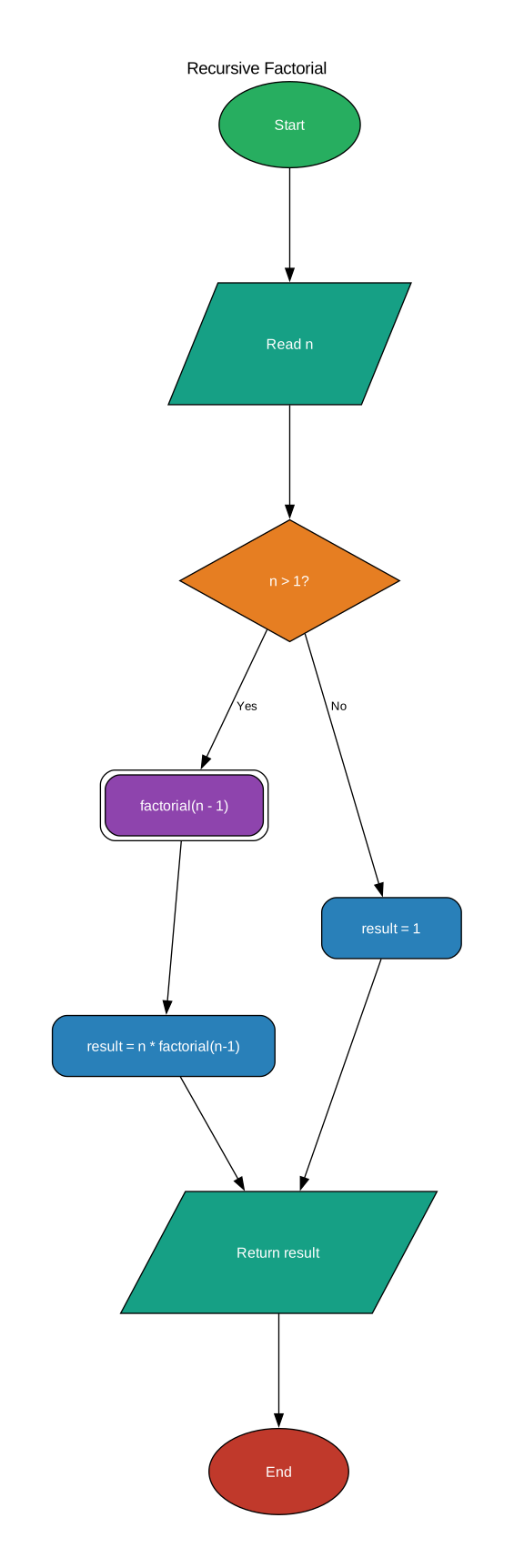
colorful |
Vibrant colour-coded nodes (default) |
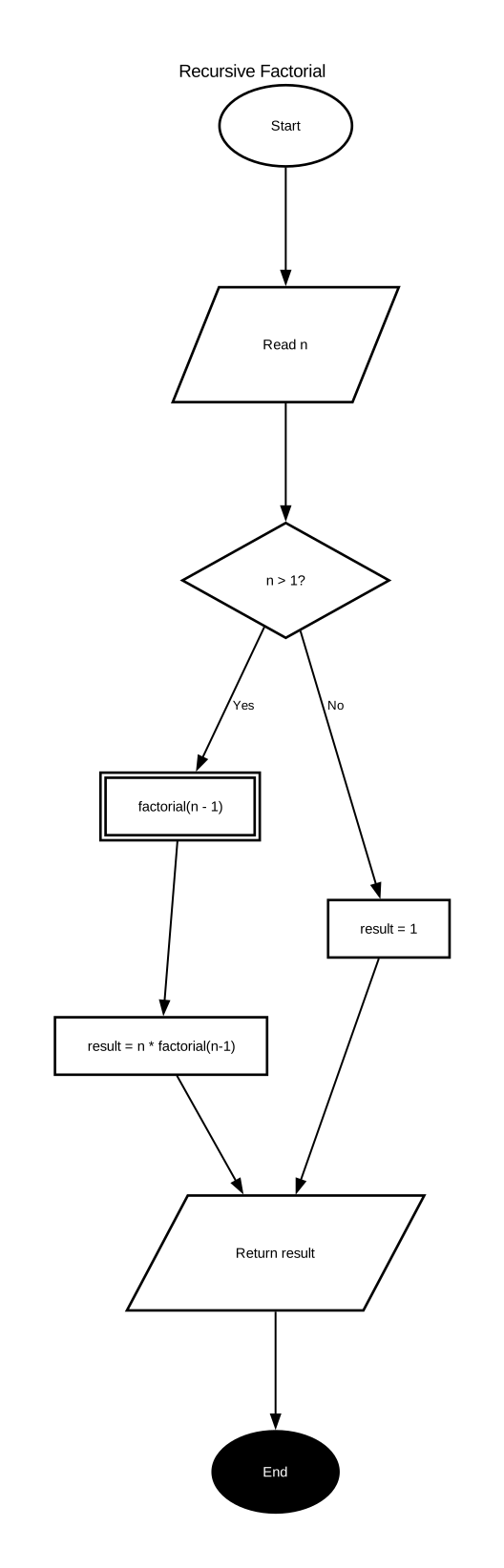
academic |
Black & white, thick borders — suitable for papers and theses |
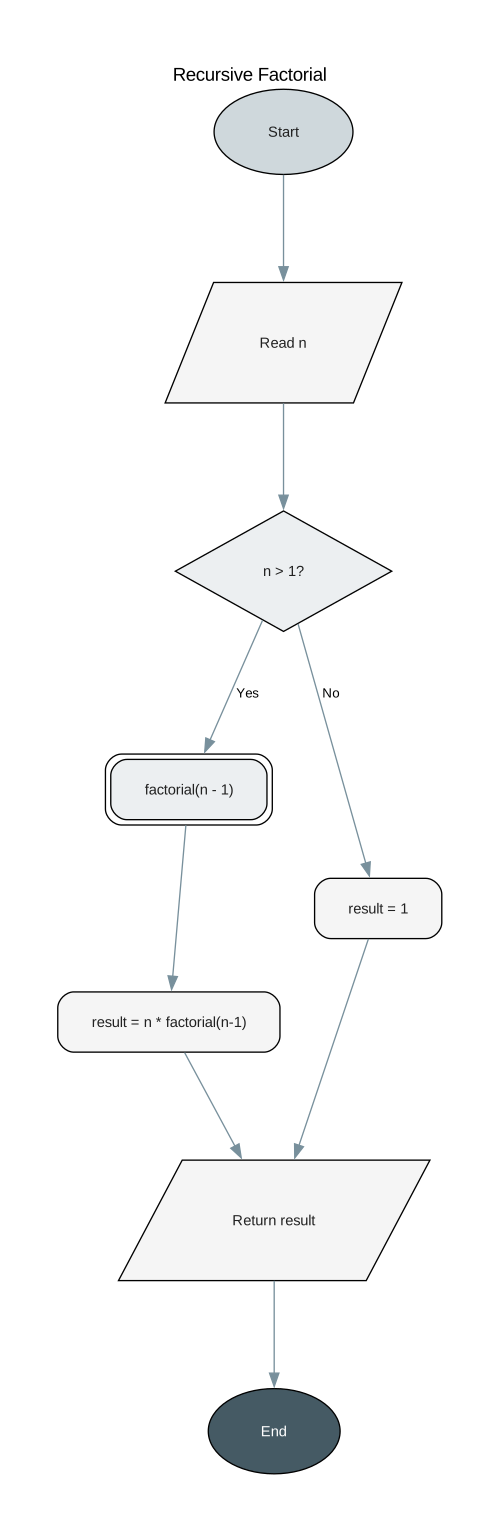
minimal |
Soft greys, clean modern look |
Specify a style in your prompt: "...use the academic style"
| colorful | academic | minimal | |
|---|---|---|---|
 |
 |
 |
Node types
| Type | Shape | Used for |
|---|---|---|
start |
Oval | Entry point |
end |
Oval | Exit point |
process |
Rectangle | Computation or action |
decision |
Diamond | Branch / condition |
io |
Parallelogram | Input or output |
subprocess |
Double rectangle | Named function call |
connector |
Small circle | Off-page connector |
annotation |
Note | Clarifying comment |
Project structure
flowchart-mcp-server/
├── server.py        # MCP server
├── charts/          # Generated SVG output
├── pyproject.toml
└── uv.lock
Installing Flowchart
This server has no published package — it is built from source. Open the repository and follow its README.
▸ github.com/eshitakundu/flowchart-mcp-serverFAQ
Is Flowchart MCP free?
Yes, Flowchart MCP is free — one-click install via Unyly at no cost.
Does Flowchart need an API key?
No, Flowchart runs without API keys or environment variables.
Is Flowchart hosted or self-hosted?
Self-hosted: the server runs locally on your machine via the install command above.
How do I install Flowchart in Claude Desktop, Claude Code or Cursor?
Open Flowchart on unyly.org, pick your client tab (Claude Desktop, Claude Code, Cursor) and press Install — the config is generated automatically, no JSON editing.
Related MCPs
GitHub
PRs, issues, code search, CI status
 by GitHub
Filesystem
Secure file operations with configurable access controls.
Memory
Knowledge graph-based persistent memory system.
Template MCP Server
A CLI tool to create a new Model Context Protocol server project with TypeScript support, dual transport options, and an extensible structure
 by mcpdotdirect
Compare Flowchart with
Not sure what to pick?
Find your stack in 60 seconds
Author?
Embed badge for your README
Browse similar
All development MCPs