

About
Simple CRM for SaaS founders, writen in django
README
FounderStack CRM
A context-first CRM for solo founders — built with a Notion-style dark mode interface, AI-assisted relationship management, and full Arabic RTL support.





Live Demo
Watch the full walkthrough on YouTube:
Screenshots
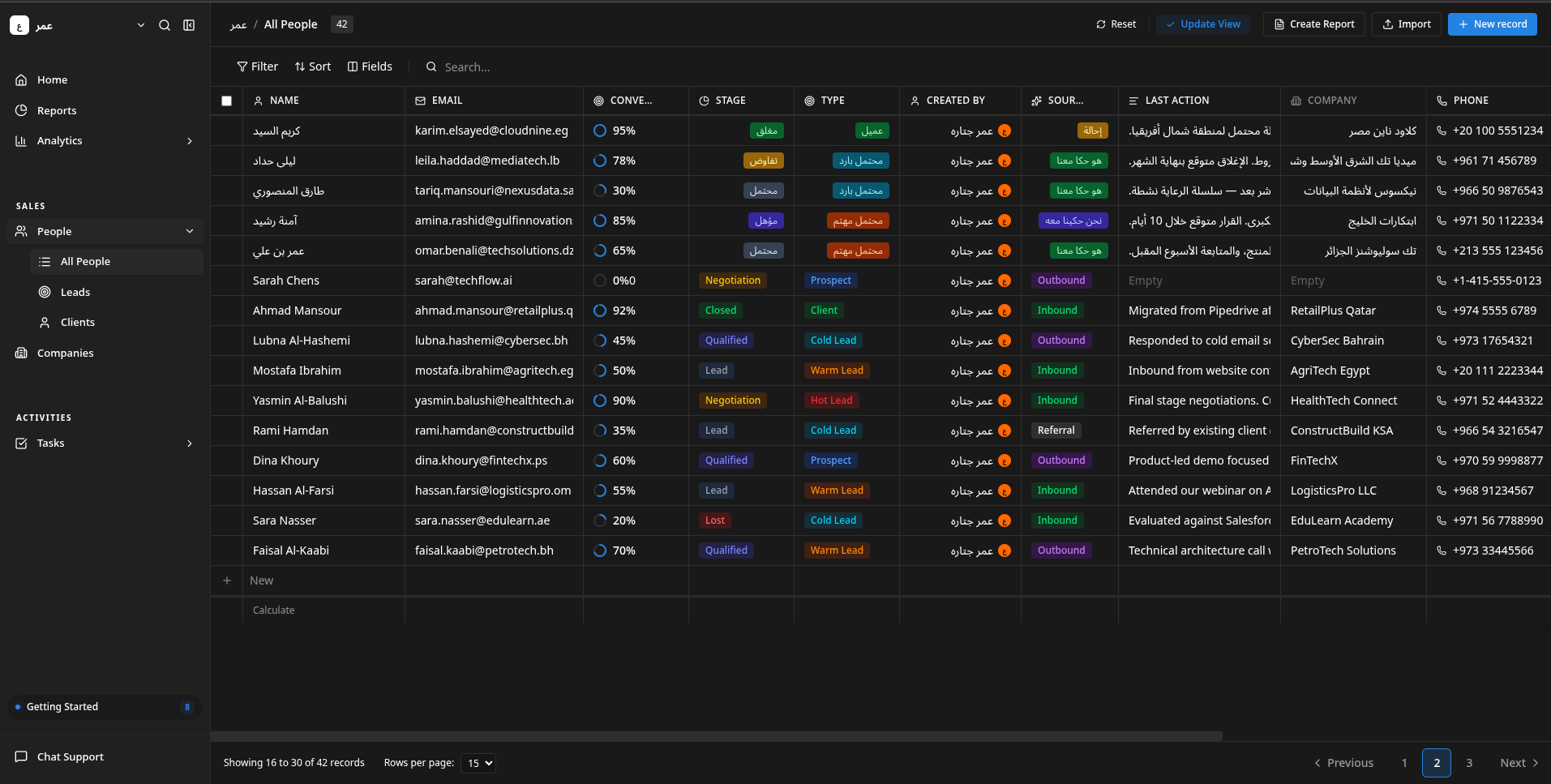
Contacts & People Management
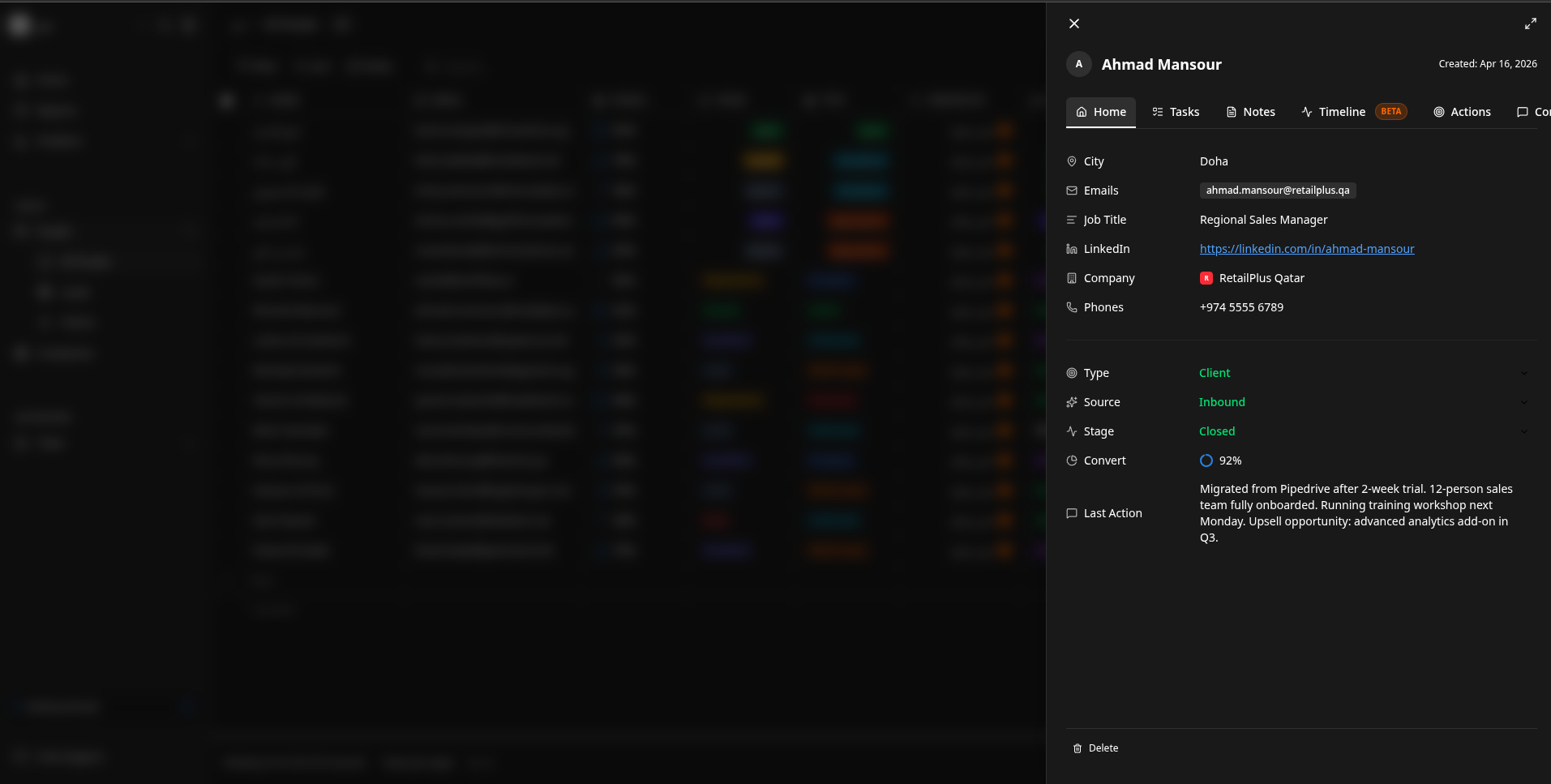
Contact Details & Context Drawer
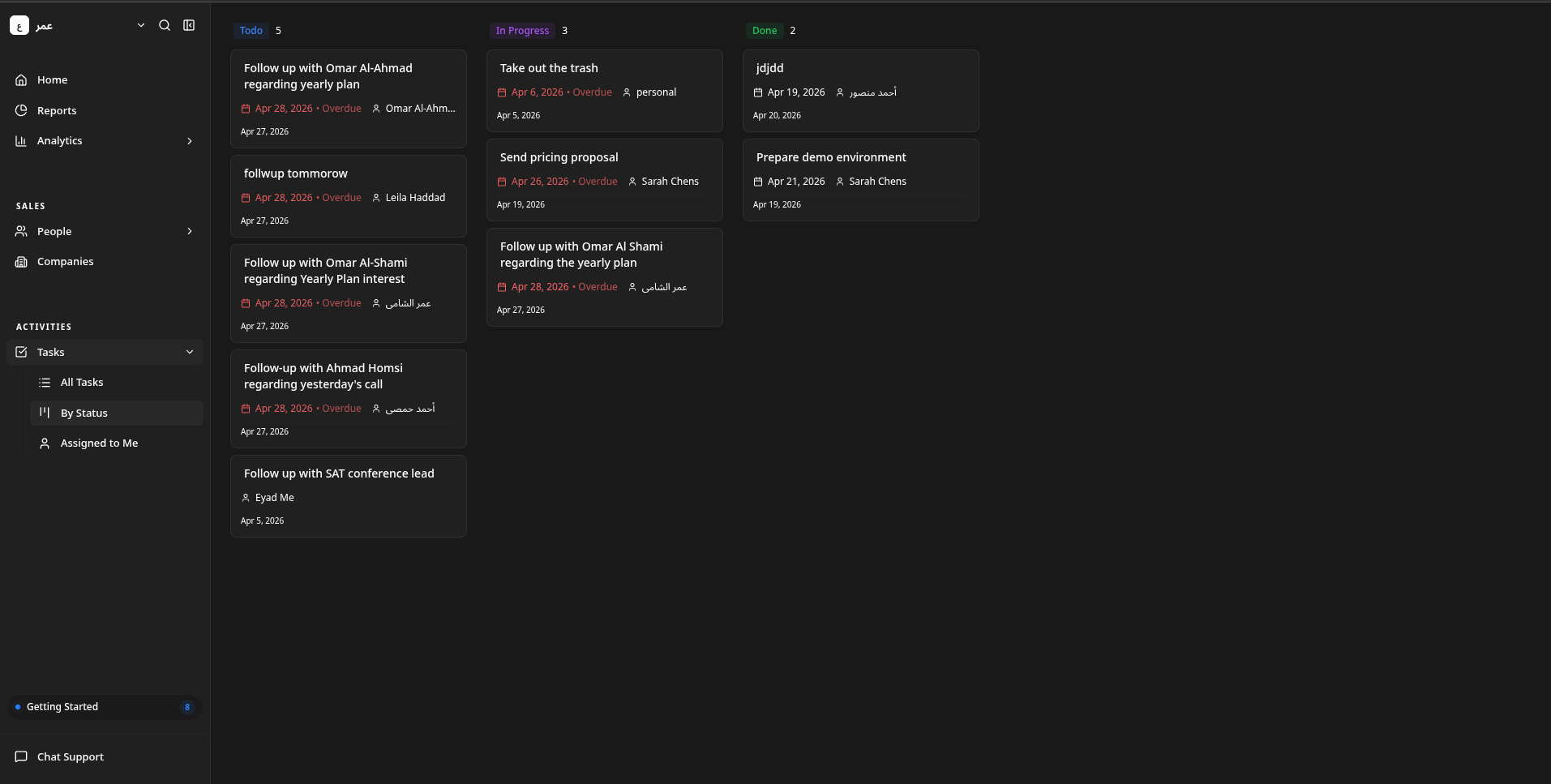
Task Management (Kanban)
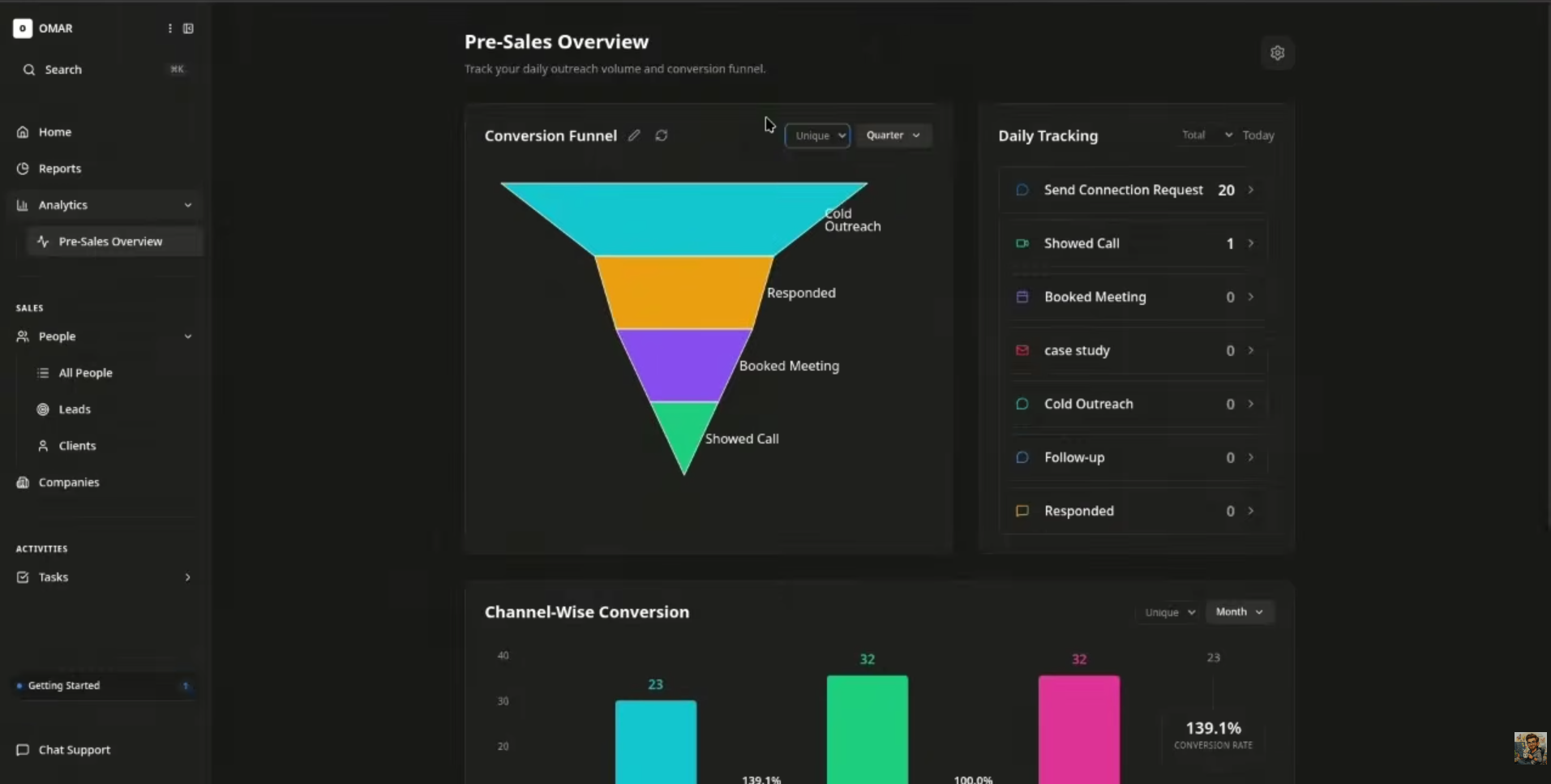
Analytics & Pre-Sales Overview
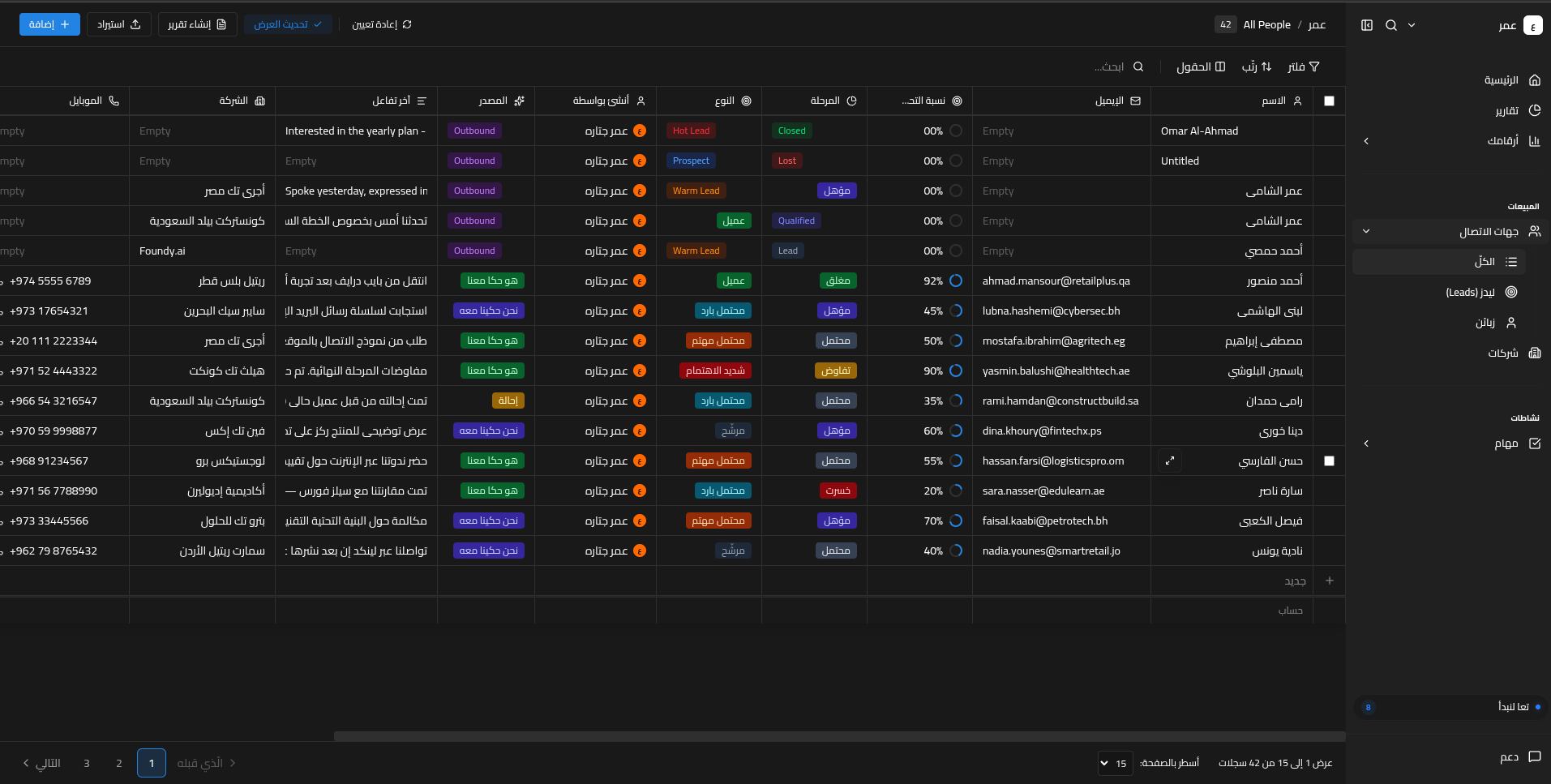
Arabic RTL Support
Architecture
┌─────────────────────────────────────────────────────────┐
│                    Frontend (React 19)                   │
│  Tailwind CSS · Zustand · React Router · @dnd-kit       │
└──────────────────────┬──────────────────────────────────┘
                       │ REST API (JWT)
┌──────────────────────▼──────────────────────────────────┐
│                   Backend (Django 6.0)                   │
│  DRF · RBAC · API Keys · Inngest · Webhooks             │
├──────────────┬───────────────┬──────────────────────────┤
│  PostgreSQL  │     Redis     │    AI Agent (MCP)        │
└──────────────┴───────────────┴──────────────────────────┘
Project Structure
opensourced/
├── backend/          # Django REST Framework API
├── frontend/         # React SPA with Notion-style UI
├── mcp-server/       # MCP server for AI assistant integration
├── imgs/             # Screenshots and assets
├── backend_instructions.md
└── frontend_instructions.md
Backend
Django REST Framework backend with multi-tenant architecture, RBAC, triple auth (JWT + API Keys + Session), background job scheduling, and external system sync.
Full documentation: backend/README.md
| Layer | Technology |
|---|---|
| Framework | Django 6.0, DRF 3.16 |
| Auth | JWT (RS256), API Keys, Session, Google OAuth2 |
| Database | PostgreSQL 15 |
| Cache | Redis 7 |
| Background Jobs | Inngest |
| Containerization | Docker, Docker Compose |
Key Features
- Multi-tenant data isolation per organization
- 4 default RBAC roles with 30 granular permission scopes
- Fuzzy search with custom relevance scoring
- Bulk import on all major endpoints
- Automated GitHub backups via Inngest cron
- HMAC-SHA256 signed webhooks with delivery logging
- OpenAPI docs at
/api/schema/swagger-ui/
Frontend
React 19 SPA with a Notion-style dark mode interface, data grids, kanban boards, context drawers, and full Arabic RTL support.
Full documentation: frontend/README.md
| Layer | Technology |
|---|---|
| Framework | React 19 + TypeScript |
| Styling | Tailwind CSS v4 |
| State | Zustand 5 (persist) |
| Routing | React Router DOM 7 |
| Drag & Drop | @dnd-kit |
| Charts | Recharts 3 |
| UI | Radix UI + shadcn/ui |
Key Features
- Sortable, filterable data grids for People, Companies, Tasks, Notes
- Drag-and-drop kanban boards for Opportunities and Tasks
- Context drawer for quick record preview and editing
- Cmd+K global search across all entities
- Custom views with saved filter/sort/column configs
- CSV import for any entity type
- Mobile responsive with dedicated bottom navigation
- Keyboard shortcuts (Shift+P, Shift+T, Shift+C, Shift+L)
MCP Server
FastAPI-based Model Context Protocol server that gives AI assistants (Claude, Cursor, Gemini CLI) secure, authenticated access to CRM data via JWT or API key.
Full documentation: mcp-server/README.md
| Layer | Technology |
|---|---|
| Framework | FastAPI + FastMCP 3.0 |
| Auth | JWT (RS256) + API Keys + OAuth2 |
| Protocol | MCP (Model Context Protocol) |
Key Features
- 25+ MCP tools for CRM operations (people, companies, tasks, notes, activities)
- Dual auth: JWT Bearer tokens and API keys
- OAuth2 dynamic client registration for AI desktop apps
- Auto-discovery via
.well-knownendpoints - Proxies all requests to Django backend with proper auth
AI Agent
FounderStack CRM ships with a multi-agent AI system for natural language CRM operations — create people, query tasks, update records, and more via conversational input.
Agent repository: github.com/Othunderlight/tammam-agent
| Agent | Role |
|---|---|
| Decider | Routes to Task Agent or Main Agent |
| Main | Plans CRM actions (CRUD on entities) |
| Task | Specialized task management |
| Voice | Combined planner for voice input |
| Middle | Resolves entity IDs from fuzzy queries |
| Final | Formats user-facing responses |
Getting Started
Prerequisites
- Python 3.12+
- Node.js 18+
- PostgreSQL 15+
- Redis 7+
- Docker & Docker Compose (optional)
Backend
cd backend
python -m venv .venv
source .venv/bin/activate
pip install -r reqs.txt
cp .env.example .env
# Generate JWT keys
python -c "
from cryptography.hazmat.primitives import serialization
from cryptography.hazmat.primitives.asymmetric import rsa
private_key = rsa.generate_private_key(public_exponent=65537, key_size=2048)
public_key = private_key.public_key()
with open('jwt_private_key.pem', 'wb') as f:
    f.write(private_key.private_bytes(serialization.Encoding.PEM, serialization.PrivateFormat.PKCS8, serialization.NoEncryption()))
with open('jwt_public_key.pem', 'wb') as f:
    f.write(public_key.public_bytes(serialization.Encoding.PEM, serialization.PublicFormat.SubjectPublicKeyInfo))
"
python manage.py migrate sites
python manage.py makemigrations users
python manage.py migrate
python manage.py createsuperuser
python manage.py runserver
Or with Docker:
cd backend
docker-compose up --build -d
Frontend
cd frontend
npm install
cp .env.example .env.local
# Edit .env.local with your Supabase credentials and API URLs
npm run dev
The app runs at http://localhost:3000.
MCP Server
cd mcp-server
pip install -e .
cp .env.example .env
# Edit .env with your Django backend URL
mcp-server
The MCP server runs at http://localhost:10000.
Environment Variables
Both backend/.env.example and frontend/.env.example contain all required variables with placeholder values. Copy them to get started:
cp backend/.env.example backend/.env
cp frontend/.env.example frontend/.env.local
cp mcp-server/.env.example mcp-server/.env
Then edit each file with your own credentials. See the individual READMEs for full variable documentation:
Keyboard Shortcuts
| Shortcut | Action |
|---|---|
Ctrl/Cmd + B |
Toggle sidebar |
Shift + P |
Go to All People |
Shift + T |
Go to All Tasks |
Shift + C |
Go to Companies |
Shift + L |
Go to Activity Logs |
Ctrl/Cmd + K |
Global search |
Contributing
- Fork the repo
- Create a feature branch
- Make your changes
- Run linting (
ruff check .for backend) - Submit a pull request
License
GNU GENERAL PUBLIC LICENSE
Installing FounderStackCRM Open
This server has no published package — it is built from source. Open the repository and follow its README.
▸ github.com/Othunderlight/FounderStackCRM-openFAQ
Is FounderStackCRM Open MCP free?
Yes, FounderStackCRM Open MCP is free — one-click install via Unyly at no cost.
Does FounderStackCRM Open need an API key?
No, FounderStackCRM Open runs without API keys or environment variables.
Is FounderStackCRM Open hosted or self-hosted?
Self-hosted: the server runs locally on your machine via the install command above.
How do I install FounderStackCRM Open in Claude Desktop, Claude Code or Cursor?
Open FounderStackCRM Open on unyly.org, pick your client tab (Claude Desktop, Claude Code, Cursor) and press Install — the config is generated automatically, no JSON editing.
Related MCPs
GitHub
PRs, issues, code search, CI status
 by GitHub
Filesystem
Secure file operations with configurable access controls.
Memory
Knowledge graph-based persistent memory system.
Template MCP Server
A CLI tool to create a new Model Context Protocol server project with TypeScript support, dual transport options, and an extensible structure
 by mcpdotdirect
Amap Maps Mcp Server
MCP server for using the AMap Maps API
 by duxiaohui
Supabase
Database, auth and storage
 by Supabase
Everything
Reference / test server with prompts, resources, and tools.
Git
Tools to read, search, and manipulate Git repositories.
Sequential Thinking
Dynamic and reflective problem-solving through thought sequences.
Time
Time and timezone conversion capabilities.
Compare FounderStackCRM Open with
Not sure what to pick?
Find your stack in 60 seconds
Author?
Embed badge for your README
Browse similar
All development MCPs