
Framegrab
FreeNot checkedAn MCP server for capturing images from cameras and video streams

About
An MCP server for capturing images from cameras and video streams
README
Overview
A Model Context Protocol (MCP) server for capturing images from cameras and video streams. Uses the framegrab library to handle the actual image capture.
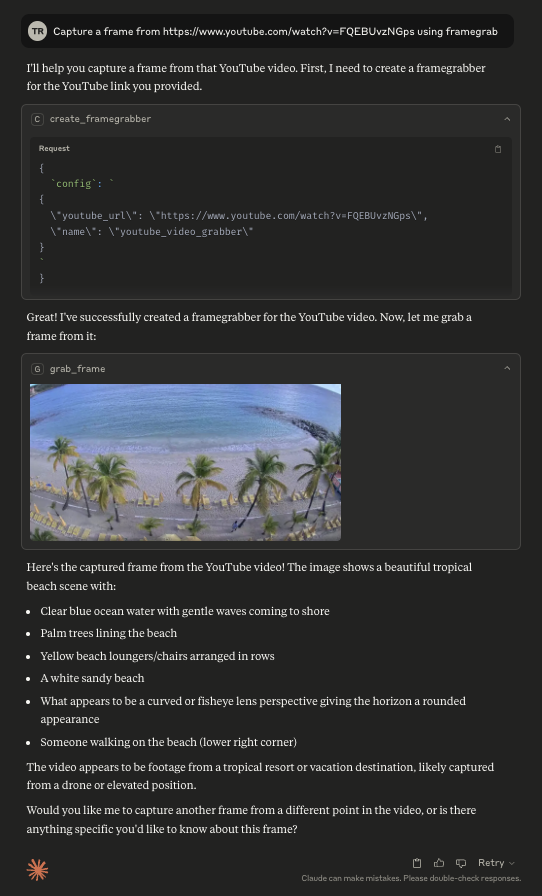
This server can be used to capture images from a webcam, a USB camera, an RTSP stream, a youtube live stream, or any other video source supported by the framegrab library.
This MCP server is still in early development. The functionality and available tools are subject to change and expansion as we continue to develop and improve the server.
Tools
The following tools are available in the Framegrab MCP server:
- create_framegrabber: Create a new framegrabber from a configuration object and add it to the available grabbers.
- grab_frame: Grab a frame from the specified framegrabber and return it as an image in the desired format (png, jpg, or webp).
- list_framegrabbers: List all available framegrabbers by name, sorted alphanumerically.
- get_framegrabber_config: Retrieve the configuration of a specific framegrabber.
- set_framegrabber_config: Update the configuration options for a specific framegrabber.
- release_framegrabber: Release a framegrabber and remove it from the available grabbers.
Resources
The following resources are available in the Framegrab MCP server:
- framegrabbers: Lists all available framegrabbers by name, sorted alphanumerically.
Configuration
Usage with Claude Desktop
Add this to your claude_desktop_config.json:
{
  "mcpServers": {
    "framegrab": {
      "command": "uvx",
      "args": [
        "framegrab-mcp-server"
      ]
    }
  }
}
Usage with Zed
Add the following to your zed settings.json:
{
  "context_servers": {
    "framegrab": {
      "command": {
        "path": "uvx",
        "args": [
          "framegrab-mcp-server"
        ]
      }
    }
  }
}
(experimental) Enabling autodiscovery of framegrabbers
Enable autodiscovery of framegrabbers (such as your webcam or usb cameras) by setting
ENABLE_FRAMEGRAB_AUTO_DISCOVERY="true" in your environment variables. This will automatically add any discovered framegrabbers to the list of available framegrabbers.
If autodiscovery is enabled, then you can also configure how RTSP autodiscovery works by changing FRAMEGRAB_RTSP_AUTO_DISCOVERY_MODE. By default, it is set to "off", which disables RTSP autodiscovery. For a thorough attempt at autodiscovery, set it to "complete_fast".
{
  "mcpServers": {
    "framegrab": {
      "command": "uvx",
      "args": [
        "framegrab-mcp-server"
      ],
      "env": {
        "ENABLE_FRAMEGRAB_AUTO_DISCOVERY": "true",
        "FRAMEGRAB_RTSP_AUTO_DISCOVERY_MODE": "complete_fast"
      }
    }
  }
}
This will increase server startup time.
Installing Framegrab
This server has no published package — it is built from source. Open the repository and follow its README.
▸ github.com/groundlight/framegrab-mcp-serverFAQ
Is Framegrab MCP free?
Yes, Framegrab MCP is free — one-click install via Unyly at no cost.
Does Framegrab need an API key?
No, Framegrab runs without API keys or environment variables.
Is Framegrab hosted or self-hosted?
Self-hosted: the server runs locally on your machine via the install command above.
How do I install Framegrab in Claude Desktop, Claude Code or Cursor?
Open Framegrab on unyly.org, pick your client tab (Claude Desktop, Claude Code, Cursor) and press Install — the config is generated automatically, no JSON editing.
Related MCPs
ARA
Generate images, video and audio from any AI agent — one connector.
 by ARA
Omni Video
An MCP server that transforms LLM-enabled IDEs into professional video editors by pre-processing footage into text proxies, generating motion graphics via HTML/
 by buildwithtaza
YouTube
Transcripts, channel stats, search
 by YouTube
EverArt
AI image generation using various models.
 by modelcontextprotocol
Compare Framegrab with
Not sure what to pick?
Find your stack in 60 seconds
Author?
Embed badge for your README
Browse similar
All media MCPs