
Garmin Connect (China)
FreeNot checkedConnects to Garmin Connect platform for Chinese users, enabling secure access to fitness tracking, health metrics, and activity data from Garmin devices

About
Connects to Garmin Connect platform for Chinese users, enabling secure access to fitness tracking, health metrics, and activity data from Garmin devices
README
- clone repository
git clone https://github.com/guaidaoyiyoudao/garmincn-mcp.git
- build distribution package
cd garmincn-mcp
uv build
- install package
uv tool install dist/garmincn-mcp-0.0.1.tar.gz
- use mcp server in client
这里以cherrt studio举例:
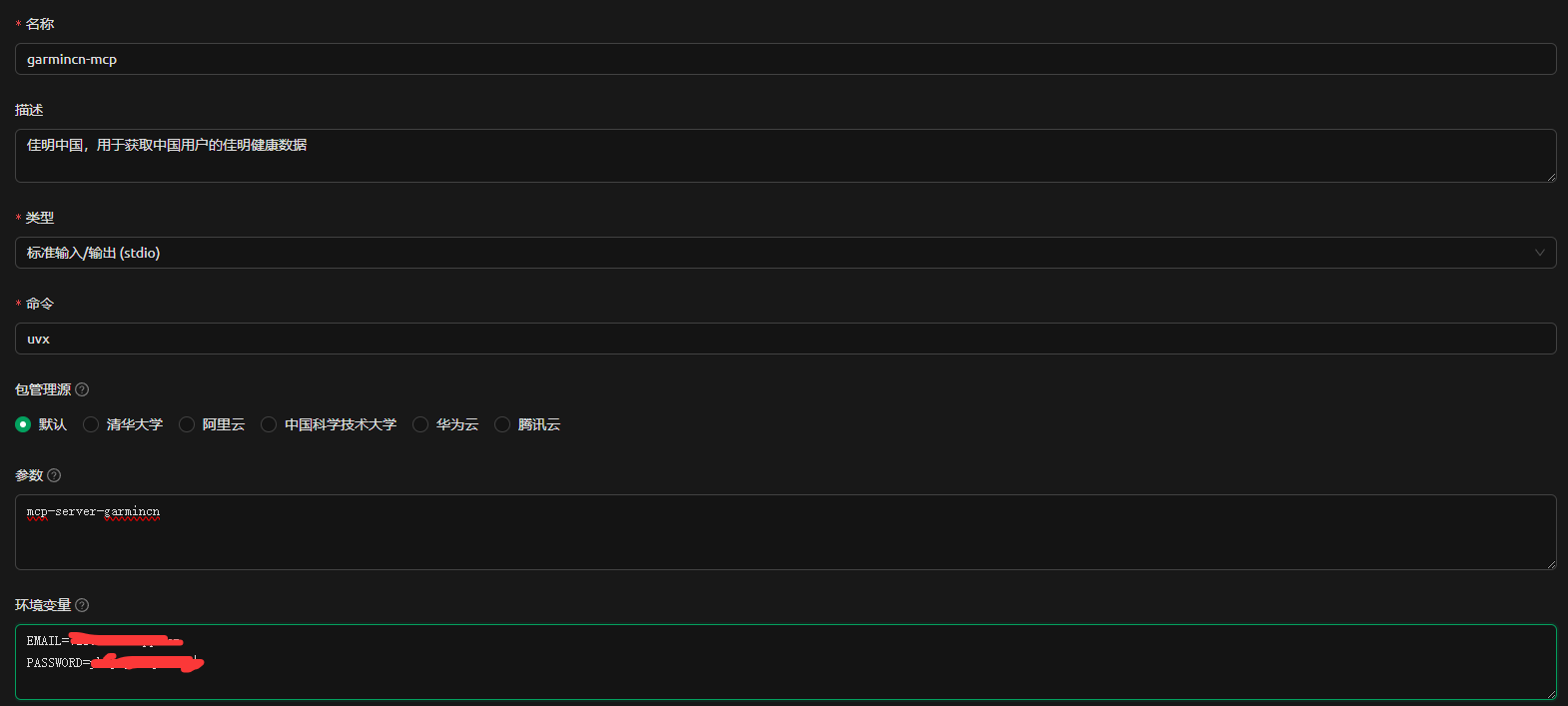
需要填写两个环境变量:
- EMAIL: 用于登录garmin connect的邮箱
- PASSWORD: 用于登录garmin connect的密码
- enjoy it!
License
本代码几乎全部由AI生成,可以随意使用!
Installing Garmin Connect (China)
This server has no published package — it is built from source. Open the repository and follow its README.
▸ github.com/guaidaoyiyoudao/garmincn-mcpFAQ
Is Garmin Connect (China) MCP free?
Yes, Garmin Connect (China) MCP is free — one-click install via Unyly at no cost.
Does Garmin Connect (China) need an API key?
No, Garmin Connect (China) runs without API keys or environment variables.
Is Garmin Connect (China) hosted or self-hosted?
Self-hosted: the server runs locally on your machine via the install command above.
How do I install Garmin Connect (China) in Claude Desktop, Claude Code or Cursor?
Open Garmin Connect (China) on unyly.org, pick your client tab (Claude Desktop, Claude Code, Cursor) and press Install — the config is generated automatically, no JSON editing.
Related MCPs
GitHub
PRs, issues, code search, CI status
 by GitHub
Filesystem
Secure file operations with configurable access controls.
Memory
Knowledge graph-based persistent memory system.
Template MCP Server
A CLI tool to create a new Model Context Protocol server project with TypeScript support, dual transport options, and an extensible structure
 by mcpdotdirect
Compare Garmin Connect (China) with
Not sure what to pick?
Find your stack in 60 seconds
Author?
Embed badge for your README
Browse similar
All development MCPs