
GenWaveLLC/svgmaker-mcp
БесплатноНе проверенProvides AI-driven SVG generation and editing via natural language, with real-time updates and secure file handling.

Описание
Provides AI-driven SVG generation and editing via natural language, with real-time updates and secure file handling.
README
A powerful MCP server for generating, editing, and converting SVG images using SVGMaker API.
Website npm version License Build Status npm downloads
🎨 MCP Server in Action
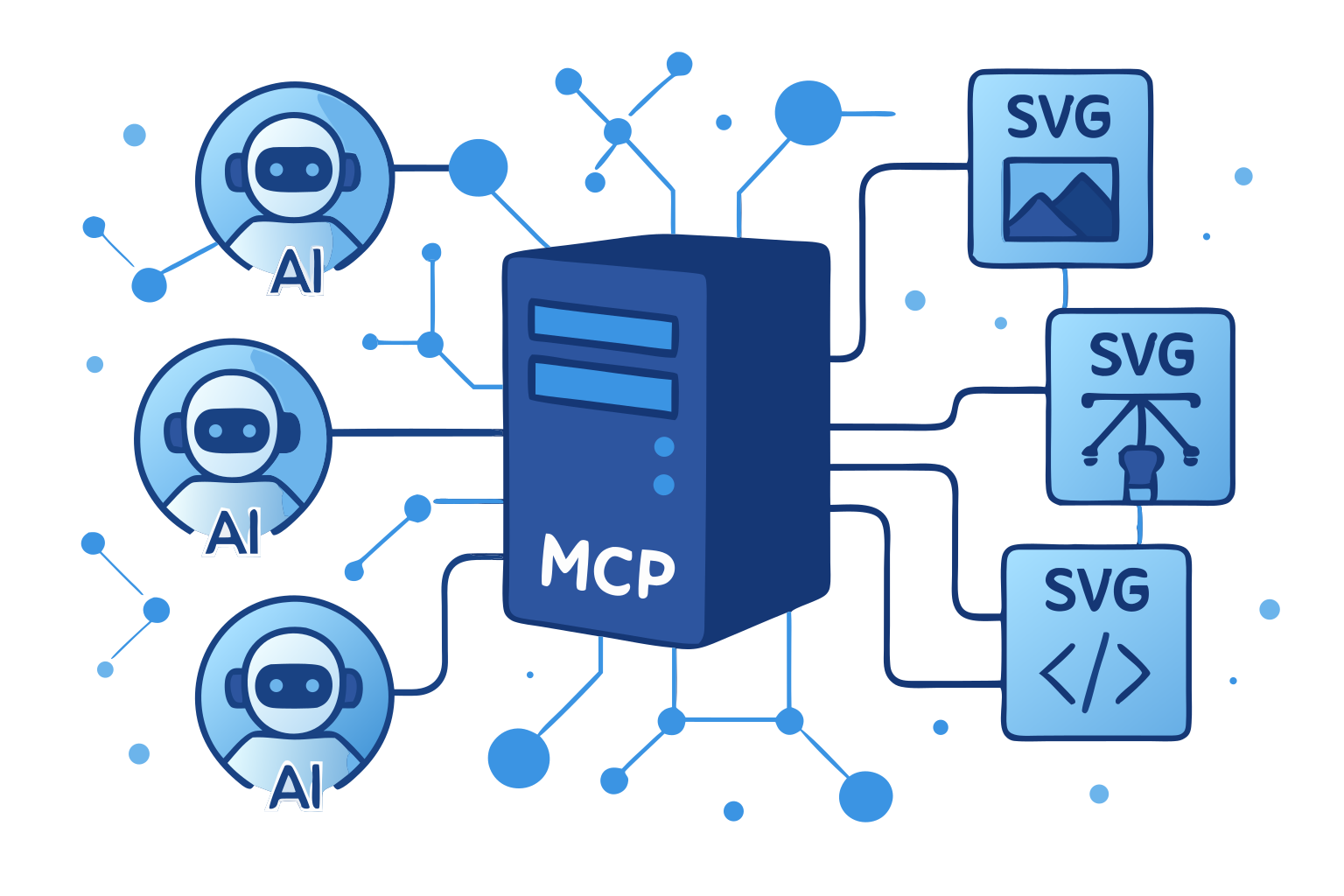
This very illustration came to life through our own SVGMaker MCP server—a living example of AI assistants and vector graphics working in perfect harmony via the Model Context Protocol.
🌟 Highlights
- 🎨 AI-Powered SVG Generation: Create SVGs from text descriptions
- ✏️ Smart SVG Editing: Edit existing SVGs with natural language
- 🖼️ Raster Mode: Skip vectorization and get a quick PNG instead of SVG
- 🔄 Image-to-SVG Conversion: Convert any image to scalable SVG
- 👁️ Inline Image Preview: Preview generations and gallery items directly in chat
- 🔒 Secure File Operations: Built-in path validation and security
- ⚡ Real-Time Progress: Live updates during operations
- 📝 Type Safety: Full TypeScript support with type definitions
📋 Table of Contents
- Requirements
- Installation
- Quick Start
- LLM Integrations
- Available Tools
- Configuration
- Development
- Contributing
💻 Requirements
- Node.js: Minimum version 18.0.0
node --version # Should be >= v18.0.0 - npm: Minimum version 7.0.0
npm --version # Should be >= 7.0.0 - Operating Systems:
- Linux (Ubuntu 20.04+, CentOS 8+)
- macOS (10.15+)
- Windows (10+)
- SVGMaker API key (Get one here)
📦 Package Structure
@genwave/svgmaker-mcp/
├── build/             # Compiled JavaScript files
├── docs/              # Documentation
│   └── api/           # API documentation
├── src/               # Source TypeScript files
│   ├── tools/         # MCP tool implementations
│   ├── services/      # API integration
│   └── utils/         # Utility functions
└── types/             # TypeScript declarations
🚀 Installation
# Using npm
npm install @genwave/svgmaker-mcp

# Using yarn
yarn add @genwave/svgmaker-mcp
Basic Setup
- Create .env file:
SVGMAKER_API_KEY="your_api_key_here"
- Start the server:
npx svgmaker-mcp
🔌 LLM Integrations
🔌 Claude Desktop
- Add to claude_desktop_config.json:
{
  "mcpServers": {
    "svgmaker": {
      "command": "npx",
      "args": ["@genwave/svgmaker-mcp"],
      "transport": "stdio",
      "env": {
        "SVGMAKER_API_KEY": "your_api_key_here"
      }
    }
  }
}
- Example Claude prompt:
Generate an SVG of a minimalist mountain landscape:
<mcp>
{
  "server": "svgmaker",
  "tool": "svgmaker_generate",
  "arguments": {
    "prompt": "Minimalist mountain landscape with sun",
    "output_path": "./landscape.svg",
    "quality": "high",
    "aspectRatio": "landscape"
  }
}
</mcp>
🔌 Cursor
Or configure manually:
- Configure in cursor settings:
{
  "mcpServers": {
    "svgmaker": {
      "type": "local",
      "command": "npx",
      "args": ["@genwave/svgmaker-mcp"],
      "transport": "stdio",
      "env": {
        "SVGMAKER_API_KEY": "your_api_key_here"
      }
    }
  }
}
- Example usage in Cursor:
Use svgmaker to edit the logo.svg file and make it more modern:
<mcp>
{
  "server": "svgmaker",
  "tool": "svgmaker_edit",
  "arguments": {
    "input_path": "./logo.svg",
    "prompt": "Make it more modern and minimalist",
    "output_path": "./modern_logo.svg",
    "quality": "high"
  }
}
</mcp>
🔌 Visual Studio Code

Or configure manually:
- Configure in settings.json:
{
  "servers": {
    "svgmaker": {
      "type": "stdio",
      "command": "npx",
      "args": ["-y", "@genwave/svgmaker-mcp"],
      "env": {
        "SVGMAKER_API_KEY": "<your_api_key>"
      }
    }
  }
}
- Example usage in VS Code:
Generate a new icon for my app:
<mcp>
{
  "server": "svgmaker",
  "tool": "svgmaker_generate",
  "arguments": {
    "prompt": "Modern app icon with abstract geometric shapes",
    "output_path": "./assets/icon.svg",
    "quality": "high",
    "aspectRatio": "square"
  }
}
</mcp>
🔌 WindSurf
- Configure in settings:
{
  "mcpServers": {
    "svgmaker": {
      "command": "npx",
      "args": ["-y", "@genwave/svgmaker-mcp"],
      "env": {
        "SVGMAKER_API_KEY": "<your_api_key>"
      }
    }
  }
}
- Example usage in WindSurf:
Convert the company logo to SVG:
<mcp>
{
  "server": "svgmaker",
  "tool": "svgmaker_convert",
  "arguments": {
    "input_path": "./branding/logo.png",
    "output_path": "./branding/vector_logo.svg"
  }
}
</mcp>
🔌 Zed
- Configure in settings:
{
  "context_servers": {
    "svgmaker": {
      "command": {
        "path": "npx",
        "args": ["-y", "@genwave/svgmaker-mcp"],
        "env": {
          "SVGMAKER_API_KEY": "<your_api_key>"
        }
      },
      "settings": {}
    }
  }
}
- Example usage in Zed:
Edit an existing SVG file:
<mcp>
{
  "server": "svgmaker",
  "tool": "svgmaker_edit",
  "arguments": {
    "input_path": "./diagrams/flowchart.svg",
    "prompt": "Add rounded corners and smooth gradients",
    "output_path": "./diagrams/enhanced_flowchart.svg",
    "quality": "high"
  }
}
</mcp>
🛠️ Available Tools
svgmaker_generate
Generate SVG images from text prompts. Supports style parameters for fine-grained control over the output.
{
  "prompt": "A minimalist mountain landscape with sun",
  "output_path": "/path/to/landscape.svg",
  "quality": "medium",
  "style": "flat",
  "color_mode": "few_colors",
  "composition": "full_scene",
  "background": "transparent"
}
Raster mode — set raster: true to skip vectorization and get a PNG instead of an SVG. Use a .png extension for output_path. Cannot be combined with storage (raster results are temporary).
{
  "prompt": "A minimalist mountain landscape with sun",
  "output_path": "/path/to/landscape.png",
  "quality": "medium",
  "raster": true
}
| Parameter | Type | Description |
|---|---|---|
raster |
boolean | When true, returns a raster PNG instead of SVG (skips vectorization). Use a .png output path. Cannot be used with storage. |
storage |
boolean | When true, stores the generated image permanently in cloud storage. Cannot be used with raster. Defaults to true when raster is not set. |
Style parameters (generate & edit)
All parameters below are optional and shared by svgmaker_generate and svgmaker_edit. Only specify the ones the user explicitly requests.
| Parameter | Values | Default | Description |
|---|---|---|---|
quality |
low, medium, high |
medium |
Detail level vs. speed. high forces a square aspect ratio. |
aspectRatio |
square, portrait, landscape |
auto (by quality) | Output shape. Ignored when quality is high (forced square). |
background |
auto, transparent, opaque |
auto |
Background style. transparent is good for overlays. |
style |
flat, line_art, engraving, linocut, silhouette, isometric, cartoon, ghibli |
— | Art style. |
color_mode |
full_color, monochrome, few_colors |
full_color |
Color scheme. |
image_complexity |
icon, illustration, scene |
— | Level of detail in the composition. |
composition |
centered_object, repeating_pattern, full_scene, objects_in_grid |
— | Layout arrangement. |
text_style |
only_title, embedded_text |
— | How text is handled in the design. |
svgmaker_edit
Edit existing SVGs or images with natural language. Supports the same style parameters as generate. Accepts a local file path or generation ID (works for both your own generations and public gallery items).
{
  "input_path": "/path/to/input.svg",
  "prompt": "Add a gradient background and make it more vibrant",
  "output_path": "/path/to/enhanced.svg",
  "quality": "high",
  "style": "cartoon",
  "background": "opaque"
}
Or edit directly from a generation ID (works for both generations and gallery items):
{
  "generation_id": "gen_abc123",
  "prompt": "Make the background blue",
  "output_path": "/path/to/edited.svg"
}
Raster mode — like generate, set raster: true to get a PNG instead of an SVG. Use a .png extension for output_path. Cannot be combined with storage.
{
  "input_path": "/path/to/input.svg",
  "prompt": "Make it more vibrant",
  "output_path": "/path/to/edited.png",
  "raster": true
}
| Parameter | Type | Description |
|---|---|---|
raster |
boolean | When true, returns a raster PNG instead of SVG (skips vectorization). Use a .png output path. Cannot be used with storage. |
storage |
boolean | When true, stores the edited image permanently in cloud storage. Cannot be used with raster. Defaults to true when raster is not set. |
svgmaker_convert
Convert raster images to SVG using AI-powered vectorization.
{
  "input_path": "/path/to/image.png",
  "output_path": "/path/to/vector.svg"
}
svgmaker_account_info
Get account information including email, display name, account type, and available credits. No parameters required.
{}
svgmaker_account_usage
Get API usage statistics with optional date filtering.
{
  "days": 30
}
Or use a date range:
{
  "start": "2026-01-01",
  "end": "2026-01-31"
}
svgmaker_generations_list
List your SVG generations with optional filtering and pagination.
{
  "page": 1,
  "limit": 20,
  "type": "generate",
  "query": "mountain"
}
svgmaker_generations_get
Get detailed information about a specific generation.
{
  "generation_id": "gen_abc123"
}
svgmaker_generations_delete
Delete a generation and its associated files. Requires a paid account.
{
  "generation_id": "gen_abc123"
}
svgmaker_generations_share
Share a generation by making it publicly accessible.
{
  "generation_id": "gen_abc123"
}
svgmaker_generations_download
Download a generation in various formats and save to a local file. Requires a paid account.
{
  "generation_id": "gen_abc123",
  "output_path": "/path/to/output.svg",
  "format": "svg"
}
svgmaker_generations_preview
Preview a generation by returning the image directly in the chat context as a PNG image. The LLM can see and describe the image, enabling follow-up edits.
{
  "generation_id": "gen_abc123"
}
svgmaker_gallery_list
Browse the public SVGMaker gallery with optional filtering and pagination.
{
  "page": 1,
  "limit": 20,
  "type": "generate",
  "query": "landscape",
  "pro": "true"
}
svgmaker_gallery_get
Get detailed information about a specific gallery item.
{
  "generation_id": "gal_abc123"
}
svgmaker_gallery_download
Download a gallery item in various formats and save to a local file. Costs 1 credit for SVG formats, 0 credits for WebP/PNG.
{
  "generation_id": "gal_abc123",
  "output_path": "/path/to/output.svg",
  "format": "svg"
}
svgmaker_gallery_preview
Preview a gallery item by returning the image directly in the chat context as a PNG image.
{
  "generation_id": "gal_abc123"
}
svgmaker_preview
Preview a local image file by returning it directly in the chat context. Supports PNG, SVG, WebP, and SVGZ formats.
{
  "file_path": "/path/to/image.svg"
}
⚙️ Configuration
Environment Variables
| Variable | Description | Required | Default |
|---|---|---|---|
SVGMAKER_API_KEY |
Your SVGMaker API key | ✅ Yes | - |
SVGMMAKER_RATE_LIMIT_RPM |
API rate limit (requests per minute) | ❌ No | 2 |
SVGMAKER_BASE_URL |
Custom SVGMaker API base URL | ❌ No | https://api.svgmaker.io |
SVGMAKER_DEBUG |
Enable debug logging | ❌ No | false |
Debug Logging
The server includes comprehensive logging for debugging and monitoring:
Enable Logging:
# Enable debug logging
SVGMAKER_DEBUG=true npx @genwave/svgmaker-mcp

# Or set NODE_ENV to development
NODE_ENV=development npx @genwave/svgmaker-mcp
Log Files Location:
- macOS/Linux:
~/.cache/svgmaker-mcp/logs/ - Windows:
%LOCALAPPDATA%/svgmaker-mcp/logs/ - Fallback:
./logs/(in project directory)
Log File Format:
mcp-debug-2025-06-04T10-30-45-123Z.log
🔍 Development
Local Setup
- Clone and install dependencies:
npm install
- Create .env file with your API key
SVGMAKER_API_KEY="your_api_key_here"
- Run in development mode:
npm run dev
Testing
Use the MCP Inspector for testing:
npx @modelcontextprotocol/inspector node build/index.js
CI/CD Workflow
This project uses GitHub Actions for continuous integration and deployment:
Continuous Integration
- Runs on every push to main branch and pull requests
- Performs linting, type checking, and building
- Ensures code quality and consistency
Bumping the Version
- For a patch version (bug fixes):
npm run version:patch - For a minor version (new features):
npm run version:minor - For a major version (breaking changes):
npm run version:major
- For a patch version (bug fixes):
Publishing
- Automatically publishes to npm when the version bump is merged to
main
- Automatically publishes to npm when the version bump is merged to
🔐 Security
- ✅ Path validation prevents directory traversal
- ✅ Input sanitization for all parameters
- ✅ Secure file operation handling
- ✅ Environment variable protection
- ✅ Rate limiting support
🤝 Contributing
We welcome contributions! Please see our Contributing Guide for details.
⭐ Features
Input Format Support
- SVG files (.svg)
- PNG images (.png)
- JPEG images (.jpg, .jpeg)
- Other common image formats
Output Capabilities
- Clean, optimized SVG output
- Multiple aspect ratio options
- Background control (transparent/opaque)
- High-quality vectorization
📝 License
MIT © Genwave AI - see the LICENSE file for details.
Установка GenWaveLLC/svgmaker-mcp
У этого сервера нет опубликованного пакета — он собирается из исходников. Открой репозиторий и следуй инструкции в README.
▸ github.com/GenWaveLLC/svgmaker-mcpFAQ
GenWaveLLC/svgmaker-mcp MCP бесплатный?
Да, GenWaveLLC/svgmaker-mcp MCP бесплатный — установка в пару кликов через Unyly без оплаты.
Нужен ли API-ключ для GenWaveLLC/svgmaker-mcp?
Да, требуются переменные окружения: SVGMAKER_API_KEY, SVGMAKER_DEBUG. Unyly подставит их в конфиг при установке.
GenWaveLLC/svgmaker-mcp — hosted или self-hosted?
Self-hosted: сервер запускается локально на твоей машине командой из раздела установки.
Как установить GenWaveLLC/svgmaker-mcp в Claude Desktop, Claude Code или Cursor?
Открой GenWaveLLC/svgmaker-mcp на unyly.org, выбери вкладку своего клиента (Claude Desktop, Claude Code, Cursor) и нажми Install — конфиг сгенерируется автоматически, без правки JSON.
Похожие MCP
Fetch
Web content fetching and conversion for efficient LLM usage.
AWS KB Retrieval
Retrieval from AWS Knowledge Base using Bedrock Agent Runtime.
 автор: modelcontextprotocol
Spring AI MCP Server
Provides auto-configuration for setting up an MCP server in Spring Boot applications.
llm-analysis-assistant
A very streamlined mcp client that supports calling and monitoring stdio/sse/streamableHttp, and can also view request responses through the /logs page. It also
 автор: xuzexin-hz
Compare GenWaveLLC/svgmaker-mcp with
Не уверен что выбрать?
Найди свой стек за 60 секунд
Автор?
Embed-бейдж для README
Похожее
Все в категории ai