
Github Ranker Remote
FreeNot checkedA remote MCP server that ranks GitHub candidates against job requirements using FastMCP + GitHub API

About
A remote MCP server that ranks GitHub candidates against job requirements using FastMCP + GitHub API
README
A remote MCP server built with FastMCP that ranks GitHub candidates against a job's required skills.
What it does
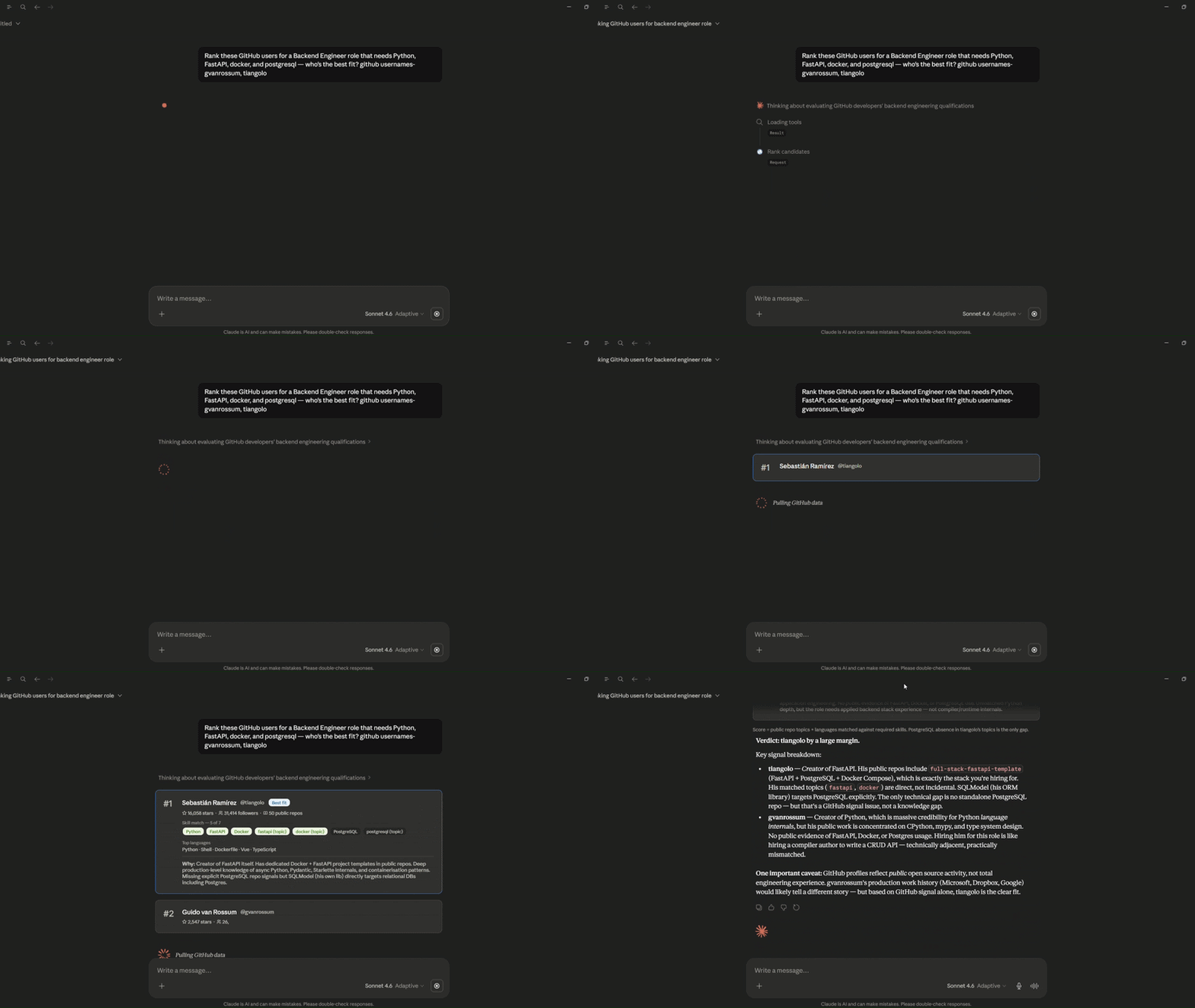
Give it a list of GitHub usernames, a job title, and required skills — it fetches each profile from the GitHub API, scores them by skill match (languages + repo topics), and returns ranked candidate data. A prompt primitive is included for the MCP client's LLM to format the output as a markdown report.
Demo
Primitives
| Primitive | Name | Description |
|---|---|---|
@mcp.tool |
rank_candidates |
Fetches GitHub profiles, scores each against required skills, returns ranked JSON |
@mcp.prompt |
ranking_report |
Takes the tool output and returns a prompt for the client LLM to generate a markdown report |
Connecting
Go to Claude.ai → Settings → Customize → Add MCP Server → paste:
https://github-ranker-remote-mcp-server.onrender.com/mcp
Note: Hosted on Render's free tier — first request after 15 min idle takes ~30s to wake up.
Usage
Once connected, call the tool with:
usernames— list of GitHub usernamesjob_title— role being hired forskills— comma-separated, using GitHub language names (Python,Go,TypeScript) and lowercase repo topic keywords (docker,fastapi,kubernetes)
Skills are matched against each user's top languages and repo topic tags.
Then pass the output into the ranking_report prompt — the client LLM generates the final markdown report. No external API call is made from the server.
Stack
Running locally
uv init
uv add fastmcp httpx
Create a .env file:
GITHUB_TOKEN=your_token_here
uv run python server.py
Server starts on http://0.0.0.0:8000/mcp.
Development / testing
uv run fastmcp dev inspector --server-spec server.py
Opens the MCP Inspector UI for interactive tool testing.
Installing Github Ranker Remote
This server has no published package — it is built from source. Open the repository and follow its README.
▸ github.com/eshitakundu/github-ranker-remote-mcp-serverFAQ
Is Github Ranker Remote MCP free?
Yes, Github Ranker Remote MCP is free — one-click install via Unyly at no cost.
Does Github Ranker Remote need an API key?
No, Github Ranker Remote runs without API keys or environment variables.
Is Github Ranker Remote hosted or self-hosted?
Self-hosted: the server runs locally on your machine via the install command above.
How do I install Github Ranker Remote in Claude Desktop, Claude Code or Cursor?
Open Github Ranker Remote on unyly.org, pick your client tab (Claude Desktop, Claude Code, Cursor) and press Install — the config is generated automatically, no JSON editing.
Related MCPs
GitHub
PRs, issues, code search, CI status
 by GitHub
Filesystem
Secure file operations with configurable access controls.
Memory
Knowledge graph-based persistent memory system.
Template MCP Server
A CLI tool to create a new Model Context Protocol server project with TypeScript support, dual transport options, and an extensible structure
 by mcpdotdirect
Compare Github Ranker Remote with
Not sure what to pick?
Find your stack in 60 seconds
Author?
Embed badge for your README
Browse similar
All development MCPs