
GuardrailAI
FreeNot checkedAn MCP server that evaluates file write requests for sensitive data and compliance using deterministic policies and Google Gemini reasoning, providing auditable

About
An MCP server that evaluates file write requests for sensitive data and compliance using deterministic policies and Google Gemini reasoning, providing auditable governance and risk scoring.
README
Autonomous Regulatory Guardrail Agent using MCP and Google Gemini
GuardrailAI is an AI-powered compliance agent that evaluates file write requests before execution. By combining deterministic policy validation with Google Gemini reasoning, it detects sensitive information, explains compliance decisions, and prevents insecure data storage through an auditable governance workflow.
Dashboard Preview
 AI Governance Dashboard |
 Live Audit Timeline |
 Risk Analytics |
 Gemini Compliance Auditor |
AI Governance Dashboard
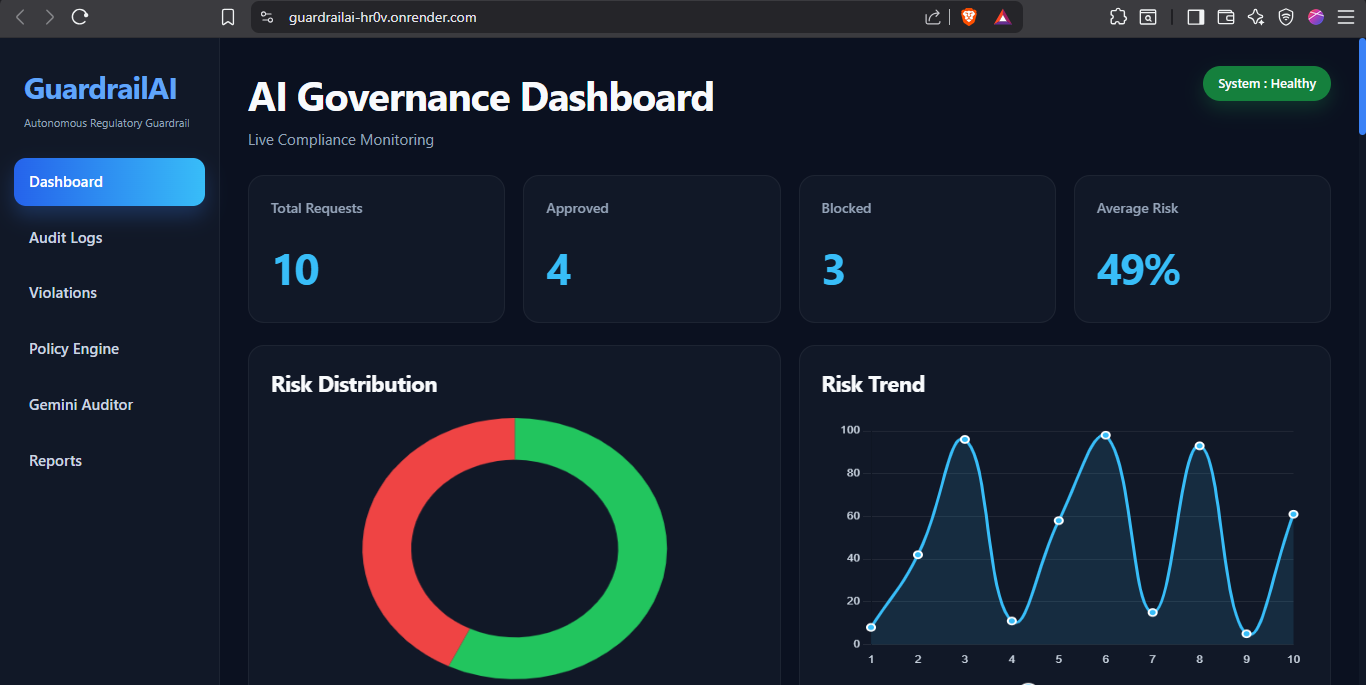
Live Audit Timeline
| Risk Analytics | AI Compliance Auditor |
|---|---|
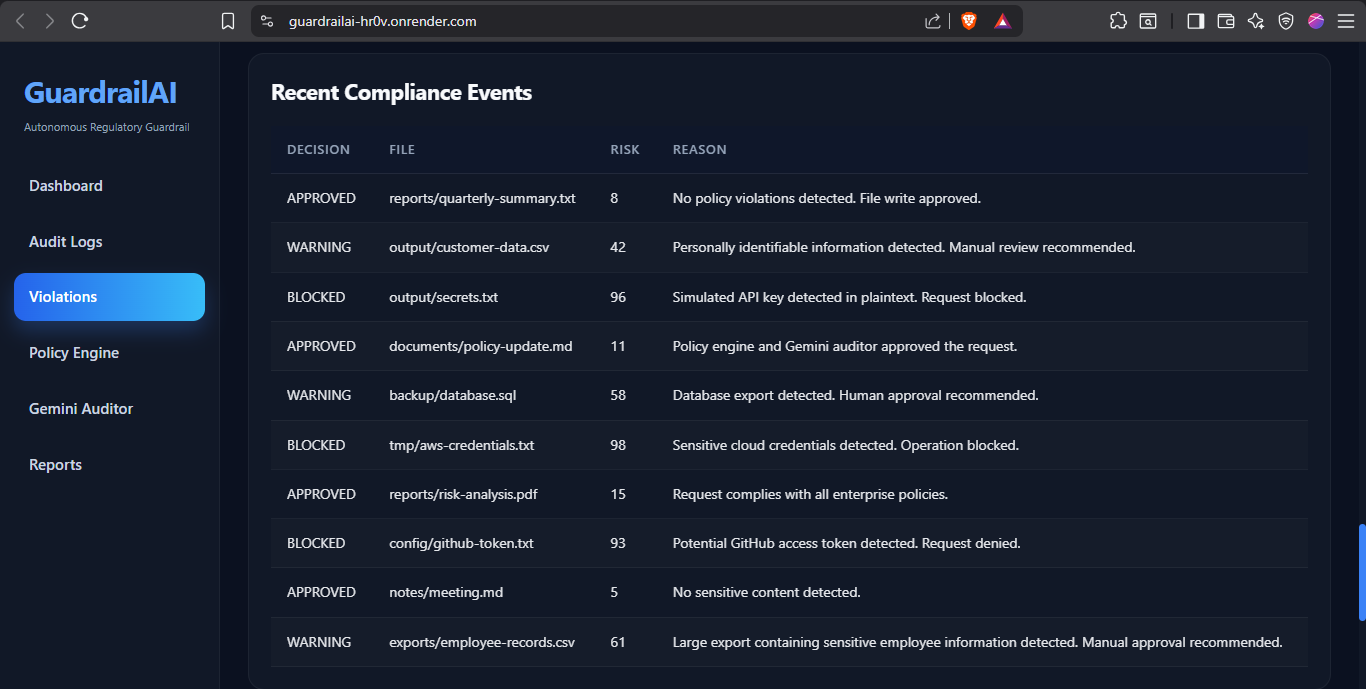 |
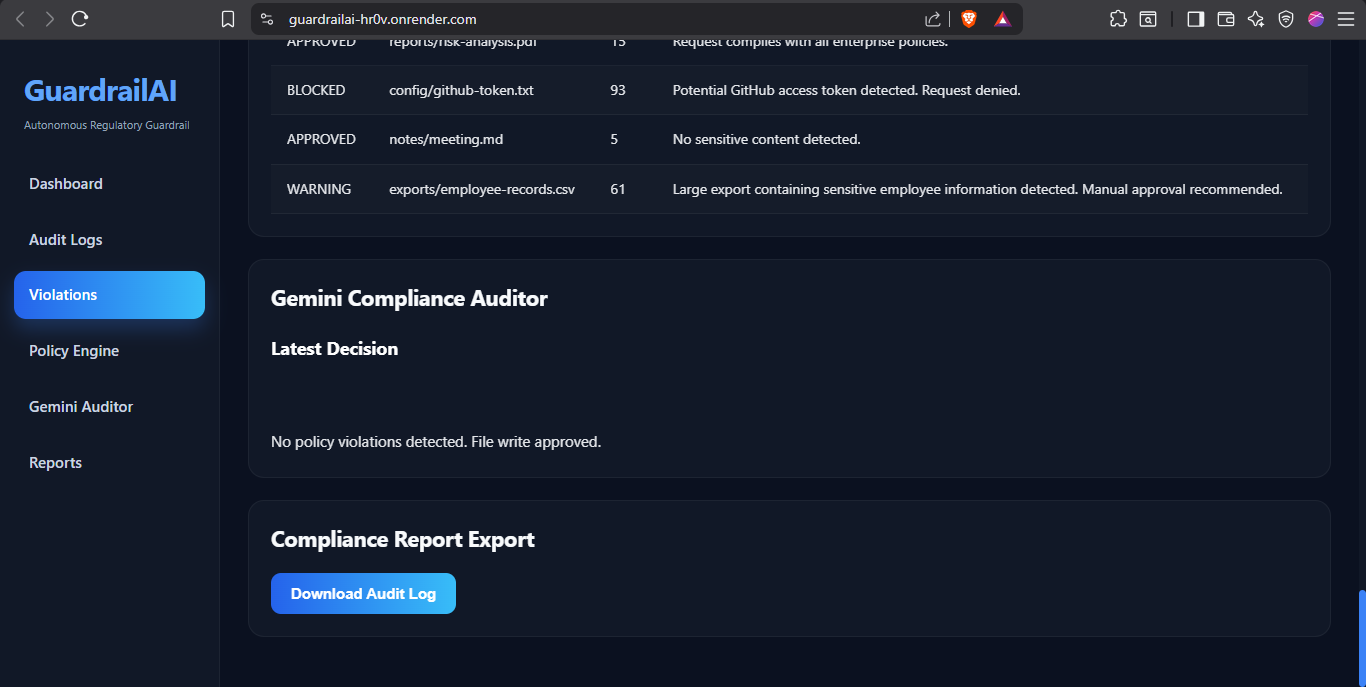 |
Problem
AI-powered applications frequently generate and write sensitive information such as passwords, API keys, personally identifiable information (PII), and confidential business data. Traditional rule-based validation lacks contextual reasoning and explainability, making governance and compliance difficult.
GuardrailAI ensures every file write request is evaluated before execution, reducing security risks while providing transparent, explainable decisions.
Solution
GuardrailAI processes every request through an AI-driven compliance pipeline:
- Policy-based security validation
- Sensitive data detection
- Google Gemini compliance reasoning
- Risk score calculation
- Automated approval or rejection
- Immutable audit logging
- Live governance dashboard
System Architecture

Figure 1. High-level architecture of GuardrailAI illustrating the MCP server, policy engine, Gemini auditor, decision engine, audit logging, and governance dashboard workflow.
Technology Stack
| Layer | Technologies |
|---|---|
| Frontend | HTML, CSS, JavaScript, Chart.js |
| Backend | Node.js, Express.js |
| AI | Google Gemini 2.5 Flash |
| Protocol | Model Context Protocol (MCP) |
Key Features
- MCP-based agent workflow
- Google Gemini compliance reasoning
- Multi-agent architecture
- Policy-driven validation
- API key and secret detection
- PII detection
- Password detection
- Risk scoring
- Explainable AI decisions
- Interactive governance dashboard
- Audit log generation
- Compliance report export
Note : The MCP server communicates via the Model Context Protocol (STDIO transport) and is intended to be run locally with an MCP-compatible client. The deployed web application hosts the dashboard interface and visualization layer.
Project Structure
compliance-nexus/
│
├── agents/
├── api/
├── config/
├── dashboard/
├── logs/
├── output/
├── tools/
├── utils/
├── server.js
├── dashboardServer.js
└── package.json
Setup
Clone the repository
git clone https://github.com/<username>/GuardrailAI.git
Navigate into the project
cd GuardrailAI
Install dependencies
npm install
Create a .env file
GEMINI_API_KEY=YOUR_API_KEY
Run the application
npm start
Open
http://localhost:3000
Competition Concepts Demonstrated
- Model Context Protocol (MCP)
- Multi-Agent System
- Google Gemini Integration
- Security-Focused AI Agent
- Explainable AI
- Deployable Web Application
Future Enhancements
- Policy Management Interface
- Role-Based Access Control
- PDF Compliance Reports
- Historical Compliance Analytics
- Multi-user Support
License
MIT License
Installing GuardrailAI
This server has no published package — it is built from source. Open the repository and follow its README.
▸ github.com/Sreya2911/GuardrailAIFAQ
Is GuardrailAI MCP free?
Yes, GuardrailAI MCP is free — one-click install via Unyly at no cost.
Does GuardrailAI need an API key?
No, GuardrailAI runs without API keys or environment variables.
Is GuardrailAI hosted or self-hosted?
Self-hosted: the server runs locally on your machine via the install command above.
How do I install GuardrailAI in Claude Desktop, Claude Code or Cursor?
Open GuardrailAI on unyly.org, pick your client tab (Claude Desktop, Claude Code, Cursor) and press Install — the config is generated automatically, no JSON editing.
Related MCPs
GitHub
PRs, issues, code search, CI status
 by GitHub
Filesystem
Secure file operations with configurable access controls.
Memory
Knowledge graph-based persistent memory system.
Template MCP Server
A CLI tool to create a new Model Context Protocol server project with TypeScript support, dual transport options, and an extensible structure
 by mcpdotdirect
Compare GuardrailAI with
Not sure what to pick?
Find your stack in 60 seconds
Author?
Embed badge for your README
Browse similar
All development MCPs