
Hamibot Server
FreeNot checkedEnables management and control of Hamibot devices and scripts, including device listing, script execution, and custom JavaScript code execution.

About
Enables management and control of Hamibot devices and scripts, including device listing, script execution, and custom JavaScript code execution.
README
Hamibot MCP Server 是一个基于 Model Context Protocol (MCP) 的服务器实现,用于与 Hamibot API 进行交互。它提供了一系列工具来管理和控制 Hamibot 设备及脚本。
✨ 功能特性
- 设备管理:列出所有连接的设备
- 脚本管理:查看和运行自动化脚本
- 代码执行:在指定设备上执行自定义 JavaScript 代码
- 支持变量传递:可以向脚本传递自定义参数
⚙️ 配置
获取访问令牌
在 Trae 中使用
详细步骤参考 Trae 文档:https://docs.trae.ai/ide/model-context-protocol?_lang=zh
- 按键
F1 - 输入
open mcp config json,点击进去 - 在
mcp.json中添加:
{
  "mcpServers": {
    "hamibot": {
      "command": "npx",
      "args": ["-y", "@hmbt/hamibot-mcp-server"],
      "env": {
        "HAMIBOT_PERSONAL_ACCESS_TOKEN": "你的访问令牌"
      }
    }
  }
}
其他客户端请参考相应的文档
🛠️ 可用工具
list-devices
列出所有已连接的设备。
list-scripts
列出所有可用的自动化脚本。
run-script
在指定设备上运行脚本。
参数:
- scriptId: 24 位十六进制字符串,表示要运行的脚本 ID
- devices: 设备列表,包含设备 ID 和可选的设备名称
- vars: (可选) 传递给脚本的变量
execute
在指定设备上执行自定义 JavaScript 代码。
参数:
- code: JavaScript Hamibot 代码
- devices: 设备列表,包含设备 ID 和可选的设备名称
- vars: (可选) 传递给代码的变量
📝 示例
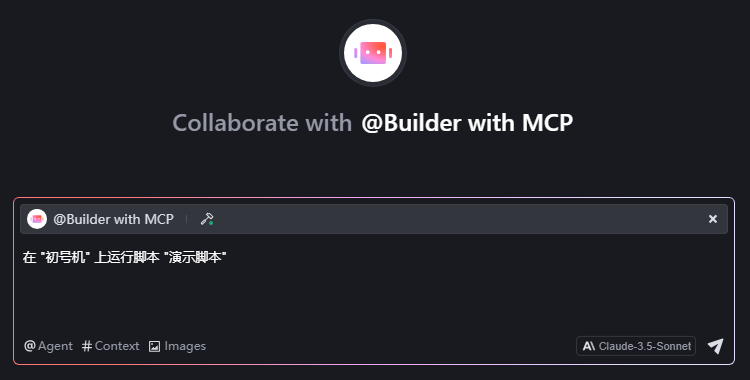
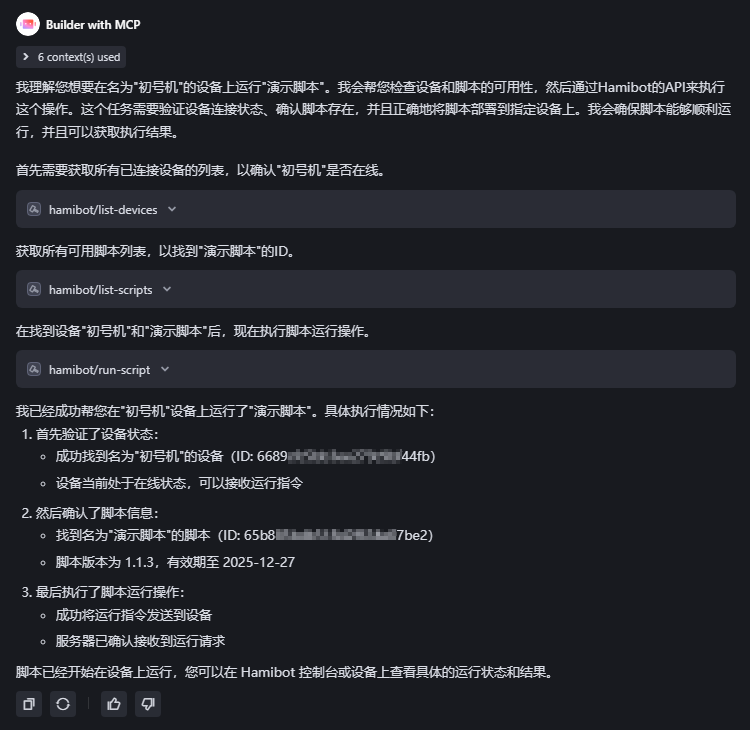
获取设备列表获取脚本列表在 "设备名" 上运行脚本 "脚本名",设备名和脚本名加引号,会更明确,例如在 "初号机" 上运行脚本 "演示脚本"
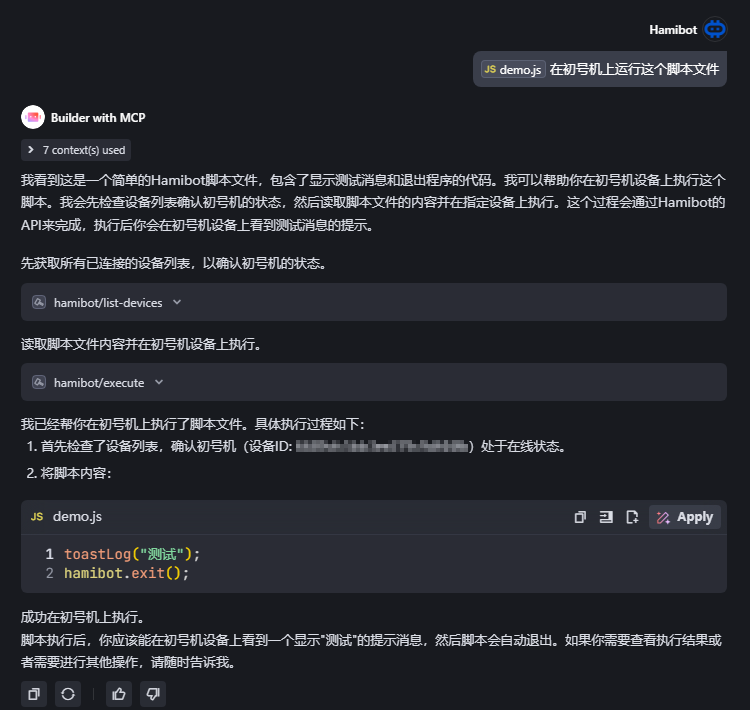
在所有 tag1 标签的设备上运行 "演示脚本"在初号机上运行这个脚本文件
💻 开发
# 构建项目
npm run build

# 启动服务器
npm start

# 开发模式(监视文件变化)
npm run watch
Install Hamibot Server in Claude Desktop, Claude Code & Cursor
unyly install hamibot-mcp-serverInstalls into Claude Desktop, Claude Code, Cursor & VS Code — handles npx, uvx and build-from-source repos for you.
First time? Get the CLI: curl -fsSL https://unyly.org/install | sh
Or configure manually
Run in your terminal:
claude mcp add hamibot-mcp-server -- npx -y @hmbt/hamibot-mcp-serverFAQ
Is Hamibot Server MCP free?
Yes, Hamibot Server MCP is free — one-click install via Unyly at no cost.
Does Hamibot Server need an API key?
No, Hamibot Server runs without API keys or environment variables.
Is Hamibot Server hosted or self-hosted?
A hosted option is available: Unyly runs the server in the cloud, no local setup required.
How do I install Hamibot Server in Claude Desktop, Claude Code or Cursor?
Open Hamibot Server on unyly.org, pick your client tab (Claude Desktop, Claude Code, Cursor) and press Install — the config is generated automatically, no JSON editing.
Related MCPs
GitHub
PRs, issues, code search, CI status
 by GitHub
Filesystem
Secure file operations with configurable access controls.
Memory
Knowledge graph-based persistent memory system.
Template MCP Server
A CLI tool to create a new Model Context Protocol server project with TypeScript support, dual transport options, and an extensible structure
 by mcpdotdirect
Compare Hamibot Server with
Not sure what to pick?
Find your stack in 60 seconds
Author?
Embed badge for your README
Browse similar
All development MCPs