
HRizzle HR Assist
FreeNot checkedMCP-based HR automation tool that streamlines employee onboarding, leave management, and equipment requests via natural language conversations.

About
MCP-based HR automation tool that streamlines employee onboarding, leave management, and equipment requests via natural language conversations.
README

👔 HRizzle | AI-Powered HR Assistant
MCP-based HR automation tool that streamlines employee onboarding, leave management, and equipment requests.





Architecture: MCP Server + Claude Desktop | Package Manager: UV | Features: 8 Tools + Onboarding Prompt
A Model Context Protocol (MCP) implementation that transforms Claude Desktop into an intelligent HR assistant. Manages the complete employee lifecycle from onboarding to daily HR operations through natural language conversations.
HRizzle-HR-Assist is an MCP-based HR automation system that integrates with Claude Desktop to provide conversational HR management. It handles employee onboarding, meeting scheduling, leave applications, equipment requests, and manager assignments through a dummy HRMS API mimicking Keka's interface. The system uses Pydantic for data validation, smtplib for email automation, and FastMCP for protocol-compliant tool exposure.
Features
- Conversational Employee Onboarding: Multi-step onboarding workflow using MCP prompts that adds employees, sends welcome emails, assigns managers, and creates equipment tickets.
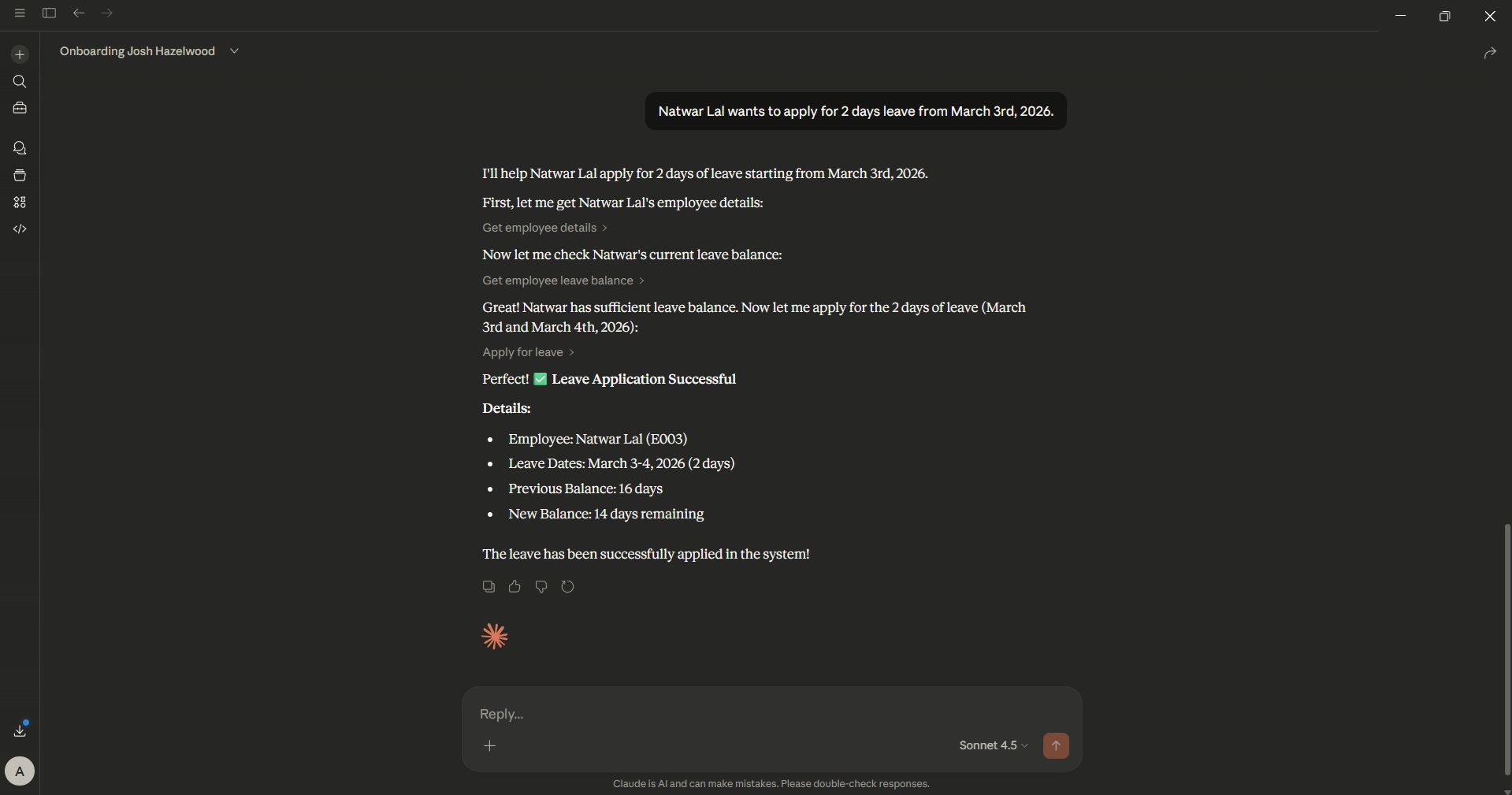
- Intelligent Leave Management: Apply for leave, check leave balance (20-day default), and retrieve leave history with automatic date validation.
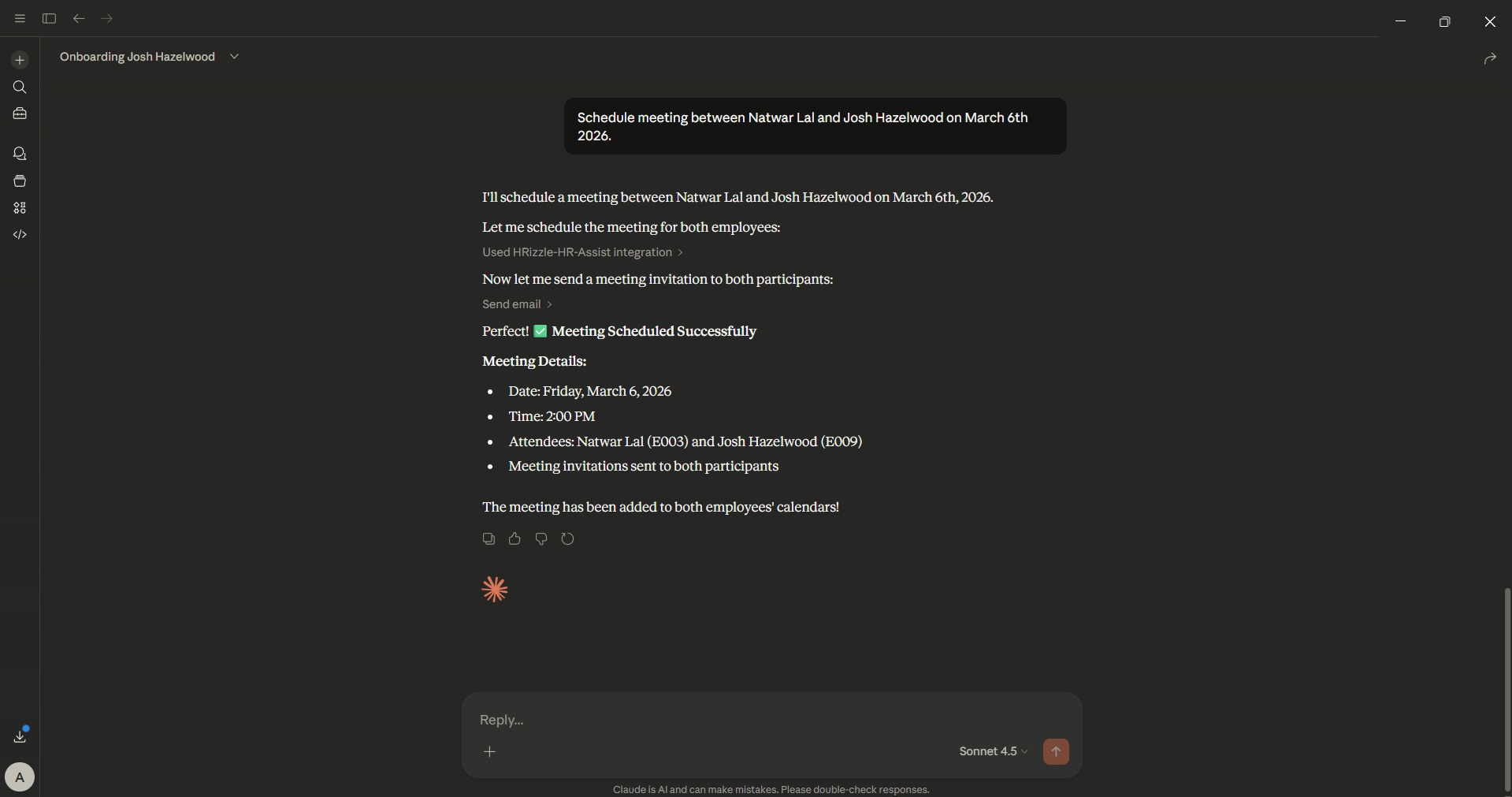
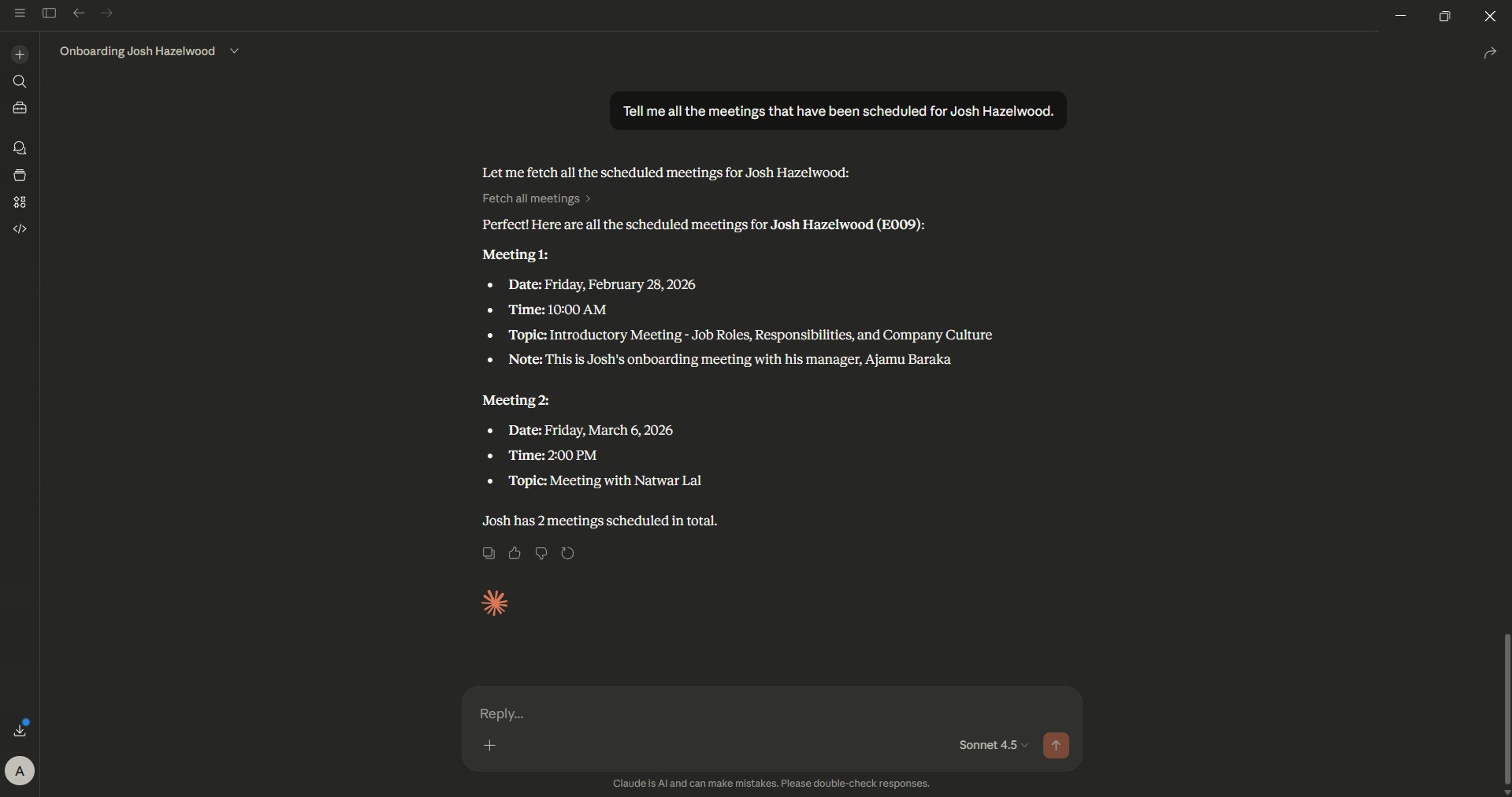
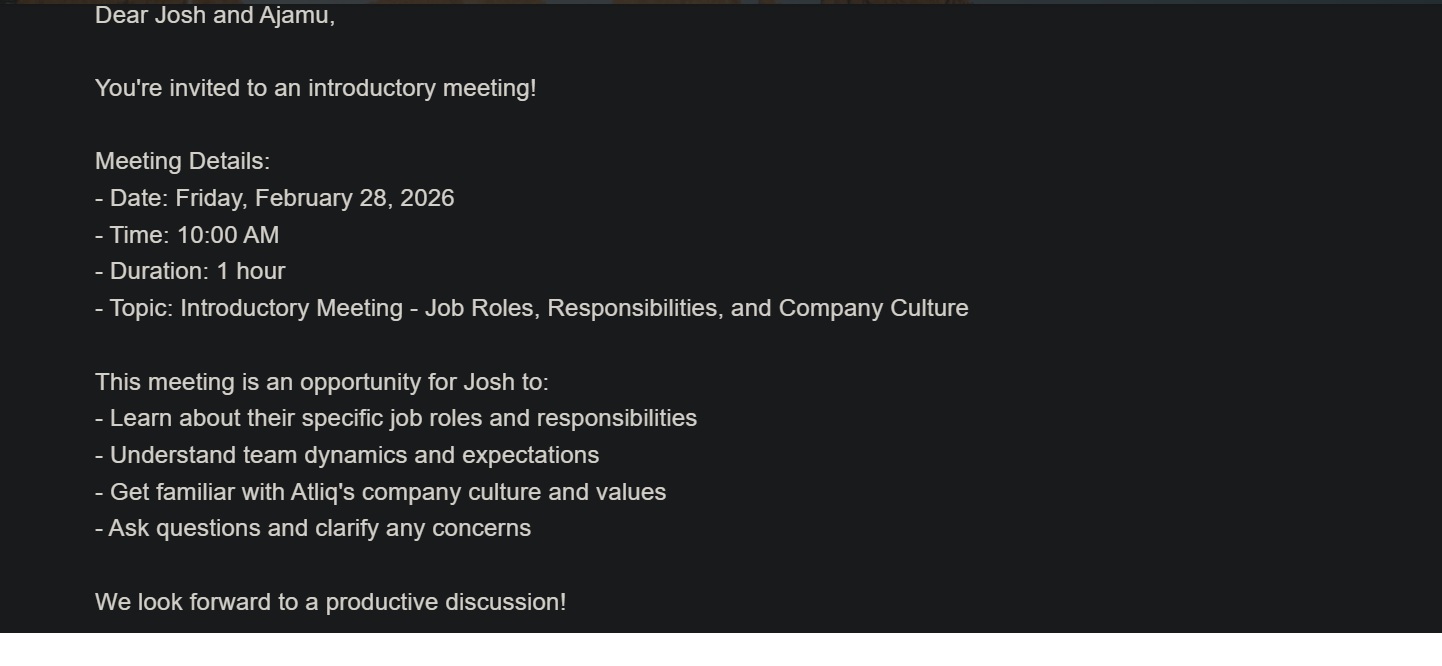
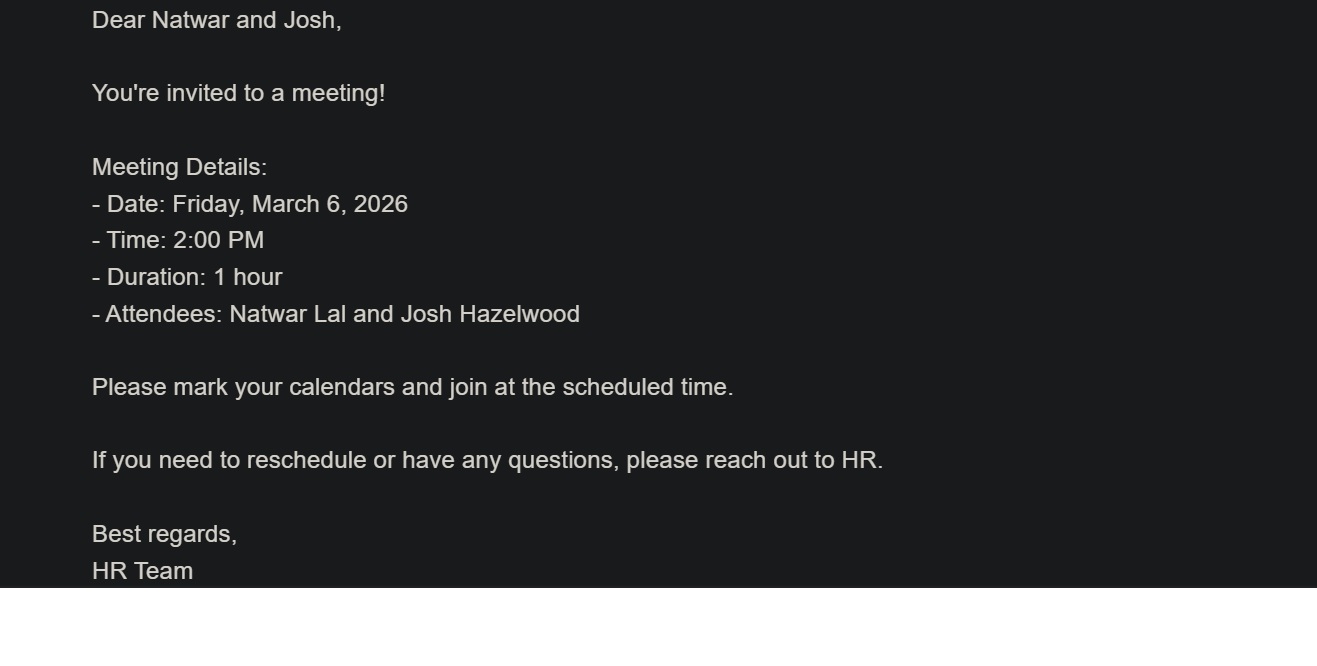
- Meeting Coordination: Schedule meetings with conflict detection, view upcoming meetings, and cancel existing meetings with topic matching.
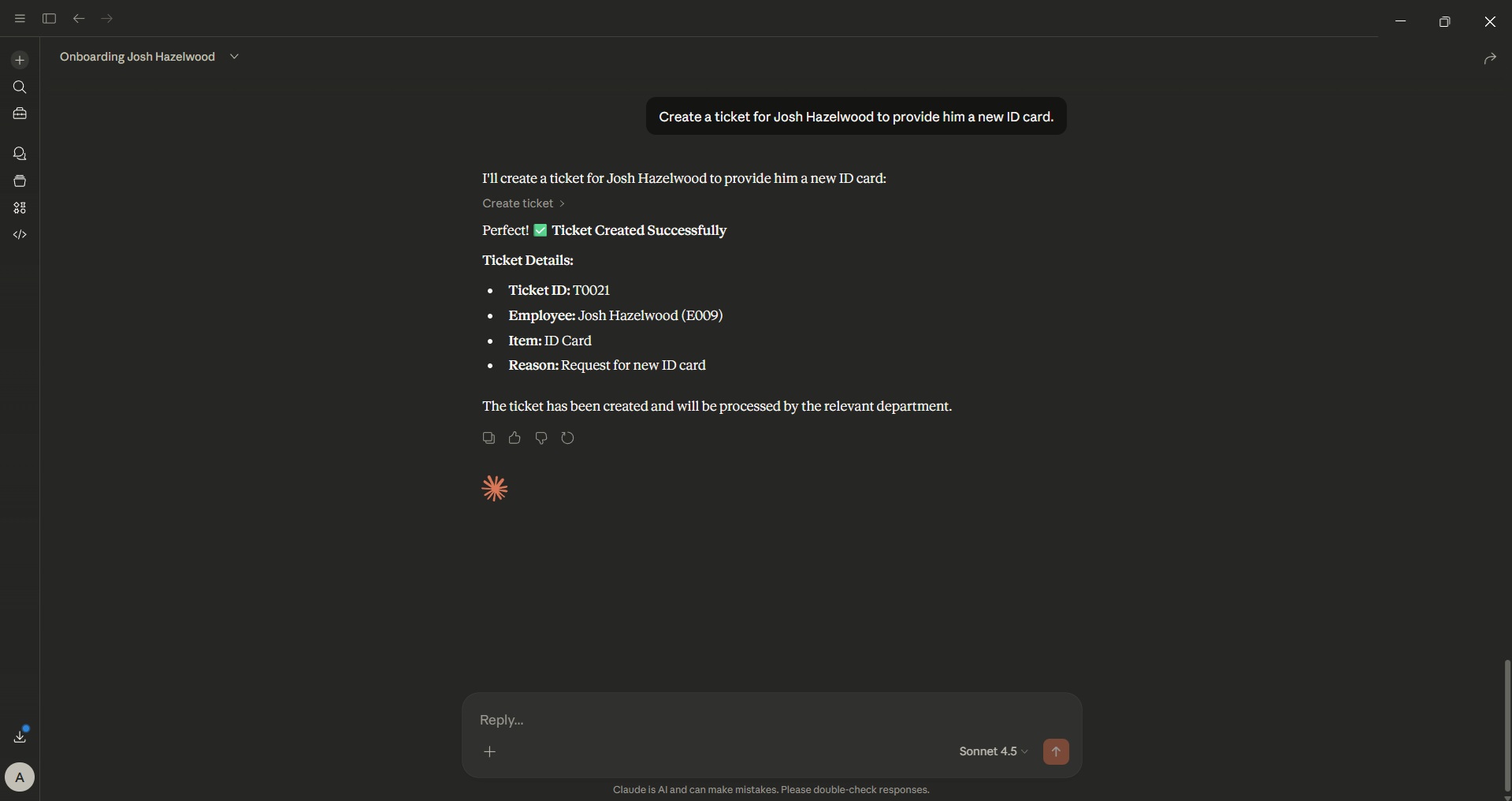
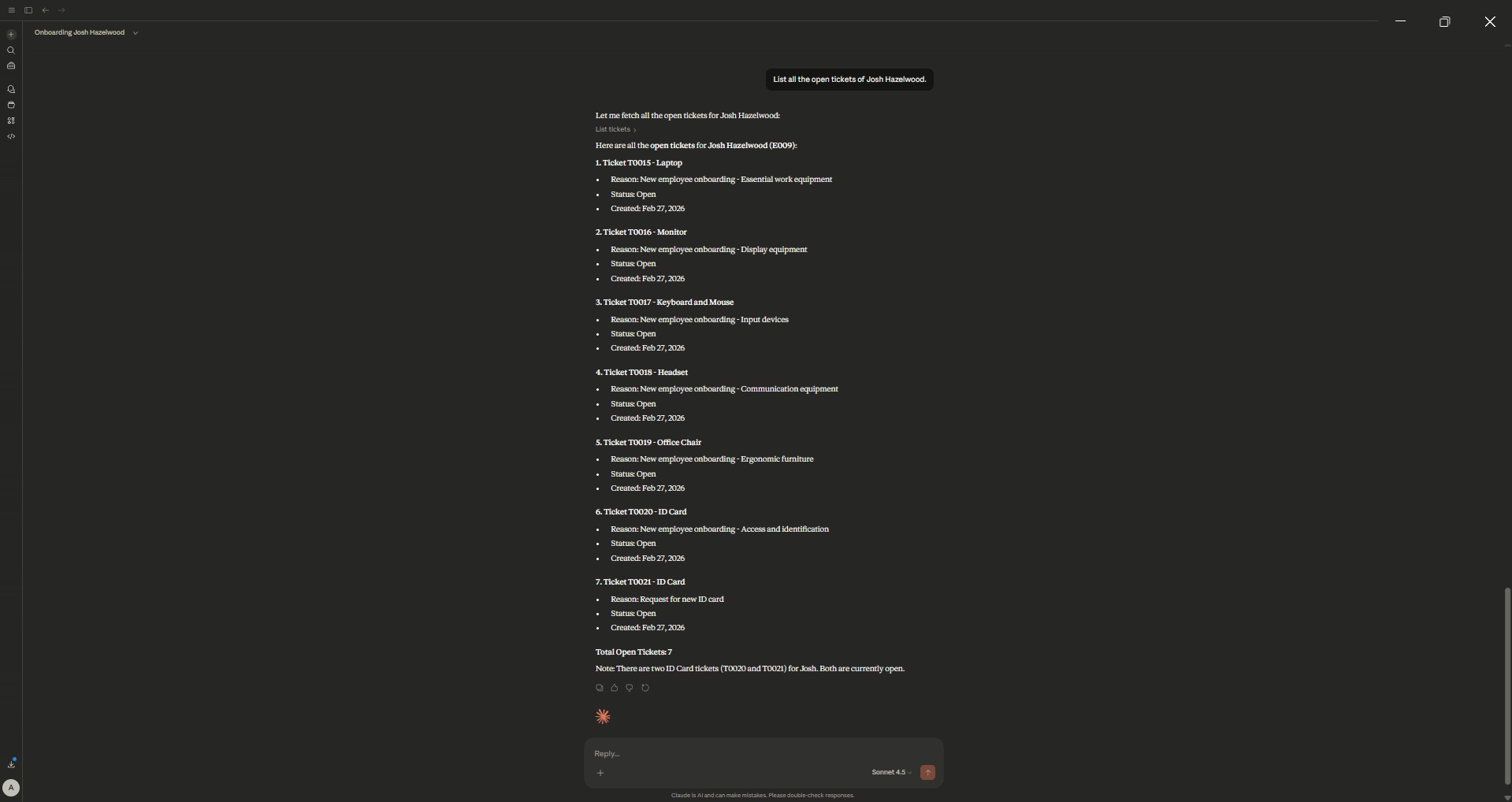
- Equipment Request Ticketing: Create IT helpdesk tickets for equipment (Laptops, Monitors, etc.) with status tracking (Open/In Progress/Closed).
- Fuzzy Name Search: Resolve employee names to IDs using difflib matching for natural language interactions.
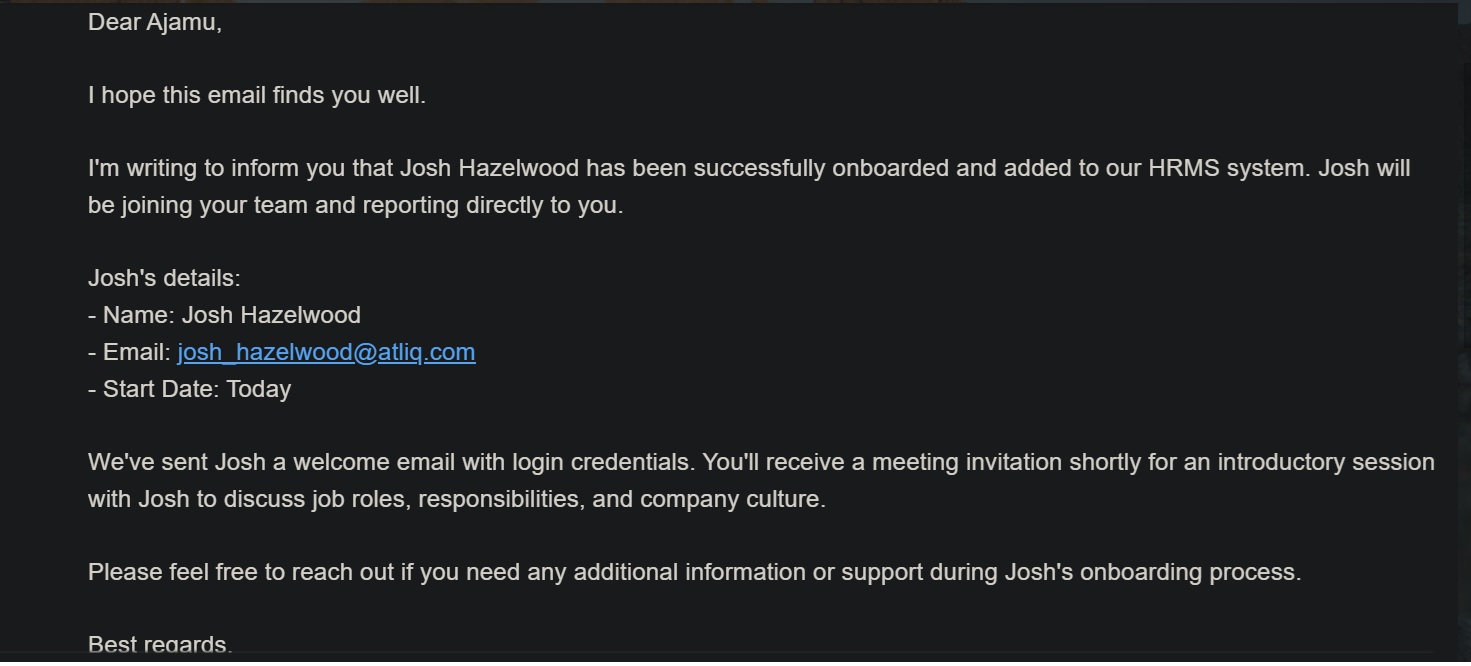
- Email Automation: SMTP-based email notifications for onboarding, meeting invites, and status updates via Gmail integration.
- Manager Hierarchy: Assign managers and fetch direct reports with organizational structure validation.
- Seeded Dummy Data: Pre-populated with 8 employees across Engineering and Product teams for immediate testing.
MCP Tools & Capabilities
Available Tools
| Tool | Purpose | Input Parameters | Return |
|---|---|---|---|
add_employee |
Create new employee record | emp_name, manager_id/name, email | Success confirmation with emp_id |
get_employee_details |
Fetch employee information | emp_name (fuzzy match) | Employee dict with manager and email |
schedule_meeting |
Book meetings with conflict check | emp_id, meeting_datetime (ISO), topic | Confirmation or conflict error |
fetch_all_meetings |
List employee meetings | emp_id | Chronologically sorted meeting list |
cancel_scheduled_meeting |
Remove scheduled meetings | emp_id, meeting_datetime, optional topic | Cancellation confirmation |
apply_for_leave |
Submit leave requests | emp_id, leave_dates (YYYY-MM-DD list) | Days booked + remaining balance |
get_employee_leave_balance |
Check remaining leaves | emp_id | Balance string (e.g., "15 days remaining") |
get_employee_leave_history |
View past leave records | emp_id | Formatted date list |
create_ticket |
Raise equipment/asset requests | emp_id, item, reason | Ticket ID (T0001 format) |
update_ticket_status |
Change ticket state | ticket_id, status (Open/In Progress/Closed/Rejected) | Status update confirmation |
list_tickets |
Filter and view tickets | emp_id, optional status | List of matching tickets |
send_email |
Dispatch notifications | subject, body, to_emails | Delivery confirmation |
Specialized Prompts
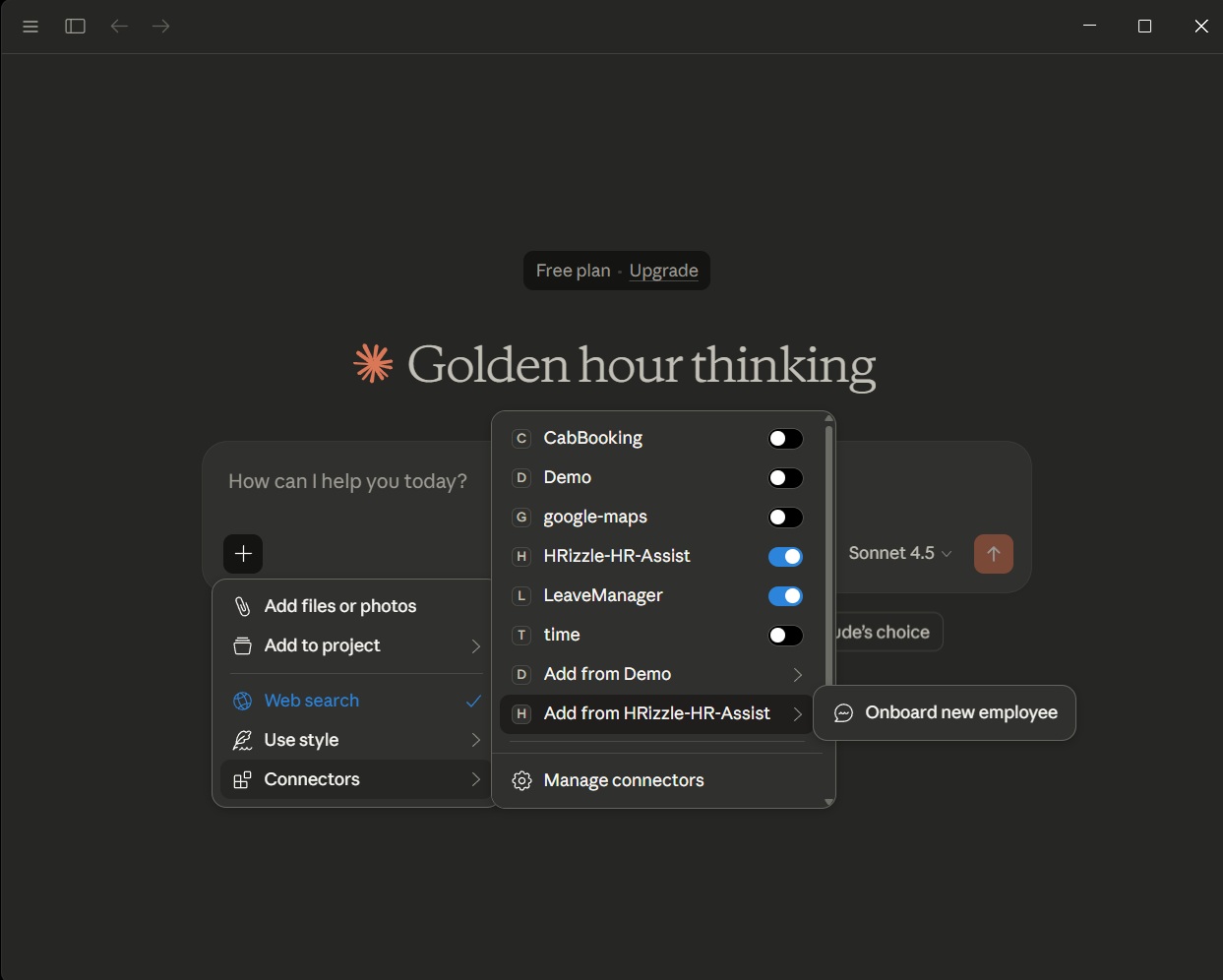
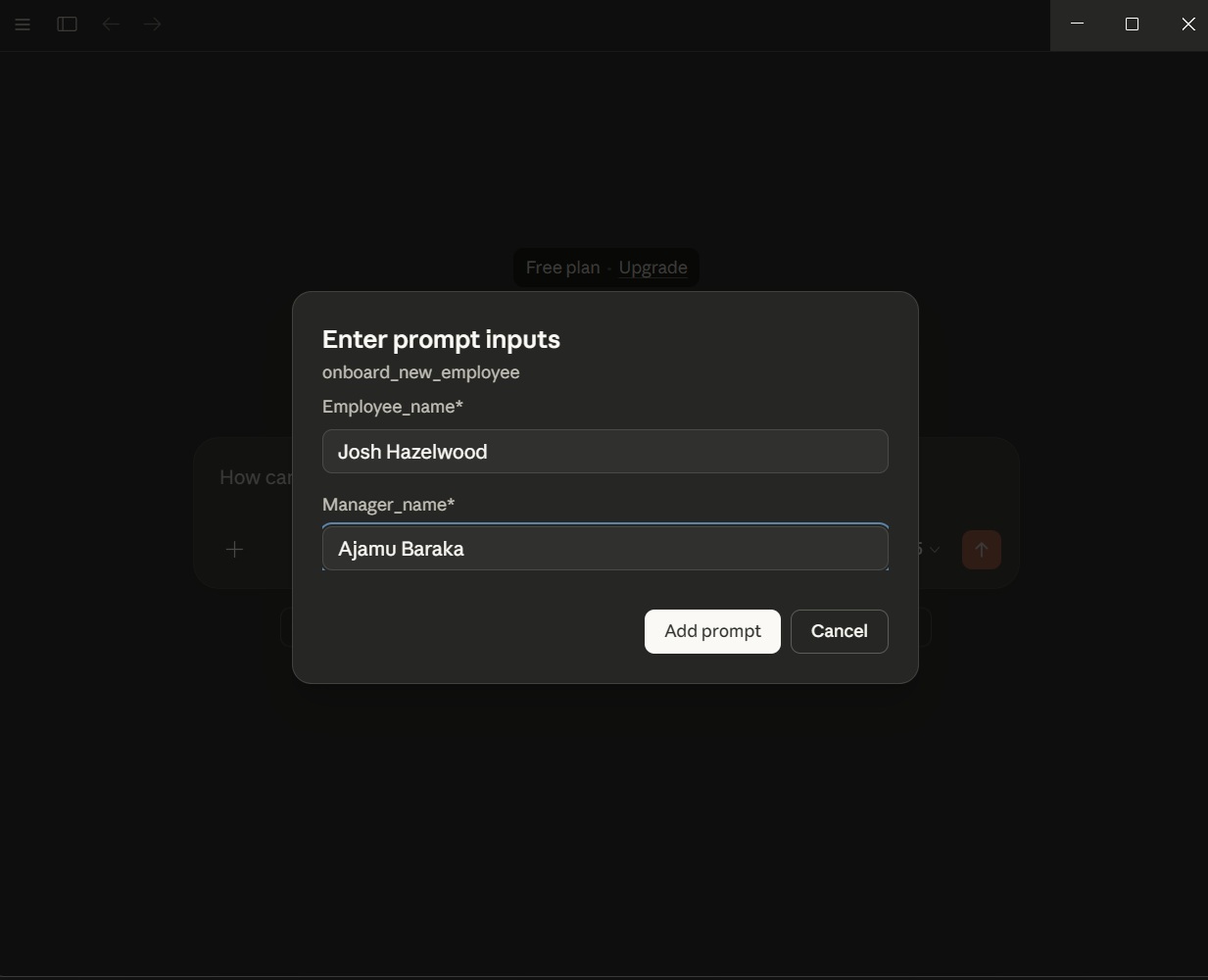
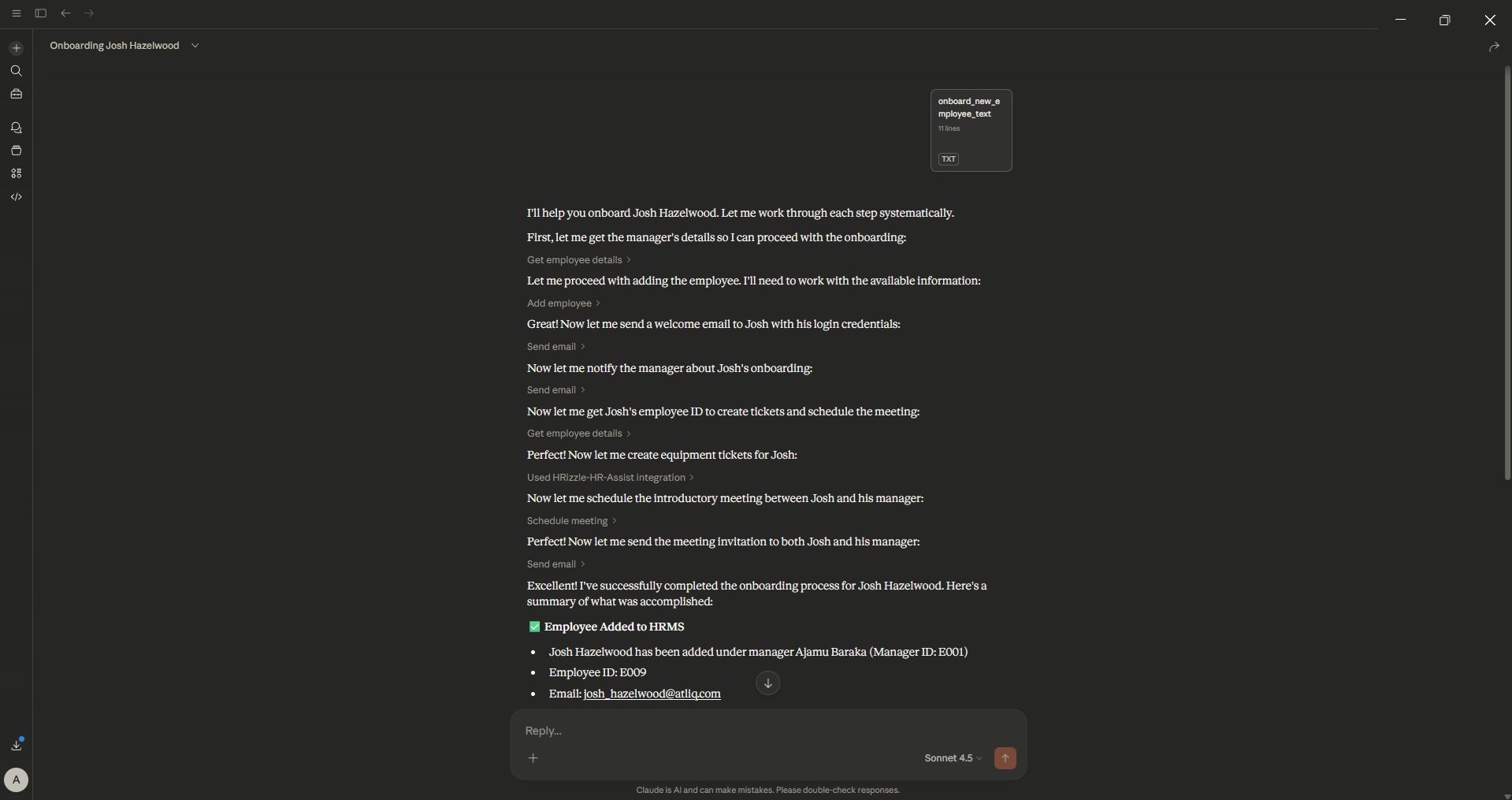
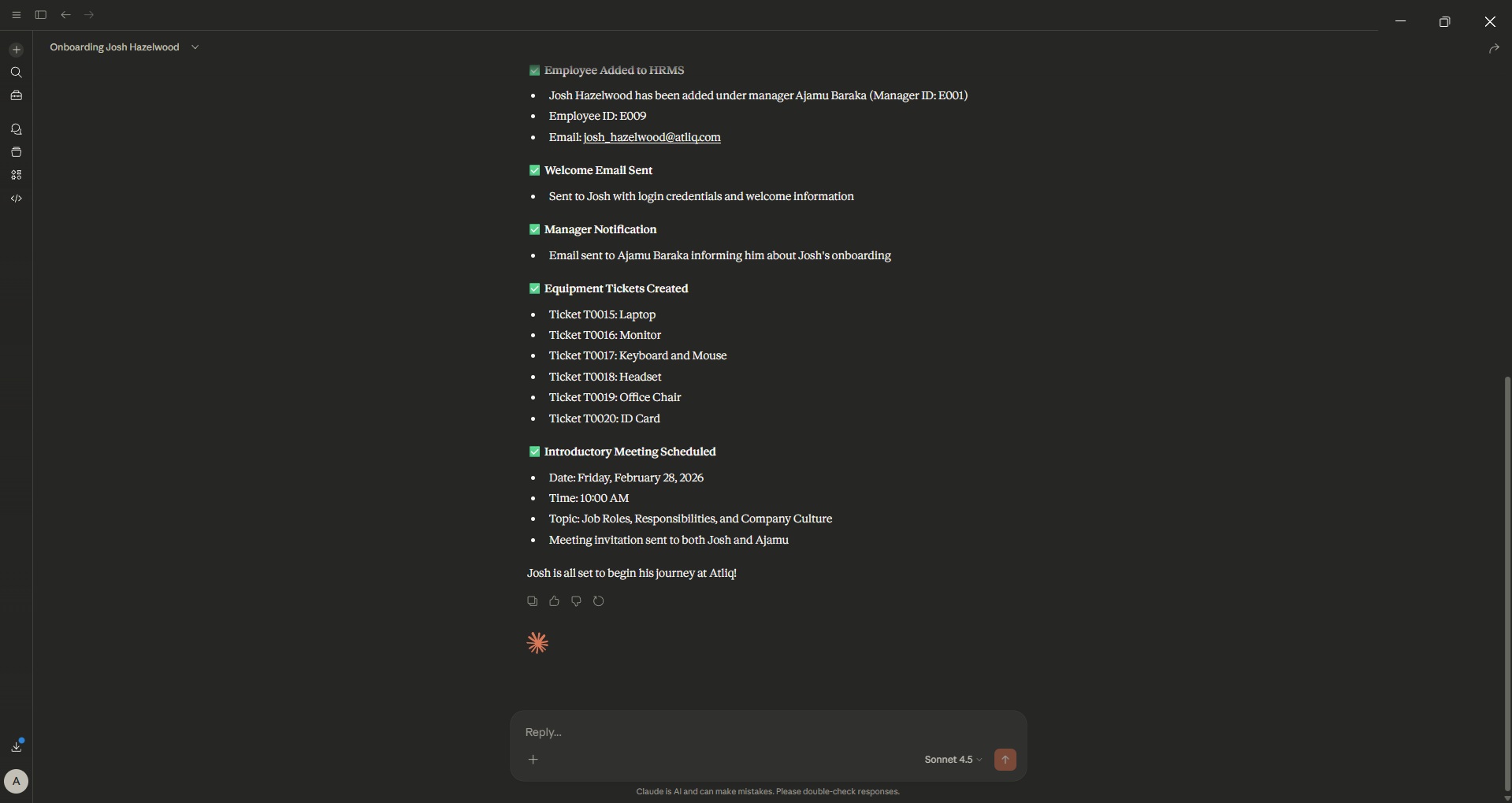
onboard_new_employee: Orchestrates complete onboarding workflow including:- Employee registration in HRMS
- Welcome email with credentials (auto-generated email: [email protected])
- Manager notification email
- Equipment ticket creation (Laptop, Monitor, etc.)
- Introductory meeting scheduling with manager
Screenshots
1. Claude Desktop Interface with MCP Server
2. Employee Onboarding Workflow
3. Leave Management Conversation
4. Meeting Scheduling
5. Ticket Creation and Management
6. Email Notification System
Folder Structure
hr-assistant-tool/
│
├── .venv/                      # Virtual environment (UV managed)
├── HRMS/                       # HR Management System modules
│   ├── __init__.py             # Package initialization
│   ├── employee_manager.py     # Employee CRUD and hierarchy
│   ├── leave_manager.py        # Leave balance and history
│   ├── meeting_manager.py      # Meeting scheduling logic
│   ├── ticket_manager.py       # IT request ticketing
│   ├── schemas.py              # Pydantic models for validation
│   └── unified_tests.py        # Integration test suite
│
├── .env                        # Environment variables (Gmail SMTP)
├── .gitignore                  # Git exclusions
├── .python-version             # Python version specification
├── emails.py                   # SMTP email sender with TLS
├── main.py                     # Entry point (placeholder)
├── mcp_server.py               # FastMCP server and tool definitions
├── pyproject.toml              # UV project configuration
├── utils.py                    # Data seeding utilities
└── uv.lock                     # UV lock file
Setup Instructions
Prerequisites
- UV Package Manager (Install from https://docs.astral.sh/uv)
- Python 3.12+
- Claude Desktop (Latest version with MCP support)
- Gmail account with App Password for SMTP
1. Clone the Repository
git clone https://github.com/inv-fourier-transform/hr-assistant-tool.git
cd hr-assistant-tool
2. Initialize UV Environment
uv venv --python 3.12
source .venv/bin/activate  # On Windows: .venv\Scripts\activate
3. Install Dependencies
uv pip install -e .
4. Configure Environment Variables
Create a .env file in the root directory:
[email protected]
EMAIL_PWD=your_gmail_app_password
Note: Use an App Password if you have 2FA enabled.
5. Configure Claude Desktop
Add the MCP server configuration to Claude Desktop:
Windows (PowerShell)
$json = @{
  "mcpServers" = @{
    "HRizzle-HR-Assist" = @{
      "command" = "uv"
      "args" = @(
        "--directory"
        "C:\path\to\hr-assistant-tool"
        "run"
        "mcp_server.py"
      )
    }
  }
} | ConvertTo-Json -Depth 10

$json | Set-Content "$env:APPDATA\Claude\settings.json"
macOS/Linux
cat <<EOF > ~/Library/Application\ Support/Claude/settings.json
{
  "mcpServers": {
    "HRizzle-HR-Assist": {
      "command": "uv",
      "args": [
        "--directory",
        "/path/to/hr-assistant-tool",
        "run",
        "mcp_server.py"
      ]
    }
  }
}
EOF
Restart Claude Desktop to load the MCP server.
Running the Application
Method 1: Direct Server (Development)
Run the MCP server directly for testing:
uv run mcp_server.py
The server runs on stdio transport, waiting for MCP client connections.
Method 2: Claude Desktop Integration (Production Use)
- Open Claude Desktop
- Verify the server connection in the MCP settings (green indicator)
- The server tools will appear as available functions in conversations
Usage Examples
Employee Onboarding
Natural Language Input
Onboard Steven Devereux reporting to Ajamu Baraka with email [email protected]
Automated Workflow
- Creates employee record (auto-assigned ID: E009)
- Sends welcome email with credentials
- Notifies manager (Ajamu Baraka)
- Creates equipment tickets (Laptop, Monitor)
- Schedules introductory meeting
Leave Management
Apply for Leave
Apply for 3 days leave starting 2025-12-20 for E003
Check Balance
What's the leave balance for Natwar Lal?
Meeting Operations
Schedule
Schedule a performance review meeting for E001 on 2025-12-15 at 14:00
Cancel
Cancel the meeting on 2025-12-15 at 14:00 for E001
MCP Protocol Details
Transport
- Type: Standard I/O (stdio)
- Protocol: Model Context Protocol (MCP) 1.0
Server Capabilities
- Tools: 12 registered tools for HR operations
- Prompts: 1 specialized prompt (
onboard_new_employee) - Resources: None (stateless API wrapper)
Data Validation
All inputs validated using Pydantic 2.10+ schemas:
EmployeeCreate (emp_id, name, manager_id, email)LeaveApplyRequest (emp_id, List[date])MeetingCreate (emp_id, meeting_dt, topic)MeetingCancelRequest (emp_id, meeting_dt, optional topic)TicketCreate (emp_id, item, reason)TicketStatusUpdate (status)
Technical Architecture
HRMS Module Design
| Component | Responsibility | Key Features |
|---|---|---|
| EmployeeManager | Employee lifecycle | Auto-incrementing IDs (E001...), fuzzy name search, manager hierarchy, direct reports |
| LeaveManager | Leave tracking | 20-day default balance, ISO date history, balance validation |
| MeetingManager | Calendar management | Conflict detection, ISO datetime handling, topic-based cancellation |
| TicketManager | IT requests | Auto-incrementing IDs (T0001...), status workflow, filtering |
| EmailSender | SMTP operations | TLS/SSL support, HTML/plain text, attachments, Gmail compatibility |
Data Seeding (utils.py)
The seed_services() function populates:
- 8 employees (2 leadership + 6 reports)
- Random leave balances (5–20 days) and history
- 2–6 meetings per employee (next 10 days)
- 8–15 equipment tickets
Email System
- Provider: Gmail SMTP (
smtp.gmail.com:587) - Security: TLS encryption with STARTTLS
- Format: Supports both HTML and plain text
- Attachments: MIME type detection and multi-file support
API Reference (Internal)
EmployeeManager
add_employee(EmployeeCreate) -> None
get_manager(emp_id: str) -> str
search_employee_by_name(name_query: str) -> List[str]
get_employee_details(emp_id: str) -> Dict
get_direct_reports(manager_id: str) -> List[str]
LeaveManager
get_leave_balance(emp_id: str) -> str
apply_leave(LeaveApplyRequest) -> str
get_leave_history(emp_id: str) -> str
MeetingManager
schedule_meeting(MeetingCreate) -> str
get_meetings(emp_id: str) -> List[Dict]
cancel_meeting(MeetingCancelRequest) -> str
TicketManager
create_ticket(TicketCreate) -> str
update_ticket_status(TicketStatusUpdate, ticket_id: str) -> str
list_tickets(employee_id=None, status=None) -> List[Dict]
Testing
Run unified integration tests:
uv run HRMS/unified_tests.py
This executes:
- Employee creation and hierarchy search
- Leave application and balance queries
- Meeting scheduling and cancellation
- Ticket creation and status updates
Contributing
Contributions are welcome! Please open an issue or submit a pull request for improvements, additional HR tools, or bug fixes.
Roadmap
- Calendar integration (Google Calendar API)
- Slack notifications webhook
- Leave approval workflows
- Reporting and analytics dashboard
- Database persistence (PostgreSQL)
License
This project is licensed under the MIT License.
Because onboarding should feel like a welcome, not a paperwork storm.
from github.com/inv-fourier-transform/HRizzle-AI-HR-assistant
Installing HRizzle HR Assist
This server has no published package — it is built from source. Open the repository and follow its README.
▸ github.com/inv-fourier-transform/HRizzle-AI-HR-assistantFAQ
Is HRizzle HR Assist MCP free?
Yes, HRizzle HR Assist MCP is free — one-click install via Unyly at no cost.
Does HRizzle HR Assist need an API key?
No, HRizzle HR Assist runs without API keys or environment variables.
Is HRizzle HR Assist hosted or self-hosted?
Self-hosted: the server runs locally on your machine via the install command above.
How do I install HRizzle HR Assist in Claude Desktop, Claude Code or Cursor?
Open HRizzle HR Assist on unyly.org, pick your client tab (Claude Desktop, Claude Code, Cursor) and press Install — the config is generated automatically, no JSON editing.
Related MCPs
GitHub
PRs, issues, code search, CI status
 by GitHub
Filesystem
Secure file operations with configurable access controls.
Memory
Knowledge graph-based persistent memory system.
Template MCP Server
A CLI tool to create a new Model Context Protocol server project with TypeScript support, dual transport options, and an extensible structure
 by mcpdotdirect
Compare HRizzle HR Assist with
Not sure what to pick?
Find your stack in 60 seconds
Author?
Embed badge for your README
Browse similar
All development MCPs