loading…
en/
Browse all
HUTB Simulator Server
FreeNot checkedEnables AI interaction with embodied humans, autonomous vehicles, and drones through the HUTB simulator. Supports voice/chat control, weather conditions, perspe

About
Enables AI interaction with embodied humans, autonomous vehicles, and drones through the HUTB simulator. Supports voice/chat control, weather conditions, perspective switching, and recording features.
README
基于 MCP 实现和具身人、无人车、无人机的大模型交互。
🏗️ 项目架构
graph LR
    A[用户] --> B[人机界面:语音对话/键盘交互]
    B --> C[FastMCP 工具层]
    C --> D[HUTB 模拟器 API 客户端]
    C --> E[Deepseek AI]

    style B fill:#e1f5fe
    style C fill:#ccffcc
    style D fill:#fff3e0
    style E fill:#f3e5f5
1. 部署运行
运行推荐的软硬件
- Intel i7 gen 9th - 11th+ / AMD ryzen 9+
- +16 GB 内存
- NVIDIA RTX 3070+
- Windows 10/11
双击 mcp.bat 启动模拟器(第一次启动会下载相关依赖,需要等待一段时间)。
1.1 常用对话
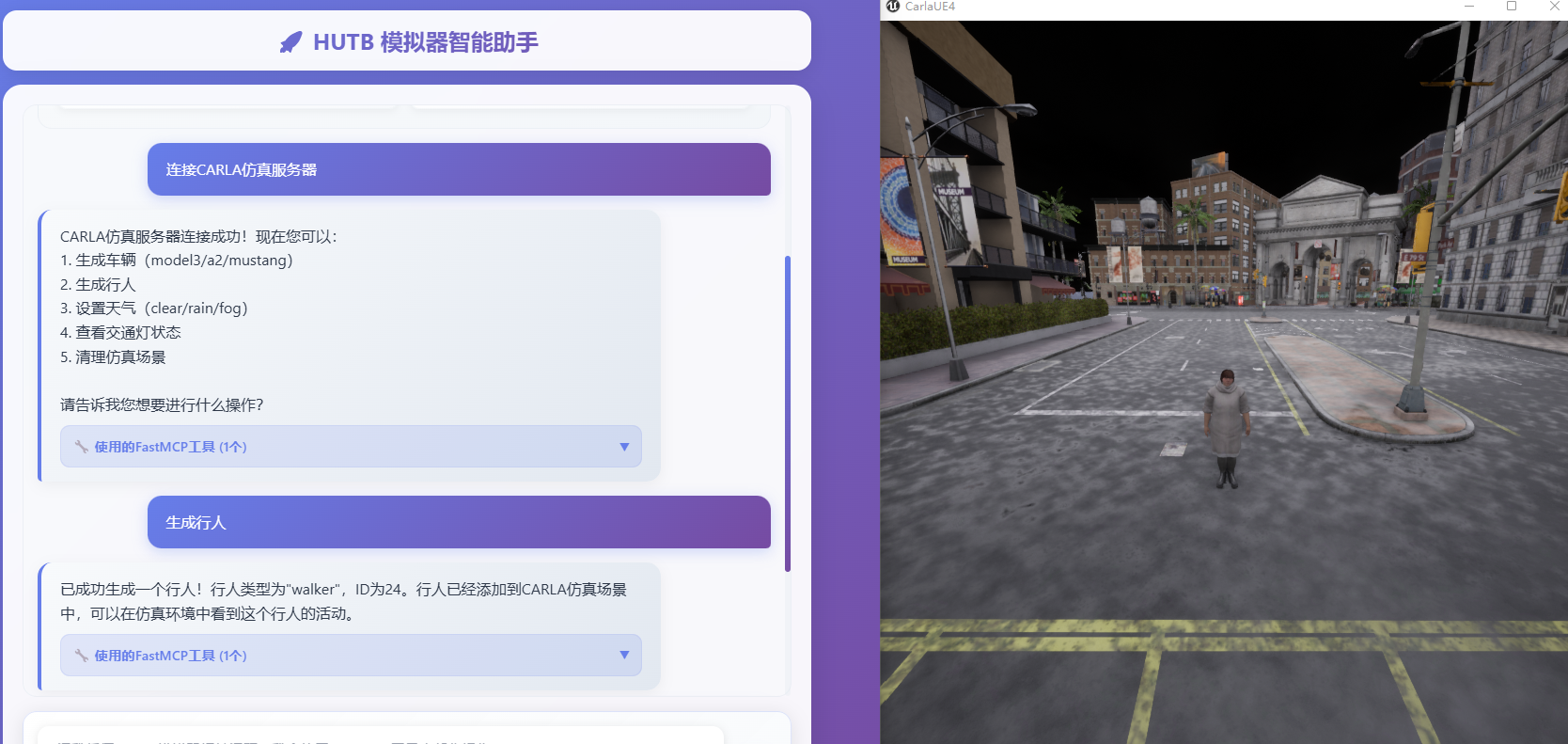
连接服务器
设置雨天天气条件
生成车辆
开启自动驾驶
生成行人(默认开启自由移动)
切换视角
切换第三人称视角ID
切换第一人称视角ID
切换旁观者视角
开启录制
结束录制
2. 实现
2.1 大模型
2.2 交互增强
(待实现)加上语音识别和合成的整个工作流依次包括:麦克风 /Web浏览器、 语音 识别(方言、老人言: PaddleSpeech )、QWen/DeepSeek 大模型、流式语音合成 PP-TTS (语音播报/控制模拟器的模型或实体机器人)。
2.3 其他:人形机器人模拟环境搭建
3. 参考
How to install
Run in your terminal:
claude mcp add hutb-simulator-mcp-server -- npx 
