

About
k6 MCP server
README
A Model Context Protocol (MCP) server implementation for running k6 load tests.
✨ Features
- Simple integration with Model Context Protocol framework
- Support for custom test durations and virtual users (VUs)
- Easy-to-use API for running k6 load tests
- Configurable through environment variables
- Real-time test execution output
🔧 Prerequisites
Before you begin, ensure you have the following installed:
- Python 3.12 or higher
- k6 load testing tool (Installation guide)
- uv package manager (Installation guide)
📦 Installation
- Clone the repository:
git clone https://github.com/qainsights/k6-mcp-server.git
- Install the required dependencies:
uv pip install -r requirements.txt
- Set up environment variables (optional):
Create a
.envfile in the project root:
K6_BIN=/path/to/k6 # Optional: defaults to 'k6' in system PATH
🚀 Getting Started
- Create a k6 test script (e.g.,
test.js):
import http from "k6/http";
import { sleep } from "k6";

export default function () {
  http.get("http://test.k6.io");
  sleep(1);
}
- Configure the MCP server using the below specs in your favorite MCP client (Claude Desktop, Cursor, Windsurf and more):
{
  "mcpServers": {
    "k6": {
      "command": "/path/to/bin/uv",
      "args": [
        "--directory",
        "/path/to/k6-mcp-server",
        "run",
        "k6_server.py"
      ]
    }
  }
}
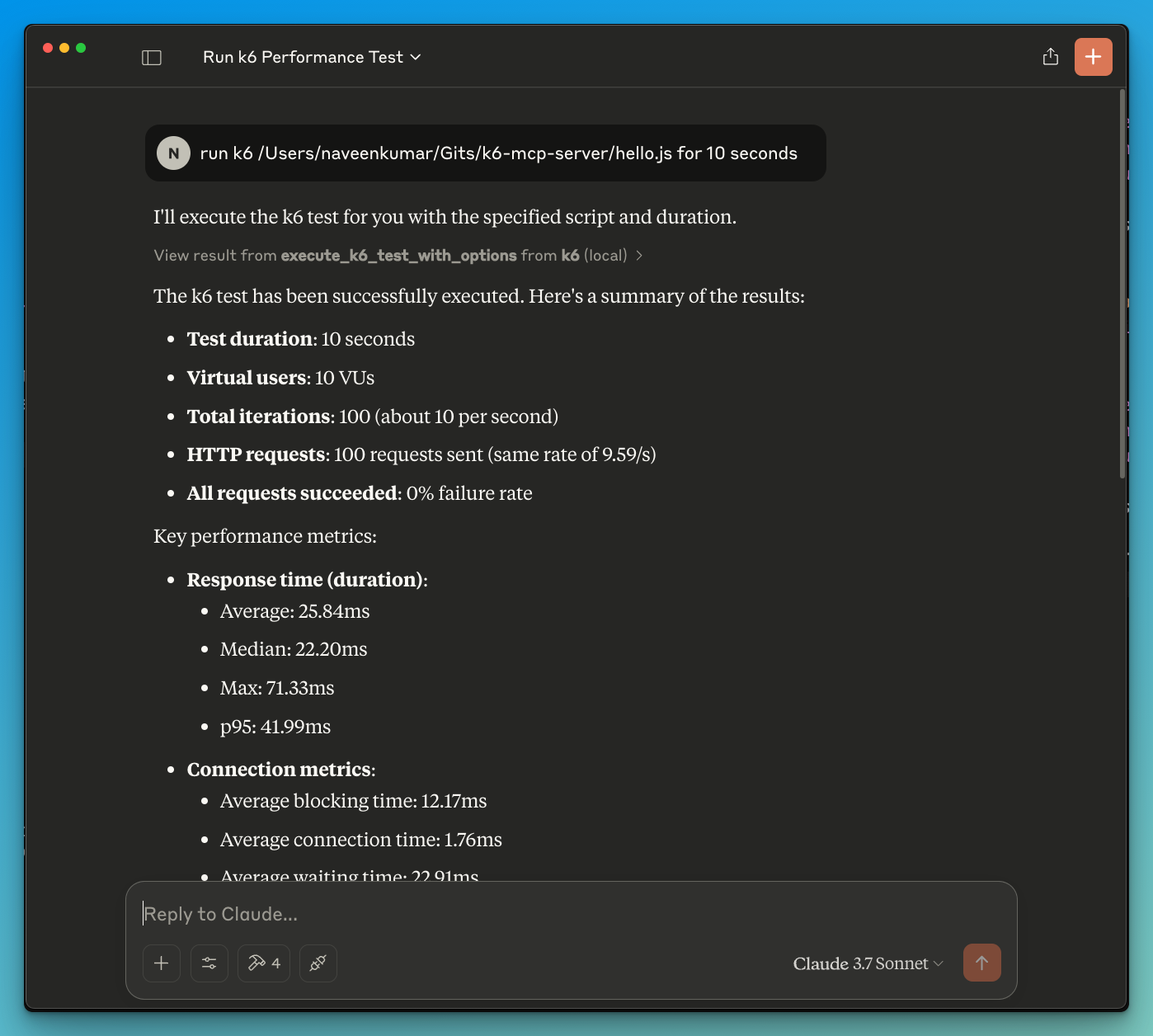
- Now ask the LLM to run the test e.g.
run k6 test for hello.js. The k6 mcp server will leverage either one of the below tools to start the test.
execute_k6_test: Run a test with default options (30s duration, 10 VUs)execute_k6_test_with_options: Run a test with custom duration and VUs
📝 API Reference
Execute K6 Test
execute_k6_test(
    script_file: str,
    duration: str = "30s",  # Optional
    vus: int = 10          # Optional
)
Execute K6 Test with Custom Options
execute_k6_test_with_options(
    script_file: str,
    duration: str,
    vus: int
)
✨ Use cases
- LLM powered results analysis
- Effective debugging of load tests
🤝 Contributing
Contributions are welcome! Please feel free to submit a Pull Request.
📄 License
This project is licensed under the MIT License - see the LICENSE file for details.
Installing K6
This server has no published package — it is built from source. Open the repository and follow its README.
▸ github.com/QAInsights/k6-mcp-serverFAQ
Is K6 MCP free?
Yes, K6 MCP is free — one-click install via Unyly at no cost.
Does K6 need an API key?
No, K6 runs without API keys or environment variables.
Is K6 hosted or self-hosted?
Self-hosted: the server runs locally on your machine via the install command above.
How do I install K6 in Claude Desktop, Claude Code or Cursor?
Open K6 on unyly.org, pick your client tab (Claude Desktop, Claude Code, Cursor) and press Install — the config is generated automatically, no JSON editing.
Related MCPs
GitHub
PRs, issues, code search, CI status
 by GitHub
Filesystem
Secure file operations with configurable access controls.
Memory
Knowledge graph-based persistent memory system.
Template MCP Server
A CLI tool to create a new Model Context Protocol server project with TypeScript support, dual transport options, and an extensible structure
 by mcpdotdirect
Compare K6 with
Not sure what to pick?
Find your stack in 60 seconds
Author?
Embed badge for your README
Browse similar
All development MCPs