
Korean Spell
FreeNot checkedMCP(Model Context Protocol) server designed for Korean spell checking

About
MCP(Model Context Protocol) server designed for Korean spell checking
README
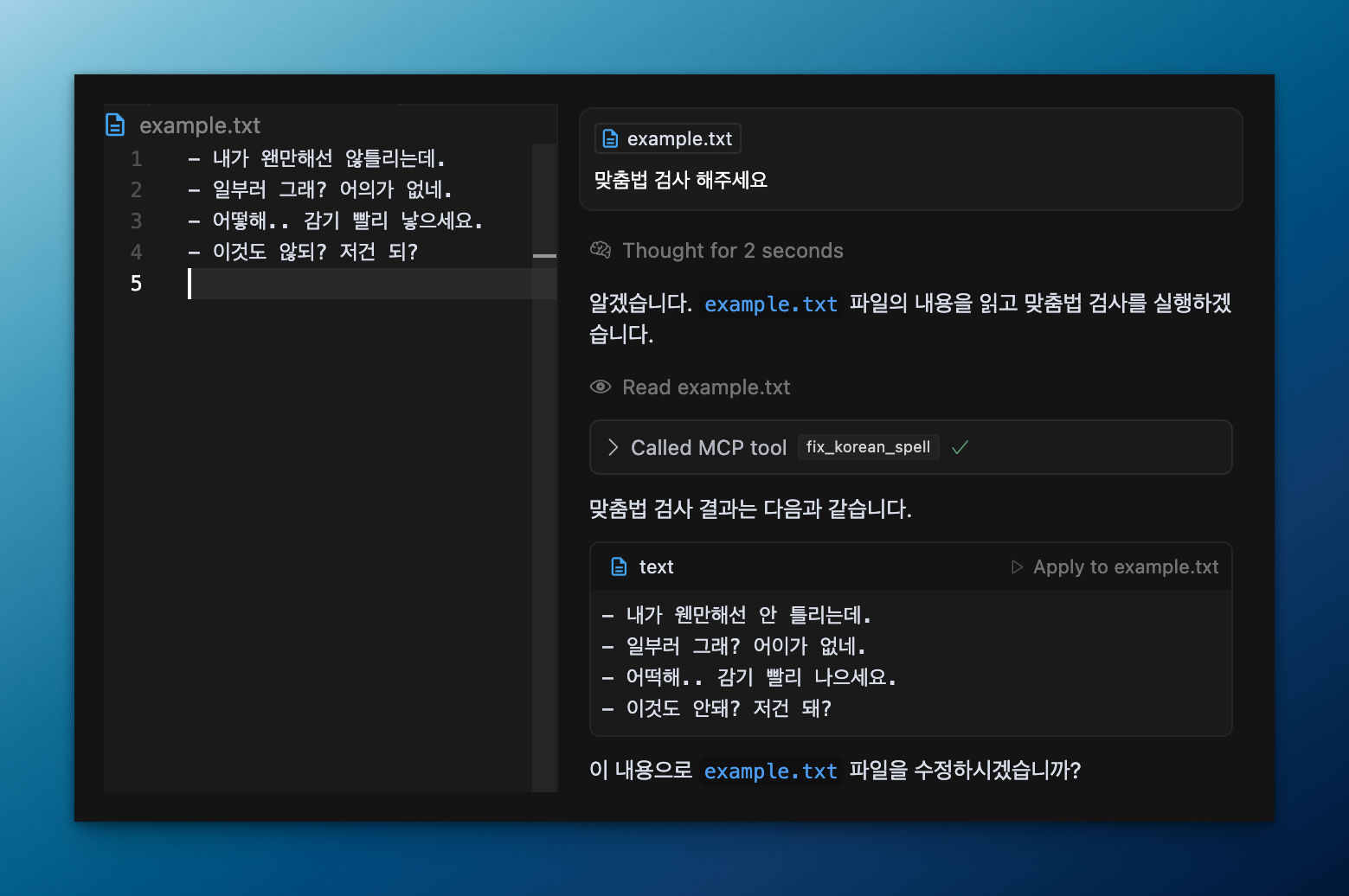
mcp-korean-spell is a MCP(Model Context Protocol) server designed for Korean spell checking, providing a reliable tool for writers to integrate spell checking capabilities into their documents and texts.
Tools
fix_korean_spell: Analyzes and corrects Korean text for spelling and grammar errors
How to add MCP config to your client
Using npm
To configure this spell checker in your MCP client, add the following to your ~/.cursor/mcp.json or claude_desktop_config.json (MacOS: ~/Library/Application\ Support/Claude/claude_desktop_config.json)
{
  "mcpServers": {
    "korean-spell-checker": {
      "command": "npx",
      "args": [
        "-y",
        "@winterjung/mcp-korean-spell"
      ]
    }
  }
}
Disclaimer
- This tool is based on the 네이버(NAVER) 맞춤법 검사기.
- This tool is not officially provided and is not affiliated with the company.
- If company stops, changes or blocks providing the service, this tool may not function correctly.
License
This project is licensed under the Apache License 2.0. See the LICENSE file for details.
Installing Korean Spell
This server has no published package — it is built from source. Open the repository and follow its README.
▸ github.com/winterjung/mcp-korean-spellFAQ
Is Korean Spell MCP free?
Yes, Korean Spell MCP is free — one-click install via Unyly at no cost.
Does Korean Spell need an API key?
No, Korean Spell runs without API keys or environment variables.
Is Korean Spell hosted or self-hosted?
Self-hosted: the server runs locally on your machine via the install command above.
How do I install Korean Spell in Claude Desktop, Claude Code or Cursor?
Open Korean Spell on unyly.org, pick your client tab (Claude Desktop, Claude Code, Cursor) and press Install — the config is generated automatically, no JSON editing.
Related MCPs
GitHub
PRs, issues, code search, CI status
 by GitHub
Filesystem
Secure file operations with configurable access controls.
Memory
Knowledge graph-based persistent memory system.
Template MCP Server
A CLI tool to create a new Model Context Protocol server project with TypeScript support, dual transport options, and an extensible structure
 by mcpdotdirect
Compare Korean Spell with
Not sure what to pick?
Find your stack in 60 seconds
Author?
Embed badge for your README
Browse similar
All development MCPs