

About
Ks — Model Context Protocol server
README
The KubeSphere MCP Server is a Model Context Protocol(MCP) server that provides integration with KubeSphere APIs, enabling to get resources from KubeSphere. Divided into four tools modules: Workspace Management, Cluster Management, User and Roles, Extensions Center.
Prerequisites
You must have a KubeSphere cluster. contains: Access Address, Username, Password.
Installation
Generate KSConfig
The format is similar to kubeconfig. This configuration contains HTTP connector information. The default context for KubeSphere is kubesphere, which can be modified via the environment variable KUBESPHERE_CONTEXT.
apiVersion: v1
clusters:
- cluster:
    certificate-authority-data: <CA file>
    server: <Server Address>
  name: kubesphere
contexts:
- context:
    cluster: kubesphere
    user: admin
  name: kubesphere
current-context: kubesphere
kind: Config
preferences: {}
users:
- name: admin
  user:
    username: <KubeSphere Username>
    password: <KubeSphere Password>
<CA file>: Optional. Fill in the CA certificate in base64-encoded format when KubeSphere is accessed via HTTPS.<Server Address>: Required Must be an HTTPS address. (If using HTTP, enter any HTTPS address here, then modify via the parameter --ks-apiserver http://xxx)<KubeSphere Username>: Required The user for the KubeSphere cluster.<KubeSphere Password>: Required The password for the KubeSphere cluster user.
Get ks-mcp-server binary
you can run command go build -o ks-mcp-server cmd/main.go or download from (github releases)[https://github.com/kubesphere/ks-mcp-server/releases]
and then move it to $PATH.
Configuration MCP Server in AI Agent
Claude Desktop
- According to Claude Desktop should change the MCP Configuration. like:
{
  "mcpServers": {
    "KubeSphere": {
      "args": [
        "stdio",
        "--ksconfig", "<ksconfig file absolute path>",
        "--ks-apiserver", "<KubeSphere Address>"
      ],
      "command": "ks-mcp-server"
    }
  }
}
<ksconfig file absolute path>: Required The absolute path of the ksconfig file.<KubeSphere Address>: Optional (but required for HTTP access) The access address of the KubeSphere cluster, supporting either the ks-console or ks-apiserver service address (e.g., http://172.10.0.1:30880).
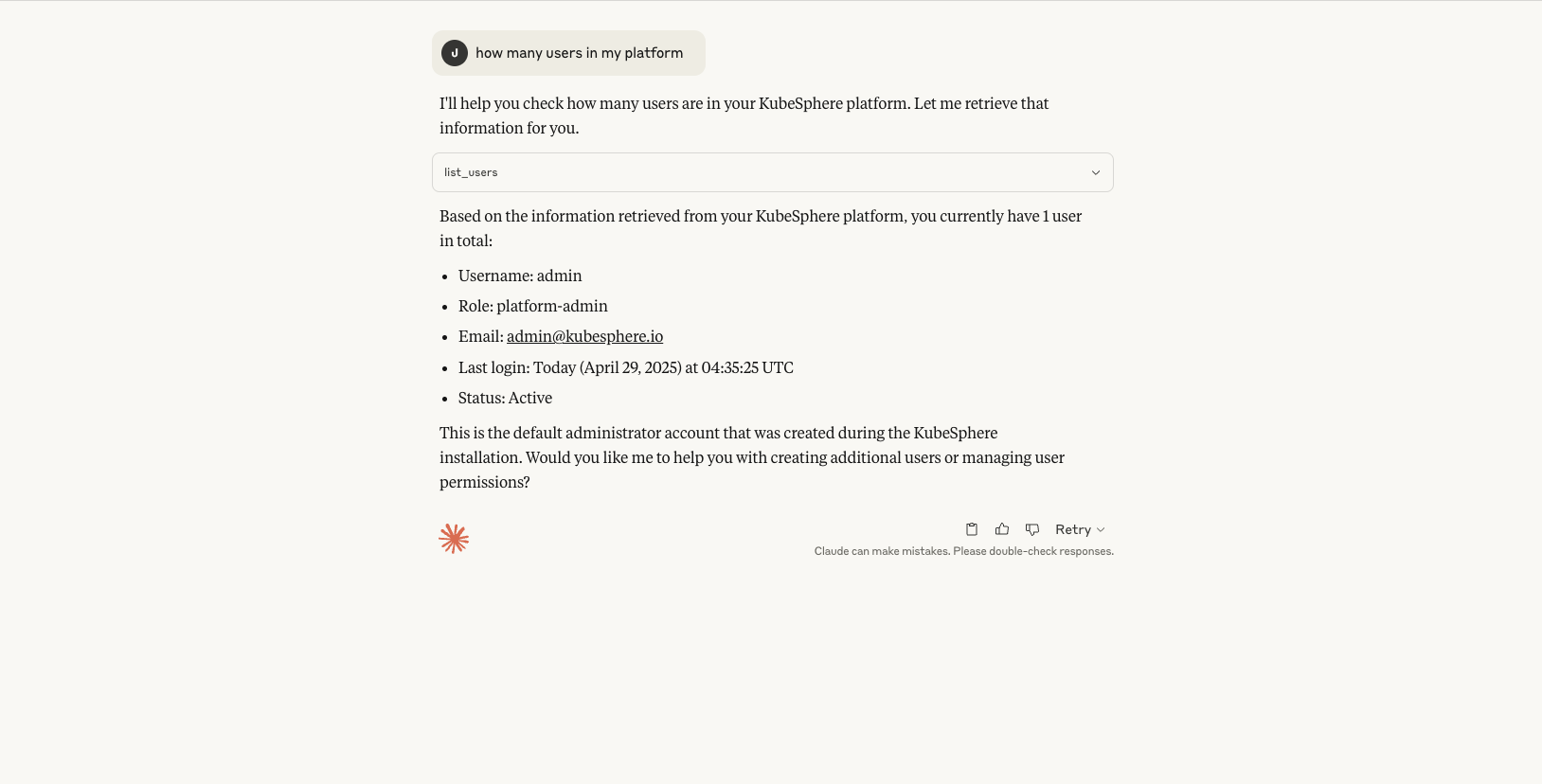
- chat with mcp server
Cursor
- According to Curosr should change the MCP Configuration. like:
{
  "mcpServers": {
    "KubeSphere": {
      "args": [
        "stdio",
        "--ksconfig", "<ksconfig file absolute path>",
        "--ks-apiserver", "<KubeSphere Address>"
      ],
      "command": "ks-mcp-server"
    }
  }
}
<ksconfig file absolute path>: Required The absolute path of the ksconfig file.<KubeSphere Address>: Optional (but required for HTTP access) The access address of the KubeSphere cluster, supporting either the ks-console or ks-apiserver service address (e.g., http://172.10.0.1:30880).
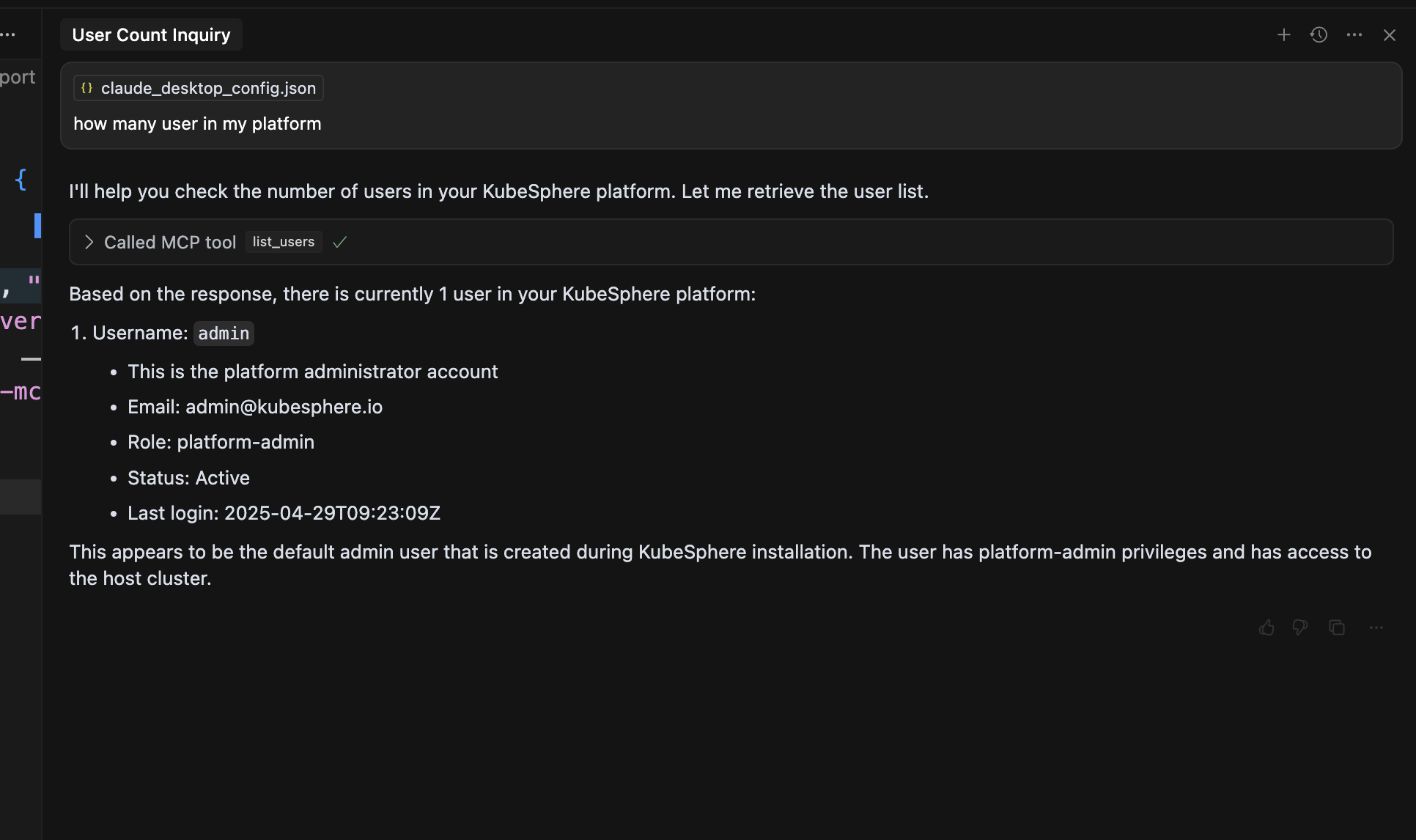
- chat with mcp server
Installing Ks
This server has no published package — it is built from source. Open the repository and follow its README.
▸ github.com/kubesphere/ks-mcp-serverFAQ
Is Ks MCP free?
Yes, Ks MCP is free — one-click install via Unyly at no cost.
Does Ks need an API key?
No, Ks runs without API keys or environment variables.
Is Ks hosted or self-hosted?
Self-hosted: the server runs locally on your machine via the install command above.
How do I install Ks in Claude Desktop, Claude Code or Cursor?
Open Ks on unyly.org, pick your client tab (Claude Desktop, Claude Code, Cursor) and press Install — the config is generated automatically, no JSON editing.
Related MCPs
GitHub
PRs, issues, code search, CI status
 by GitHub
Filesystem
Secure file operations with configurable access controls.
Memory
Knowledge graph-based persistent memory system.
Template MCP Server
A CLI tool to create a new Model Context Protocol server project with TypeScript support, dual transport options, and an extensible structure
 by mcpdotdirect
Compare Ks with
Not sure what to pick?
Find your stack in 60 seconds
Author?
Embed badge for your README
Browse similar
All development MCPs