

About
lark rust mcp server
README
飞书MCP服务器是一个基于MCP的服务,提供飞书API集成,使AI模型能够轻松与飞书服务交互。
功能特点
- 多维表格: 读取多维表格元数据和内容, 提供批量创建记录的功能
- 多模式支持: 目前仅支持STDIO模式
- STDIO:通过标准输入/输出通信,适用于CLI环境和集成到其他应用
配置
目前仅支持验证chatwise中的运行情况
首先将本项目克隆到本地:
cd /path/to/your/project
git clone https://github.com/your-repo/larkrs-mcp.git
然后使用 cargo build 编译项目:
cd larkrs-mcp
cargo build
将编译产物的路径直接复制到MCP client的命令中, 例如:
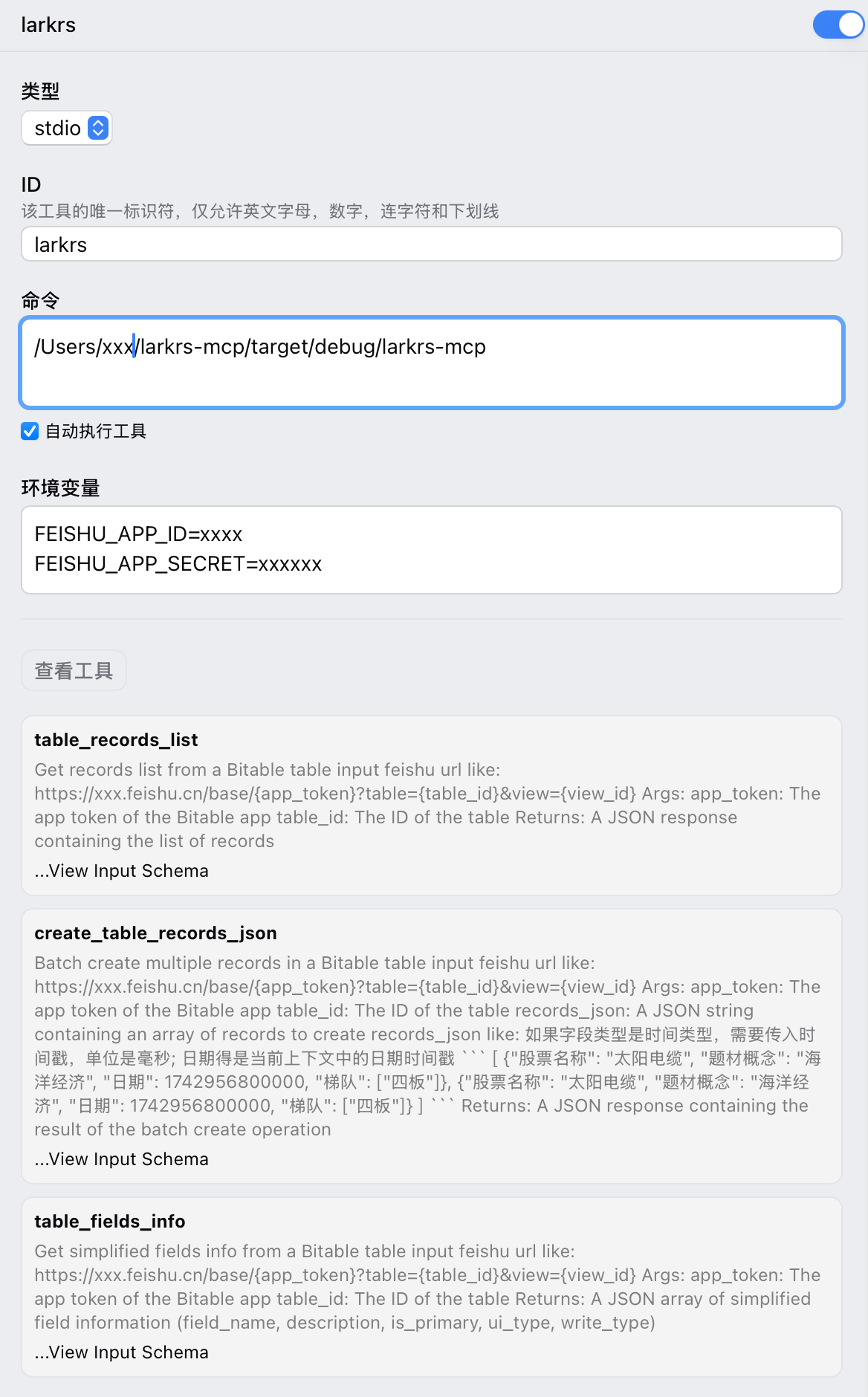
在运行时,按照 .env.example 的格式书写你的环境变量,用于验证飞书身份。
Installing Larkrs
This server has no published package — it is built from source. Open the repository and follow its README.
▸ github.com/hanxuanliang/larkrs-mcp-serverFAQ
Is Larkrs MCP free?
Yes, Larkrs MCP is free — one-click install via Unyly at no cost.
Does Larkrs need an API key?
No, Larkrs runs without API keys or environment variables.
Is Larkrs hosted or self-hosted?
Self-hosted: the server runs locally on your machine via the install command above.
How do I install Larkrs in Claude Desktop, Claude Code or Cursor?
Open Larkrs on unyly.org, pick your client tab (Claude Desktop, Claude Code, Cursor) and press Install — the config is generated automatically, no JSON editing.
Related MCPs
GitHub
PRs, issues, code search, CI status
 by GitHub
Filesystem
Secure file operations with configurable access controls.
Memory
Knowledge graph-based persistent memory system.
Template MCP Server
A CLI tool to create a new Model Context Protocol server project with TypeScript support, dual transport options, and an extensible structure
 by mcpdotdirect
Compare Larkrs with
Not sure what to pick?
Find your stack in 60 seconds
Author?
Embed badge for your README
Browse similar
All development MCPs