
Llm Mcp Personal Assistant
FreeNot checkedA personal assistant chat app that uses an MCP server

About
A personal assistant chat app that uses an MCP server
README
A personal assistant application built using the Model Context Protocol (MCP) that enables sophisticated interactions between AI models and external tools/resources. Currently uses the Anthropic API and supports Wikipedia search and GitHub search, but is easily extendable.
Overview
This application is a personal assistant that leverages the Model Context Protocol to provide enhanced AI capabilities. It consists of three main components:
- Client: A React-based web interface that provides the user interface for interacting with the assistant
- API Server: An Express.js backend that handles client requests and manages the communication between components
- MCP Server: Implements the Model Context Protocol to facilitate communication between AI models and external tools/resources
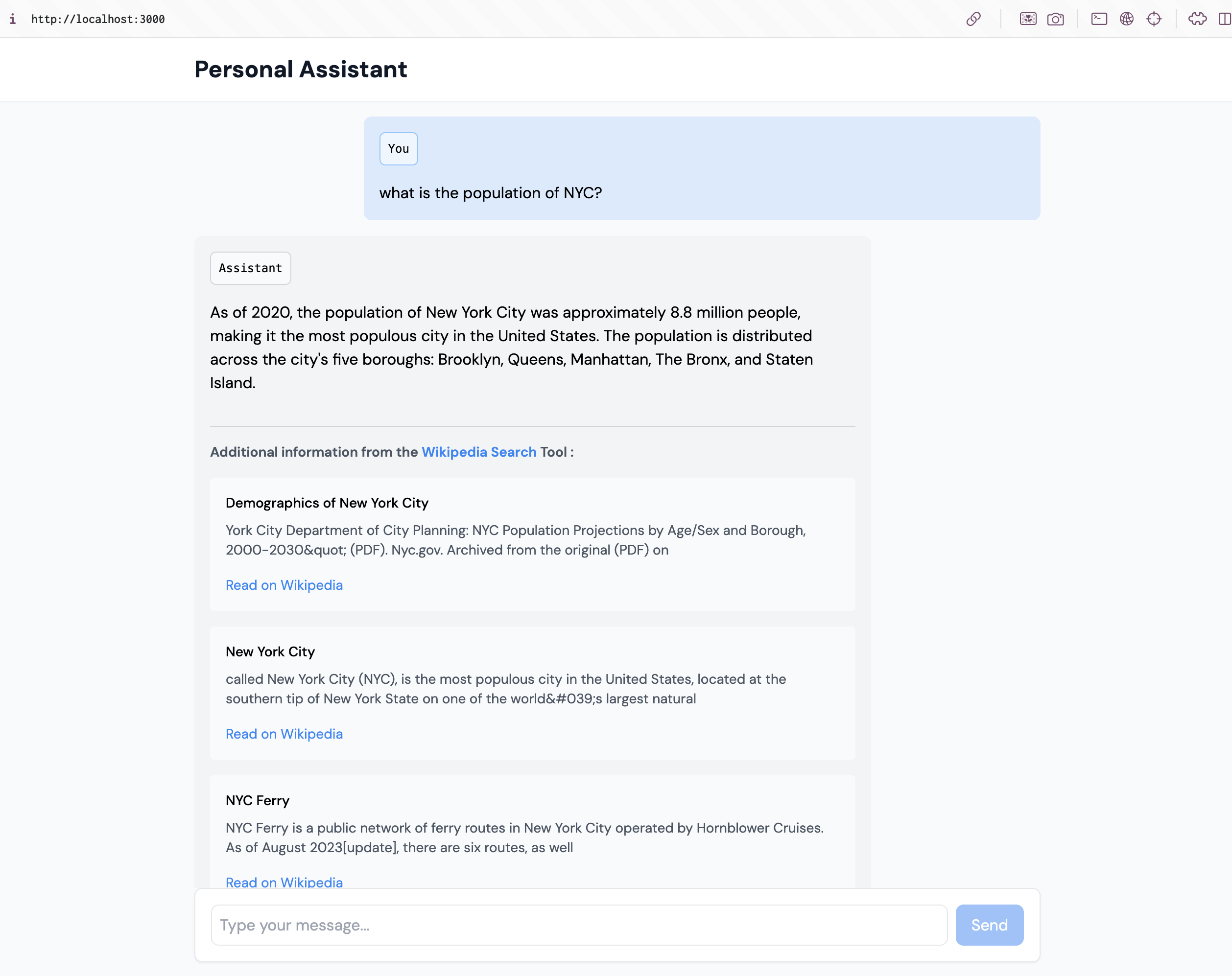
Features
- Modern React-based web interface
- RESTful API for handling client requests
- MCP server implementation for AI model integration
- Support for sophisticated AI interactions and tool usage
- Current tool support:
- Wikipedia search
- GitHub search
- Extendable architecture for adding new tools and capabilities
Note: This is a work in progress. While currently supporting Wikipedia and GitHub search capabilities, the architecture is designed to be easily extended with additional tools and features.
Prerequisites
- Node.js (v14 or higher)
- pnpm package manager (v10.9.0 or higher)
Installation
- Clone this repository:
git clone https://github.com/mikefey/LLM-MCP-personal-assistant.git
cd LLM-MCP-personal-assistant
- Install dependencies:
pnpm install
- Create a
.envfile in the root directory with the following variables:
ANTHROPIC_API_KEY=your_anthropic_api_key_here
VITE_API_PORT=3001
VITE_API_HOST=localhost
Replace your_anthropic_api_key_here with your actual Anthropic API key. The default port and host values can be adjusted if needed.
Usage
- Start the development server:
pnpm dev
This command will:
- Build the MCP server
- Start the API server
- Launch the Vite development server for the client
Architecture
Client
The client is a React application built with Vite that provides the user interface for interacting with the personal assistant.
API Server
The API server is built with Express.js and handles:
- Client requests
- Communication with the MCP server
- Session management
- Data persistence
MCP Server
The MCP server implements the Model Context Protocol specification, enabling:
- Communication with AI models
- Tool integration
- Context management
- Resource access
License
This project is licensed under the ISC License.
Acknowledgments
- Based on the Model Context Protocol specification
- Inspired by the tutorials from modelcontextprotocol.info
Installing Llm Mcp Personal Assistant
This server has no published package — it is built from source. Open the repository and follow its README.
▸ github.com/mikefey/llm-mcp-personal-assistantFAQ
Is Llm Mcp Personal Assistant MCP free?
Yes, Llm Mcp Personal Assistant MCP is free — one-click install via Unyly at no cost.
Does Llm Mcp Personal Assistant need an API key?
No, Llm Mcp Personal Assistant runs without API keys or environment variables.
Is Llm Mcp Personal Assistant hosted or self-hosted?
Self-hosted: the server runs locally on your machine via the install command above.
How do I install Llm Mcp Personal Assistant in Claude Desktop, Claude Code or Cursor?
Open Llm Mcp Personal Assistant on unyly.org, pick your client tab (Claude Desktop, Claude Code, Cursor) and press Install — the config is generated automatically, no JSON editing.
Related MCPs
Gmail
Read, send and search emails from Claude
 by Google
Slack
Send, search and summarize Slack messages
 by Slack
Runbear
No-code MCP client for team chat platforms, such as Slack, Microsoft Teams, and Discord.
Discord Server
A community discord server dedicated to MCP by [Frank Fiegel](https://github.com/punkpeye)
Compare Llm Mcp Personal Assistant with
Not sure what to pick?
Find your stack in 60 seconds
Author?
Embed badge for your README
Browse similar
All communication MCPs