

About
Master — Model Context Protocol server
README
Installation Guide
Adding MCP to your python project
Installation with uv (recommended)
We recommend using uv to manage your Python projects.
Installing from pyproject.toml RECOMENDED
If you prefer to manage your dependencies using pyproject.toml, you can add all libraries to your project:
uv sync
Installing manually
If you haven't created a uv-managed project yet, create one:
uv init mcp-server-demo
cd mcp-server-demo
Then add MCP to your project dependencies:
uv add "mcp[cli]"
Alternatively, for projects using pip for dependencies:
pip install "mcp[cli]"
Testing the installation
- Make sure you activate your virtual environment if you're using one.
- Run de
client.pyfile provided
python client.py
Running the standalone MCP development tools
To run the mcp command with uv:
uv run mcp
MCP Inspector
The MCP inspector is a developer tool for testing and debugging MCP servers.
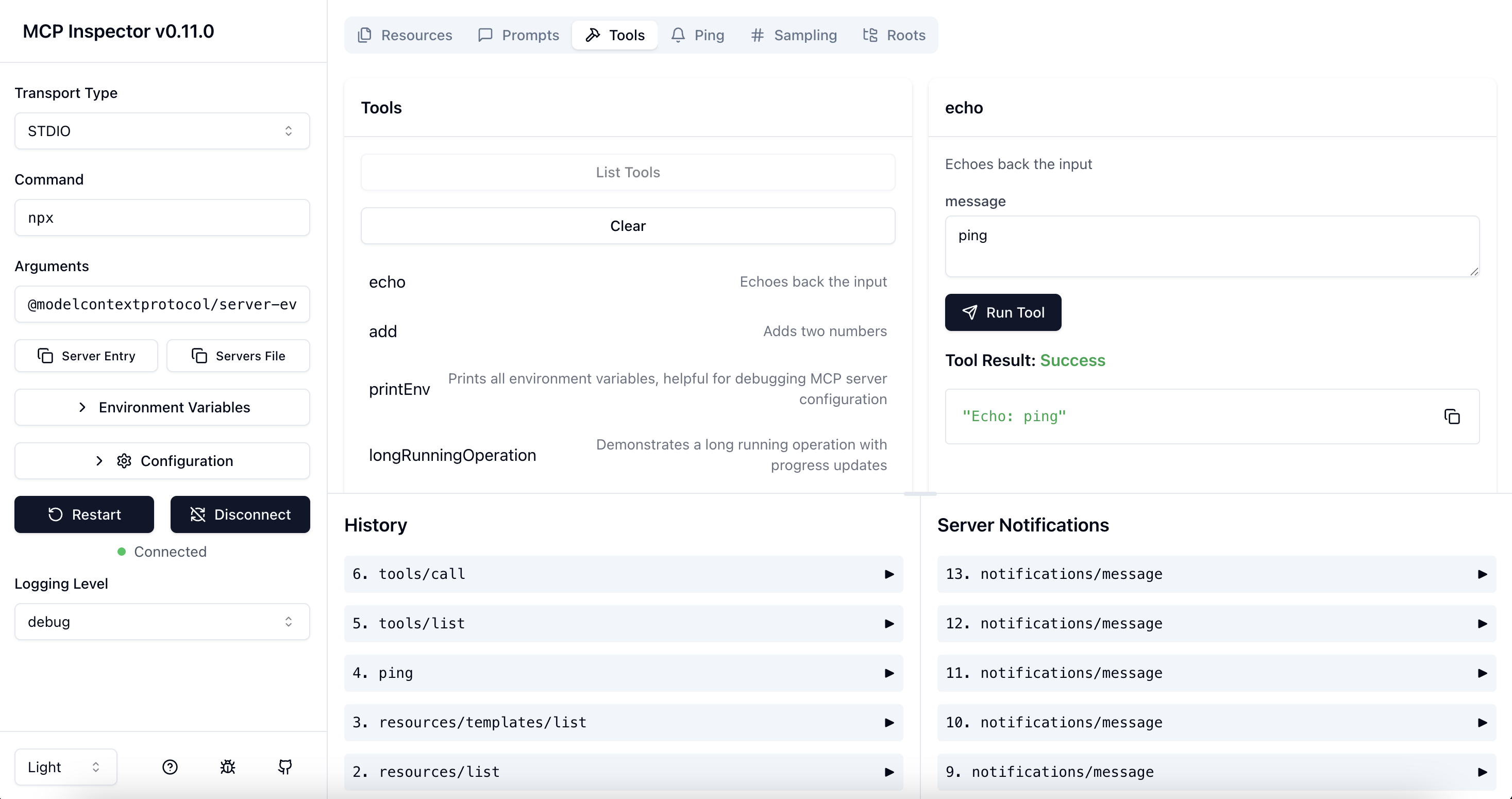
Architecture Overview
The MCP Inspector consists of two main components that work together:
- MCP Inspector Client (MCPI): A React-based web UI that provides an interactive interface for testing and debugging MCP servers
- MCP Proxy (MCPP): A Node.js server that acts as a protocol bridge, connecting the web UI to MCP servers via various transport methods (stdio, SSE, streamable-http)
Note that the proxy is not a network proxy for intercepting traffic. Instead, it functions as both an MCP client (connecting to your MCP server) and an HTTP server (serving the web UI), enabling browser-based interaction with MCP servers that use different transport protocols.
Running the Inspector
Requirements
- Node.js: ^22.7.5
Quick Start (UI mode)
To get up and running right away with the UI, just execute the following:
npx @modelcontextprotocol/inspector
The server will start up and the UI will be accessible at http://localhost:6274.
From an MCP server repository
To inspect an MCP server implementation, there's no need to clone this repo. Instead, use npx. For example, if your server is built at build/index.js:
npx @modelcontextprotocol/inspector node build/index.js
For python server with uv:
npx @modelcontextprotocol/inspector uv run main.py
Installing Master
This server has no published package — it is built from source. Open the repository and follow its README.
▸ github.com/Leandroglez39/mcp-server-masterFAQ
Is Master MCP free?
Yes, Master MCP is free — one-click install via Unyly at no cost.
Does Master need an API key?
No, Master runs without API keys or environment variables.
Is Master hosted or self-hosted?
Self-hosted: the server runs locally on your machine via the install command above.
How do I install Master in Claude Desktop, Claude Code or Cursor?
Open Master on unyly.org, pick your client tab (Claude Desktop, Claude Code, Cursor) and press Install — the config is generated automatically, no JSON editing.
Related MCPs
GitHub
PRs, issues, code search, CI status
 by GitHub
Filesystem
Secure file operations with configurable access controls.
Memory
Knowledge graph-based persistent memory system.
Template MCP Server
A CLI tool to create a new Model Context Protocol server project with TypeScript support, dual transport options, and an extensible structure
 by mcpdotdirect
Compare Master with
Not sure what to pick?
Find your stack in 60 seconds
Author?
Embed badge for your README
Browse similar
All development MCPs