
Clay To Instantly Smartlead Push
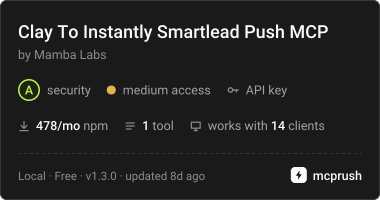
FreeMaintainedPush enriched leads into an Instantly or Smartlead campaign, with ICP gating and dedupe.

About
Push enriched leads into an Instantly or Smartlead campaign, with ICP gating and dedupe.
README
MCP server for the Mamba Labs Sequencer Lead Push actor on Apify.
Push enriched lead rows into an existing Instantly, Smartlead, or HeyReach campaign. ICP score gating and deduplication are built in, and a dry run shows you the exact payload before you send anything.
Install
npx -y @mambalabsdev/mcp-clay-to-instantly-smartlead-push
Claude Desktop
{
  "mcpServers": {
    "mamba-clay-to-instantly-smartlead-push": {
      "command": "npx",
      "args": ["-y", "@mambalabsdev/mcp-clay-to-instantly-smartlead-push"],
      "env": { "APIFY_TOKEN": "your-apify-token" }
    }
  }
}
Get an Apify token at console.apify.com/account/integrations.
Tool
push_leads_to_sequencer
Maps your column names onto the sequencer's field names, drops leads below your ICP score threshold, drops leads already in the campaign, and sends the rest in batches.
| Input | Type | Required | Notes |
|---|---|---|---|
sequencer |
string | yes | instantly, smartlead or heyreach. HeyReach is LinkedIn native and keys a lead on linkedin_person_url rather than on email |
campaign_id |
string | yes | The target campaign. It must already exist. Instantly campaign IDs are UUIDs; Smartlead and HeyReach campaign IDs are numeric. |
api_key |
string | see note | Your Instantly v2 key, your Smartlead key, or your HeyReach key |
leads |
array | one of | Lead rows. Each needs an email at minimum, or a linkedin_person_url on HeyReach. |
dataset_id |
string | one of | An Apify dataset ID from an upstream run |
min_icp_score |
number | no | Drop leads scoring below this. Default 0. |
deduplicate |
boolean | no | Check the campaign first. Default true. |
dry_run |
boolean | no | Preview without sending. Default false. |
field_mapping |
object | no | Override the default column map |
custom_variables |
array | no | Extra columns to pass through |
max_charge_usd |
number | no | Optional cost cap in USD for this run. The actor stops before an item that could take its charges past this amount. Omit to rely on the maximum cost per run set in Apify. |
api_key is required for any run that calls the sequencer. A dry run with deduplicate false makes no calls at all and needs no key.
Returns one flat summary row: leads received, dropped for no usable identity (an email, or a LinkedIn profile URL on HeyReach), dropped by the ICP gate, dropped as duplicates, eligible, created by the sequencer, skipped by the sequencer, and failed, with the vendor's own message per failed address.
Dry run
dry_run: true runs every step, returns the exact request batches that would have been sent, and creates nothing. Nothing is billed.
Use it the first time you point at a new campaign. The payload you see is the real one, and your API key is never included in it.
Billing
You are charged per lead the sequencer confirms it created. Leads dropped by the gate, dropped as duplicates, with no usable email, skipped or rejected by the vendor, and every lead in a dry run are all free.
Price per event on the Apify FREE plan, from the live pricing record; paid Apify plans pay less per event.
| Event | Price (USD) |
|---|---|
Actor Start (apify-actor-start) |
0.00005 |
Lead pushed to sequencer (lead-pushed) |
0.01 |
Pricing is on the actor's Apify page. Running this server consumes Apify credits.
Supported sequencers
| Sequencer | API | Notes |
|---|---|---|
| Instantly | v2 | Needs a v2 key. Keys from v1 do not work: Instantly deprecated v1 on January 19, 2026. |
| Smartlead | v1 | Current. Smartlead has no v2. |
| HeyReach | public API | LinkedIn native. Keys a lead on linkedin_person_url, so rows with no LinkedIn profile URL are dropped and rows with no email are kept. |
What this server does and does not do
It is a thin client for the Apify actor. It passes your input through and returns the actor's output. The field mapping, the ICP gate, the deduplication and everything each vendor's API needs all live in the actor, not here.
The tool starts the actor run and polls it to a finished status, so a long run is not cut off at 300 seconds. The run is allowed 1,800 seconds. If it is still going two minutes after that, the call stops waiting and returns the run ID with a link to it in the Apify Console, where the results land when it finishes. A run that does not succeed comes back as an error with its run ID and status.
It writes to your sequencer campaign unless dry_run is true. It does not create campaigns and it does not write sequence copy.
Related
Part of the Mamba Labs GTM actor fleet. The same tool is available alongside twenty others in @mambalabsdev/mcp-gtm-suite.
Built by Mamba Labs
from github.com/mambalabsdev/mcp-clay-to-instantly-smartlead-push
Install Clay To Instantly Smartlead Push in Claude Desktop, Claude Code & Cursor
unyly install mcp-clay-to-instantly-smartlead-pushInstalls into Claude Desktop, Claude Code, Cursor & VS Code — handles npx, uvx and build-from-source repos for you.
First time? Get the CLI: curl -fsSL https://unyly.org/install | sh
Or configure manually
Run in your terminal:
claude mcp add mcp-clay-to-instantly-smartlead-push --env APIFY_TOKEN="" -- npx -y @mambalabsdev/mcp-clay-to-instantly-smartlead-pushStep-by-step: how to install Clay To Instantly Smartlead Push
FAQ
Is Clay To Instantly Smartlead Push MCP free?
Yes, Clay To Instantly Smartlead Push MCP is free — one-click install via Unyly at no cost.
Does Clay To Instantly Smartlead Push need an API key?
Yes, it requires environment variables: APIFY_TOKEN. Unyly injects them into the config during install.
Is Clay To Instantly Smartlead Push hosted or self-hosted?
Self-hosted: the server runs locally on your machine via the install command above.
How do I install Clay To Instantly Smartlead Push in Claude Desktop, Claude Code or Cursor?
Open Clay To Instantly Smartlead Push on unyly.org, pick your client tab (Claude Desktop, Claude Code, Cursor) and press Install — the config is generated automatically, no JSON editing.
Changes
Versions and requested access over time.
- New version published
- New version published
- New version published
- New version published
- New version published
- New version published
- New version published
- New version published
Related MCPs
GitHub
PRs, issues, code search, CI status
 by GitHub
Filesystem
Secure file operations with configurable access controls.
Memory
Knowledge graph-based persistent memory system.

Unyly Deploy
Deploy sites and MCP servers to Unyly straight from your AI agent
 by Unyly
Amap Maps Mcp Server
MCP server for using the AMap Maps API
 by duxiaohui
PayMCP
Lightweight payments layer for MCP servers: turn tools into paid endpoints with a two-line decorator. [PyPI](https://pypi.org/project/paymcp/) · [npm](https://w
 by blustAI
Server For Power BI
Enables exploring Microsoft Fabric / Power BI workspaces and semantic models, and executing ad-hoc DAX queries.
 by Mitsubishi-Fuso
Template MCP Server
A CLI tool to create a new Model Context Protocol server project with TypeScript support, dual transport options, and an extensible structure
 by mcpdotdirect
Supabase
Database, auth and storage
 by Supabase
Everything
Reference / test server with prompts, resources, and tools.
Compare Clay To Instantly Smartlead Push with
Not sure what to pick?
Find your stack in 60 seconds
Author?
Embed badge for your README
Browse similar
All development MCPs