
Libreoffice Calc
БесплатноНе проверенAn MCP server that enables spreadsheet operations on LibreOffice Calc workbooks through UNO, including reading, writing, formatting, and hyperlink management.

Описание
An MCP server that enables spreadsheet operations on LibreOffice Calc workbooks through UNO, including reading, writing, formatting, and hyperlink management.
README
MCP server for controlling LibreOffice Calc workbooks through UNO.
This project focuses on reliable spreadsheet operations against an already-open workbook, or a workbook opened explicitly by the server. It avoids silent file rewrites outside LibreOffice and provides practical tools for writing cells, ranges, hyperlinks, formatting, charts, and reusable visual templates.
Demo
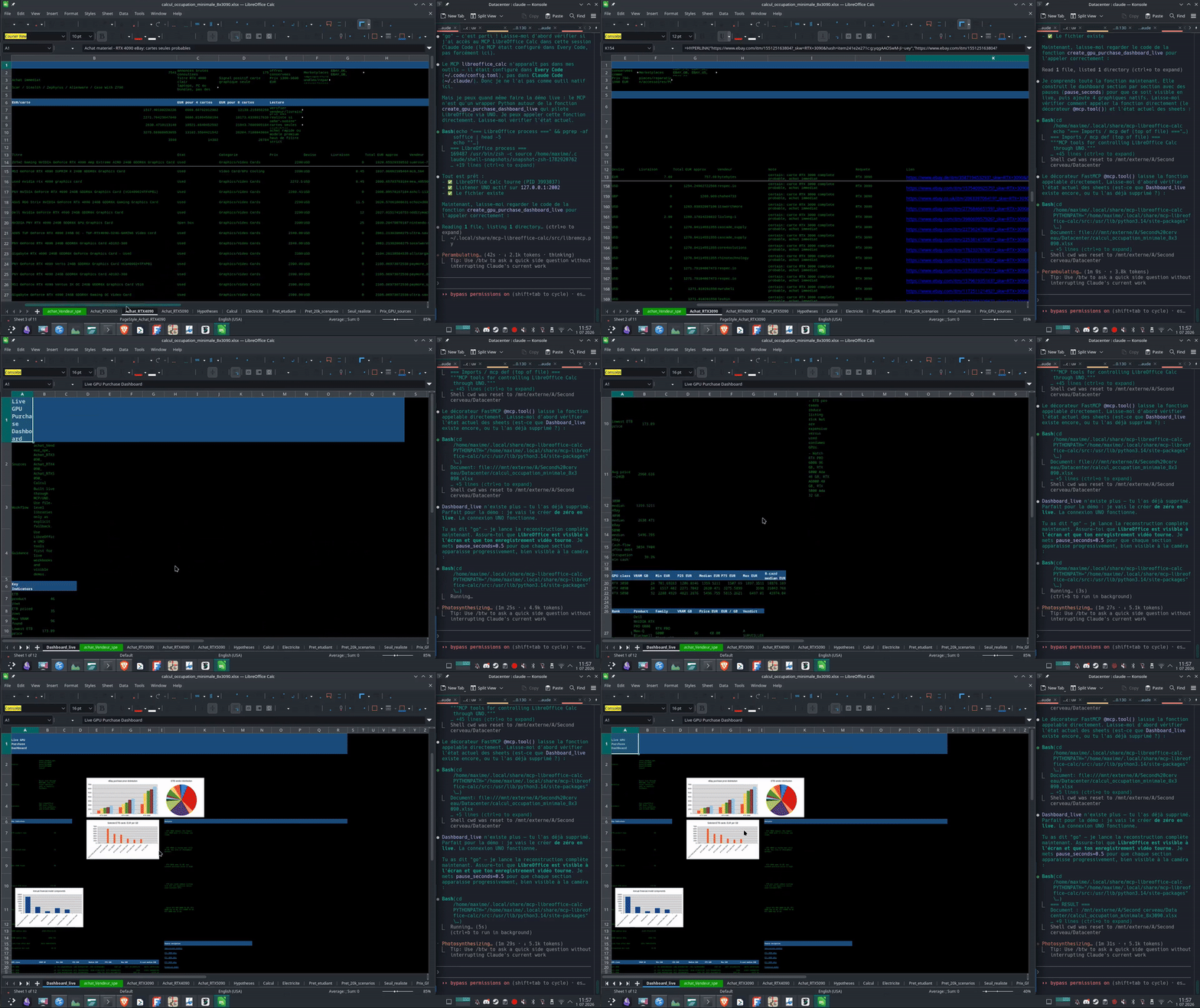
The demo shows the create_gpu_purchase_dashboard_live tool rebuilding the dashboard from scratch through UNO: creating the sheet, styling and filling each section live, and adding native Calc charts, so every change is visible in LibreOffice.
A higher-quality version is available at assets/demo.mp4.
Available Tools (30)
Connection & Documents
libreoffice_status— check the UNO connection and list open Calc workbooks.open_calc— open a Calc or Excel workbook through LibreOffice.ensure_calc_document— reuse an already-open workbook, or open it explicitly if missing.list_calc_documents— list Calc workbooks reachable through the UNO listener.list_sheets— list sheets from an open or specified workbook.add_sheet— add a Calc sheet if it does not already exist.remove_sheet— remove a sheet (refuses to delete the last sheet).activate_sheet— activate a sheet and select a cell for live visual workflows.
Cells & Ranges
read_cell— read a single cell value and formula.write_cell— write one cell directly (strings starting with=become formulas).read_range— read a rectangular range, returning computed values and formulas.write_range— write a 2D table from a starting cell.get_used_range— return the used data range of a sheet (e.g.A1:H42).clear_range— clear cell contents in a range, preserving formatting and styles.find_replace— search or search-and-replace within a sheet (supports regex).
Structure
insert_rows— insert blank rows before the given 1-based row number.delete_rows— delete rows starting at the given 1-based row number.insert_columns— insert blank columns before the given column letter.delete_columns— delete columns starting at the given column letter.
Formatting
format_range— apply font, colour, size, number format, and wrap to a range.apply_calc_template— apply a visual template (pc_nostalgia).auto_fit_sheets— adjust column widths, row heights, and text wrapping.
Links
set_hyperlink— add a Ctrl-click hyperlink to a Calc cell.set_internal_hyperlink— add a Ctrl-click hyperlink to another sheet/cell.link_url_range— convert plain-text URLs in a range into Ctrl-click hyperlinks.
Charts
insert_chart— insert a native LibreOffice chart (bar, line, or pie) into a sheet.
Visual Verification
capture_sheet_png— render a sheet or cell range to PNG for agent inspection (requirespoppler-utils/pdftoppm).
Misc
mcp_workflow_guidance— return the workflow contract for agents using this server.create_gpu_purchase_dashboard_live— build the GPU purchase dashboard through UNO for live demos (personal demo tool).save_document— save the Calc workbook.
Build the live GPU purchase dashboard, including charts:
create_gpu_purchase_dashboard_live(
  path="/path/to/workbook.xlsx",
  dashboard_sheet="Dashboard_live",
  recreate=true,
  pause_seconds=0.25
)
Environment Variables
All variables are optional. Defaults and auto-detection are shown below.
| Variable | Default / Auto-detection | Purpose |
|---|---|---|
LIBREMCP_UNO_SITE_PACKAGES |
Auto-detected: globs /usr/lib/python3.*/site-packages and picks the first containing uno.py; falls back to /usr/lib/python3.14/site-packages |
Path to the directory containing uno.py |
LIBREMCP_SOFFICE |
shutil.which("soffice") or /usr/lib/libreoffice/program/soffice |
Path to the soffice executable |
LIBREMCP_UNO_HOST |
127.0.0.1 |
UNO listener host |
LIBREMCP_UNO_PORT |
2002 |
UNO listener port |
Manual Start
cd /home/maxime/.local/share/mcp-libreoffice-calc
uv run python src/main.py
The server starts or joins a LibreOffice UNO listener on 127.0.0.1:2002.
Code Configuration
Example ~/.code/config.toml entry:
[mcp_servers.libreoffice_calc]
command = "uv"
args = ["run", "python", "/home/maxime/.local/share/mcp-libreoffice-calc/src/main.py"]
cwd = "/home/maxime/.local/share/mcp-libreoffice-calc"

[mcp_servers.libreoffice_calc.env]
PYTHONPATH = "/home/maxime/.local/share/mcp-libreoffice-calc/src:/usr/lib/python3.14/site-packages"
Tests
Tests run without LibreOffice or a running UNO listener:
uv run python -m pytest tests/
Notes
LibreOffice must be reachable through UNO to control an already-open workbook. The recommended flow is to call ensure_calc_document once, then use the cell, range, formatting, and link tools as needed. The capture_sheet_png tool additionally requires poppler-utils (pdftoppm) to convert the PDF export to PNG.
MCP servers load tool definitions at process startup. Restart or reload your MCP client after changing server code or configuration.
Files copied from the original base project remain covered by their original license. The main server in src/ has been rewritten for this focused Calc workflow.
Установка Libreoffice Calc
У этого сервера нет опубликованного пакета — он собирается из исходников. Открой репозиторий и следуй инструкции в README.
▸ github.com/maxime-fromentin/mcp-libreoffice-calcFAQ
Libreoffice Calc MCP бесплатный?
Да, Libreoffice Calc MCP бесплатный — установка в пару кликов через Unyly без оплаты.
Нужен ли API-ключ для Libreoffice Calc?
Нет, Libreoffice Calc работает без API-ключей и переменных окружения.
Libreoffice Calc — hosted или self-hosted?
Self-hosted: сервер запускается локально на твоей машине командой из раздела установки.
Как установить Libreoffice Calc в Claude Desktop, Claude Code или Cursor?
Открой Libreoffice Calc на unyly.org, выбери вкладку своего клиента (Claude Desktop, Claude Code, Cursor) и нажми Install — конфиг сгенерируется автоматически, без правки JSON.
Похожие MCP
GitHub
PRs, issues, code search, CI status
 автор: GitHub
Filesystem
Secure file operations with configurable access controls.
Memory
Knowledge graph-based persistent memory system.
Template MCP Server
A CLI tool to create a new Model Context Protocol server project with TypeScript support, dual transport options, and an extensible structure
 автор: mcpdotdirect
Amap Maps Mcp Server
MCP server for using the AMap Maps API
 автор: duxiaohui
Supabase
Database, auth and storage
 автор: Supabase
Everything
Reference / test server with prompts, resources, and tools.
Git
Tools to read, search, and manipulate Git repositories.
Sequential Thinking
Dynamic and reflective problem-solving through thought sequences.
Time
Time and timezone conversion capabilities.
Compare Libreoffice Calc with
Не уверен что выбрать?
Найди свой стек за 60 секунд
Автор?
Embed-бейдж для README
Похожее
Все в категории development