
LLDB Server
FreeNot checkedEnables AI assistants to start and manage LLDB debugging sessions, including loading programs, setting breakpoints, stepping through code, and examining memory.

About
Enables AI assistants to start and manage LLDB debugging sessions, including loading programs, setting breakpoints, stepping through code, and examining memory.
README
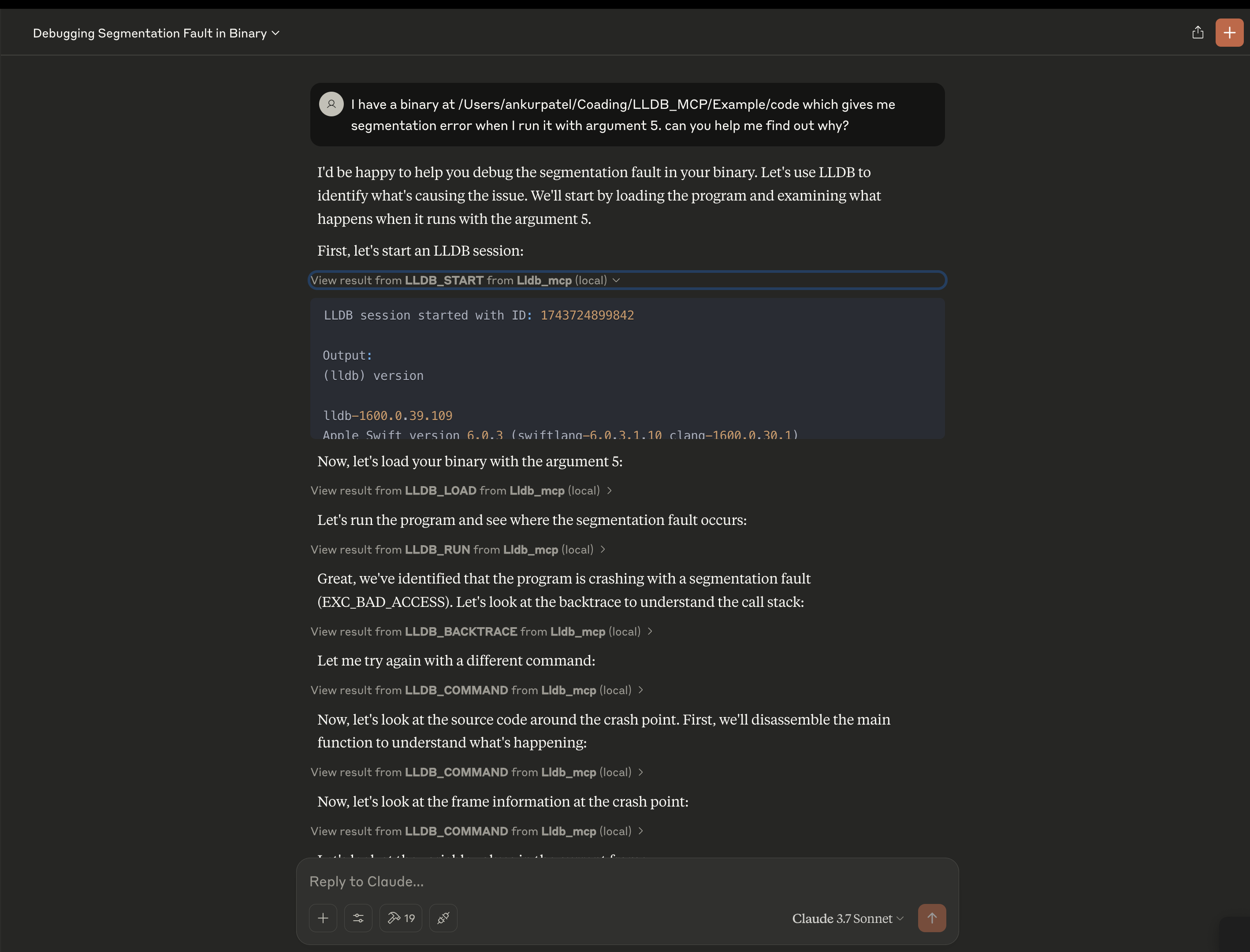
A Model Context Protocol (MCP) server that provides LLDB debugging functionality for use with Claude or other AI assistants.
Features
- Start and manage LLDB debugging sessions
- Load programs and core dumps for analysis
- Set breakpoints, step through code, and examine memory
- View call stacks, variables, and registers
- Execute arbitrary LLDB commands
Installation
# Clone the repository
git clone [email protected]:ankur106/LLDB_MCP.git

cd LLDB_MCP

# Install dependencies
npm install

# Build the project
npm run build
Usage
Using with Claude or other MCP-enabled assistants
- Configure the MCP settings in the Claude desktop app or browser extension to include this server:
{
  "mcpServers": {
    "lldb": {
      "command": "node",
      "args": ["/path/to/LLDB_MCP/build/index.js"],
      "disabled": false
    }
  }
}
Restart Claude or refresh the page.
Now you can use the LLDB tools in your conversations with Claude.
Supported LLDB Commands
lldb_start: Start a new LLDB sessionlldb_load: Load a program into LLDBlldb_command: Execute an arbitrary LLDB commandlldb_terminate: Terminate an LLDB sessionlldb_list_sessions: List all active LLDB sessionslldb_attach: Attach to a running processlldb_load_core: Load a core dump filelldb_examine: Examine memorylldb_info_registers: Display registerslldb_set_breakpoint: Set a breakpointlldb_continue: Continue program executionlldb_step: Step program executionlldb_backtrace: Show call stacklldb_print: Print value of expressionlldb_next: Step over function callslldb_finish: Execute until the current function returnslldb_run: Run the programlldb_frame_info: Get information about the current stack framelldb_disassemble: Disassemble the current function
Installing LLDB Server
This server has no published package — it is built from source. Open the repository and follow its README.
▸ github.com/ankur106/LLDB_MCPFAQ
Is LLDB Server MCP free?
Yes, LLDB Server MCP is free — one-click install via Unyly at no cost.
Does LLDB Server need an API key?
No, LLDB Server runs without API keys or environment variables.
Is LLDB Server hosted or self-hosted?
Self-hosted: the server runs locally on your machine via the install command above.
How do I install LLDB Server in Claude Desktop, Claude Code or Cursor?
Open LLDB Server on unyly.org, pick your client tab (Claude Desktop, Claude Code, Cursor) and press Install — the config is generated automatically, no JSON editing.
Related MCPs
GitHub
PRs, issues, code search, CI status
 by GitHub
Filesystem
Secure file operations with configurable access controls.
Memory
Knowledge graph-based persistent memory system.
Template MCP Server
A CLI tool to create a new Model Context Protocol server project with TypeScript support, dual transport options, and an extensible structure
 by mcpdotdirect
Compare LLDB Server with
Not sure what to pick?
Find your stack in 60 seconds
Author?
Embed badge for your README
Browse similar
All development MCPs