
Oauth
FreeNot checkedFastMCP server with Bearer token authentication mounted on FastAPI, including OAuth 2.1 endpoints for dynamic client registration and metadata discovery.

About
FastMCP server with Bearer token authentication mounted on FastAPI, including OAuth 2.1 endpoints for dynamic client registration and metadata discovery.
README
This project demonstrates FastMCP server with Bearer token authentication mounted on FastAPI, including OAuth 2.1 endpoints for dynamic client registration and metadata discovery.
MCP Server Setup
Requirements
- Python 3.8+
- See
requirements.txtfor all dependencies
Installation
pip install -r requirements.txt
Env
cp .env.example .env
Create an OAuth application with any OAuth provider. (I've used Clerk as an example.)
Obtain the client_id and client_secret from your provider.
Update your .env file with the appropriate environment variables:
CLERK_ISSUER=<issuer_url>
CLERK_AUDIENCE=<clerk_client_id>
CLERK_CLIENT_SECRET=<clerk_client_secret>
BASE_URL=http://localhost:8000
Running the Server
python server.py
eg.
python server.py --transport sse --host 0.0.0.0 --port 8000 --log-level info
Command Line Options
python server.py --help
--transport: Transport type (sseorhttp, default:sse)--host: Host address (default:127.0.0.1)--port: Port number (default:8000)--log-level: Logging level (default:info)
Testing the Server
Method 1: MCP Inspector
The MCP Inspector provides a web-based interface to test MCP servers with OAuth authentication.
Configure the server URL: Enter
http://localhost:8000/mcp/ssein the MCP Inspector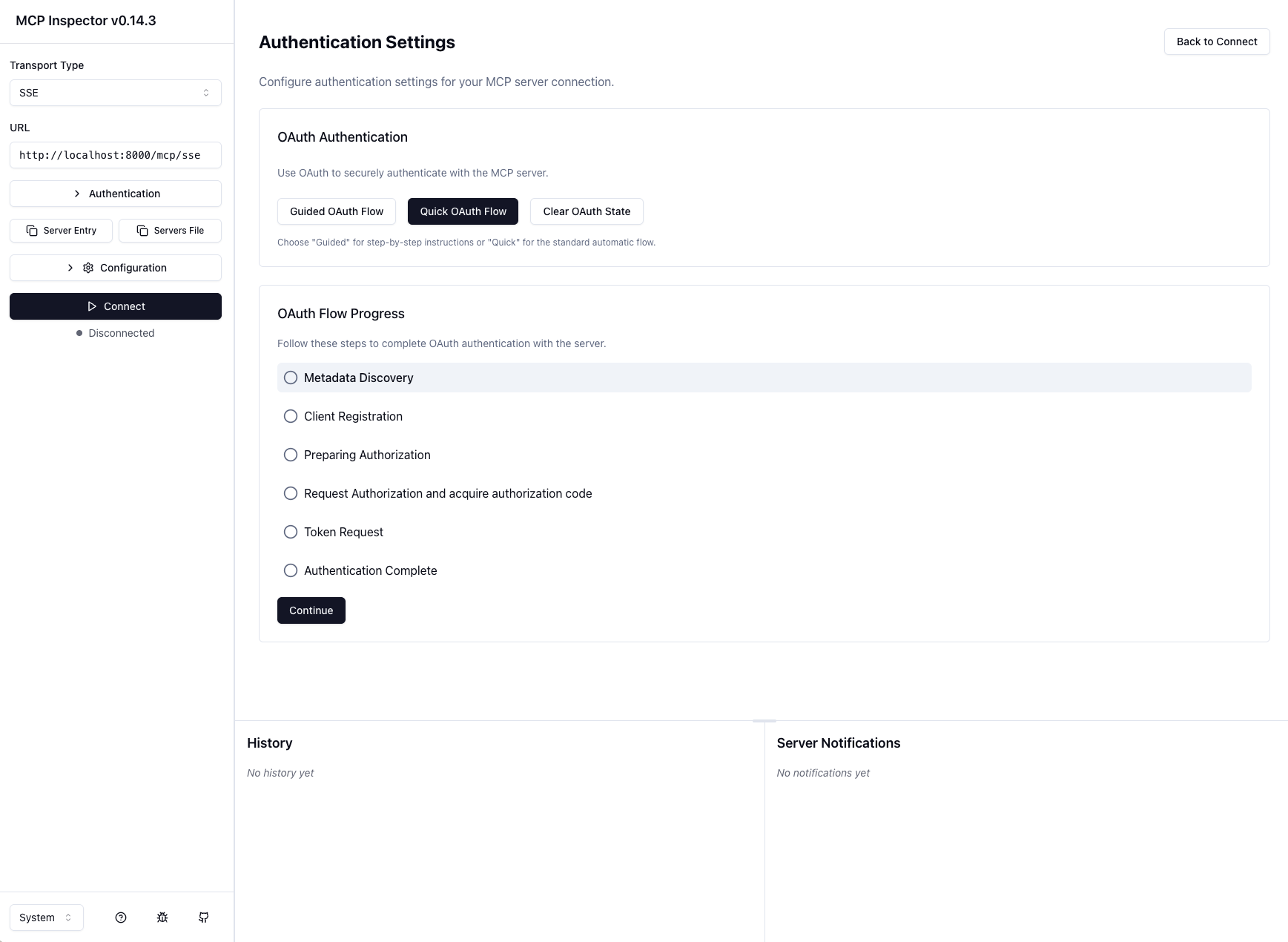
Initiate OAuth flow: Click the "Quick OAuth Flow" button to start authentication
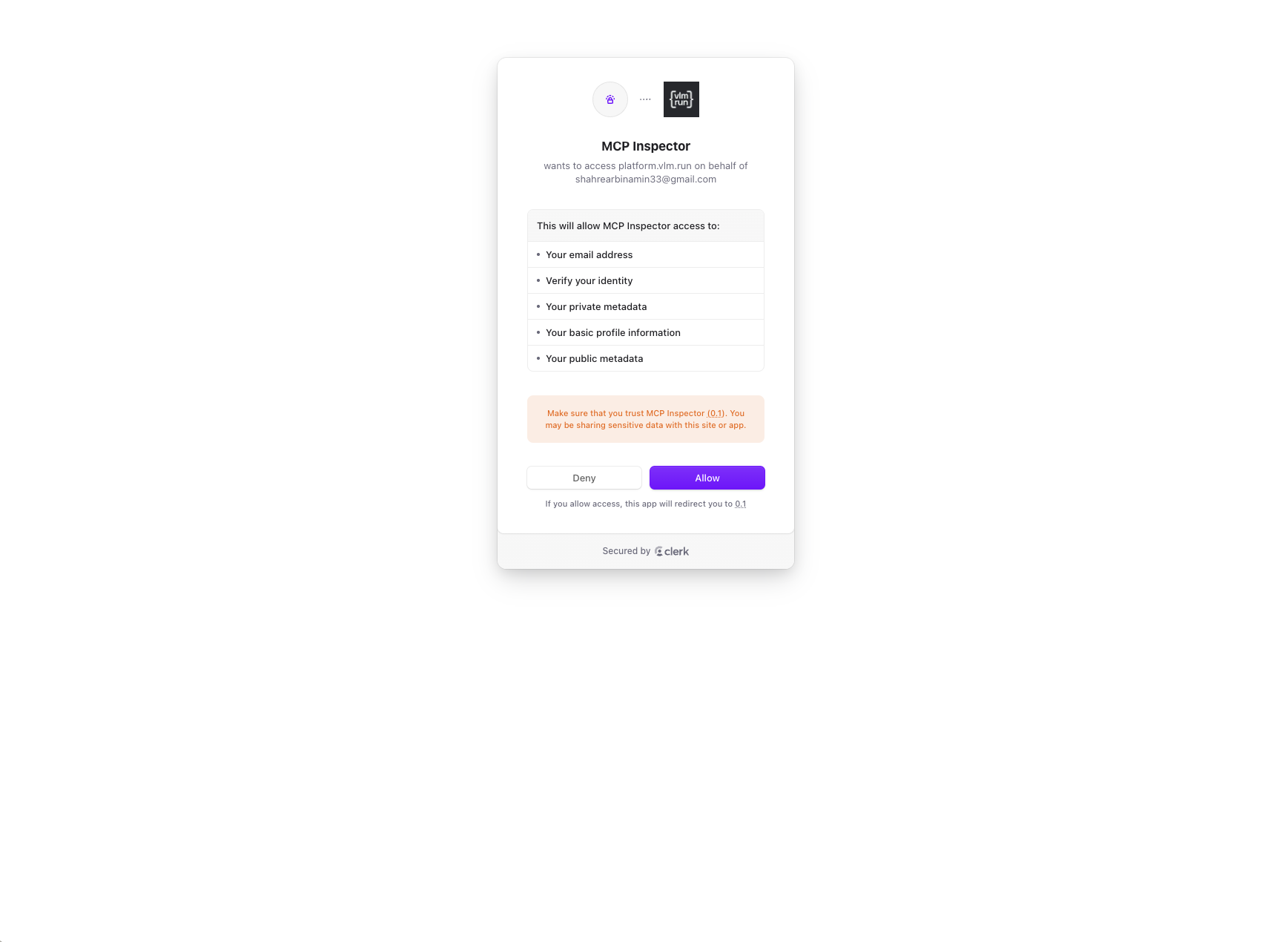
Complete authentication: Follow the OAuth steps and grant the necessary permissions
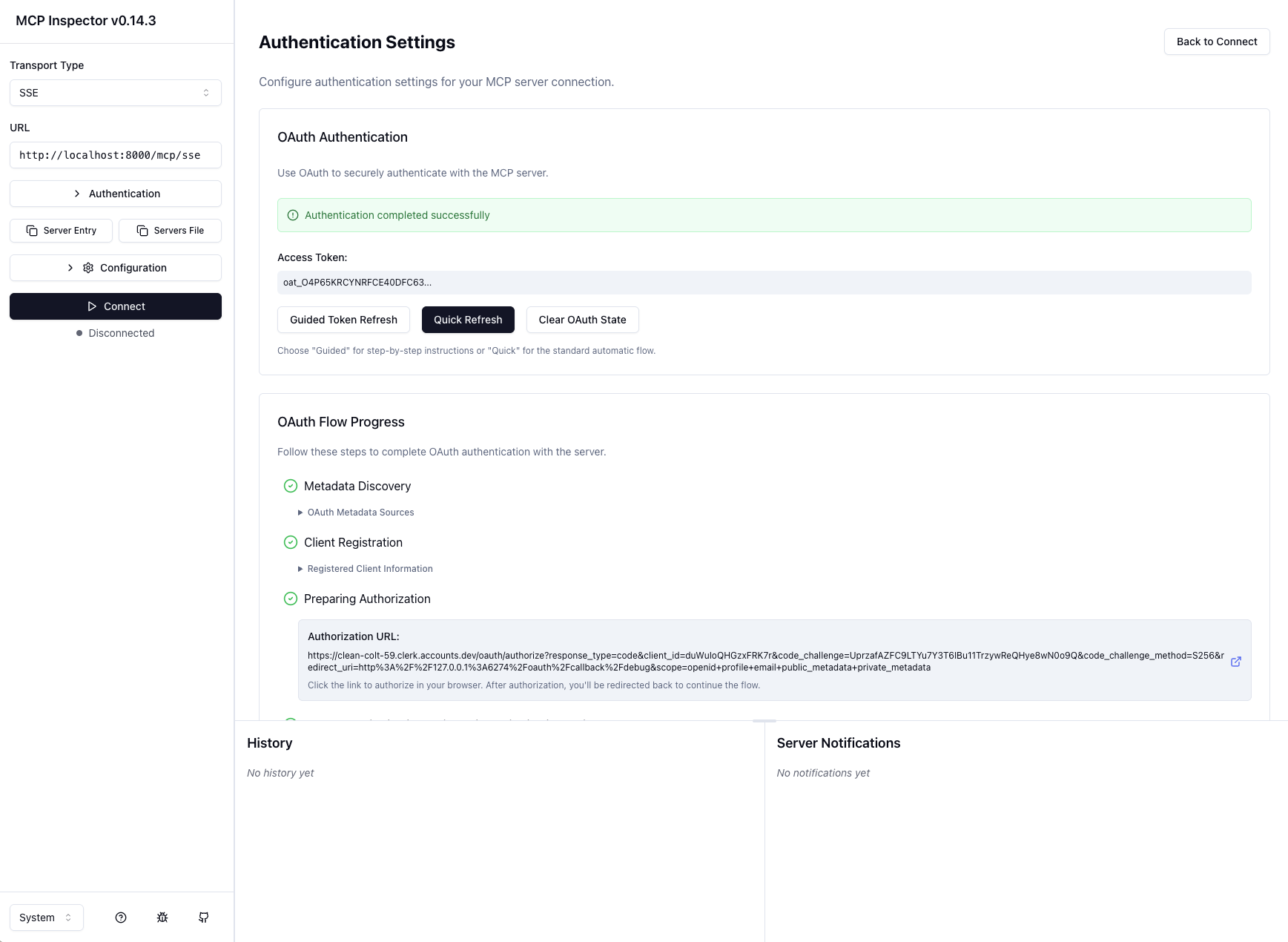
Method 2: FastMCP Python Client
Use the FastMCP Client for programmatic access with OAuth authentication.
- Update the client configuration: Modify the server URL in
client.pyto match your server endpoint - Run the client:
python client.py
Method 3: Claude Integration
Integrate the MCP server directly with Claude for AI assistant access.
- Navigate to settings: Go to Settings → Integrations → Add Integration
- Configure the server: Input the server configuration details
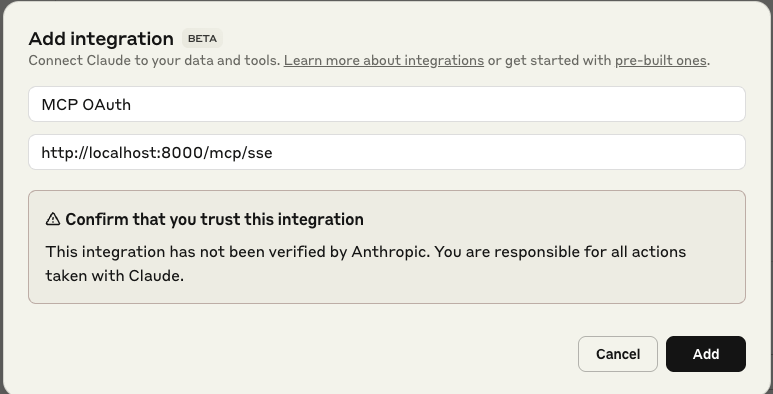
- Establish connection: Click "Connect" to enable the integration
Server Endpoints
Core Endpoints
- MCP Server:
http://127.0.0.1:8000/mcp- Main MCP endpoint - Health Check:
http://127.0.0.1:8000/mcp/health- Server health status - API Documentation:
http://127.0.0.1:8000/docs- FastAPI auto-generated docs
OAuth 2.1 Endpoints
- Authorization Server Metadata:
http://127.0.0.1:8000/.well-known/oauth-authorization-server - OpenID Connect Discovery:
http://127.0.0.1:8000/.well-known/openid-configuration - Protected Resource Metadata:
http://127.0.0.1:8000/.well-known/oauth-protected-resource - Dynamic Client Registration:
POST http://127.0.0.1:8000/register
Development Endpoints
- Development Token:
http://127.0.0.1:8000/dev/token- Generate test tokens
Environment Variables
You can configure the server using environment variables:
ISSUER: JWT issuer (default:https://dev.example.com)AUDIENCE: JWT audience (default:my-mcp-server)CLIENT_SECRET: OAuth client secret (default: auto-generated UUID)BASE_URL: Base URL for the server (default:http://127.0.0.1:8000)
Example MCP Tools
hello(name: str) -> str: Returns a greeting messageadd_numbers(a: int, b: int) -> int: Adds two numbers together
Both tools require valid authentication.
OAuth 2.1 Compliance
This server implements key OAuth 2.1 endpoints:
- Authorization Server Metadata Discovery
- Dynamic Client Registration (RFC 7591)
- Protected Resource Metadata (RFC 8705)
Note: This is a development/demonstration server. For production use, integrate with a proper OAuth 2.1 Authorization Server or Identity Provider.
Features
- FastMCP server mounted on FastAPI
- Bearer token (JWT) authentication using RSA public key validation
- OAuth 2.1 Authorization Server metadata endpoints
- Dynamic client registration endpoint
- OpenID Connect discovery endpoint
- CORS middleware for cross-origin requests
- Structured logging with loguru
- Development token generation endpoint
- Health check endpoint
- Multiple MCP tools (hello, add_numbers)
References
Installing Oauth
This server has no published package — it is built from source. Open the repository and follow its README.
▸ github.com/shahrear33/mcp-oauthFAQ
Is Oauth MCP free?
Yes, Oauth MCP is free — one-click install via Unyly at no cost.
Does Oauth need an API key?
No, Oauth runs without API keys or environment variables.
Is Oauth hosted or self-hosted?
A hosted option is available: Unyly runs the server in the cloud, no local setup required.
How do I install Oauth in Claude Desktop, Claude Code or Cursor?
Open Oauth on unyly.org, pick your client tab (Claude Desktop, Claude Code, Cursor) and press Install — the config is generated automatically, no JSON editing.
Related MCPs
GitHub
PRs, issues, code search, CI status
 by GitHub
Filesystem
Secure file operations with configurable access controls.
Memory
Knowledge graph-based persistent memory system.
Template MCP Server
A CLI tool to create a new Model Context Protocol server project with TypeScript support, dual transport options, and an extensible structure
 by mcpdotdirect
Compare Oauth with
Not sure what to pick?
Find your stack in 60 seconds
Author?
Embed badge for your README
Browse similar
All development MCPs