
Mdnlookup
FreeNot checkedEnables searching and summarizing MDN Web Docs documentation directly from MCP-compatible clients. Allows developers to quickly retrieve concise documentation s

About
Enables searching and summarizing MDN Web Docs documentation directly from MCP-compatible clients. Allows developers to quickly retrieve concise documentation summaries for web technologies without leaving their workflow.
README
A tool to fetch and summarize developer documentation from MDN Web Docs.
MDNlookup is a developer productivity tool that streamlines access to MDN Web Docs documentation directly from your development environment. Designed for seamless integration with MCP-compatible clients and editors like VS Code, mdnlookup enables developers to quickly search for and retrieve concise, relevant documentation summaries for web APIs, JavaScript methods, and other web technologies—without leaving their workflow.
By exposing an MCP-compatible tool server over stdio, mdnlookup makes it easy to automate documentation lookups and integrate them into custom toolchains or editor extensions. This helps developers save time, reduce context switching, and stay focused on coding.
Features
- Search MDN for documentation using a query string.
- Returns a summary (first paragraph) and a link to the full documentation.
- Exposes an MCP-compatible tool server over stdio.
Available Tools
mdnlookup
- Description: Fetches and summarizes developer documentation from MDN based on a search query.
- Parameters:
query(string): The search term or API/method name you want documentation for.
Installation
Clone the repository and install dependencies:
git clone https://github.com/yourusername/mdn-lookup.git
cd mdn-lookup
npm install
Usage
This tool is designed to be used as an MCP tool server. You can run it directly using Node:
node index.js
It will start an MCP server over stdio, ready to accept requests.
Example: Configure in MCP Client
{
  "mcpServers": {
    "SmartDeveloperAssistant": {
      "command": "node",
      "args": [
        "</absolute/path/to>/mdn-lookup/index.js"
      ]
    }
  }
}
VS Code (.vscode/settings.json)
"mcp": {
        "servers": {
            "mdnlookup": {
                "type": "stdio",
                "command": "node",
                "args": ["</absolute/path/to>/mdn-lookup/index.js"]
            }
        },
        "inputs": []
    },
Run with Docker
You can use Docker to run the mdnlookup MCP server without installing Node.js or dependencies locally or using https://hub.docker.com/r/babymanisha/mdnlookup
Pull the Docker image from Docker Hub:
docker pull babymanisha/mdnlookup:latest
Or build the Docker image locally:
docker build -t mdnlookup .
Run the server:
docker run -i babymanisha/mdnlookup:latest
or, if you built locally:
docker run -i mdnlookup
This will start the MCP server over stdio inside the container, ready to be used by any MCP-compatible client or editor (such as VS Code).
To configure VS Code to use the Dockerized server, set the command to:
{
  "mcpServers": {
    "mdnlookup": {
      "command": "docker",
      "args": [
        "run", "-i", "mdnlookup"
      ]
    }
  }
}
Example: Using the Tool
You can use the mdnlookup tool by sending a request from any MCP-compatible client:
{
  "tool": "mdnlookup",
  "params": {
    "query": "Array.prototype.map"
  }
}
The response will look like:
{
  "content": [
    {
      "type": "text",
      "text": "The map() method creates a new array populated with the results of calling a provided function on every element in the calling array.\n\nMore info: https://developer.mozilla.org/en-US/docs/Web/JavaScript/Reference/Global_Objects/Array/map"
    }
  ]
}
Example Results
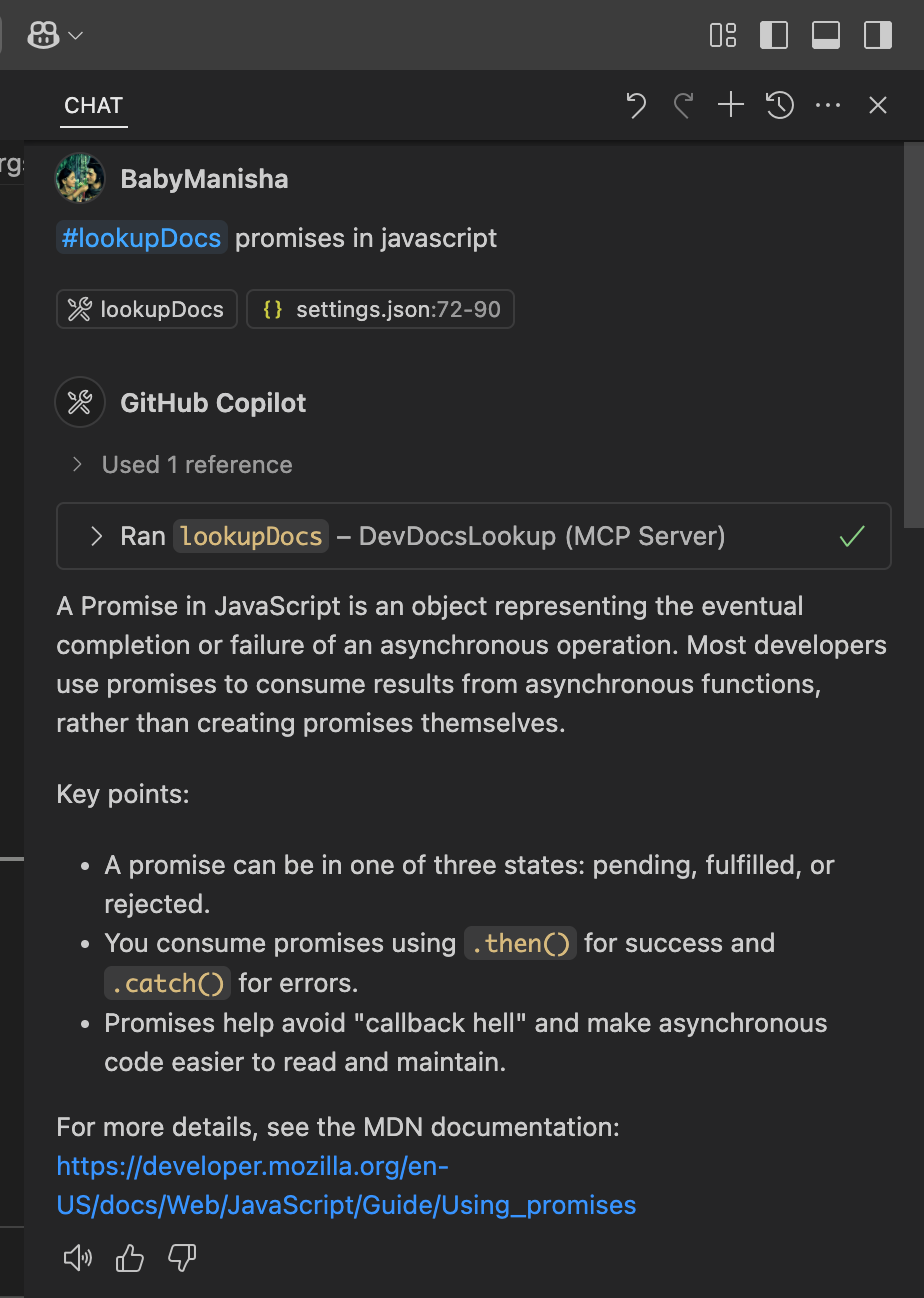
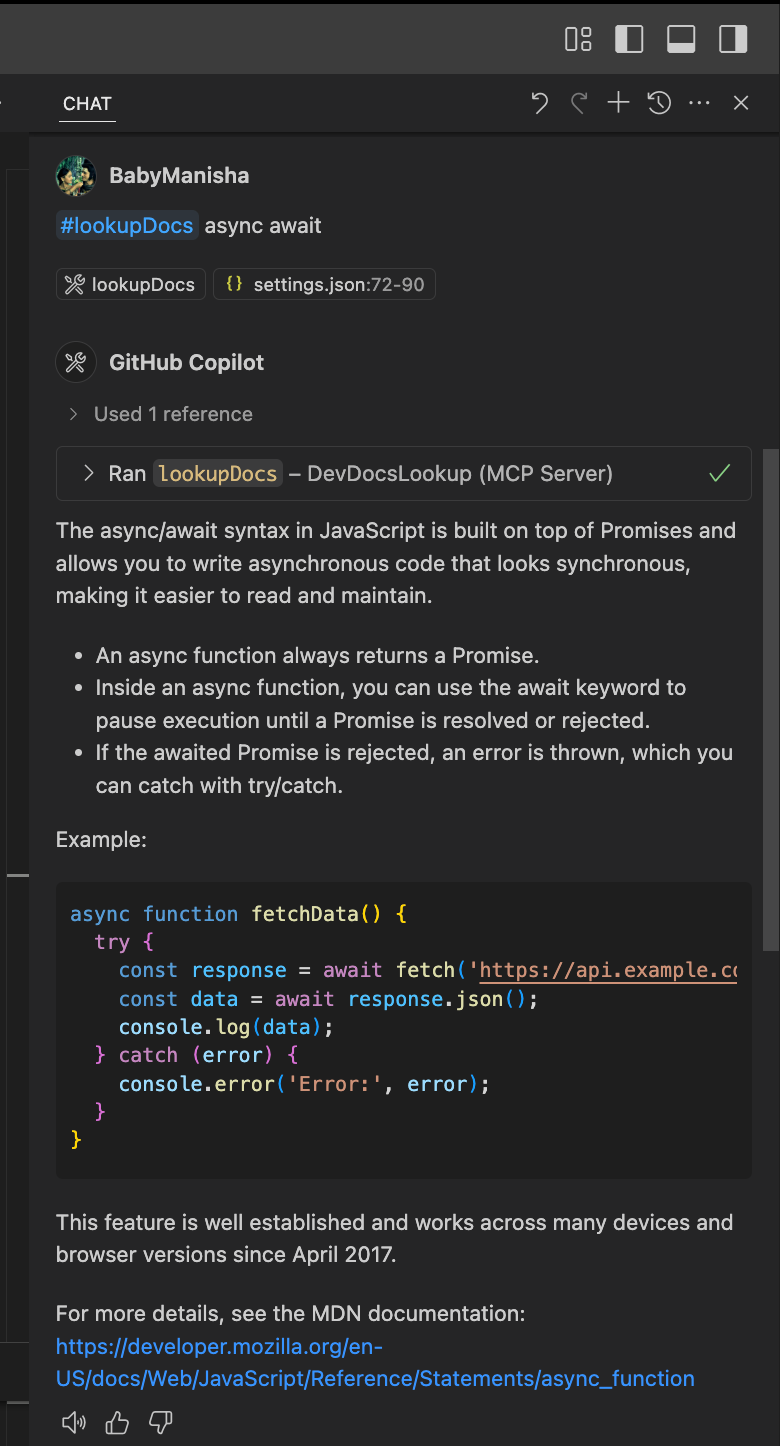
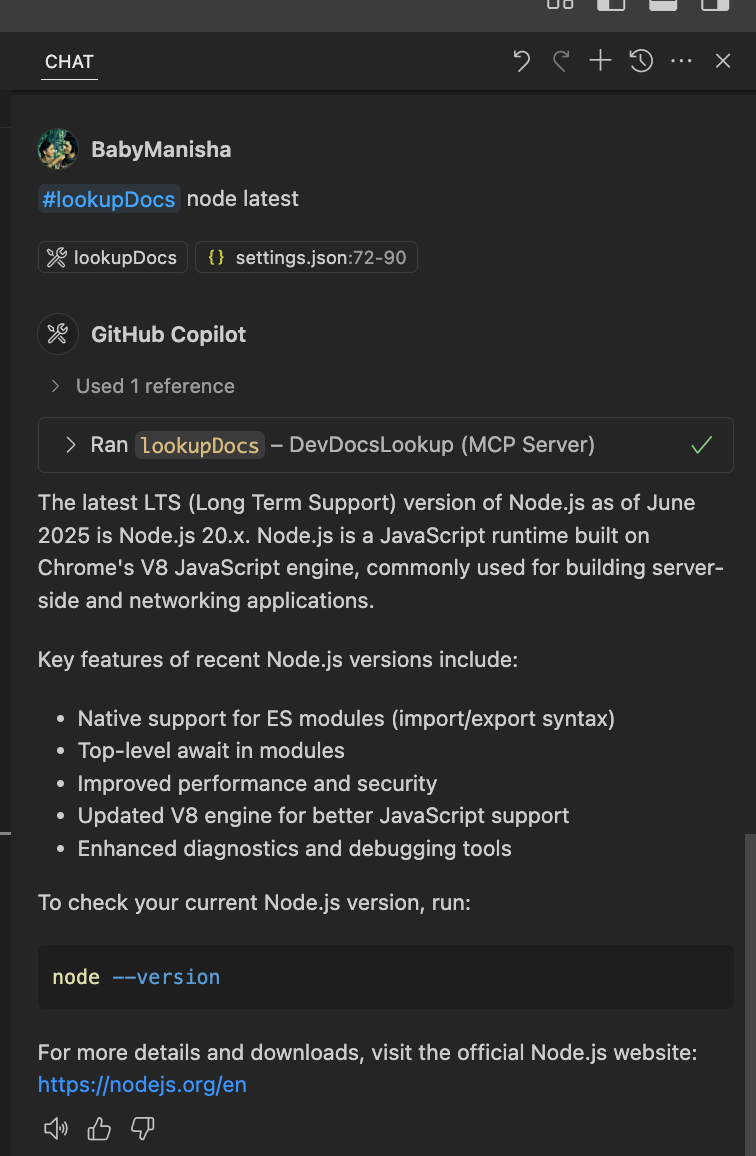
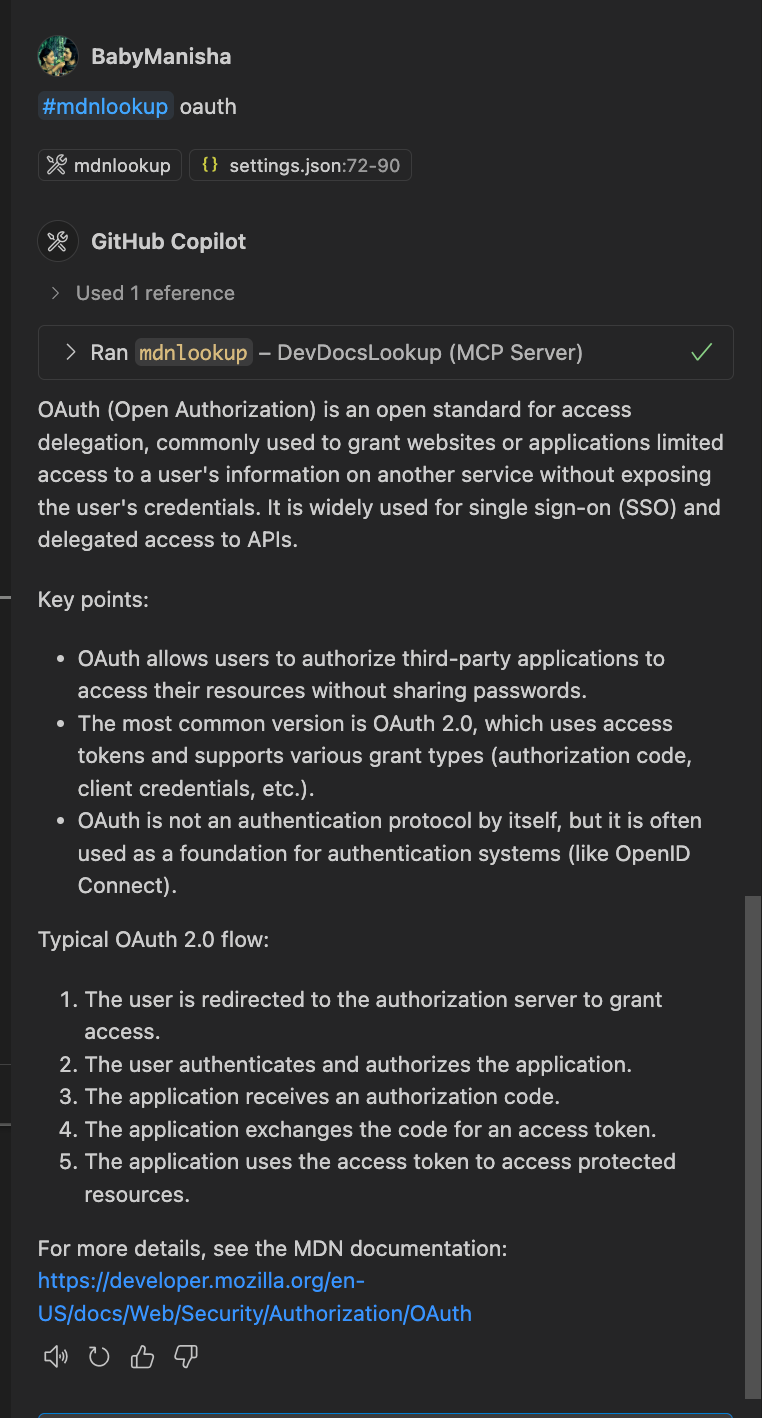
Below are screenshots of the tool in action for various queries:
Promises
Async/Await
Node.js
OAuth
Configuration
No additional configuration is required. The tool uses the MDN public API and fetches documentation in English.
License
ISC
See Also
--
Thanks
Happy Coding!!
Installing Mdnlookup
This server has no published package — it is built from source. Open the repository and follow its README.
▸ github.com/BabyManisha/mdn-lookupFAQ
Is Mdnlookup MCP free?
Yes, Mdnlookup MCP is free — one-click install via Unyly at no cost.
Does Mdnlookup need an API key?
No, Mdnlookup runs without API keys or environment variables.
Is Mdnlookup hosted or self-hosted?
A hosted option is available: Unyly runs the server in the cloud, no local setup required.
How do I install Mdnlookup in Claude Desktop, Claude Code or Cursor?
Open Mdnlookup on unyly.org, pick your client tab (Claude Desktop, Claude Code, Cursor) and press Install — the config is generated automatically, no JSON editing.
Related MCPs
Notion
Read and write pages in your workspace
 by Notion
Linear
Issues, cycles, triage — from Claude
 by Linear
Google Drive
Search and read your Drive files
 by Google
mindsdb/mindsdb
Connect and unify data across various platforms and databases with [MindsDB as a single MCP server](https://docs.mindsdb.com/mcp/overview).
 by mindsdb
Compare Mdnlookup with
Not sure what to pick?
Find your stack in 60 seconds
Author?
Embed badge for your README
Browse similar
All productivity MCPs