
Mold Inventory
FreeNot checkedMold inventory management application on Cloudflare Workers using Auth0, Hono, Prisma, D1, Next.js, and an MCP Server

About
Mold inventory management application on Cloudflare Workers using Auth0, Hono, Prisma, D1, Next.js, and an MCP Server
README
Mold inventory management application
App: https://mold-inventory-app-production.epicpatka.workers.dev/
MCP Server: https://molds-mcp-production.epicpatka.workers.dev/mcp
A mold inventory management system on Cloudflare Workers using Hono, Prisma ORM, Cloudflare D1, and Next.js, with authentication and authorization handled by Auth0. Includes a Model Context Protocol (MCP) server that allows an LLM to securely access and retrieve mold inventory data on behalf of users with appropriate permissions.
Architecture
This is a monorepo powered by Nx.
Tech Stack
Auth0, Cloudflare D1, Cloudflare Workers, Hono, Prisma, Next.js
Apps
- auth0-tenant: Auth0 tenant configuration
- mold-inventory-api: Cloudflare Worker serving a Hono API backend
- mold-inventory-app: Cloudflare Worker serving the Next.js app
- molds-mcp: Cloudflare Worker Molds MCP server
Implementation Details
auth0-tenant
auth0-tenant: Deployable Auth0 tenant configuration for this app.
mold-inventory-api
mold-inventory-api: Cloudflare Worker Hono API backend
- A Cloudflare Worker that serves a Hono CRUD API to manage molds.
- Validates Auth0 JWT access token scope claim for permissions.
- Uses Prisma ORM to manage a Cloudflare D1 database
mold-inventory-app
mold-inventory-app: Cloudflare Worker serving the Next.js app
molds-mcp
molds-mcp: Cloudflare Worker Molds MCP server
- Auth0 for login
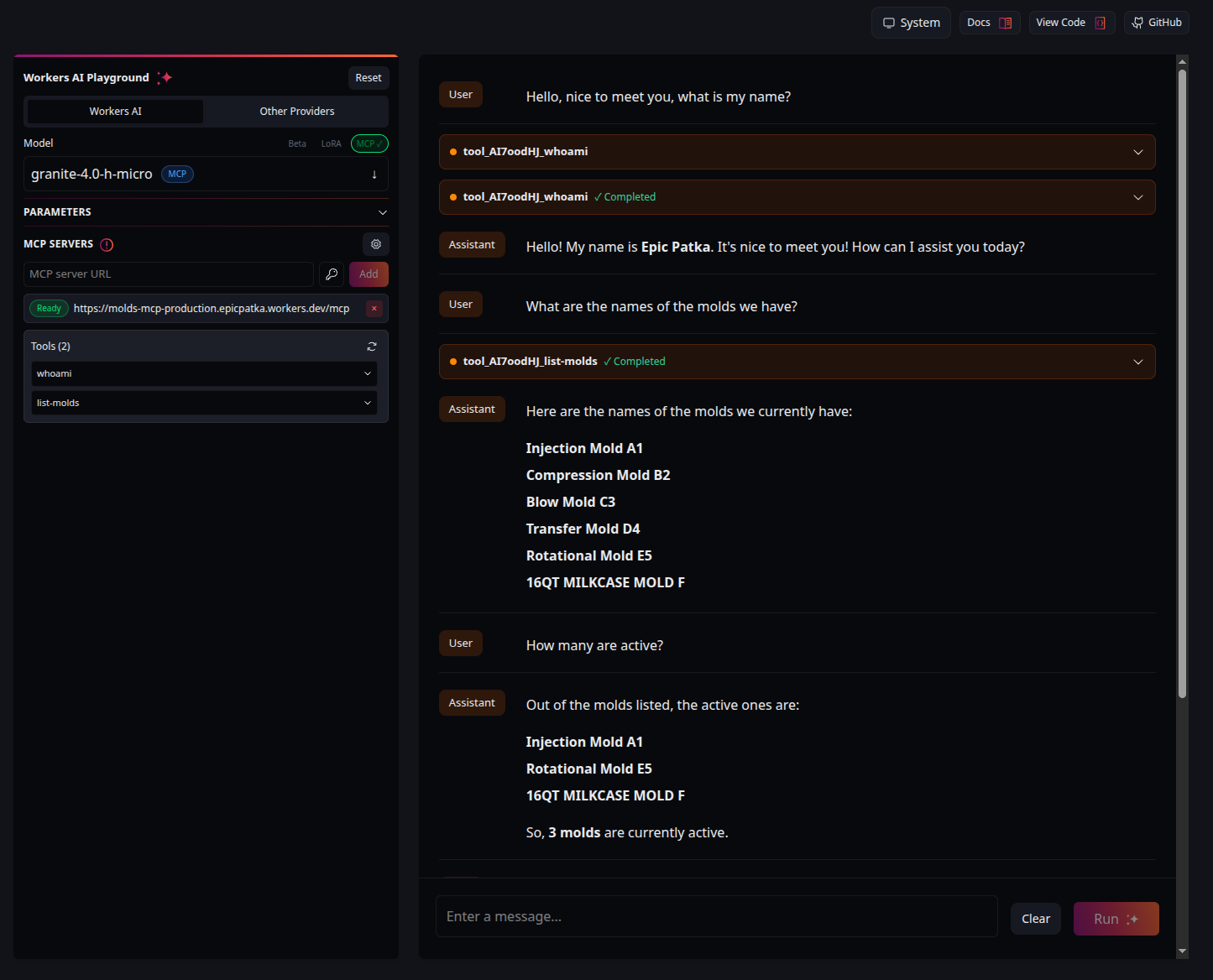
- Allows an LLM to receive the list of molds on behalf of the user.
- User must have
read:moldspermission for the Mold Inventory API.
UI
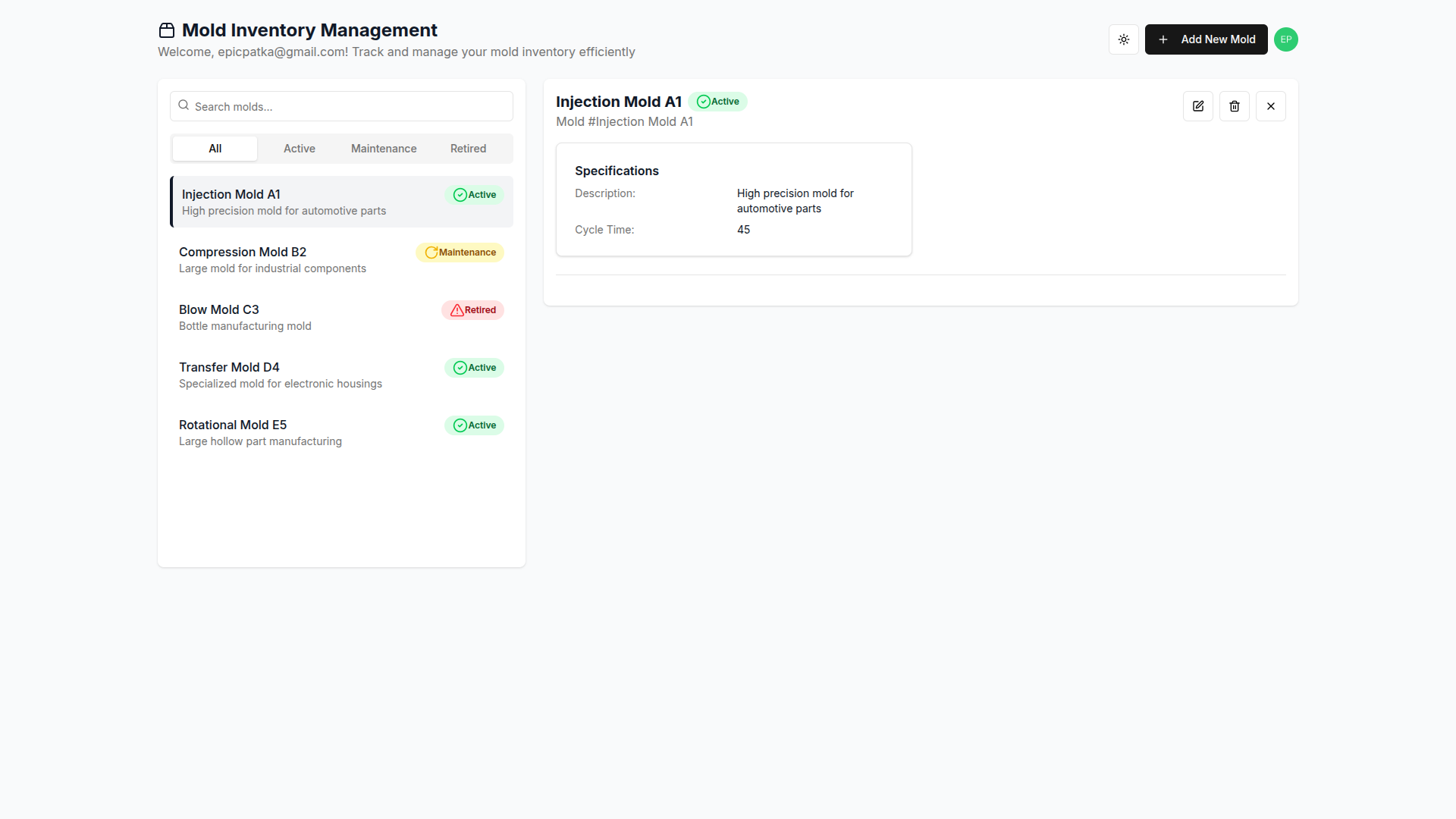
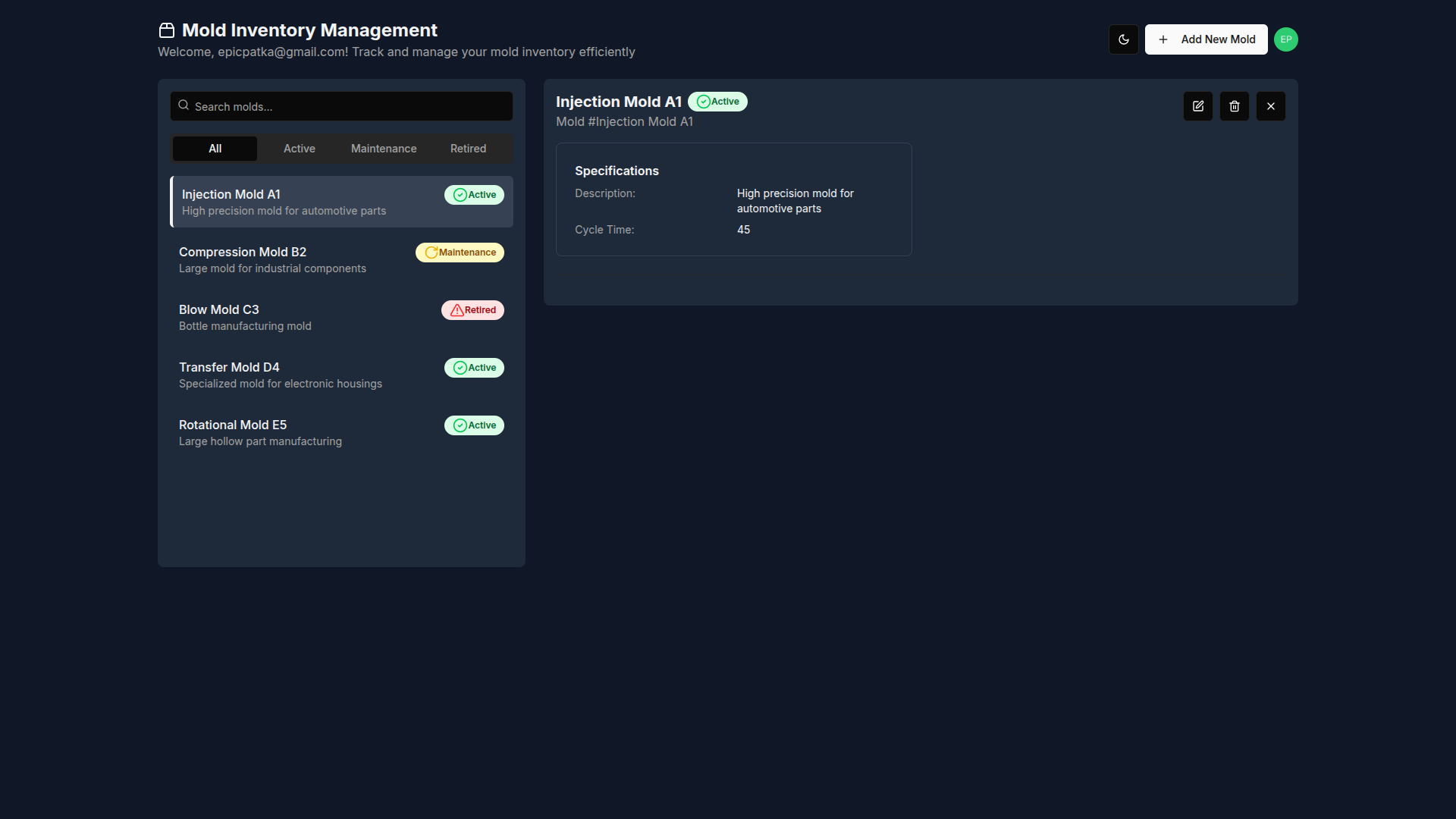
UI generated with v0.dev
MCP Server AI Chat
Local Setup
Install Dependencies
Install Node.js 22 dependencies.
pnpm install
Deploy Development Auth0 Configuration
Copy auth0 config from apps/auth0-tenant/auth0-config.json.example to apps/auth0-tenant/auth0-config-dev.json and fill out details using Machine to Machine client.
Deploy development Auth0 configuration.
pnpm nx deploy-dev auth0-tenant
Create Users
Create users in Auth0 dashboard.
- Assign permissions to users for the Mold Inventory API.
- Available permissions:
create:molds,read:molds,update:molds, anddelete:molds
- Available permissions:
Configure Actions
Define secrets for MoldInventoryPostUserRegistration action.
DOMAIN- Auth0 domainCLIENT_ID- Molds M2M Client IDCLIENT_SECRET- Molds M2M Client Secret
Run the API locally
Create mold-inventory-api database in Cloudflare.
pnpm nx db:create mold-inventory-api
Set up local Cloudflare D1 database for the first time.
# set up local Cloudflare D1 database
pnpm nx db:migrate:local mold-inventory-api
pnpm nx db:seed:local mold-inventory-api

# generate prisma database schema
pnpm nx prisma:generate mold-inventory-api
Configure environment variables in apps/mold-inventory-app/wrangler.jsonc.
Run the API locally.
pnpm nx dev mold-inventory-api
Run the App locally
Configure environment variables for development in apps/mold-inventory-app/wrangler.jsonc.
There are two ways to run the app locally, using either the Next.js development server, or the Cloudflare workerd runtime.
Run locally in Node.js using the Next.js development server, with hot-code reloading, error reporting, and more.
pnpm nx dev mold-inventory-app
Run locally in the Cloudflare workerd runtime, which is more accurate to production.
pnpm nx preview mold-inventory-app
Open http://localhost:3000 in your browser.
Unit Testing
Run unit tests for API and App
pnpm nx run-many -t test -p mold-inventory-api mold-inventory-app
Run unit tests for API, App, and Auth0 Actions
pnpm nx run-many -t test --all
pnpm nx test auth0-tenant- vitest actions single run for Auth0 actionspnpm nx test:watch auth0-tenant- vitest actions watch test suites for changes for Auth0 actionspnpm nx test mold-inventory-api- vitest single run for APIpnpm nx test:watch mold-inventory-api- vitest watch test suites for changes for APIpnpm nx test mold-inventory-app- vitest single run for apppnpm nx test:watch mold-inventory-app- vitest watch test suites for changes for app
Staging Environment
Reference Staging Deploy.
Production Deploy
Reference Production Deploy.
Changesets
Create a changeset: Whenever a change is made that warrants a new release (e.g., bug fixes, new features), run:
pnpm changeset
pnpm changeset version
Commands
Reference available npm scripts in commands.
Installing Mold Inventory
This server has no published package — it is built from source. Open the repository and follow its README.
▸ github.com/patkub/mold-inventoryFAQ
Is Mold Inventory MCP free?
Yes, Mold Inventory MCP is free — one-click install via Unyly at no cost.
Does Mold Inventory need an API key?
No, Mold Inventory runs without API keys or environment variables.
Is Mold Inventory hosted or self-hosted?
Self-hosted: the server runs locally on your machine via the install command above.
How do I install Mold Inventory in Claude Desktop, Claude Code or Cursor?
Open Mold Inventory on unyly.org, pick your client tab (Claude Desktop, Claude Code, Cursor) and press Install — the config is generated automatically, no JSON editing.
Related MCPs
GitHub
PRs, issues, code search, CI status
 by GitHub
Filesystem
Secure file operations with configurable access controls.
Memory
Knowledge graph-based persistent memory system.
Template MCP Server
A CLI tool to create a new Model Context Protocol server project with TypeScript support, dual transport options, and an extensible structure
 by mcpdotdirect
Compare Mold Inventory with
Not sure what to pick?
Find your stack in 60 seconds
Author?
Embed badge for your README
Browse similar
All development MCPs