loading…
en/
Browse all
Norman API (
Connect clients to the MCP endpoint:
mrostamii/rancher-mcp-server
FreeNot checkedMCP server for the Rancher ecosystem with multi-cluster Kubernetes operations, Harvester HCI management (VMs, storage, networks), and Fleet GitOps tooling.

About
MCP server for the Rancher ecosystem with multi-cluster Kubernetes operations, Harvester HCI management (VMs, storage, networks), and Fleet GitOps tooling.
README
GitHub License npm GitHub release (latest SemVer) Build MCP Badge
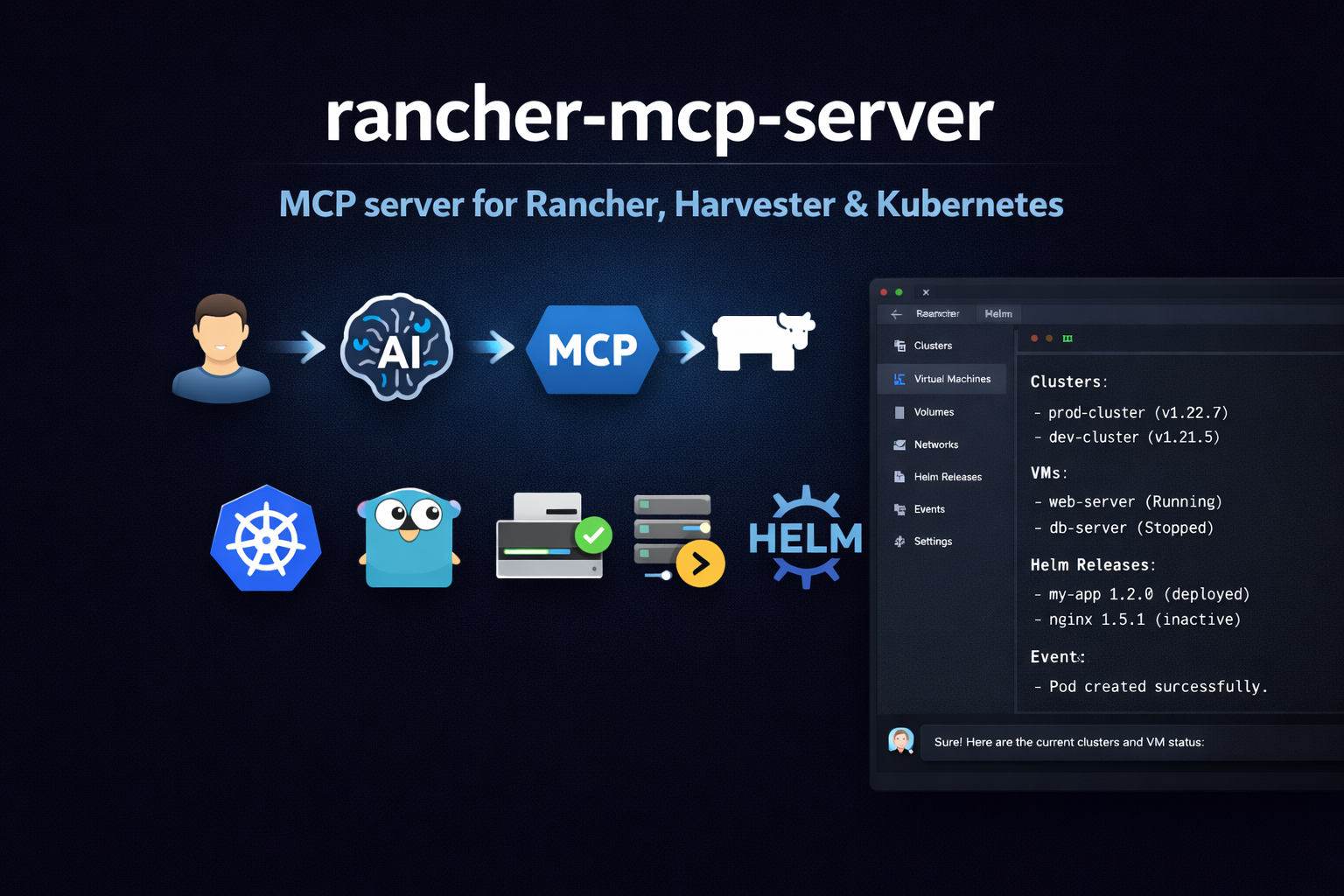
Model Context Protocol (MCP) server for the Rancher ecosystem: multi-cluster Kubernetes, Harvester HCI (VMs, storage, networks), and Fleet GitOps.
Demo
A walkthrough of how this MCP server works (example in Cursor).
https://github.com/user-attachments/assets/7d8fb814-e504-47b4-956d-28f43aeea3b8
Features
- Harvester toolset: List/get VMs, images, volumes, networks, hosts; VM actions; addon list/switch (enable/disable)
- Rancher toolset: Clusters and projects via Steve (management proxy); Norman management API (
/v3) for schemas, users, tokens, auth configs, global role bindings, cluster registration tokens, node drivers, cloud credentials, catalogs, cluster repos, feature flags, settings, audit (when exposed); support bundle and generic actions when writes are enabled - Kubernetes toolset: List/get/create/patch/delete resources by apiVersion/kind; describe (resource + events), events, capacity
- Helm toolset: List/get/history of releases; install, upgrade, rollback, uninstall; repo list
- Fleet toolset: GitRepo list/get/create; Bundle list; Fleet cluster list; drift detection
- Rancher APIs: Same Bearer token for Steve (
/k8s/clusters/...) and Norman (/v3/...); no CLI wrappers - Security: Read-only default, disable-destructive, sensitive data masking (Norman token/credential fields redacted unless
--show-sensitive-data) - Config: Flags, env (
RANCHER_MCP_*), or file (YAML/TOML)
Quick start
Install
npm install -g rancher-mcp-server
Cursor
Add to .cursor/mcp.json (project-level) or ~/.cursor/mcp.json (global):
{
  "mcpServers": {
    "rancher": {
      "command": "npx",
      "args": [
        "-y", "rancher-mcp-server",
        "--rancher-server-url", "https://rancher.example.com",
        "--rancher-token", "token-xxxxx:yyyy",
        "--toolsets", "harvester,rancher,kubernetes,fleet"
      ]
    }
  }
}
Restart Cursor after saving. Check Settings → Tools & MCP that rancher is listed and enabled.
Claude Desktop
Add to your Claude Desktop config (claude_desktop_config.json):
{
  "mcpServers": {
    "rancher": {
      "command": "npx",
      "args": [
        "-y", "rancher-mcp-server",
        "--rancher-server-url", "https://rancher.example.com",
        "--rancher-token", "token-xxxxx:yyyy",
        "--toolsets", "harvester,rancher,kubernetes,fleet"
      ]
    }
  }
}
With env vars instead of args
If you prefer to keep the token out of the JSON config:
{
  "mcpServers": {
    "rancher": {
      "command": "npx",
      "args": ["-y", "rancher-mcp-server"],
      "env": {
        "RANCHER_MCP_RANCHER_SERVER_URL": "https://rancher.example.com",
        "RANCHER_MCP_RANCHER_TOKEN": "token-xxxxx:yyyy",
        "RANCHER_MCP_TOOLSETS": "harvester,rancher,kubernetes"
      }
    }
  }
}
Enable write operations
For VM create, snapshots, backups, image/volume create, addon switch, host maintenance mode, VPC create/update/delete, Kubernetes create/patch/delete, Helm install/upgrade/rollback, Fleet gitrepo create/delete, and Norman writes (tokens, users, auth configs, role bindings, cluster registration tokens, cloud credentials, catalog refresh, feature flags, settings, rancher_norman_action, support bundle), add --read-only=false. Delete operations (Norman tokens/bindings/registration tokens/cloud credentials, plus existing toolset deletes) also require --disable-destructive=false (default).
{
  "mcpServers": {
    "rancher": {
      "command": "npx",
      "args": [
        "-y", "rancher-mcp-server",
        "--rancher-server-url", "https://rancher.example.com",
        "--rancher-token", "token-xxxxx:yyyy",
        "--toolsets", "harvester,rancher,kubernetes,helm,fleet",
        "--read-only=false"
      ]
    }
  }
}
Streamable HTTP transport
For web clients or remote access (e.g. Claude Code claude mcp add -t http), add --transport and --port:
{
  "mcpServers": {
    "rancher": {
      "command": "npx",
      "args": [
        "-y", "rancher-mcp-server",
        "--rancher-server-url", "https://rancher.example.com",
        "--rancher-token", "token-xxxxx:yyyy",
        "--transport", "http",
        "--port", "8080"
      ]
    }
  }
}
The server uses the MCP Streamable HTTP transport. The default MCP path is /mcp; connect to http://localhost:8080/mcp (or your server base URL + /mcp). Best supported with Claude Code; Cursor support may vary.
Build from source
If you prefer to build the Go binary yourself:
go build -o rancher-mcp-server ./cmd/rancher-mcp-server
Then reference the binary directly in your MCP config:
{
  "mcpServers": {
    "rancher": {
      "command": "/absolute/path/to/rancher-mcp-server",
      "args": [
        "--rancher-server-url", "https://rancher.example.com",
        "--rancher-token", "token-xxxxx:yyyy",
        "--toolsets", "harvester,rancher,kubernetes,fleet"
      ]
    }
  }
}
Configuration
| Option | Env | Default | Description |
|---|---|---|---|
--rancher-server-url |
RANCHER_MCP_RANCHER_SERVER_URL |
— | Rancher server URL (required) |
--rancher-token |
RANCHER_MCP_RANCHER_TOKEN |
— | Bearer token (required) |
--tls-insecure |
RANCHER_MCP_TLS_INSECURE |
false | Skip TLS verification |
--read-only |
RANCHER_MCP_READ_ONLY |
true | Disable write operations |
--disable-destructive |
RANCHER_MCP_DISABLE_DESTRUCTIVE |
false | Disable delete operations |
--show-sensitive-data |
RANCHER_MCP_SHOW_SENSITIVE_DATA |
false | Show Norman token/credential fields without redaction (use with care) |
--toolsets |
RANCHER_MCP_TOOLSETS |
harvester | Toolsets to enable: harvester, rancher, kubernetes, helm, fleet |
--transport |
RANCHER_MCP_TRANSPORT |
stdio | Transport: stdio or http (Streamable HTTP; default path /mcp) |
--port |
RANCHER_MCP_PORT |
0 | Port for HTTP (0 = stdio only) |
Harvester tools
| Tool | Description |
|---|---|
harvester_vm_list |
List VMs with status, namespace, spec/status |
harvester_vm_get |
Get one VM (full spec and status) |
harvester_vm_action |
start, stop, restart, pause, unpause, migrate |
harvester_vm_create |
Create VM (when not read-only). Supports network, interface_type (managedtap/bridge/masquerade), subnet for KubeOVN VPC. |
harvester_vm_snapshot |
Create/list/restore/delete VM snapshots |
harvester_vm_backup |
Create/list/restore VM backups (Backup Target) |
harvester_image_list |
List VM images (VirtualMachineImage) |
harvester_image_create |
Create VM image from URL (when not read-only) |
harvester_volume_list |
List PVCs (Longhorn-backed volumes) |
harvester_volume_create |
Create volume/PVC (optionally from image) |
harvester_network_list |
List VM networks (NetworkAttachmentDefinition) |
harvester_network_create |
Create VM network - KubeOVN overlay or VLAN (when not read-only) |
harvester_network_update |
Update VM network config (when not read-only) |
harvester_network_delete |
Delete VM network (when destructive allowed) |
harvester_subnet_list |
List KubeOVN Subnets (requires kubeovn-operator) |
harvester_subnet_create |
Create Subnet in VPC for VM network (when not read-only) |
harvester_subnet_update |
Update Subnet namespaces/NAT (when not read-only) |
harvester_subnet_delete |
Delete Subnet (when destructive allowed) |
harvester_host_list |
List nodes (Harvester hosts) |
harvester_host_action |
Enable/disable maintenance mode on a host (cordon/uncordon) |
harvester_settings |
List or get Harvester cluster settings (backup-target, etc.) |
harvester_addon_list |
List Harvester addons (enabled/disabled state) |
harvester_addon_switch |
Enable or disable an addon (when not read-only) |
harvester_vpc_list |
List KubeOVN VPCs (requires kubeovn-operator addon) |
harvester_vpc_create |
Create a KubeOVN VPC (when not read-only) |
harvester_vpc_update |
Update a KubeOVN VPC namespaces (when not read-only) |
harvester_vpc_delete |
Delete a KubeOVN VPC (when destructive allowed) |
List tools accept cluster (required), namespace, format (json|table), limit (default 100), continue (pagination token for next page). Write tools require read_only: false.
Creating a VM on KubeOVN VPC with external internet
Use harvester_vm_create with:
- network: Name of the overlay network (NAD) linked to a KubeOVN subnet. Create via
harvester_network_create(type=kubeovn) thenharvester_subnet_createwithprovider={network}.{namespace}.ovn,vpc=<vpc-name>, andnat_outgoing=true. - interface_type:
managedtap(recommended for KubeOVN) orbridge. Uses Multus as primary network. - subnet: Optional KubeOVN subnet name for
ovn.kubernetes.io/logical_switchannotation.
Example: VM on network vswitch1 in namespace default, managedTap interface, subnet vswitch1-subnet:
harvester_vm_create cluster=<cluster-id> namespace=default name=testvm image=<image> network=vswitch1 interface_type=managedtap subnet=vswitch1-subnet
Rancher tools
Rancher tools use the management cluster (local). There is no cluster parameter on these tools.
Steve API (management resources)
| Tool | Description |
|---|---|
rancher_cluster_list |
List Rancher clusters (management) |
rancher_cluster_get |
Get one cluster (health, version, node count) |
rancher_project_list |
List Rancher projects |
rancher_overview |
Overview: cluster count and project count |
Norman API (https://<rancher>/v3/...)
Norman tools call Rancher’s JSON management API. Discover types and collection URLs for your server with rancher_norman_schema_list / rancher_norman_schema_get (schema ids such as user, token, cluster).
Read-only (always registered with the rancher toolset)
| Tool | Description |
|---|---|
rancher_norman_schema_list |
List API schemas (/v3/schemas) |
rancher_norman_schema_get |
Get one schema by id |
rancher_user_list / rancher_user_get |
Users |
rancher_auth_config_list / rancher_auth_config_get |
Auth providers (local, OIDC, etc.) |
rancher_token_list / rancher_token_get |
API tokens (values redacted unless --show-sensitive-data) |
rancher_global_role_binding_list / rancher_global_role_binding_get |
Global role bindings |
rancher_cluster_registration_token_list / rancher_cluster_registration_token_get |
Cluster registration tokens |
rancher_node_driver_list |
Node drivers |
rancher_cloud_credential_list / rancher_cloud_credential_get |
Cloud credentials (secrets redacted unless --show-sensitive-data) |
rancher_catalog_list / rancher_catalog_get |
Legacy Norman catalogs (/v3/catalogs) |
rancher_cluster_repo_list / rancher_cluster_repo_get |
App catalog cluster repos (see note below) |
rancher_feature_flag_list / rancher_feature_flag_get |
Feature flags (/v3/features) |
rancher_setting_list / rancher_setting_get |
Global settings (/v3/settings) |
rancher_audit_log_list |
GET /v3/auditlogs when supported (often 404/405; see note below) |
When --read-only=false
| Tool | Description |
|---|---|
rancher_norman_action |
POST a Norman ?action= on a resource path under /v3 |
rancher_token_create |
Create API token |
rancher_auth_config_update |
Replace an auth config (PUT) |
rancher_user_create |
Create user |
rancher_user_disable / rancher_user_enable |
User enable/disable actions |
rancher_global_role_binding_create |
Create global role binding |
rancher_cluster_registration_token_create |
Create registration token |
rancher_cloud_credential_create |
Create cloud credential |
rancher_catalog_refresh |
Refresh legacy catalog (?action=refresh) |
rancher_feature_flag_set |
Update feature flag (PUT) |
rancher_setting_update |
Update setting (PUT) |
rancher_supportbundle_generate |
Request support bundle (generateSupportBundle on a cluster) |
When --read-only=false and --disable-destructive=false
| Tool | Description |
|---|---|
rancher_token_delete |
Delete API token |
rancher_global_role_binding_delete |
Delete global role binding |
rancher_cluster_registration_token_delete |
Delete registration token |
rancher_cloud_credential_delete |
Delete cloud credential |
Norman responses: catalog, cluster repos, audit
rancher_cluster_repo_list/rancher_cluster_repo_get: Tries Norman/v3/clusterreposfirst. If that returns 404 (common), falls back tocatalog.cattle.io/v1ClusterRepoon the local cluster via Steve/Kubernetes, trying namespacescattle-global-data,fleet-default,fleet-local,cattle-fleet-system. Success JSON includes"_source":"kubernetes_api_fallback". If nothing works, the tool still returns 200-style JSON with"_source":"unavailable"and per-attempt errors—not a hard MCP error—so automation can continue.rancher_catalog_list/rancher_catalog_get: If Norman/v3/catalogsis not registered (404), returns JSON with"_source":"unavailable"instead of failing.rancher_audit_log_list: If the server returns 404 or 405 (GET not supported), returns JSON with"_source":"unavailable"and_http_status; audit may be disabled or exposed outside Norman.
For catalog data when ClusterRepo is unavailable everywhere, use kubernetes_list on cluster local with api_version catalog.cattle.io/v1 and kind ClusterRepo, or Helm / Fleet tools as appropriate.
Helm tools
| Tool | Description |
|---|---|
helm_list |
List Helm releases (optionally by namespace, deployed/failed/pending) |
helm_get |
Get release details (manifest, values, notes) |
helm_history |
Get revision history for a release |
helm_repo_list |
List configured Helm chart repositories (from local config) |
helm_install |
Install a Helm chart (when not read-only) |
helm_upgrade |
Upgrade a Helm release (when not read-only) |
helm_rollback |
Rollback a release to a previous revision (when not read-only) |
helm_uninstall |
Uninstall a release (when destructive allowed) |
All tools take cluster (Rancher cluster ID). Install/upgrade require chart, release; optional repo_url, version, values (JSON).
Fleet tools
| Tool | Description |
|---|---|
fleet_gitrepo_list |
List Fleet GitRepos (GitOps sources) |
fleet_gitrepo_get |
Get one GitRepo (spec, status) |
fleet_gitrepo_create |
Create a GitRepo (when not read-only) |
fleet_gitrepo_delete |
Delete a GitRepo (when destructive allowed) |
fleet_gitrepo_action |
Pause, unpause, disablePolling, enablePolling, forceUpdate |
fleet_gitrepo_clone |
Clone a GitRepo to a new name (copy spec) |
fleet_bundle_list |
List Fleet Bundles (deployment units from GitRepos) |
fleet_cluster_list |
List Fleet clusters (downstream clusters registered with Fleet) |
fleet_drift_detect |
Report BundleDeployments with Modified state (drift) |
All tools use the Rancher management cluster (local). Optional namespace (default: fleet-default). List tools support format, limit, continue (pagination). fleet_gitrepo_create requires name, repo; optional branch, paths. fleet_gitrepo_action supports: pause, unpause, disablePolling, enablePolling, forceUpdate. fleet_gitrepo_clone copies spec from an existing GitRepo to a new name.
Kubernetes tools
| Tool | Description |
|---|---|
kubernetes_list |
List resources by apiVersion/kind (e.g. v1 Pod, apps/v1 Deployment) |
kubernetes_get |
Get one resource by apiVersion, kind, namespace, name |
kubernetes_describe |
Get resource + recent events |
kubernetes_logs |
Get recent pod logs (tail only; container, tailLines, sinceSeconds) |
kubernetes_events |
List events in a namespace (optional involvedObject filter) |
kubernetes_capacity |
Node capacity/allocatable summary per node |
kubernetes_create |
Create resource from JSON (when not read-only) |
kubernetes_patch |
Patch resource with JSON (when not read-only) |
kubernetes_delete |
Delete resource (when destructive allowed) |
All tools take cluster (Rancher cluster ID). List/get support namespace, format (json|table), limit, continue (pagination). Create/patch/delete are gated by read_only and disable_destructive. kubernetes_logs does not support follow (streaming); use tail_lines and since_seconds to limit output. In some Rancher/proxy setups pod logs can return 503 or stream errors; see Troubleshooting.
Setup: Rancher token & Harvester cluster ID
Get a Rancher API token
- Log in to your Rancher UI.
- Click your profile/avatar (top right) → Account & API Keys (or API & Keys).
- Click Create API Key, name it (e.g.
mcp-server), then Create. - Copy the token once (format like
token-abc12:xyz...). Use it as--rancher-tokenorRANCHER_MCP_RANCHER_TOKEN.
Find your Harvester cluster ID
Harvester tools require the cluster ID (e.g. c-tx8rn) on each call.
- From Rancher UI: Go to Cluster Management → open your Harvester cluster. The URL contains the cluster ID:
.../c/<cluster-id>/.... - From API (Steve):
curl -s -H "Authorization: Bearer YOUR_TOKEN" "https://YOUR_RANCHER_URL/k8s/clusters/local/v1/management.cattle.io.clusters" | jq '.data[] | {name: .metadata.name}' - Norman schemas:
curl -s -H "Authorization: Bearer YOUR_TOKEN" "https://YOUR_RANCHER_URL/v3/schemas" | jq '.data[0:5].id'
Docker (Streamable HTTP)
For HTTP server mode, use the container image from GitHub Container Registry (ghcr.io). For Cursor/Claude with stdio, use npm (see Quick start).
Run the server and expose the port:
docker run -d -p 8080:8080 \
  -e RANCHER_MCP_RANCHER_SERVER_URL=https://rancher.example.com \
  -e RANCHER_MCP_RANCHER_TOKEN="token-xxxxx:yyyy" \
  -e RANCHER_MCP_TRANSPORT=http \
  -e RANCHER_MCP_PORT=8080 \
  ghcr.io/mrostamii/rancher-mcp-server:latest
Connect clients to the MCP endpoint: http://localhost:8080/mcp (Streamable HTTP; default path is /mcp). Example: claude mcp add -t http rancher http://localhost:8080/mcp
Supported platforms
- macOS (Apple Silicon & Intel)
- Linux (x64 & ARM64)
- Windows (x64)
Troubleshooting
| Issue | What to check |
|---|---|
| "rancher-server-url and rancher-token are required" | Check --rancher-server-url and --rancher-token in args, or env vars RANCHER_MCP_RANCHER_SERVER_URL and RANCHER_MCP_RANCHER_TOKEN. |
| 401 Unauthorized | Token expired or invalid. Create a new API key in Rancher. |
| TLS / certificate errors | For self-signed Rancher, pass --tls-insecure (dev only). |
| "cluster not found" or empty lists | Wrong cluster ID. Get it from Rancher UI URL or API; pass it as cluster to Harvester/Kubernetes tools. |
| Cursor doesn't show tools | Restart Cursor after editing mcp.json; check Tools & MCP that the server is enabled. |
| Binary not found | Use absolute paths in mcp.json for command when building from source. |
kubernetes_logs 503 or stream errors |
Known in some Rancher/proxied setups (e.g. RKE2). Reduce tail_lines or try another cluster; see rancher/rancher#40711. |
Norman tool returns "_source":"unavailable" |
That collection may not exist on your Rancher version (e.g. legacy catalogs, clusterrepos, or audit via GET). Use rancher_norman_schema_list to see registered types, or kubernetes_list / Helm / Fleet for chart sources. |
Cluster repo list shows unavailable or empty data |
catalog.cattle.io ClusterRepo may not be installed or proxied for your token; try kubernetes_list with catalog.cattle.io/v1 and ClusterRepo on cluster local across namespaces. |
License
Apache-2.0
How to install
Run in your terminal:
claude mcp add mrostamii-rancher-mcp-server -- npx 
