
Multi Agent Python Code Auditor
FreeNot checkedMulti-Agent AI Code Auditor is a Python-based code review system that uses AST parsing, Bandit, Radon, and LLM-based agents to analyze code for security, qualit

About
Multi-Agent AI Code Auditor is a Python-based code review system that uses AST parsing, Bandit, Radon, and LLM-based agents to analyze code for security, quality, and complexity. The findings are summarized into a final report, saved as JSON, and benchmarked across multiple Python programs.
README
A Python Code Auditor built using a Multi-Agent architecture and Model Context Protocol (MCP). The project analyzes Python source code by combining AST parsing, an orchestrator, MCP client-server communication, and multiple AI agents to generate code analysis reports through a Sequential LLM Pipeline.
Technologies Used
- Python
- Model Context Protocol (MCP)
- Abstract Syntax Tree (AST)
- Orchestrator
- Sequential LLM Pipeline
- AI Agents
- Groq API
- Radon
- Bandit
Project Structure
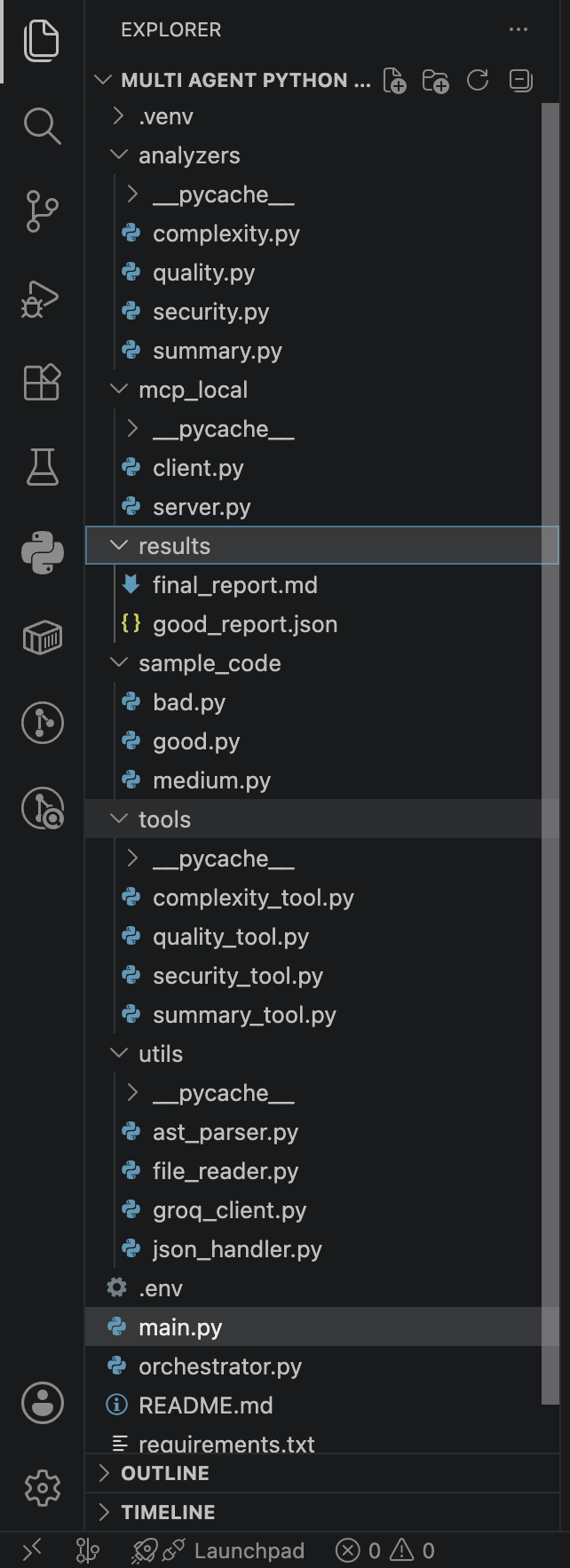
Project Workflow
Step 1 – Read Python Source Code
The File Reader reads a sample Python file and converts it into a string.
Step 2 – AST Parsing
The source code is parsed using Python's Abstract Syntax Tree (AST).
The AST parser extracts information such as:
- Functions
- Classes
- Imports
- Loops
- Conditional Statements
- Exception Handling Blocks
Instead of analyzing raw source code repeatedly, the agents use this AST summary as a structured representation of the program.
Step 3 – Orchestrator
The orchestrator decides which analysis tool (agent) should be executed.
This acts as the decision-making component before invoking the MCP communication and initiating the Sequential LLM Pipeline.
Step 4 – MCP Communication
The project follows an MCP-based client-server architecture.
- The Client acts as a messenger.
- It requests the required tool from the MCP Server.
- The Server executes the requested tool.
- The result is returned back through the Client.
Step 5 – AI Agents
Each MCP tool contains a dedicated AI Agent.
Each agent performs one specific task.
The available agents are:
- Security Agent
- Quality Agent
- Complexity Agent
- Summary Agent
Each agent receives the AST information and performs only its assigned analysis.
Together, these agents form a Sequential LLM Pipeline, where each stage performs a dedicated analysis before passing the results to the next stage.
Step 6 – AI Model
Each agent sends its prompt to the configured LLM API (Groq).
The generated response is returned back through the following flow:
LLM API
   ↓
Agent
   ↓
Tool
   ↓
MCP Server
   ↓
MCP Client
   ↓
Orchestrator
This completes one stage of the Sequential LLM Pipeline, allowing each analysis to be generated independently and combined into the final report.
Analysis Performed
The project currently performs:
- Security Analysis
- Code Quality Analysis
- Complexity Analysis
- Final Summary Generation
Output
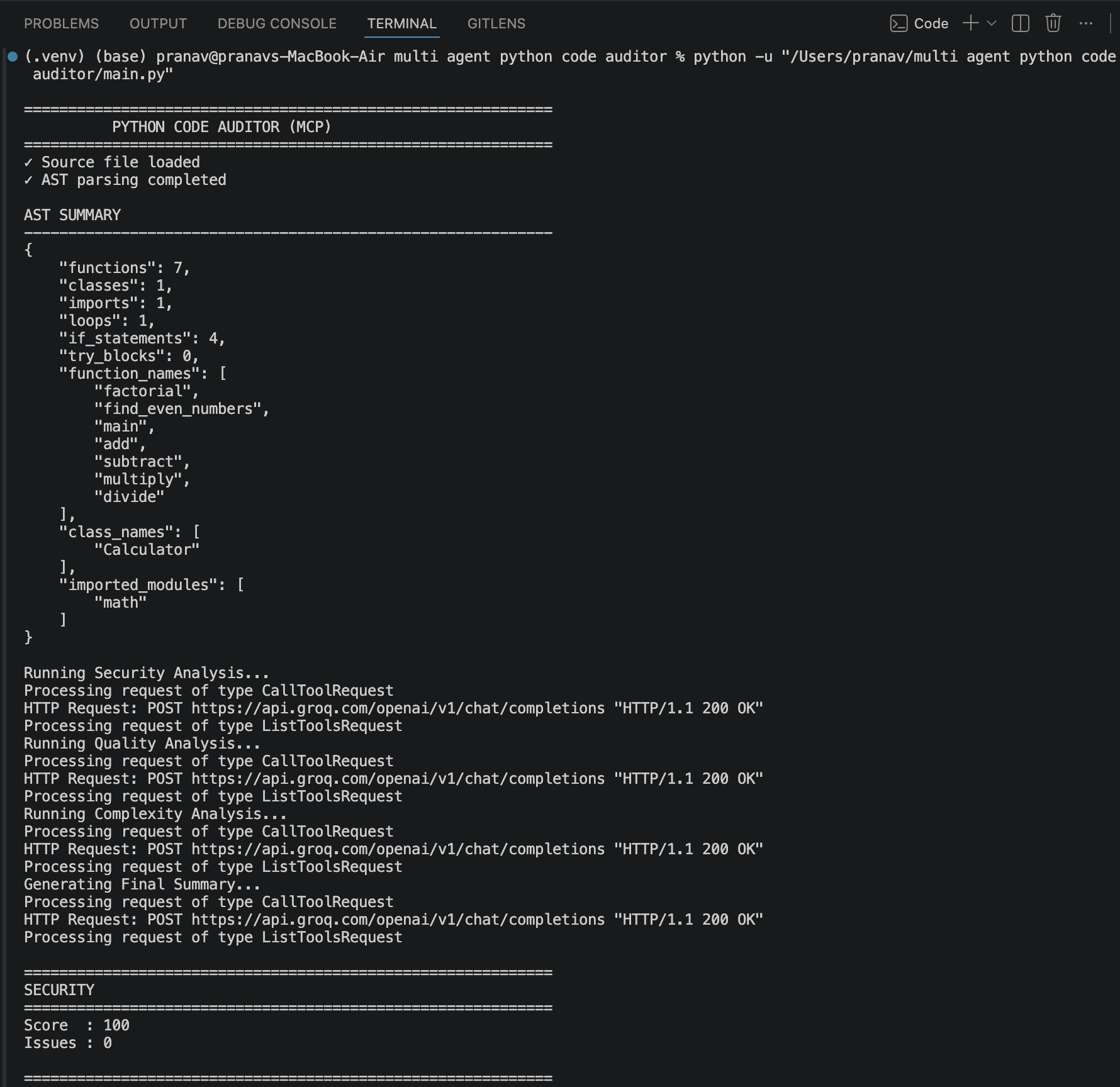
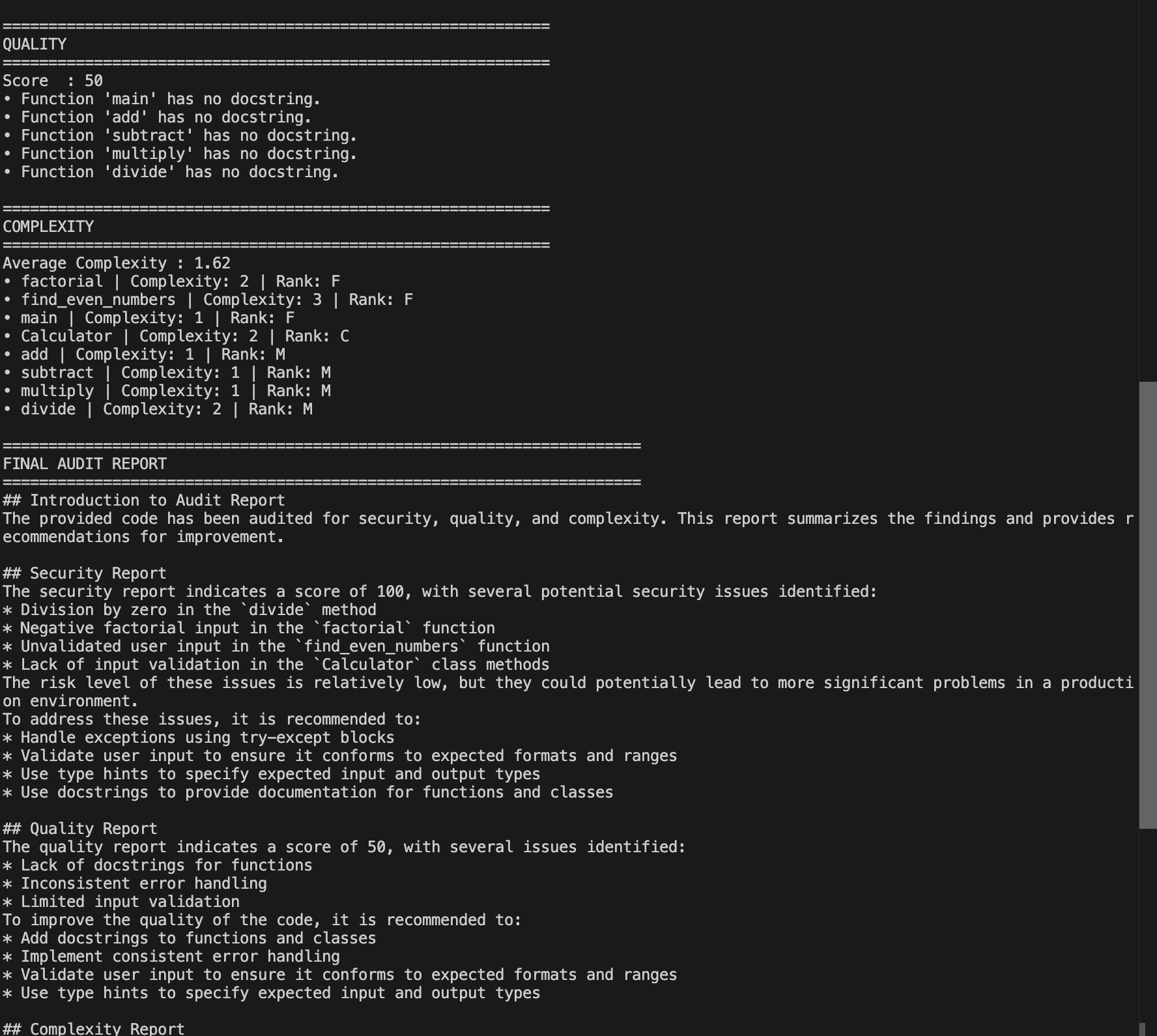
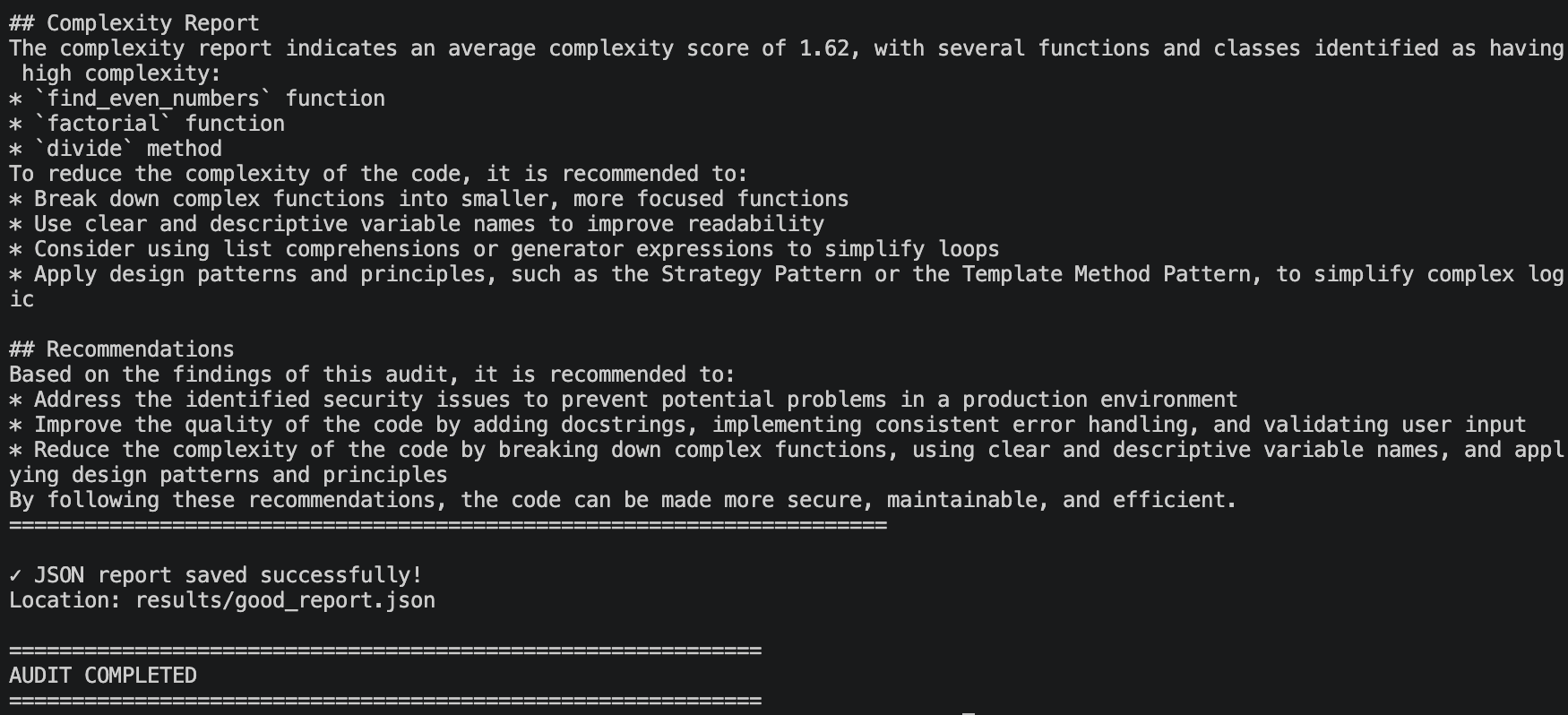
Tools Used
AST
Used to generate a structured representation of the Python code.
MCP
Provides client-server communication between the orchestrator and analysis tools.
Orchestrator
Determines which analysis tool or agent should be executed before starting the Sequential LLM Pipeline.
Bandit
Used for security-related code analysis.
Radon
Used for complexity analysis.
Execution Flow
Sample Python File
        │
        ▼
File Reader
        │
        ▼
AST Parser
        │
        ▼
Orchestrator
        │
        ▼
MCP Client
        │
        ▼
MCP Server
        │
        ▼
Security Tool
        │
        ▼
Security Agent
        │
        ▼
Quality Tool
        │
        ▼
Quality Agent
        │
        ▼
Complexity Tool
        │
        ▼
Complexity Agent
        │
        ▼
Summary Tool
        │
        ▼
Summary Agent
        │
        ▼
Groq API
        │
        ▼
Analysis Reports
This execution represents a Sequential LLM Pipeline, where each specialized agent performs its task and contributes to the final consolidated audit report.
Repository
The project demonstrates how AST parsing, MCP, an orchestrator, and a Sequential LLM Pipeline of specialized AI agents can be combined to analyze Python code and generate security, quality, complexity, and summary reports through a client-server architecture.
Installing Multi Agent Python Code Auditor
This server has no published package — it is built from source. Open the repository and follow its README.
▸ github.com/spranavk-03/Multi_Agent_Python_Code_AuditorFAQ
Is Multi Agent Python Code Auditor MCP free?
Yes, Multi Agent Python Code Auditor MCP is free — one-click install via Unyly at no cost.
Does Multi Agent Python Code Auditor need an API key?
No, Multi Agent Python Code Auditor runs without API keys or environment variables.
Is Multi Agent Python Code Auditor hosted or self-hosted?
Self-hosted: the server runs locally on your machine via the install command above.
How do I install Multi Agent Python Code Auditor in Claude Desktop, Claude Code or Cursor?
Open Multi Agent Python Code Auditor on unyly.org, pick your client tab (Claude Desktop, Claude Code, Cursor) and press Install — the config is generated automatically, no JSON editing.
Related MCPs
GitHub
PRs, issues, code search, CI status
 by GitHub
Filesystem
Secure file operations with configurable access controls.
Memory
Knowledge graph-based persistent memory system.
Template MCP Server
A CLI tool to create a new Model Context Protocol server project with TypeScript support, dual transport options, and an extensible structure
 by mcpdotdirect
Compare Multi Agent Python Code Auditor with
Not sure what to pick?
Find your stack in 60 seconds
Author?
Embed badge for your README
Browse similar
All development MCPs