
My Pi
FreeMaintainedComposable pi coding agent with MCP, LSP, prompt presets, and local eval telemetry

About
Composable pi coding agent with MCP, LSP, prompt presets, and local eval telemetry
README
Semgrep built with vite+ tested with vitest
my-pi is my Pi: upstream Pi with my extensions
built in. Each extension is also published on its own.
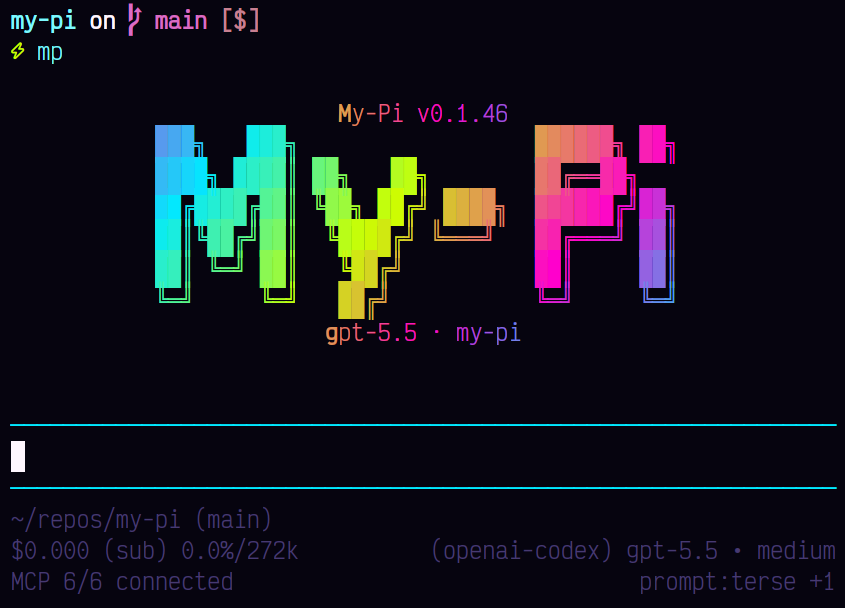
Use
pnpx --allow-build=@google/genai --allow-build=protobufjs my-pi@latest
Turn extensions on or off with /extensions. Or install single
packages into your own Pi:
pi install npm:@spences10/pi-lsp
MCP, codemode, tool search, skills, themes, sessions, and package configuration are upstream Pi features. See the Pi docs.
Packages
| Package | Purpose |
|---|---|
| my-pi | My Pi: upstream Pi with all of these built in |
| @spences10/pi-coding-preferences | Configurable coding-workflow guardrails |
| @spences10/pi-confirm-destructive | Destructive action confirmations |
| @spences10/pi-context | Scoped SQLite FTS overflow cache for oversized tool output |
| @spences10/pi-codex-usage | OpenAI Codex usage in the footer status area |
| @spences10/pi-footer | Configurable footer status line |
| @spences10/pi-git-ui | Interactive source-control staging UI |
| @spences10/pi-harness | Ephemeral task harness runtime |
| @spences10/pi-kimi-usage | Kimi For Coding usage in the footer status area |
| @spences10/pi-lsp | LSP-backed diagnostics and symbol tools |
| @spences10/pi-observability | Live local event stream and browser dashboard |
| @spences10/pi-recall | pirecall reminder and background sync |
| @spences10/pi-redact | Output redaction and /redact-stats |
| @spences10/pi-starfield | Input stars and a suggested next prompt (Tab) |
| @spences10/pi-svelte-guardrails | Svelte pattern guardrails |
| @spences10/pi-talk | Hold-Space Deepgram dictation |
| @spences10/pi-team-mode | Peer-session coordination and durable mailboxes |
| @spences10/pi-workers | Spawn and control local RPC workers alongside Team Mode |
| @spences10/pi-telemetry | Local SQLite telemetry and /telemetry |
| @spences10/pi-themes | Bundled theme pack for Pi |
Additional bundled extensions:
- @spences10/pi-turn-timer: live timing and saved completion durations.
- @spences10/pi-session-name: automatic names using the selected model.
- @spences10/pi-tool-guidance: portable nopeek, Omnisearch, and SQLite skills and reminders.
Support libraries (dependencies, not for pi install):
pi-project-trust, pi-settings, pi-sqlite-core, pi-tui-modal.
See docs/package-map.md.
Documentation
Start with the docs index, or go directly to:
Browse the rendered docs locally from the repository root:
pnpx @wiki0/cli ui .
Or search from the terminal:
pnpx @wiki0/cli index
pnpx @wiki0/cli search "extension settings"
Develop
Requires Node.js >=24.15.0 and pnpm.
pnpm install
pnpm run build
pnpm start            # node packages/my-pi/dist/index.js
pnpm run preview:generate # refresh the shared README image
pnpm run check
pnpm run test
apps/web/      Landing page
packages/      my-pi launcher and pi-* packages
evals/         Smoke eval suite (pnpm run eval:suite)
.agents/skills Repository skills for agents working here
Install My Pi in Claude Desktop, Claude Code & Cursor
unyly install my-piInstalls into Claude Desktop, Claude Code, Cursor & VS Code — handles npx, uvx and build-from-source repos for you.
First time? Get the CLI: curl -fsSL https://unyly.org/install | sh
Or configure manually
Run in your terminal:
claude mcp add my-pi -- npx -y my-piStep-by-step: how to install My Pi
FAQ
Is My Pi MCP free?
Yes, My Pi MCP is free — one-click install via Unyly at no cost.
Does My Pi need an API key?
No, My Pi runs without API keys or environment variables.
Is My Pi hosted or self-hosted?
Self-hosted: the server runs locally on your machine via the install command above.
How do I install My Pi in Claude Desktop, Claude Code or Cursor?
Open My Pi on unyly.org, pick your client tab (Claude Desktop, Claude Code, Cursor) and press Install — the config is generated automatically, no JSON editing.
Changes
Versions and requested access over time.
- New version published
- New version published
- New version published
- New version published
- New version published
- New version published
- New version published
- New version published
Related MCPs
Postgres
Query your database in natural language
 by Anthropic
wenb1n-dev/SmartDB_MCP
Connect to multiple databases at once (MySQL, PostgreSQL, SQL Server, MariaDB, Dameng, Oracle) for operations, health analysis and SQL optimization.
 by wenb1n-dev
Postgres Server
This server enables interaction with PostgreSQL databases through the Model Context Protocol, optimized for the AWS Bedrock AgentCore Runtime. It provides tools
 by madhurprash
PostgreSQL
Read-only database access with schema inspection.
by modelcontextprotocolRedis
Interact with Redis key-value stores.
by modelcontextprotocolSQLite
Database interaction and business intelligence capabilities.
by modelcontextprotocolmxcp
Open-source framework for building enterprise-grade MCP servers using just YAML, SQL, and Python, with built-in auth, monitoring, ETL and policy enforcement.
 by raw-labs
julien040/anyquery
Query apps with SQL from a single local-first binary; also connects to PostgreSQL, MySQL and SQLite-compatible databases.
 by julien040
drakonkat/wizzy-mcp-tmdb
Search and retrieve movie, TV show and person information from The Movie Database (TMDB) API.
 by drakonkat
longevity-genie/opengenes-mcp
Query the OpenGenes database for aging and longevity research.
 by longevity-genie
Compare My Pi with
Not sure what to pick?
Find your stack in 60 seconds
Author?
Embed badge for your README
Browse similar
All data MCPs