
@Nebelov/Yougile
FreeNot checkedMCP server for YouGile project management. Provides 57 tools covering 100% of the YouGile API v2, enabling AI agents to manage projects, boards, tasks, and chat

About
MCP server for YouGile project management. Provides 57 tools covering 100% of the YouGile API v2, enabling AI agents to manage projects, boards, tasks, and chat directly through natural language.
README
npm version License: MIT TypeScript Node.js
MCP server for YouGile project management. 57 tools covering 100% of YouGile API v2.
Works with Claude, ChatGPT, Gemini CLI, VS Code, Cursor, and any MCP-compatible client.
README on Russian / README на русском
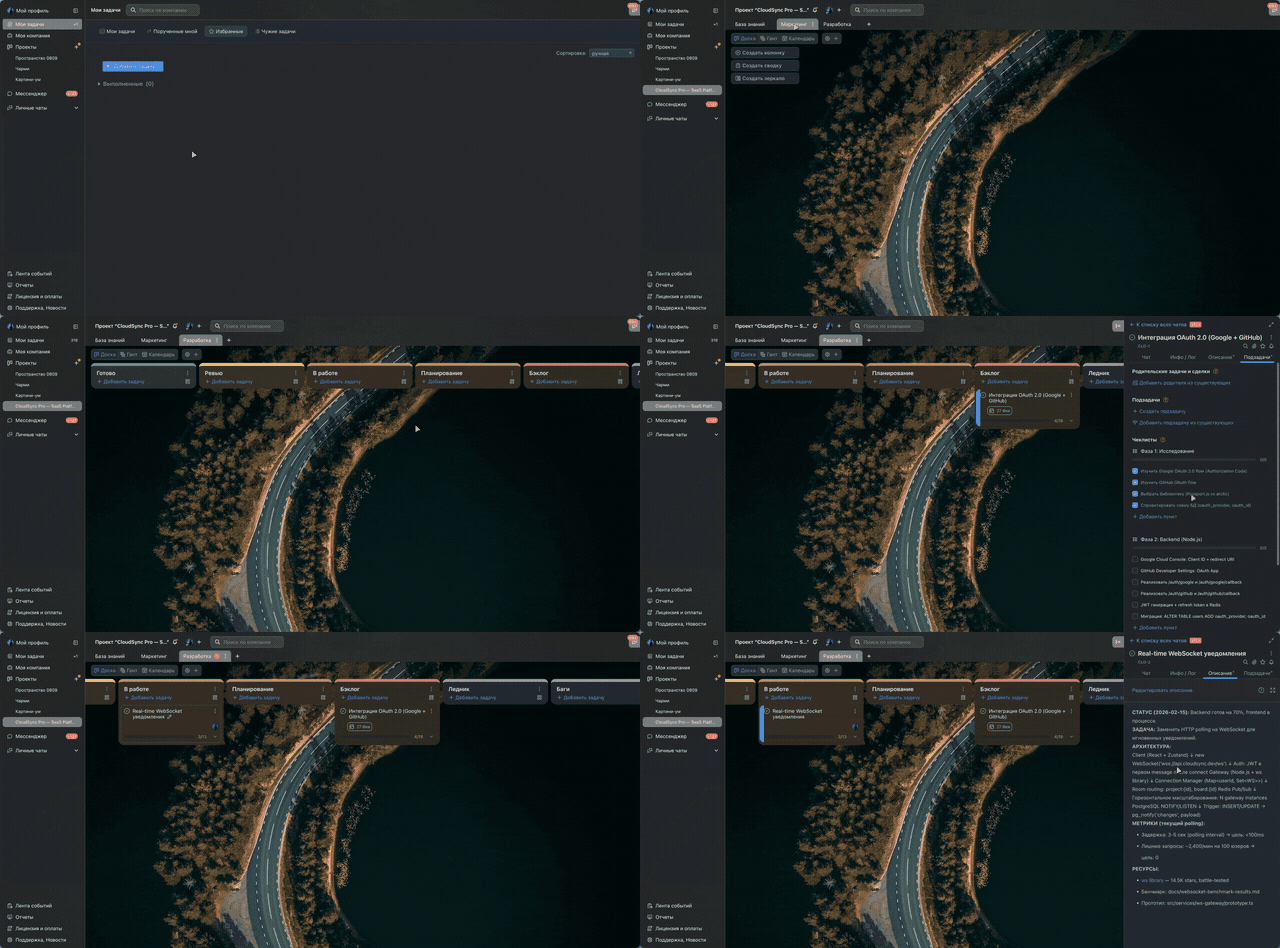
AI agent creates project, boards, columns, and tasks with rich descriptions — all via MCP
Quick Start
Auto-setup (recommended)
npx @nebelov/yougile-mcp --setup
Logs you into YouGile, gets an API key, and writes the config for your AI tool.
Manual setup
- Get an API key from YouGile (Settings > API or
POST /auth/keys) - Add to your AI tool config:
Claude Code (~/.claude.json):
{
  "mcpServers": {
    "yougile": {
      "command": "npx",
      "args": ["-y", "@nebelov/yougile-mcp"],
      "env": { "YOUGILE_API_KEY": "your-key" }
    }
  }
}
Claude Desktop (claude_desktop_config.json):
{
  "mcpServers": {
    "yougile": {
      "command": "npx",
      "args": ["-y", "@nebelov/yougile-mcp"],
      "env": { "YOUGILE_API_KEY": "your-key" }
    }
  }
}
Gemini CLI (~/.gemini/settings.json):
{
  "mcpServers": {
    "yougile": {
      "command": "npx",
      "args": ["-y", "@nebelov/yougile-mcp"],
      "env": { "YOUGILE_API_KEY": "your-key" }
    }
  }
}
VS Code (.vscode/mcp.json):
{
  "mcpServers": {
    "yougile": {
      "command": "npx",
      "args": ["-y", "@nebelov/yougile-mcp"],
      "env": { "YOUGILE_API_KEY": "your-key" }
    }
  }
}
ChatGPT Setup
Option A: Hosted (recommended)
Use the hosted server at you-mcp.com — no installation needed.
In ChatGPT (web):
- Settings > Apps & Connectors > Advanced > Developer Mode ON
- Click Create > paste
https://you-mcp.com/mcp> Save - Open any chat > click + > More > Developer Mode > enable your connector
- ChatGPT will redirect you to login with your YouGile email and password
- Your credentials go directly to YouGile's API (zero-knowledge proxy — the server never sees your password)
Option B: Self-hosted (ngrok)
Requires ngrok (free).
Step 1. Start the server with HTTP transport:
YOUGILE_API_KEY=your-key npx @nebelov/yougile-mcp --http --port 3000
Step 2. In a second terminal, create an HTTPS tunnel:
ngrok http 3000
Copy the https://...ngrok-free.app URL from ngrok output.
Step 3. In ChatGPT (web):
- Settings > Apps & Connectors > Advanced > Developer Mode ON
- Click Create > paste
https://YOUR-URL.ngrok-free.app/mcp> Save - Open any chat > click + > More > Developer Mode > enable your connector
Available Tools (57)
| Module | Tools | Description |
|---|---|---|
| projects | 4 | list, get, create, update |
| boards | 4 | list, get, create, update |
| columns | 4 | list, get, create, update |
| tasks | 6 | list, get, create, update, get/set chat-subscribers |
| chat | 8 | messages (list, send, get, delete) + group chats (list, get, create, update) |
| users | 5 | list, get, invite, update, delete |
| company | 2 | get, update |
| departments | 4 | list, get, create, update |
| project-roles | 5 | list, get, create, update, delete |
| string-stickers | 6 | CRUD + create/update state |
| sprint-stickers | 6 | CRUD + create/update state |
| webhooks | 3 | list, create, update |
Bundled Skill
The package includes skill/SKILL.md — a best-practices guide for working with YouGile through AI. Copy it to your project or Claude Code skills directory for better task management.
API Patterns
- Soft delete:
PUT {deleted: true}works for all entities.DELETEmethod only works for project roles. - Pagination:
{paging: {count, limit, offset, next}, content: [...]}. Exception:/webhooksreturns raw array. - Sticker fields: Use
name(nottitle) for stickers and states. - Task assigned: Array of UUIDs
["uuid1", "uuid2"], not an object. - Chat messages:
PUTonly supports{deleted: true}— editing text is not possible. - State IDs: 12-char hex strings (not UUID).
Environment Variables
| Variable | Required | Description |
|---|---|---|
YOUGILE_API_KEY |
Yes | YouGile API key |
YOUGILE_API_HOST_URL |
No | Custom API URL (default: https://yougile.com/api-v2) |
Development
git clone https://github.com/nebelov/yougile-mcp
cd yougile-mcp
npm install
npm run dev
License
MIT
Install @Nebelov/Yougile in Claude Desktop, Claude Code & Cursor
unyly install nebelov-yougile-mcpInstalls into Claude Desktop, Claude Code, Cursor & VS Code — handles npx, uvx and build-from-source repos for you.
First time? Get the CLI: curl -fsSL https://unyly.org/install | sh
Or configure manually
Run in your terminal:
claude mcp add nebelov-yougile-mcp -- npx -y @nebelov/yougile-mcpStep-by-step: how to install @Nebelov/Yougile
FAQ
Is @Nebelov/Yougile MCP free?
Yes, @Nebelov/Yougile MCP is free — one-click install via Unyly at no cost.
Does @Nebelov/Yougile need an API key?
No, @Nebelov/Yougile runs without API keys or environment variables.
Is @Nebelov/Yougile hosted or self-hosted?
A hosted option is available: Unyly runs the server in the cloud, no local setup required.
How do I install @Nebelov/Yougile in Claude Desktop, Claude Code or Cursor?
Open @Nebelov/Yougile on unyly.org, pick your client tab (Claude Desktop, Claude Code, Cursor) and press Install — the config is generated automatically, no JSON editing.
Related MCPs
Gmail
Read, send and search emails from Claude
 by Google
Slack
Send, search and summarize Slack messages
 by Slack
Runbear
No-code MCP client for team chat platforms, such as Slack, Microsoft Teams, and Discord.
Discord Server
A community discord server dedicated to MCP by [Frank Fiegel](https://github.com/punkpeye)
Compare @Nebelov/Yougile with
Not sure what to pick?
Find your stack in 60 seconds
Author?
Embed badge for your README
Browse similar
All communication MCPs