

About
Help LLMs to understand your Next apps better
README
Demo
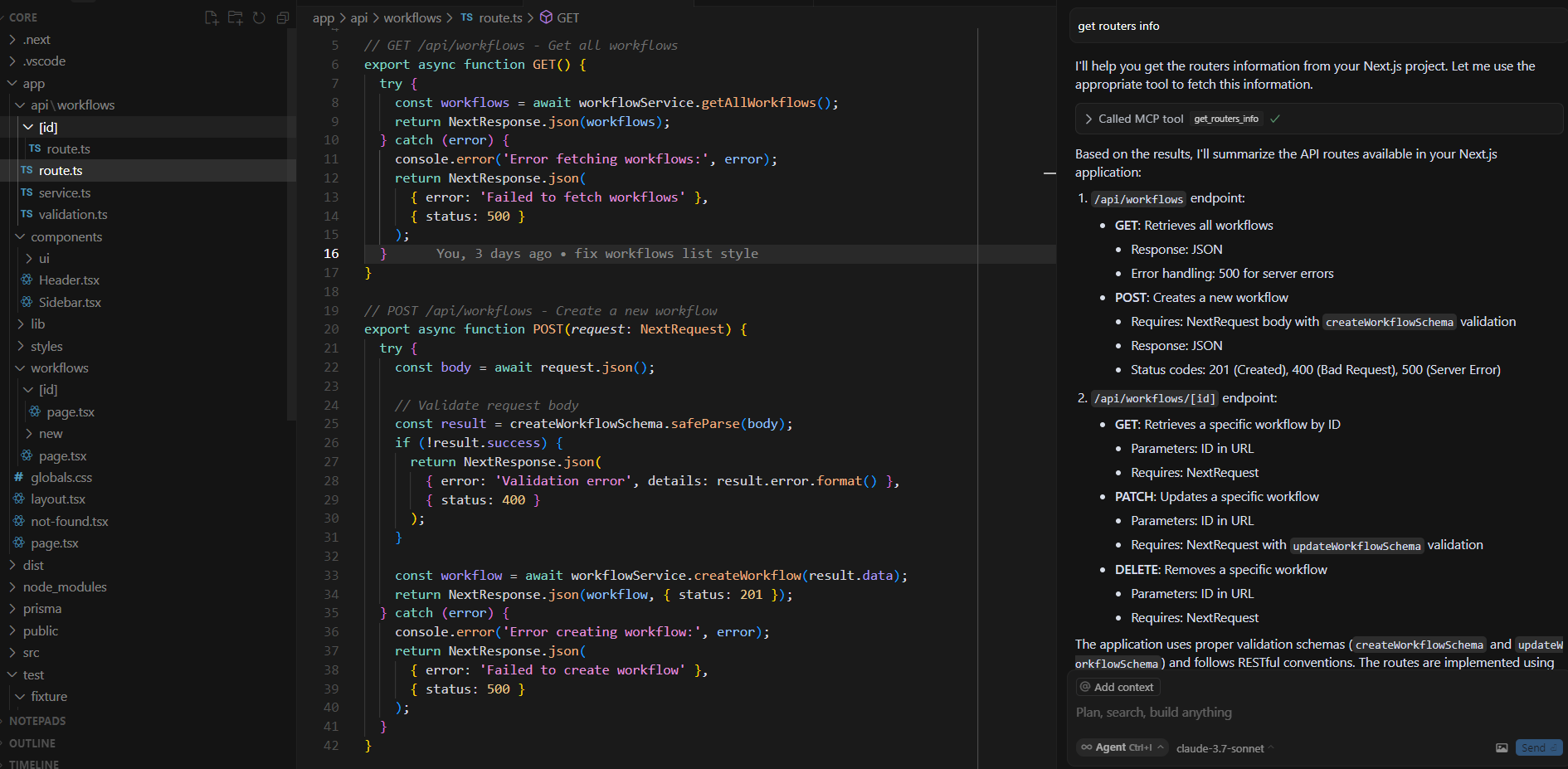
Features
get-routers-infoThe Router Analyzer scans your Next.js app directory structure and extracts information about all API routes, including:
- API paths
- HTTP methods (GET, POST, PUT, DELETE, etc.)
- Request parameters
- Status codes
- Request and response schemas
Installation
npm install next-mcp-server
Or if you're using pnpm:
pnpm add next-mcp-server
Usage
Command Line
You can run the mcp server directly:
npm run build
node dist/index.js
Docker
docker build -t mcp/next -f Dockerfile .
docker run mcp/next -d
For cursor usage, define a mcp.json under ~/.cursor or [projectDir]/.cursor
{
  "mcpServers": {
    "next.js": {
      "url": "http://localhost:4857/sse"
    }
  }
}
The url here could vary based on your .env settings within the project.
Output
The tool generates detailed information about each route:
[
  {
    "filePath": "/path/to/your/app/api/test/route.ts",
    "implementationPath": "/path/to/your/app/api/test/route.ts",
    "apiPath": "/api/test",
    "handlers": [
      {
        "method": "GET",
        "path": "/api/test",
        "functionSignature": "export async function GET(request: Request)",
        "description": "Get test data",
        "parameters": [],
        "statusCodes": [200]
      },
      {
        "method": "POST",
        "path": "/api/test",
        "functionSignature": "export async function POST(request: Request)",
        "description": "Create test data",
        "parameters": [],
        "requestBodySchema": "{ name: string }",
        "statusCodes": [201, 400]
      }
    ]
  }
]
Development
To run tests:
npm run test
To run the mcp server locally:
npm run build
node dist/index.js
To run it from node_modules after npm i:
node node_modules/next-mcp-server/dist/index.js
To run the playground:
pnpm --filter playground dev
How It Works
The tool:
- Scans your Next.js app directory structure for route files
- Analyzes each route file to extract HTTP methods, paths, parameters, etc.
- Extracts documentation from comments
- Returns a structured representation of all your API routes
Restrictions
- Due to the nature of accessing filesystem directory by path, it will not work if hosted over network
- Only supports Next.js App router projects
License
MIT
Installing Next
This server has no published package — it is built from source. Open the repository and follow its README.
▸ github.com/vertile-ai/next-mcp-serverFAQ
Is Next MCP free?
Yes, Next MCP is free — one-click install via Unyly at no cost.
Does Next need an API key?
No, Next runs without API keys or environment variables.
Is Next hosted or self-hosted?
Self-hosted: the server runs locally on your machine via the install command above.
How do I install Next in Claude Desktop, Claude Code or Cursor?
Open Next on unyly.org, pick your client tab (Claude Desktop, Claude Code, Cursor) and press Install — the config is generated automatically, no JSON editing.
Related MCPs
GitHub
PRs, issues, code search, CI status
 by GitHub
Filesystem
Secure file operations with configurable access controls.
Memory
Knowledge graph-based persistent memory system.
Template MCP Server
A CLI tool to create a new Model Context Protocol server project with TypeScript support, dual transport options, and an extensible structure
 by mcpdotdirect
Compare Next with
Not sure what to pick?
Find your stack in 60 seconds
Author?
Embed badge for your README
Browse similar
All development MCPs