
Nexus Mcp Extension
FreeNot checkedNexus-MCP solves Tool Space Interference in LLMs. It uses a single gateway to aggregate multiple MCP servers and employs a deterministic 4-phase workflow (Disco

About
Nexus-MCP solves Tool Space Interference in LLMs. It uses a single gateway to aggregate multiple MCP servers and employs a deterministic 4-phase workflow (Discovery, Mapping, Schema Verification, Bridged Execution) to prevent context saturation and tool hallucinations, maintaining reasoning accuracy with massive tool ecosystems.
README
Nexus-MCP: A Unified Gateway for Scalable and Deterministic MCP Server Aggregation
Nexus-MCP is a meta-server designed to solve "Tool Space Interference" (TSI) in Large Language Models (LLMs). By aggregating multiple MCP servers into a single gateway, it prevents context window saturation and tool hallucinations using a defensive, deterministic 4-phase workflow.
🏗 Architecture and Workflow
Nexus-MCP acts as an intelligent router between the LLM agent and your ecosystem of tools.
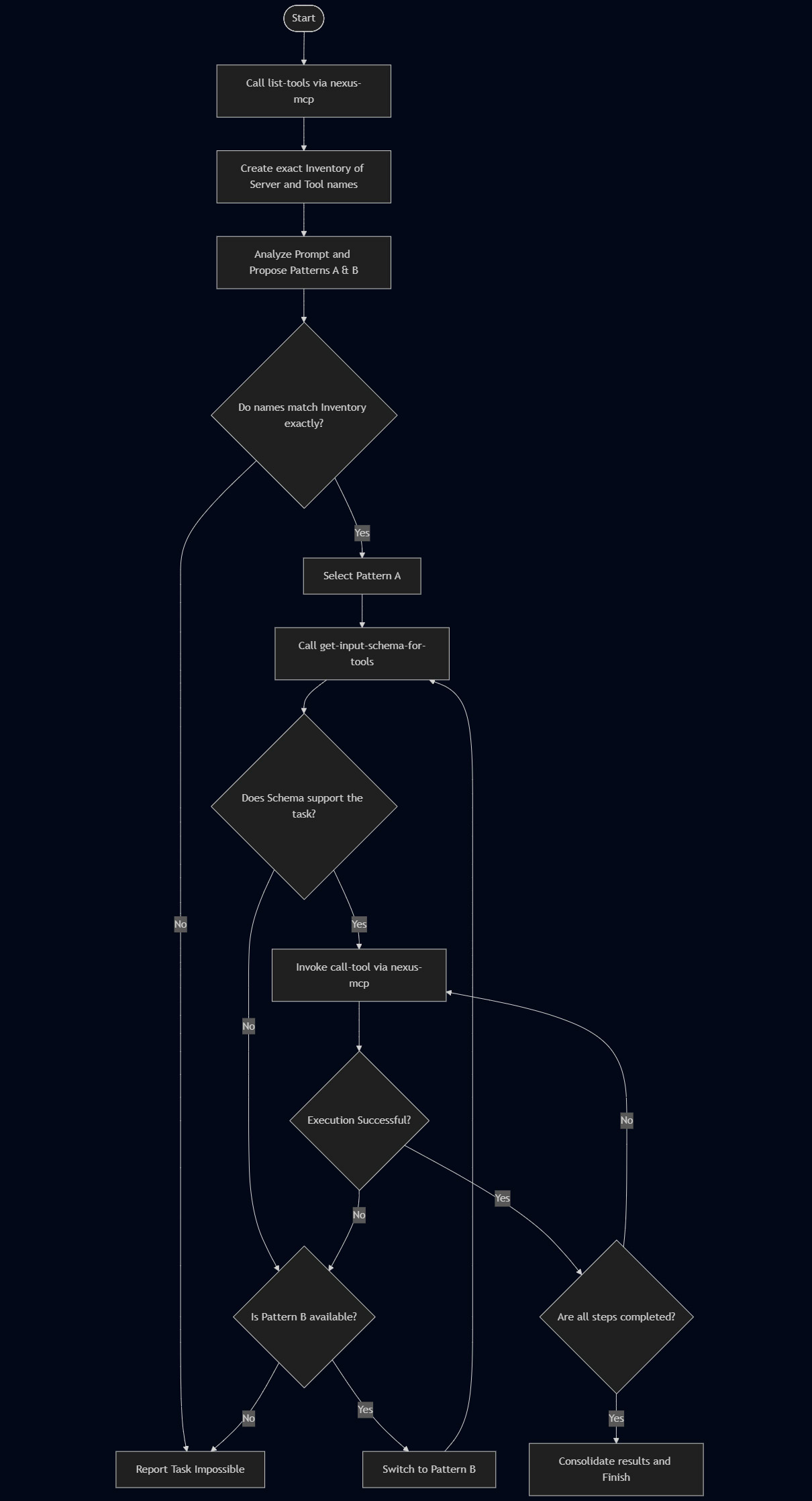
It enforces a strictly deterministic loop to maintain reasoning accuracy:
- Discovery: Aggregates tools from all connected servers.
- Mapping: Identifies the specific
[SERVER_ID]and[TOOL_ID]. - Schema Verification: Retrieves technical schemas only for the selected tool.
- Bridged Execution: Routes the command to the correct downstream server.
🛠 Prerequisites
- Node.js: (Latest LTS recommended)
- Gemini CLI: Installed and authenticated.
npm install -g @google/gemini-cli - (Optional) Google Antigravity for advanced agentic workflows.
📦 Installation
Nexus-MCP is distributed as an extension for the Gemini CLI.
gemini extensions install https://github.com/tanaikech/nexus-mcp-extension
⚙️ Configuration
Nexus-MCP does not have tools of its own; it manages other MCP servers. You must define these downstream servers in a configuration file.
1. Create the Configuration File
Create a file named mcp_config.json (e.g., in your home directory).
- Tip: You can find the paths to your installed extensions by running
gemini extensions list.
Example mcp_config.json:
{
  "mcpServers": {
    "google-workspace": {
      "command": "node",
      "args": [
        "/home/username/.gemini/extensions/google-workspace/dist/index.js"
      ]
    },
    "tools-for-mcp-server": {
      "command": "node",
      "args": [
        "/home/username/.gemini/extensions/tools-for-mcp-server-extension/mcp-server/src/index.js"
      ],
      "timeout": 300000
    }
  }
}
2. Set the Environment Variable
Point Nexus-MCP to your configuration file. This variable is required for both Gemini CLI and Antigravity.
Linux/macOS:
export MCP_SERVER_LIST="/home/username/mcp_config.json"
Windows (PowerShell):
$env:MCP_SERVER_LIST="C:\Users\username\mcp_config.json"
3. Disable Downstream Extensions
Crucial Step: To prevent "Tool Space Interference," disable the individual extensions in Gemini CLI so they are only accessed through Nexus-MCP.
gemini extensions disable google-workspace
gemini extensions disable tools-for-mcp-server
🚀 Usage & Validation
Part 1: Using with Gemini CLI
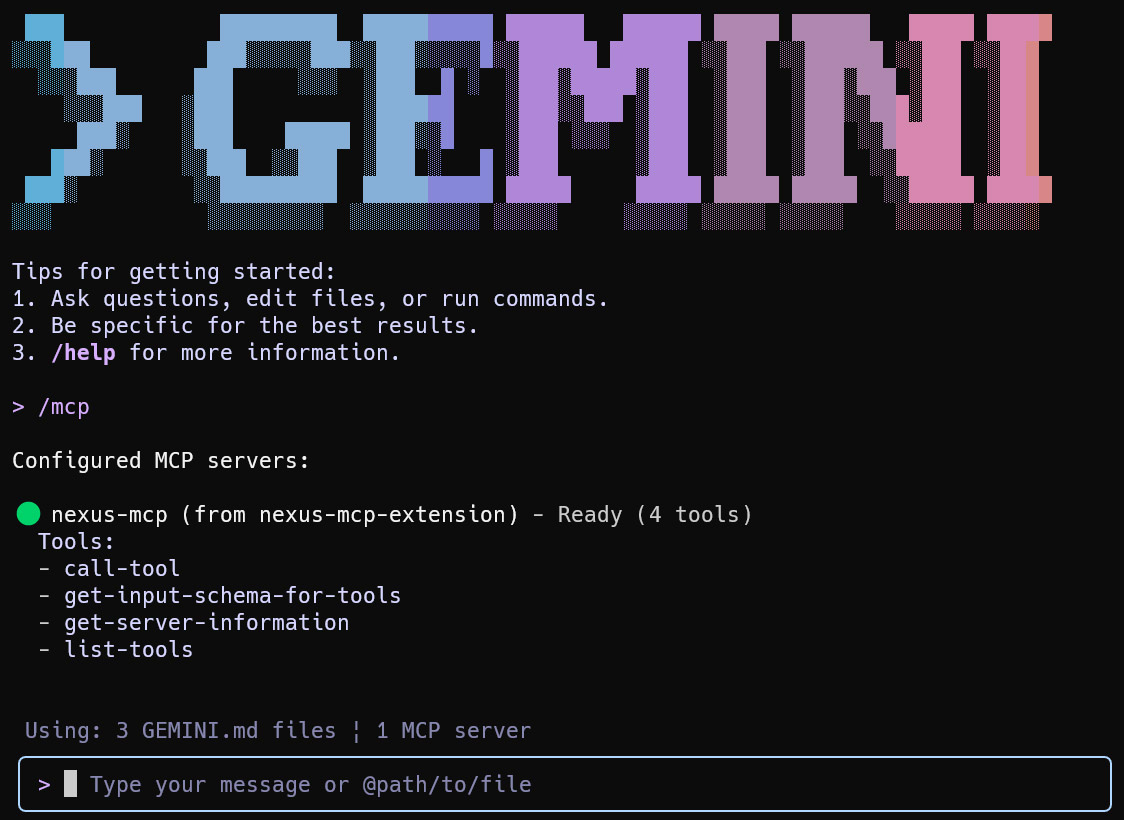
Launch the Gemini CLI. You can confirm the connection status by running /mcp.
1. Server Introspection
Check which tools are currently aggregated by Nexus.
User: "Run a tool get-server-information."
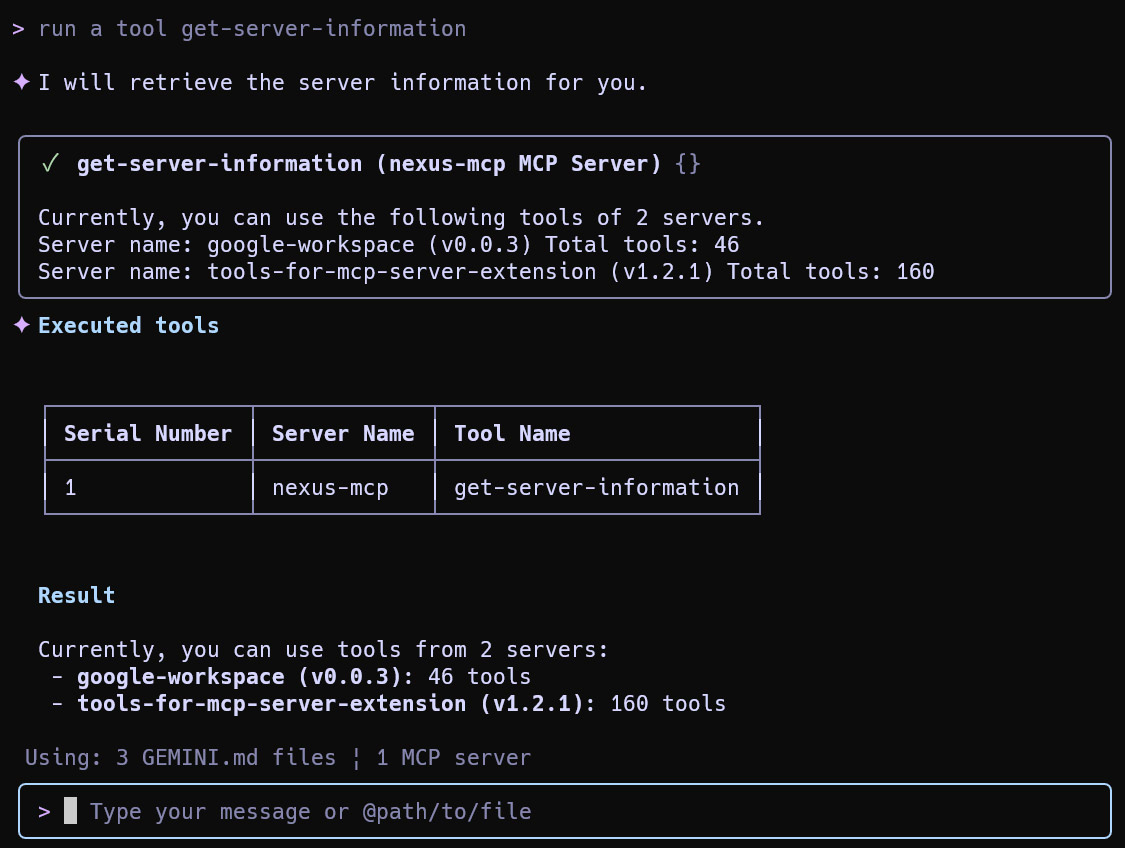
Result: The agent sees the aggregated total of tools (e.g., 206 tools) via the single gateway.
2. Specific Tool Execution (Weather Example)
User: "What is the weather forecast for Tokyo at noon today?"
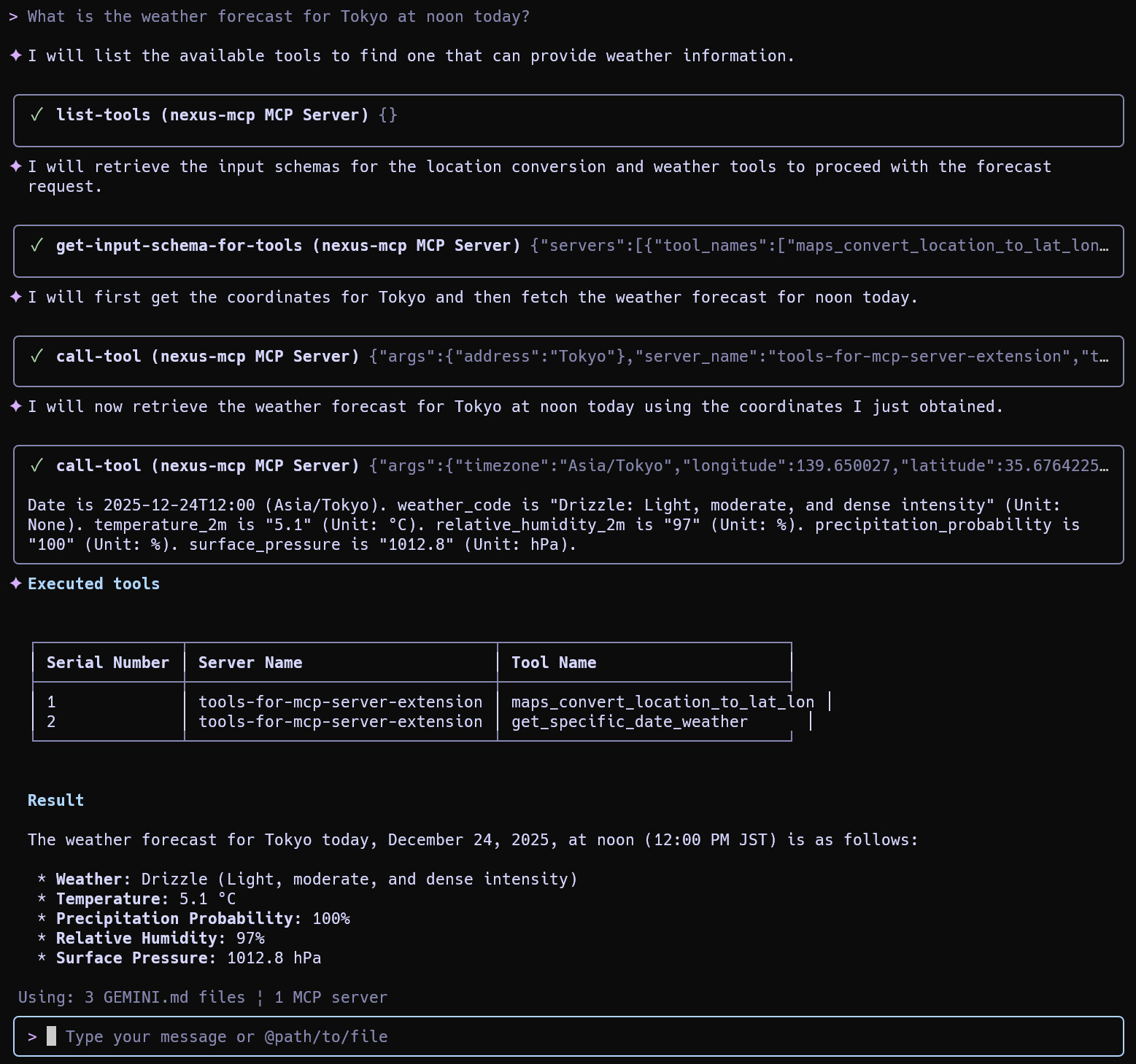
Result: The agent searches the aggregated list, identifies the weather tool in tools-for-mcp-server, and executes it successfully.
3. Routing Control
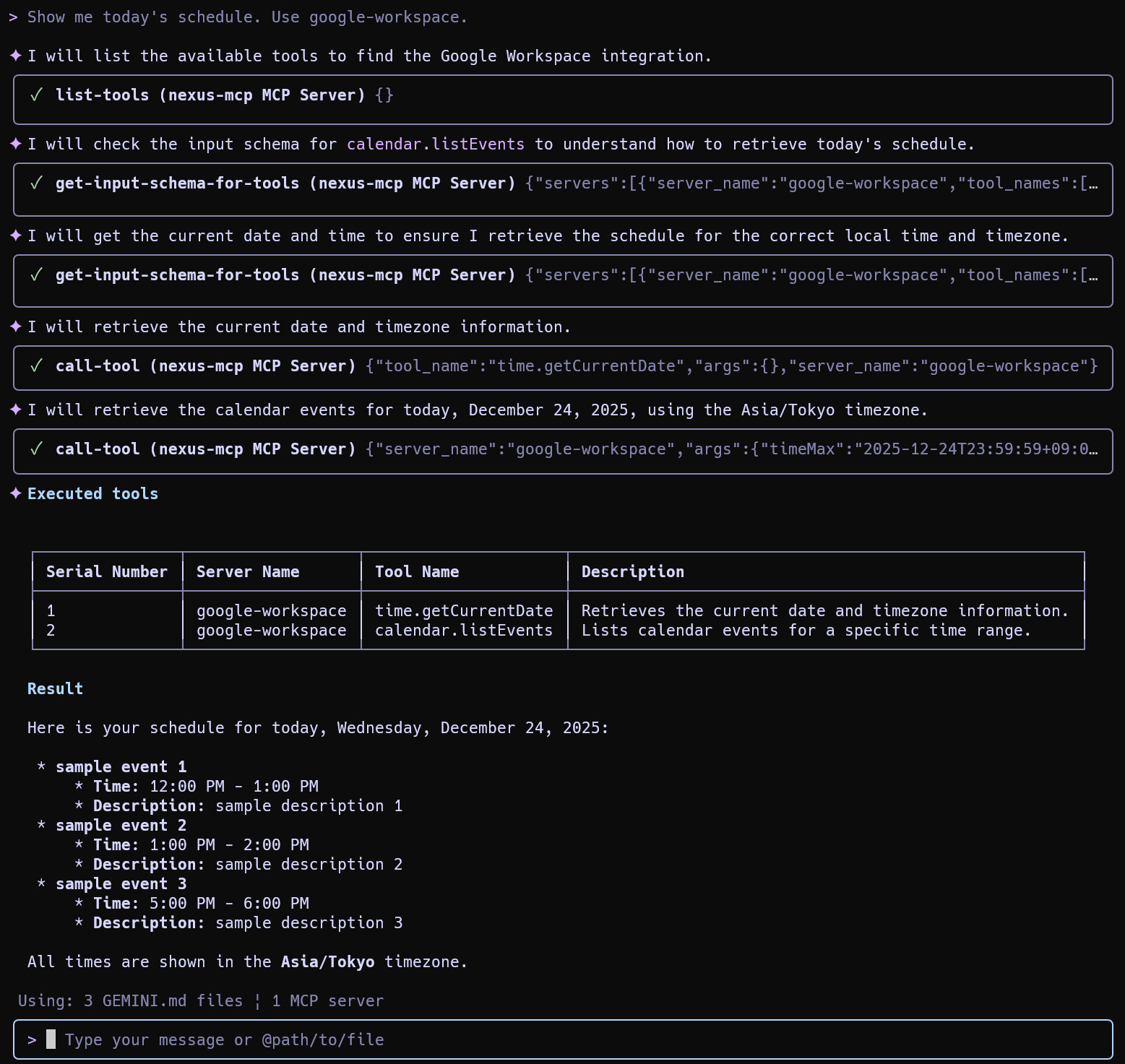
If multiple servers offer similar functionality (e.g., Calendar), you can force a specific route.
User: "Show me today's schedule. Use google-workspace."
4. Complex Multi-Step Workflow
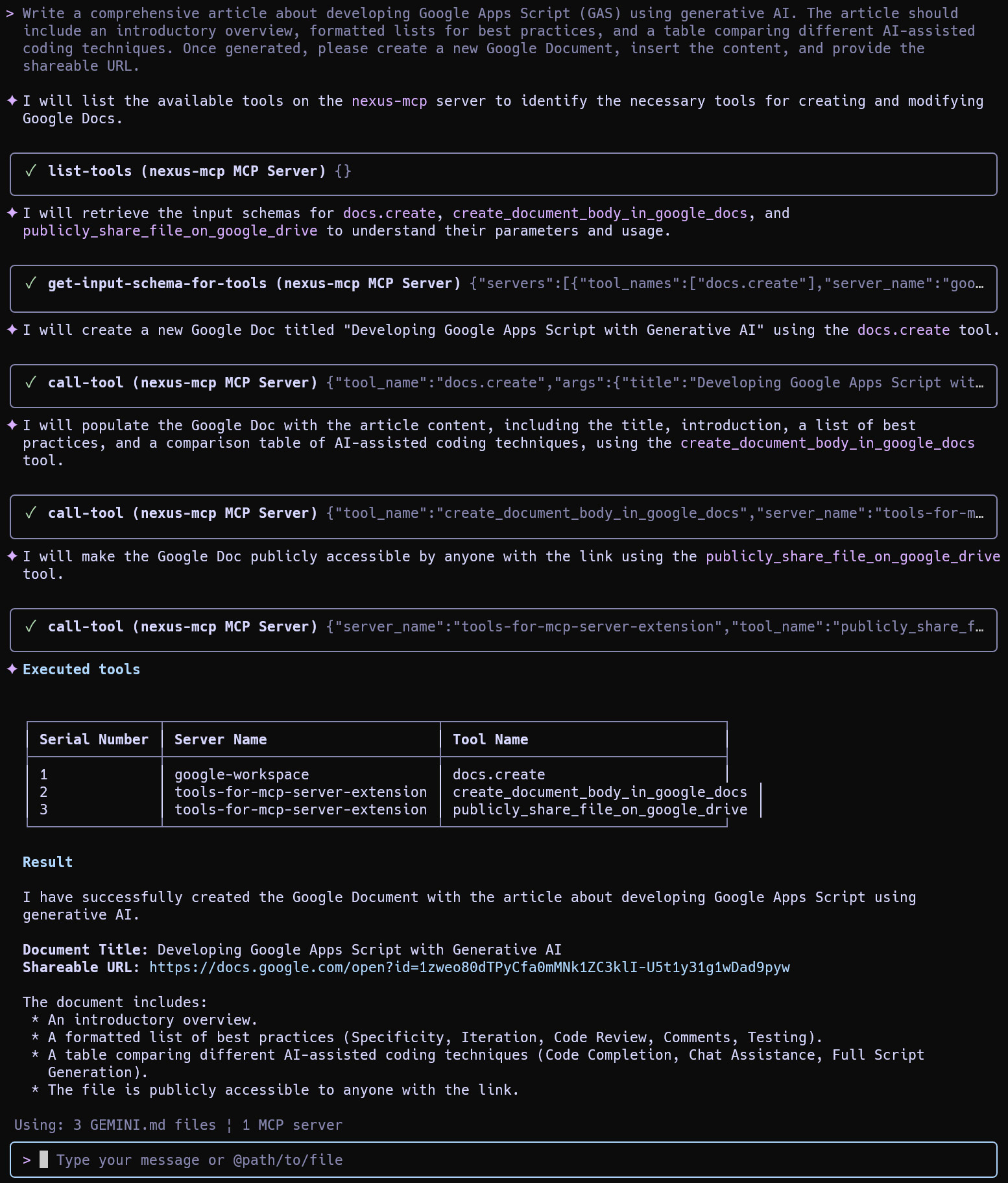
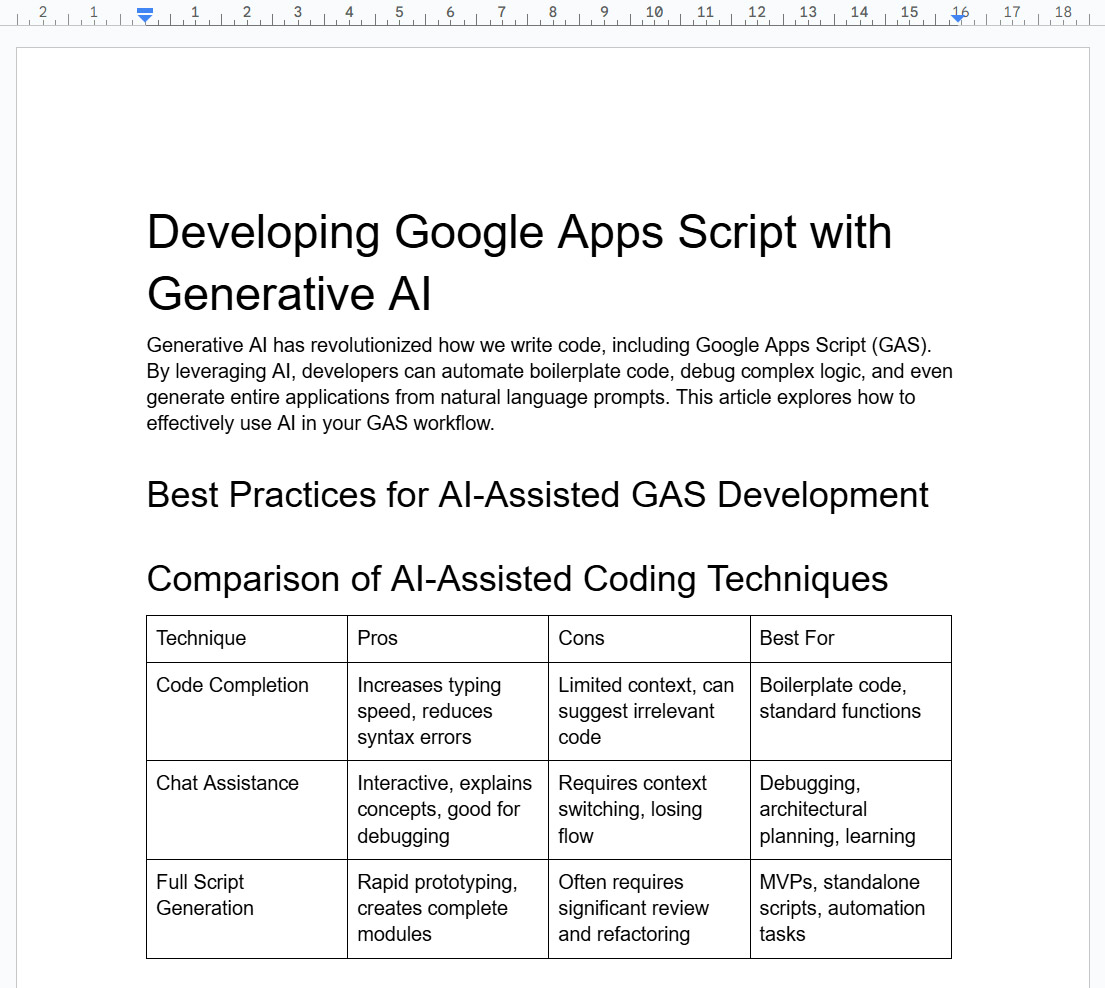
Nexus-MCP excels at chaining tools across different servers (e.g., generating content, creating a Google Doc, and converting it).
User: "Write a comprehensive article about developing Google Apps Script (GAS)... Create a new Google Document, insert the content, and provide the shareable URL."
Part 2: Using with Google Antigravity
Nexus-MCP integrates seamlessly into Google Antigravity for visual agentic workflows.
1. Set System Rules
- Open Antigravity > Customizations > Rules.
- Copy the content of
GEMINI.md(included in this repository) and paste it here.- This teaches the agent the 4-Phase Algorithm (Discovery -> Mapping -> Schema -> Execution).
2. Configure MCP Server
- Go to MCP servers > Manage MCP servers > View raw config.
- Add Nexus-MCP manually:
{
  "mcpServers": {
    "nexus-mcp": {
      "command": "node",
      "args": [
        "/path/to/nexus-mcp-extension/mcp-server/src/nexus-mcp.js"
      ]
    }
  }
}
3. Execution Example
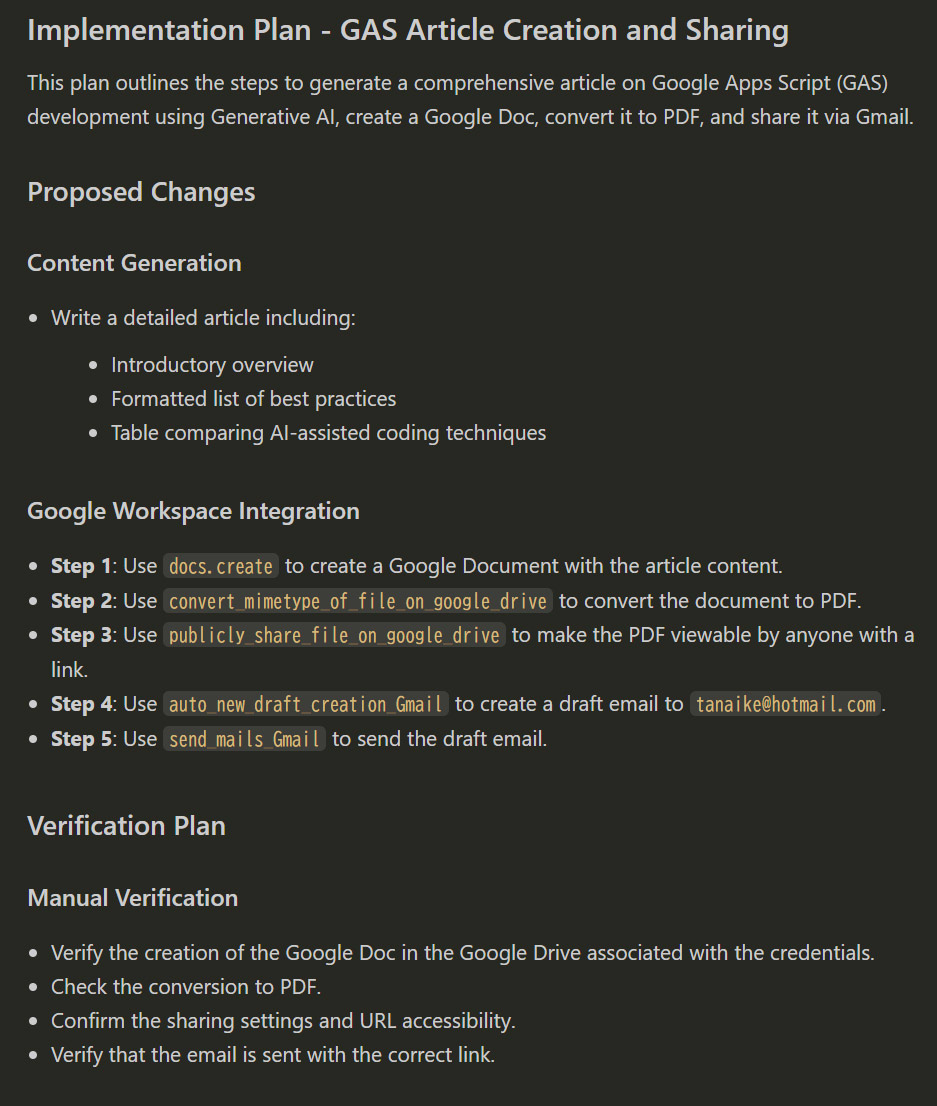
User: "Write an article... convert the Google Document to a PDF file, and send an email to
[email protected]..."
Implementation Plan:
Antigravity analyzes the request and builds a visual plan, mapping tasks to specific tools within the Nexus gateway.
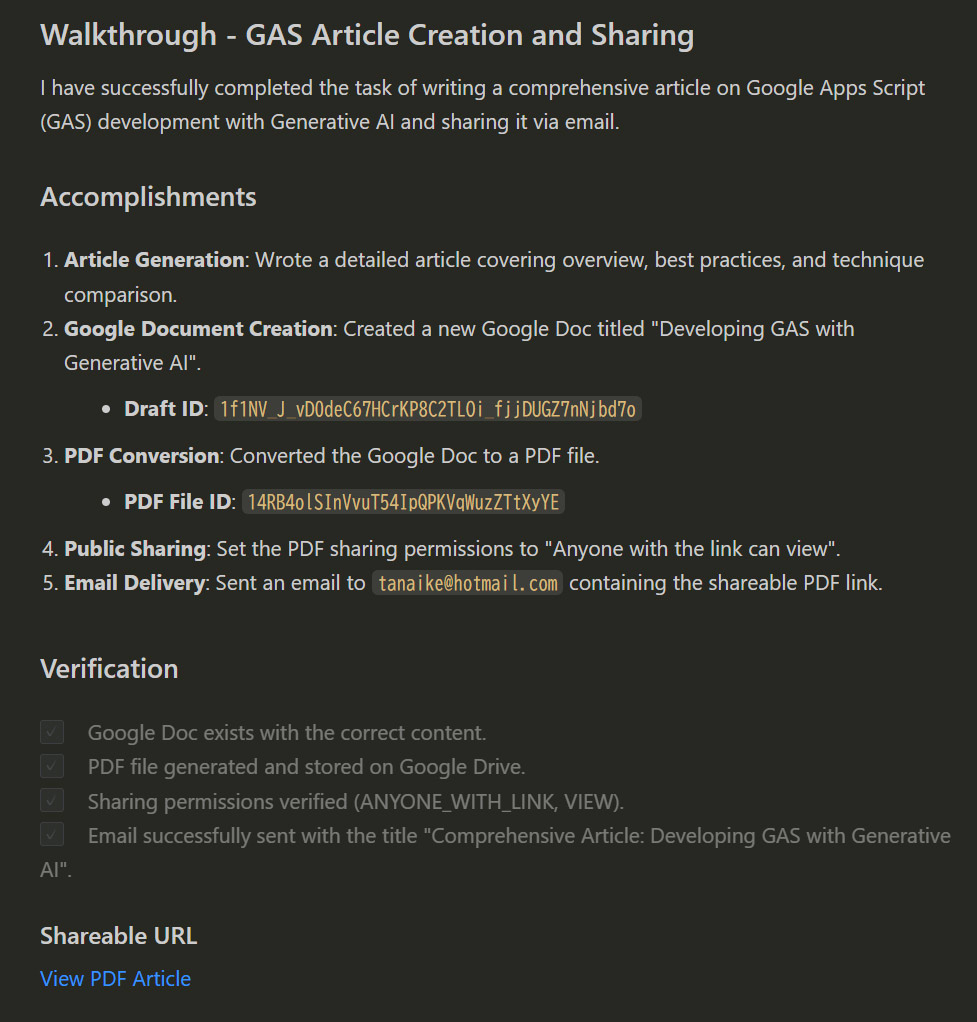
Walkthrough:
The agent executes the plan sequentially—generating text, creating the doc, converting to PDF, and sending the email.
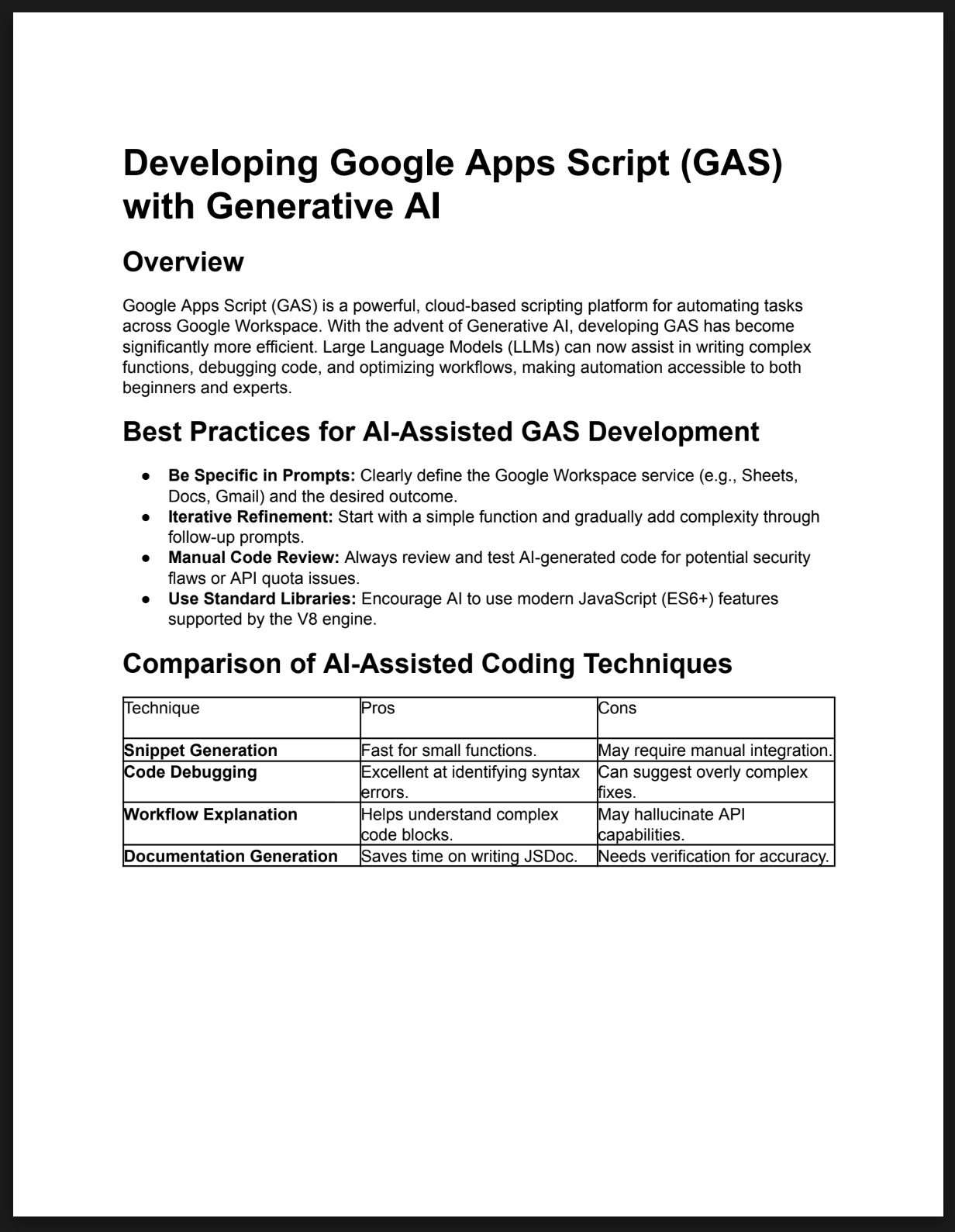
Outcome:
The email is received with the correct attachment, proving the successful orchestration of multiple tools.
Licence
Author
Update History
v0.0.1 (December 25, 2025)
- Initial release.
Installing Nexus Mcp Extension
This server has no published package — it is built from source. Open the repository and follow its README.
▸ github.com/tanaikech/nexus-mcp-extensionFAQ
Is Nexus Mcp Extension MCP free?
Yes, Nexus Mcp Extension MCP is free — one-click install via Unyly at no cost.
Does Nexus Mcp Extension need an API key?
No, Nexus Mcp Extension runs without API keys or environment variables.
Is Nexus Mcp Extension hosted or self-hosted?
Self-hosted: the server runs locally on your machine via the install command above.
How do I install Nexus Mcp Extension in Claude Desktop, Claude Code or Cursor?
Open Nexus Mcp Extension on unyly.org, pick your client tab (Claude Desktop, Claude Code, Cursor) and press Install — the config is generated automatically, no JSON editing.
Related MCPs
GitHub
PRs, issues, code search, CI status
 by GitHub
Filesystem
Secure file operations with configurable access controls.
Memory
Knowledge graph-based persistent memory system.
Template MCP Server
A CLI tool to create a new Model Context Protocol server project with TypeScript support, dual transport options, and an extensible structure
 by mcpdotdirect
Compare Nexus Mcp Extension with
Not sure what to pick?
Find your stack in 60 seconds
Author?
Embed badge for your README
Browse similar
All development MCPs