
Pulumi Cloud Development
FreeNot checkedIntegrates with Pulumi's cloud development platform to streamline infrastructure-as-code operations for efficient cloud resource orchestration and deployment.

About
Integrates with Pulumi's cloud development platform to streamline infrastructure-as-code operations for efficient cloud resource orchestration and deployment.
README
A Python-based tool to interact with Datadog API and fetch monitoring data from your infrastructure. This MCP provides easy access to monitor states and Kubernetes logs through a simple interface.
Datadog Features 🌟
- Monitor State Tracking: Fetch and analyze specific monitor states
- Kubernetes Log Analysis: Extract and format error logs from Kubernetes clusters
Prerequisites 📋
- Python 3.11+
- Datadog API and Application keys (with correct permissions)
- Access to Datadog site
Installation 🔧
Installing via Smithery
To install Datadog for Claude Desktop automatically via Smithery:
npx -y @smithery/cli install @didlawowo/mcp-collection --client claude
Required packages:
datadog-api-client
fastmcp
loguru
icecream
python-dotenv
uv
Environment Setup 🔑
Create a .env file with your Datadog credentials:
DD_API_KEY=your_api_key
DD_APP_KEY=your_app_key
Setup Claude Desktop Setup for MCP 🖥️
- Install Claude Desktop
# Assuming you're on macOS
brew install claude-desktop

# Or download from official website
https://claude.ai/desktop
- Set up Datadog MCP config:
# on mac is
~/Library/Application\ Support/Claude/claude_desktop_config.json


# Add this to your claude config json
```json
    "Datadog-MCP-Server": {
      "command": "uv",
      "args": [
        "run",
        "--with",
        "datadog-api-client",
        "--with",
        "fastmcp",
        "--with",
        "icecream",
        "--with",
        "loguru",
        "--with",
        "python-dotenv",
        "fastmcp",
        "run",
        "/your-path/mcp-collection/datadog/main.py"
      ],
      "env": {
        "DD_API_KEY": "xxxx",
        "DD_APP_KEY": "xxx"
      }
    },
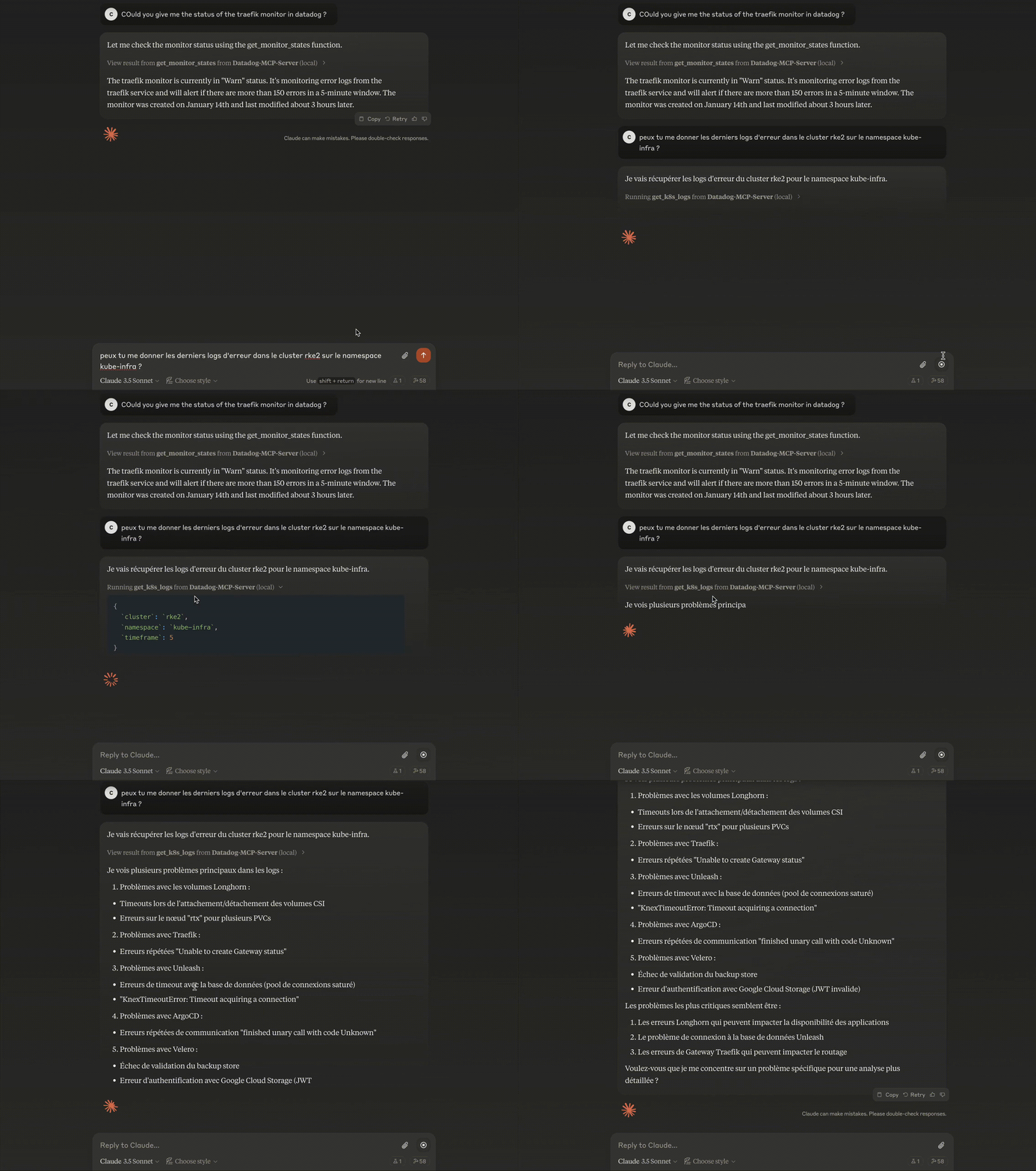
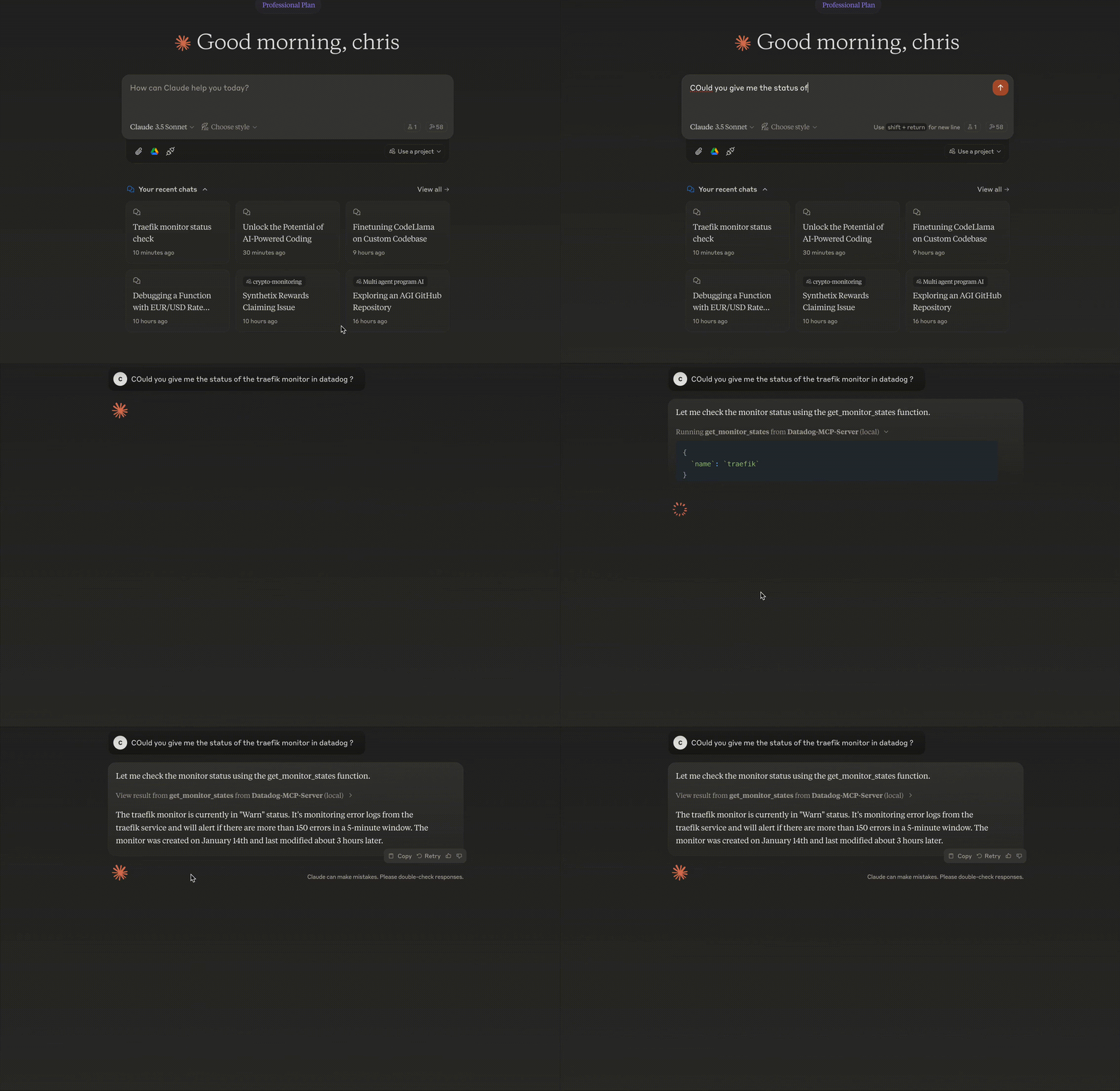
Usage 💻
Architecture 🏗
- FastMCP Base: Utilizes FastMCP framework for tool management
- Modular Design: Separate functions for monitors and logs
- Type Safety: Full typing support with Python type hints
- API Abstraction: Wrapped Datadog API calls with error handling
I'll add a section about MCP and Claude Desktop setup:
Model Context Protocol (MCP) Introduction 🤖
What is MCP?
Model Context Protocol (MCP) is a framework allowing AI models to interact with external tools and APIs in a standardized way. It enables models like Claude to:
- Access external data
- Execute commands
- Interact with APIs
- Maintain context across conversations
some examples of MCP servers
https://github.com/punkpeye/awesome-mcp-servers?tab=readme-ov-file
Tutorial for setup MCP
How it works - Available Functions 🛠️
the LLM use provided function to get the data and use it
1. Get Monitor States
get_monitor_states(
    name: str,           # Monitor name to search
    timeframe: int = 1   # Hours to look back
)
Example:
response = get_monitor_states(name="traefik")

# Sample Output
{
    "id": "12345678",
    "name": "traefik",
    "status": "OK",
    "query": "avg(last_5m):avg:traefik.response_time{*} > 1000",
    "message": "Response time is too high",
    "type": "metric alert",
    "created": "2024-01-14T10:00:00Z",
    "modified": "2024-01-14T15:30:00Z"
}
2. Get Kubernetes Logs
get_k8s_logs(
    cluster: str,            # Kubernetes cluster name
    timeframe: int = 5,      # Hours to look back
    namespace: str = None    # Optional namespace filter
)
Example:
logs = get_k8s_logs(
    cluster="prod-cluster",
    timeframe=3,
    namespace="default"
)

# Sample Output
{
    "timestamp": "2024-01-14T22:00:00Z",
    "host": "worker-1",
    "service": "nginx-ingress",
    "pod_name": "nginx-ingress-controller-abc123",
    "namespace": "default",
    "container_name": "controller",
    "message": "Connection refused",
    "status": "error"
}
# Install as MCP extension
cd datadog
task install-mcp
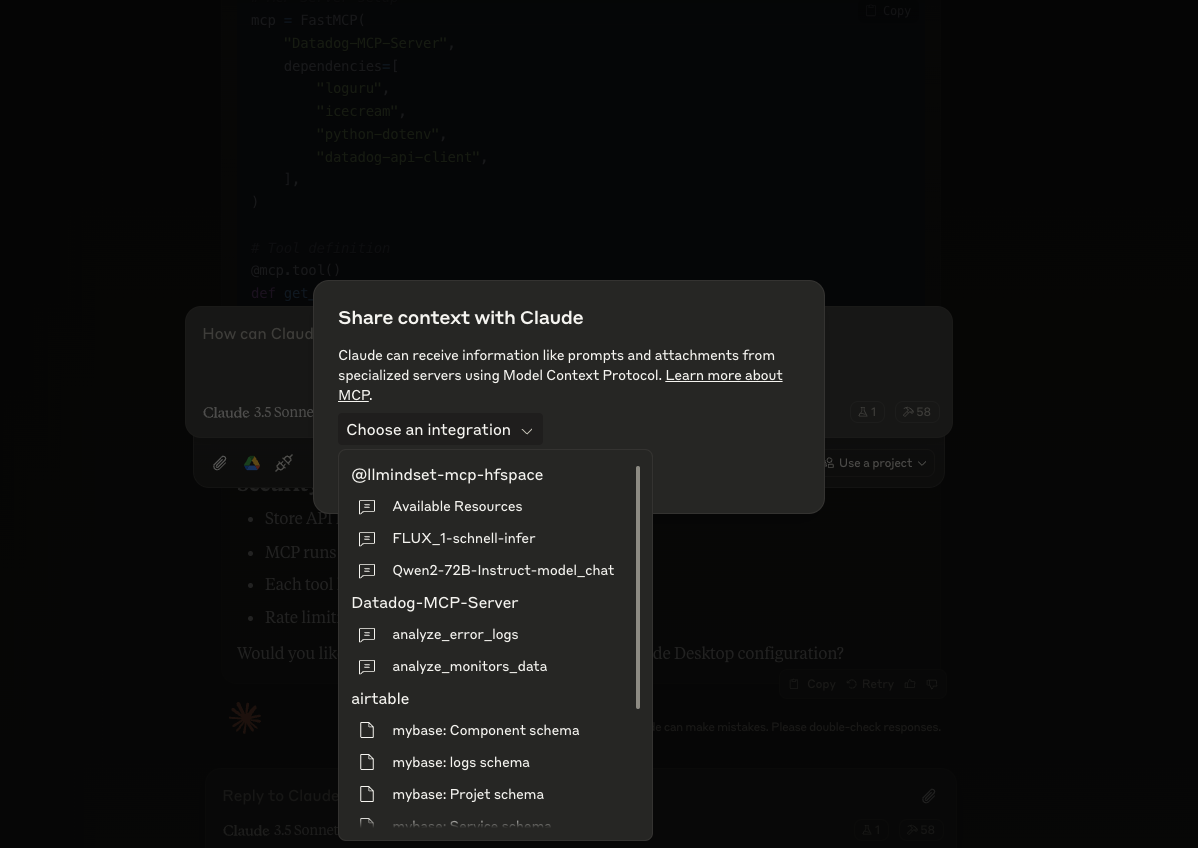
4. Verify Installation
In Claude chat desktop
check datadog connection in claude
5. Use Datadog MCP Tools
Security Considerations 🔒
- Store API keys in
.env - MCP runs in isolated environment
- Each tool has defined permissions
- Rate limiting is implemented
Troubleshooting 🔧
Using MCP Inspector
# Launch MCP Inspector for debugging
task run-mcp-inspector
The MCP Inspector provides:
- Real-time view of MCP server status
- Function call logs
- Error tracing
- API response monitoring
Common issues and solutions
API Authentication Errors
Error: (403) Forbidden➡️ Check your DD_API_KEY and DD_APP_KEY in .env
MCP Connection Issues
Error: Failed to connect to MCP server➡️ Verify your claude_desktop_config.json path and content
Monitor Not Found
Error: No monitor found with name 'xxx'➡️ Check monitor name spelling and case sensitivity
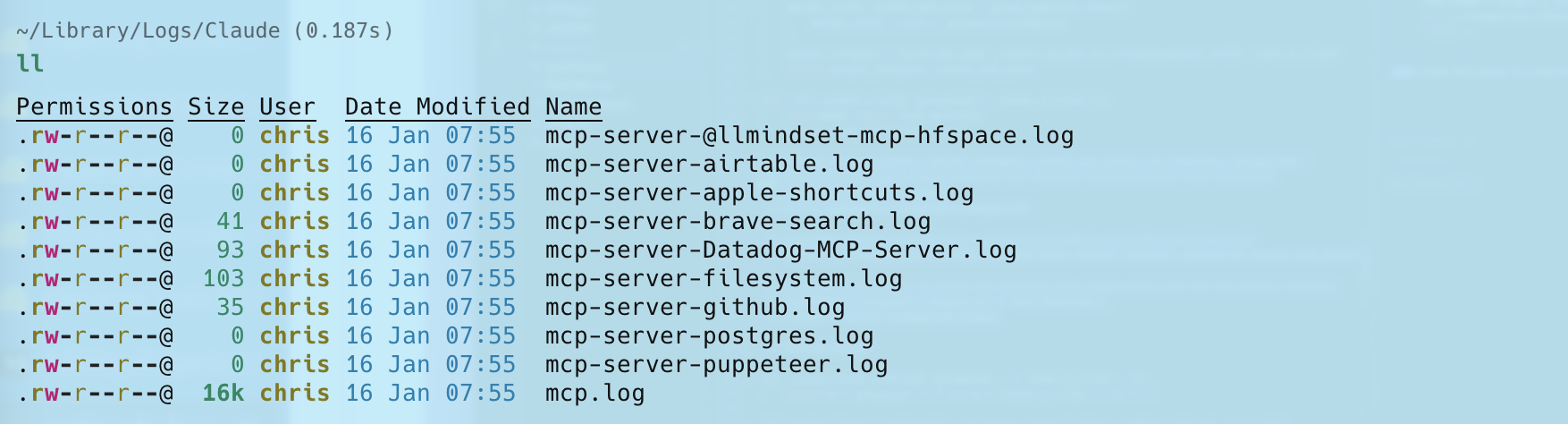
logs can be found here
Contributing 🤝
Feel free to:
- Open issues for bugs
- Submit PRs for improvements
- Add new features
Notes 📝
- API calls are made to Datadog EU site
- Default timeframe is 1 hour for monitor states
- Page size limits are set to handle most use cases
Installing Pulumi Cloud Development
This server has no published package — it is built from source. Open the repository and follow its README.
▸ github.com/didlawowo/mcp-collectionFAQ
Is Pulumi Cloud Development MCP free?
Yes, Pulumi Cloud Development MCP is free — one-click install via Unyly at no cost.
Does Pulumi Cloud Development need an API key?
No, Pulumi Cloud Development runs without API keys or environment variables.
Is Pulumi Cloud Development hosted or self-hosted?
Self-hosted: the server runs locally on your machine via the install command above.
How do I install Pulumi Cloud Development in Claude Desktop, Claude Code or Cursor?
Open Pulumi Cloud Development on unyly.org, pick your client tab (Claude Desktop, Claude Code, Cursor) and press Install — the config is generated automatically, no JSON editing.
Related MCPs
GitHub
PRs, issues, code search, CI status
 by GitHub
Filesystem
Secure file operations with configurable access controls.
Memory
Knowledge graph-based persistent memory system.
Template MCP Server
A CLI tool to create a new Model Context Protocol server project with TypeScript support, dual transport options, and an extensible structure
 by mcpdotdirect
Compare Pulumi Cloud Development with
Not sure what to pick?
Find your stack in 60 seconds
Author?
Embed badge for your README
Browse similar
All development MCPs