
pyroprompts/any-chat-completions-mcp
FreeNot checkedChat with any other OpenAI SDK Compatible Chat Completions API, like Perplexity, Groq, xAI and more

About
Chat with any other OpenAI SDK Compatible Chat Completions API, like Perplexity, Groq, xAI and more
README
Integrate Claude with Any OpenAI SDK Compatible Chat Completion API - OpenAI, Perplexity, Groq, xAI, PyroPrompts and more.
This implements the Model Context Protocol Server. Learn more: https://modelcontextprotocol.io
This is a TypeScript-based MCP server that implements an implementation into any OpenAI SDK Compatible Chat Completions API.
It has one tool, chat which relays a question to a configured AI Chat Provider.
Development
Install dependencies:
npm install
Build the server:
npm run build
For development with auto-rebuild:
npm run watch
Installation
To add OpenAI to Claude Desktop, add the server config:
On MacOS: ~/Library/Application Support/Claude/claude_desktop_config.json
On Windows: %APPDATA%/Claude/claude_desktop_config.json
You can use it via npx in your Claude Desktop configuration like this:
{
  "mcpServers": {
    "chat-openai": {
      "command": "npx",
      "args": [
        "@pyroprompts/any-chat-completions-mcp"
      ],
      "env": {
        "AI_CHAT_KEY": "OPENAI_KEY",
        "AI_CHAT_NAME": "OpenAI",
        "AI_CHAT_MODEL": "gpt-4o",
        "AI_CHAT_BASE_URL": "https://api.openai.com/v1"
      }
    }
  }
}
Or, if you clone the repo, you can build and use in your Claude Desktop configuration like this:
{
  "mcpServers": {
    "chat-openai": {
      "command": "node",
      "args": [
        "/path/to/any-chat-completions-mcp/build/index.js"
      ],
      "env": {
        "AI_CHAT_KEY": "OPENAI_KEY",
        "AI_CHAT_NAME": "OpenAI",
        "AI_CHAT_MODEL": "gpt-4o",
        "AI_CHAT_BASE_URL": "https://api.openai.com/v1"
      }
    }
  }
}
You can add multiple providers by referencing the same MCP server multiple times, but with different env arguments:
{
  "mcpServers": {
    "chat-pyroprompts": {
      "command": "node",
      "args": [
        "/path/to/any-chat-completions-mcp/build/index.js"
      ],
      "env": {
        "AI_CHAT_KEY": "PYROPROMPTS_KEY",
        "AI_CHAT_NAME": "PyroPrompts",
        "AI_CHAT_MODEL": "ash",
        "AI_CHAT_BASE_URL": "https://api.pyroprompts.com/openaiv1"
      }
    },
    "chat-perplexity": {
      "command": "node",
      "args": [
        "/path/to/any-chat-completions-mcp/build/index.js"
      ],
      "env": {
        "AI_CHAT_KEY": "PERPLEXITY_KEY",
        "AI_CHAT_NAME": "Perplexity",
        "AI_CHAT_MODEL": "sonar",
        "AI_CHAT_BASE_URL": "https://api.perplexity.ai"
      }
    },
    "chat-openai": {
      "command": "node",
      "args": [
        "/path/to/any-chat-completions-mcp/build/index.js"
      ],
      "env": {
        "AI_CHAT_KEY": "OPENAI_KEY",
        "AI_CHAT_NAME": "OpenAI",
        "AI_CHAT_MODEL": "gpt-4o",
        "AI_CHAT_BASE_URL": "https://api.openai.com/v1"
      }
    }
  }
}
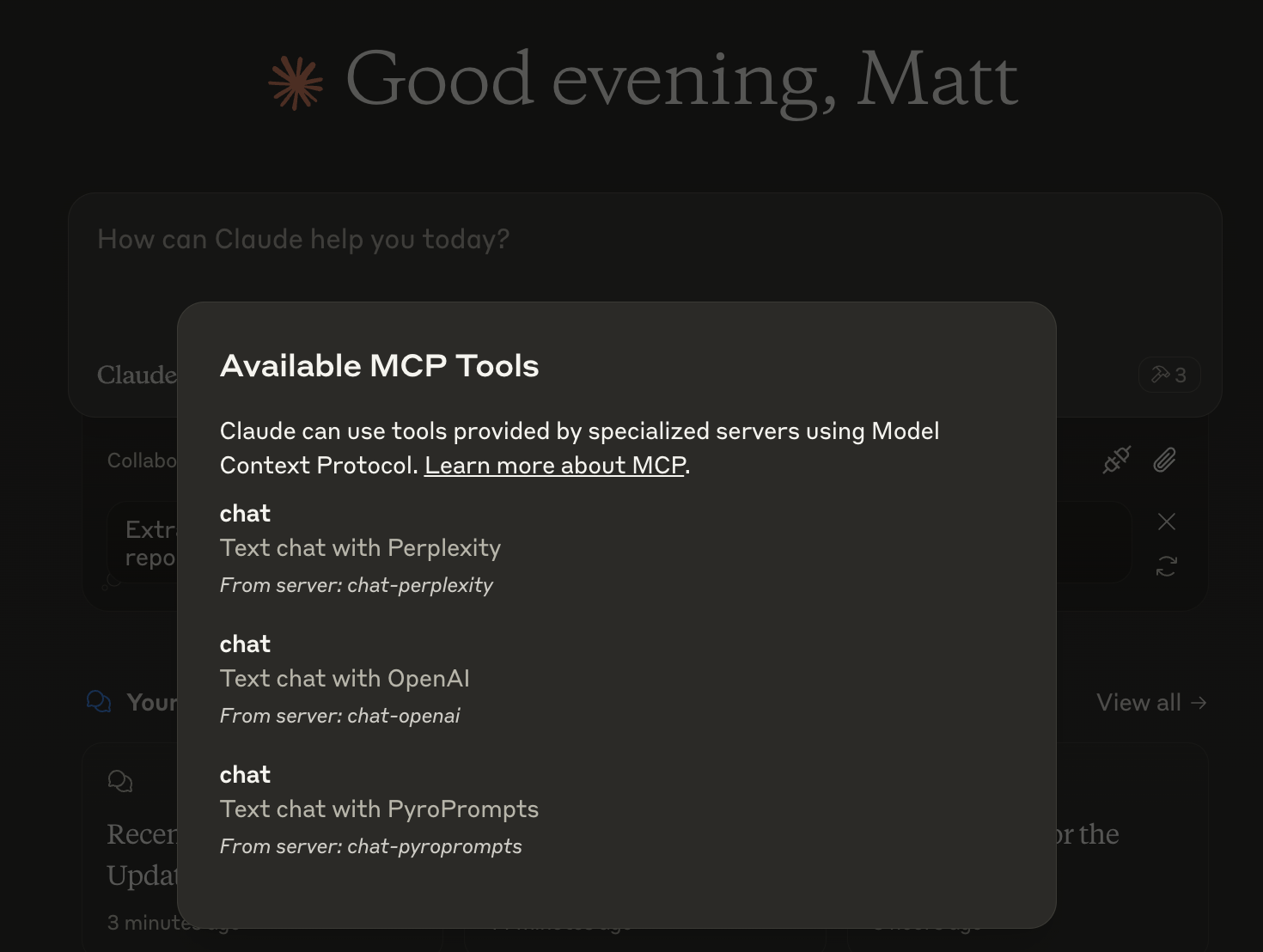
With these three, you'll see a tool for each in the Claude Desktop Home:
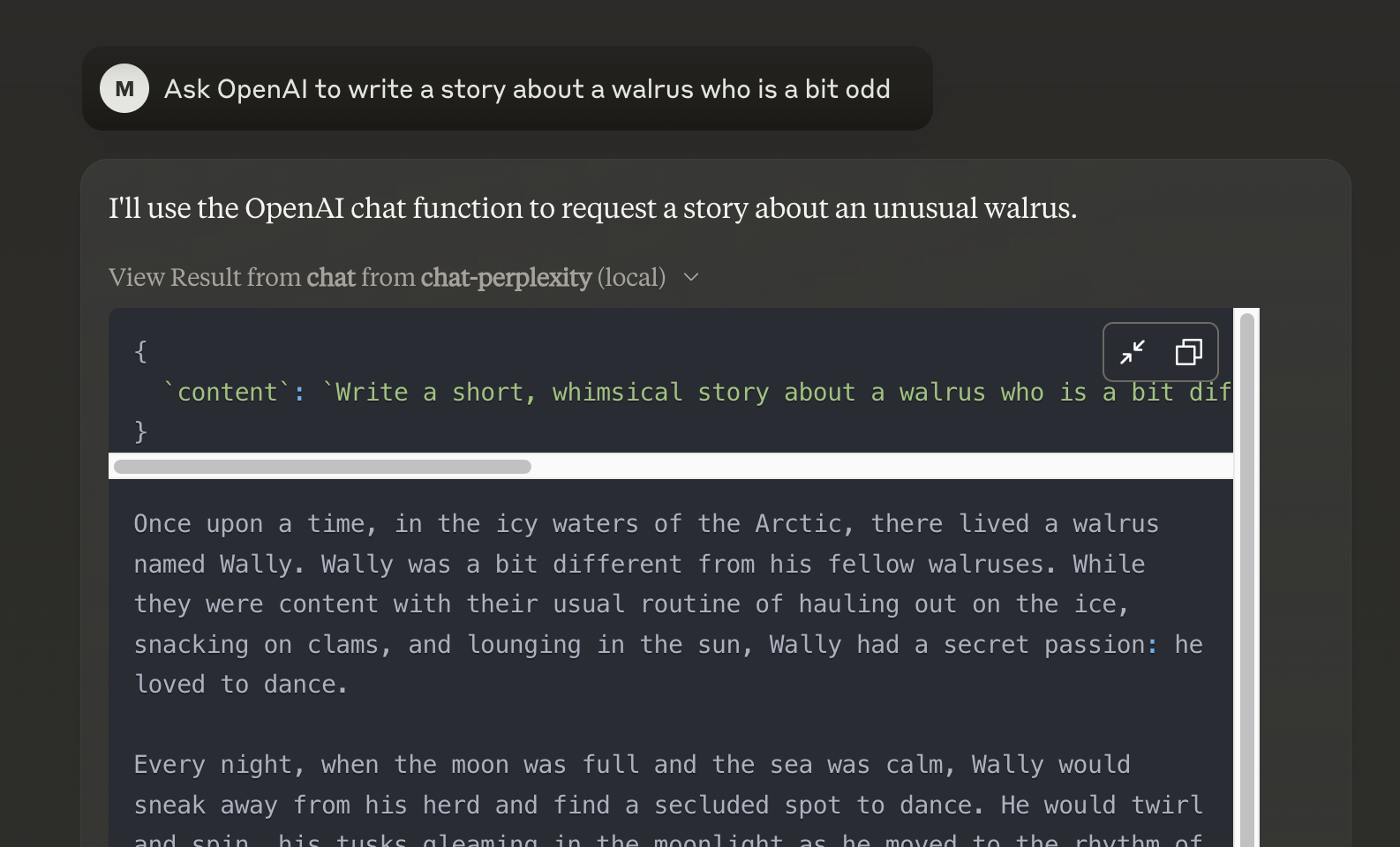
And then you can chat with other LLMs and it shows in chat like this:
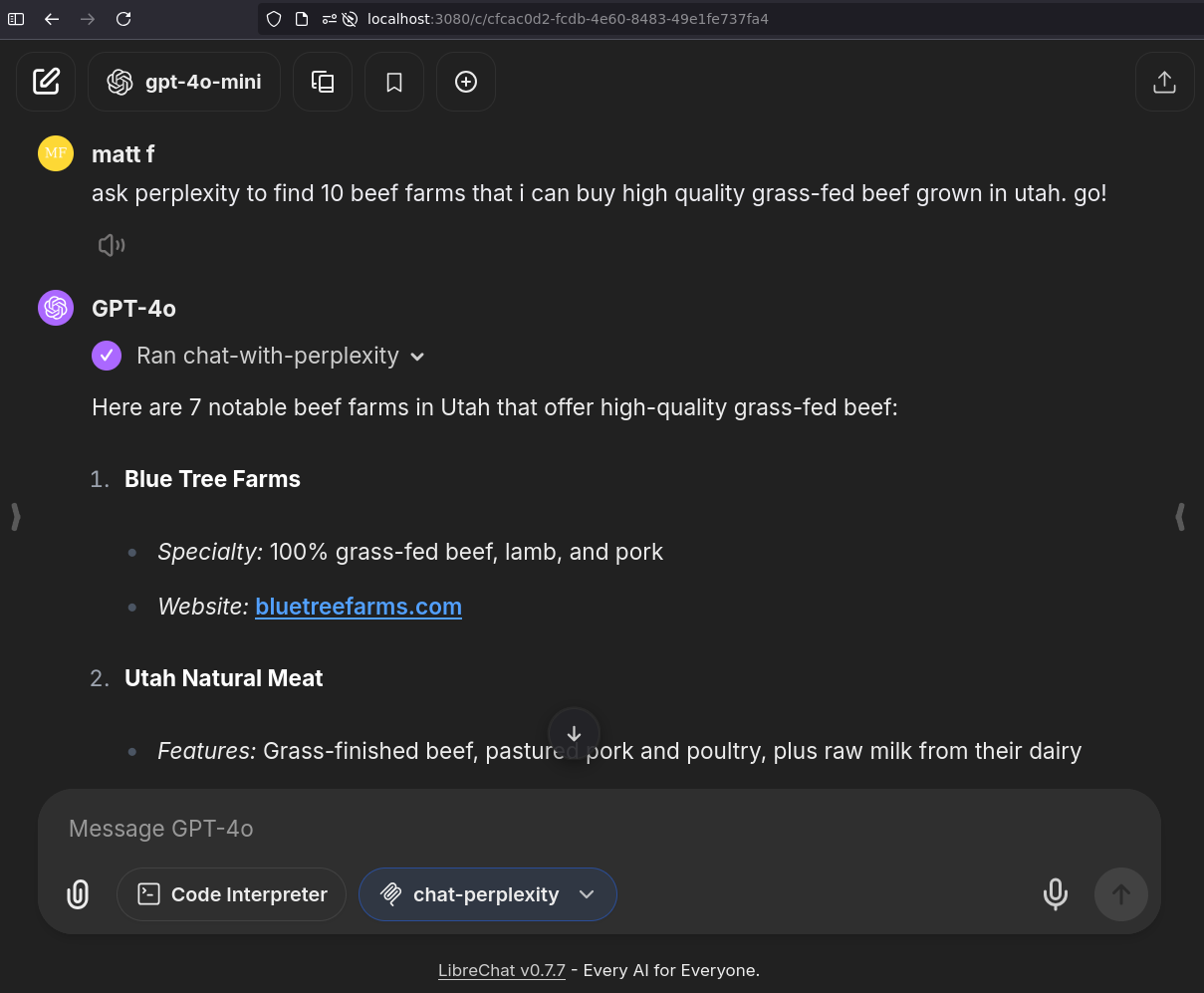
Or, configure in LibreChat like:
  chat-perplexity:
    type: stdio
    command: npx
    args:
      - -y
      - @pyroprompts/any-chat-completions-mcp
    env:
      AI_CHAT_KEY: "pplx-012345679"
      AI_CHAT_NAME: Perplexity
      AI_CHAT_MODEL: sonar
      AI_CHAT_BASE_URL: "https://api.perplexity.ai"
      PATH: '/usr/local/bin:/usr/bin:/bin'
And it shows in LibreChat:
Installing via Smithery
To install Any OpenAI Compatible API Integrations for Claude Desktop automatically via Smithery:
npx -y @smithery/cli install any-chat-completions-mcp-server --client claude
Debugging
Since MCP servers communicate over stdio, debugging can be challenging. We recommend using the MCP Inspector, which is available as a package script:
npm run inspector
The Inspector will provide a URL to access debugging tools in your browser.
Acknowledgements
- Obviously the modelcontextprotocol and Anthropic team for the MCP Specification and integration into Claude Desktop. https://modelcontextprotocol.io/introduction
- PyroPrompts for sponsoring this project. Use code
CLAUDEANYCHATfor 20 free automation credits on Pyroprompts.
Installing pyroprompts/any-chat-completions-mcp
This server has no published package — it is built from source. Open the repository and follow its README.
▸ github.com/pyroprompts/any-chat-completions-mcpFAQ
Is pyroprompts/any-chat-completions-mcp MCP free?
Yes, pyroprompts/any-chat-completions-mcp MCP is free — one-click install via Unyly at no cost.
Does pyroprompts/any-chat-completions-mcp need an API key?
No, pyroprompts/any-chat-completions-mcp runs without API keys or environment variables.
Is pyroprompts/any-chat-completions-mcp hosted or self-hosted?
Self-hosted: the server runs locally on your machine via the install command above.
How do I install pyroprompts/any-chat-completions-mcp in Claude Desktop, Claude Code or Cursor?
Open pyroprompts/any-chat-completions-mcp on unyly.org, pick your client tab (Claude Desktop, Claude Code, Cursor) and press Install — the config is generated automatically, no JSON editing.
Related MCPs
Gmail
Read, send and search emails from Claude
 by Google
Slack
Send, search and summarize Slack messages
 by Slack
Runbear
No-code MCP client for team chat platforms, such as Slack, Microsoft Teams, and Discord.
Discord Server
A community discord server dedicated to MCP by [Frank Fiegel](https://github.com/punkpeye)
Compare pyroprompts/any-chat-completions-mcp with
Not sure what to pick?
Find your stack in 60 seconds
Author?
Embed badge for your README
Browse similar
All communication MCPs