
Reporelay
FreeNot checkedSelf-hosted MCP server for indexing and searching code repositories via hybrid search and deep code understanding.

About
Self-hosted MCP server for indexing and searching code repositories via hybrid search and deep code understanding.
README
ALPHA VERSION







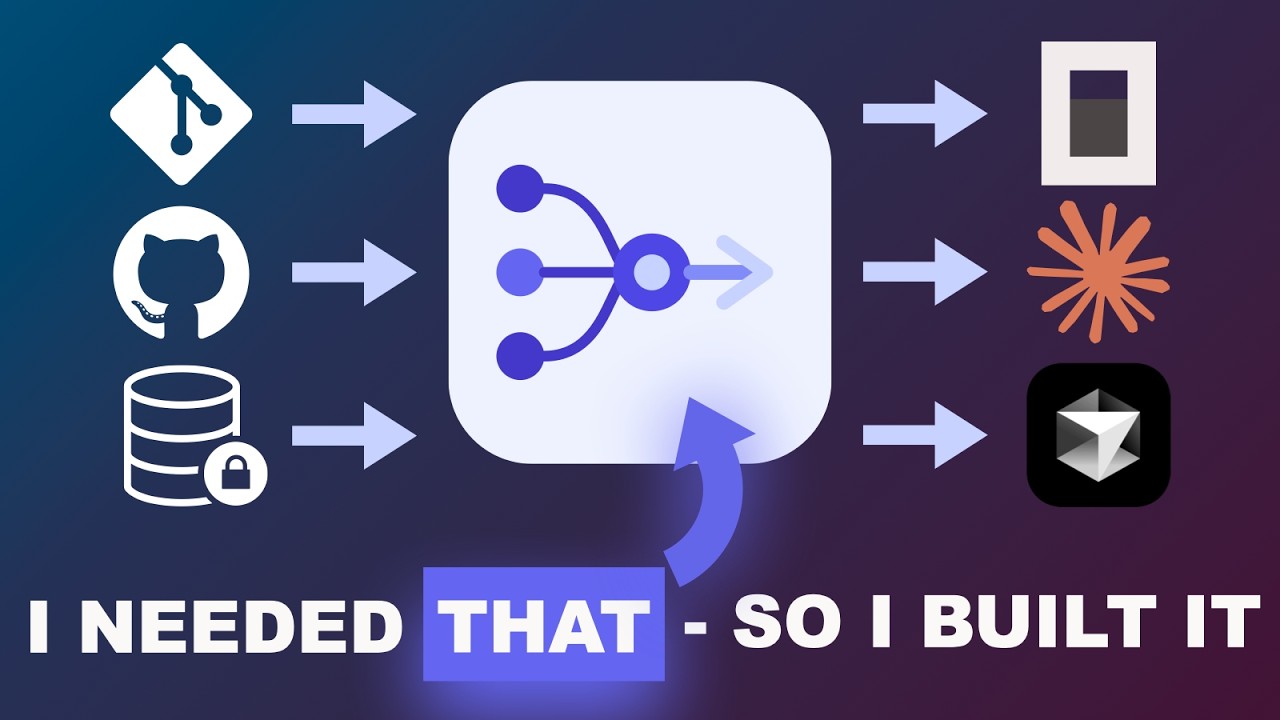
RepoRelay is a self-hosted code context engine for MCP.
- Add repositories from any source — GitHub, GitLab, Bitbucket, on-premise, or local disk
- Index the refs you need — pick the branches and tags that matter; each gets its own versioned snapshot
- Use them everywhere — every indexed repo is instantly available as MCP tools in Claude Desktop, Cursor, Windsurf, OpenCode, or any other MCP-capable client
Manage everything through the REST API or the admin dashboard. Register once, query from any project in any editor. RepoRelay parses files with tree-sitter, extracts symbols and imports, and stores everything in a hybrid search index (BM25 + pgvector).
RepoRelay runs entirely on your infrastructure — no third-party indexing service, no telemetry, no repo uploads. Code only leaves your network via the providers you explicitly configure: snippets requested by the LLM you connect via MCP (e.g. Claude, GPT), and chunks sent to your embedding provider during indexing (cloud providers like OpenAI see the code; a local Ollama setup keeps everything on-box).
Demo
Highlights
| Feature | Description | |
|---|---|---|
| Repos | Unlimited Repositories | Register repos from any Git host — GitHub, GitLab, Bitbucket, on-premise, or local paths |
| Search | Hybrid Search | BM25 full-text (ParadeDB) + vector similarity (pgvector), fused via Reciprocal Rank Fusion |
| Parse | Deep Code Understanding | tree-sitter parsing across 9 languages extracts symbols, imports, signatures, and doc comments |
| Index | Full-Index + SHA-256 Dedup | Every ref indexes all files via git ls-tree; SHA-256 content addressing skips unchanged files |
| MCP | MCP-Native | 7 tools, 2 resources, 3 prompts — works with any MCP host |
| Version | Versioned Snapshots | Every branch and tag is indexed independently; query with semver ranges like ^1.2 or ~3.0 |
| Deploy | Self-Hosted | Your code stays on your infrastructure. Postgres is the only runtime dependency |
| UI | REST API + Admin Dashboard | Fastify REST API (18 routes) + Angular 21 admin dashboard |
| Embed | Ollama | Ollama with Metal GPU acceleration for fast local embeddings |
| Chunk | Symbol-Aware Chunking | Respects function boundaries with overlap windows — never cuts a symbol in half |
| Lang | Language Auto-Detection | Detects your project's languages from manifest files and filters relevant repos automatically |


Quick Start
Option A: Docker Compose (recommended)
Run the entire stack — Postgres, worker, REST API, MCP server, and admin UI — with a single command. No Node.js installation required.
Prerequisites
| Requirement | Version |
|---|---|
| Docker | Latest |
1. Clone and configure
git clone https://github.com/chwoerz/reporelay.git
cd reporelay
cp .env.example .env
Edit .env if you need to change the embedding model or Git tokens for private repos. The defaults work out of the
box if you have Ollama running locally with nomic-embed-text as a model.
2. Start everything
docker compose up -d
This builds and starts all 5 services:
| Service | Port | Description |
|---|---|---|
postgres |
5432 |
ParadeDB (Postgres + pgvector + pg_search) |
worker |
— | Background indexing worker (pg-boss) |
web |
3001 |
REST API + Swagger UI (/docs) |
mcp |
3000 |
MCP server (HTTP transport) |
ui |
80 |
Angular admin dashboard (nginx) |
| Ollama | 11434 |
Embedding model (external) |
The worker runs database migrations automatically on first startup.
3. Index your repos
# Register a remote repo
curl -sS -X POST http://localhost:3001/api/repos \
  -H 'content-type: application/json' \
  -d '{"name":"my-lib","remoteUrl":"https://github.com/org/my-lib.git"}'

# Trigger indexing for a specific branch
curl -sS -X POST http://localhost:3001/api/repos/my-lib/sync \
  -H 'content-type: application/json' \
  -d '{"ref":"main"}'

# Index a tagged release — each version is stored independently
curl -sS -X POST http://localhost:3001/api/repos/my-lib/sync \
  -H 'content-type: application/json' \
  -d '{"ref":"v2.0.0"}'

# Search across all indexed repos and versions
curl -sS 'http://localhost:3001/api/search?query=handleAuth'
Or use the admin dashboard at http://localhost and the Swagger UI at http://localhost:3001/docs.
4. MCP Client
Configure your MCP client (Claude Desktop, Cursor, etc.) to connect to the MCP proxy at http://localhost:3000/mcp — see the MCP Client Setup section below for details.
Option B: Local Development
Run services directly with Node.js for a faster dev loop with hot-reload.
Prerequisites
| Requirement | Version |
|---|---|
| Node.js | 22+ |
| pnpm | 9+ |
| Docker | Latest |
1. Clone and install
git clone https://github.com/chwoerz/reporelay.git
cd reporelay
pnpm install
2. Start Postgres
docker compose up -d postgres
This starts ParadeDB (Postgres with pgvector + pg_search).
3. Configure environment
cp .env.example .env
# Defaults work for local development — no edits needed
4. Start services
# All-in-one dev script (Postgres + worker + web API)
pnpm dev

# Or individual services
pnpm dev:worker   # Background indexing worker
pnpm dev:mcp      # MCP server (HTTP on :3000)
pnpm dev:web      # REST API on :3001
pnpm dev:proxy    # MCP proxy (connects to MCP server)
pnpm dev:ui       # Angular dashboard on :4200
| Service | Port | Description |
|---|---|---|
postgres |
5432 |
ParadeDB (Postgres + pgvector + pg_search) |
worker |
— | Background indexing worker (pg-boss) |
web |
3001 |
REST API + Swagger UI (/docs) |
mcp |
3000 |
MCP server (HTTP transport) |
proxy |
— stdio | MCP proxy (connects to MCP server) |
ui |
4200 |
Angular dev server |
| Ollama | 11434 |
Embedding model (external) |
The worker bootstraps the database on first startup (extensions, migrations, BM25 index).
5. Index your repos
# Register a local repo
curl -sS -X POST http://localhost:3001/api/repos \
  -H 'content-type: application/json' \
  -d '{"name":"my-app","localPath":"/absolute/path/to/my-app"}'

# Register a remote repo
curl -sS -X POST http://localhost:3001/api/repos \
  -H 'content-type: application/json' \
  -d '{"name":"my-lib","remoteUrl":"https://github.com/org/my-lib.git"}'

# Trigger indexing for a specific branch
curl -sS -X POST http://localhost:3001/api/repos/my-app/sync \
  -H 'content-type: application/json' \
  -d '{"ref":"main"}'

# Index a tagged release — each version is stored independently
curl -sS -X POST http://localhost:3001/api/repos/my-lib/sync \
  -H 'content-type: application/json' \
  -d '{"ref":"v2.0.0"}'

# Search across all indexed repos and versions
curl -sS 'http://localhost:3001/api/search?query=handleAuth'

# Check status
curl -sS http://localhost:3001/api/repos
Or use the admin dashboard at http://localhost:4200.
6. MCP Client
Configure your MCP client (Claude Desktop, Cursor, etc.) to connect to the MCP proxy at http://localhost:3000/mcp — see the MCP Client Setup section below for details.
Supported Git Hosts
RepoRelay works with any Git repository accessible over HTTPS or on the local filesystem. There is no vendor lock-in — your repos can come from any combination of:
- GitHub (github.com and GitHub Enterprise)
- GitLab (gitlab.com and self-managed)
- Bitbucket (Cloud and Data Center)
- Azure DevOps
- Gitea / Forgejo
- Any on-premise Git server (Gerrit, cgit, etc.)
- Local repositories on disk
For private repos, set a GIT_TOKEN_<HOST> environment variable and RepoRelay handles authentication automatically. Host-specific username defaults are built-in for GitHub, GitLab, and Bitbucket — any other host uses GIT_USER_<HOST> or falls back to oauth2.
# Example: authenticate with GitHub and a self-hosted GitLab
GIT_TOKEN_GITHUB_COM=ghp_xxxxxxxxxxxx
GIT_TOKEN_GITLAB_INTERNAL_CORP_COM=glpat-xxxxxxxxxxxx
MCP Client Setup
Claude Desktop / Cursor
Clients connect via the MCP proxy, which auto-detects your project's languages and forwards requests to the RepoRelay HTTP server:
{
  "mcpServers": {
    "reporelay": {
      "command": "npx",
      "args": ["reporelay", "--server", "http://localhost:3000/mcp"]
    }
  }
}
See the full documentation for OpenCode, remote server, and other client configurations.
MCP Proxy
The MCP proxy is a lightweight local binary that sits between your IDE and the RepoRelay HTTP server. It:
- Detects languages from the developer's working directory
- Connects to the RepoRelay MCP server over HTTP
- Forwards all MCP requests, injecting detected languages into tool calls
# Via CLI argument
npx reporelay --server http://localhost:3000/mcp

# Or via environment variable
REPORELAY_URL=http://localhost:3000/mcp npx reporelay
For a remote server, just change the URL:
{
  "mcpServers": {
    "reporelay": {
      "command": "npx",
      "args": ["reporelay", "--server", "https://reporelay.example.com/mcp"]
    }
  }
}
The proxy injects languages into 4 tools that support language filtering: search_code, get_symbol, find, and list_repos. Per-request languages values provided by the caller take priority over auto-detected ones.
Language Auto-Detection
When MCP_LANGUAGES is not set, the MCP server automatically detects the host project's language by scanning the working directory for well-known manifest files:
| Manifest File | Detected Languages |
|---|---|
package.json, tsconfig.json |
typescript, javascript |
Cargo.toml |
rust |
go.mod |
go |
pyproject.toml, setup.py |
python |
pom.xml, build.gradle(.kts) |
java, kotlin |
CMakeLists.txt, Makefile |
c, cpp |
Detected languages are used to filter which repos are served — only repos whose language_stats contain a matching language above the threshold are included.
MCP_LANGUAGE_THRESHOLD (default: 10) controls the minimum percentage a language must represent in a repo ref's file breakdown. Set to 0 to disable repo filtering entirely.
{
  "mcpServers": {
    "reporelay": {
      "command": "npx",
      "args": ["tsx", "src/mcp/main.ts"],
      "env": {
        "DATABASE_URL": "postgresql://reporelay:reporelay@localhost:5432/reporelay",
        "MCP_LANGUAGE_THRESHOLD": "0"
      }
    }
  }
}
Documentation
Full documentation is available at the RepoRelay docs site, including:
- Indexing pipeline deep-dive
- MCP tools, resources & prompts reference
- REST API reference (18 endpoints)
- Configuration reference
- Database design
- Project structure
- Tech stack
Testing
Comprehensive test suite (unit + integration) covering every module.
pnpm test              # All tests
pnpm test:unit         # Unit tests only
pnpm test:integration  # Integration tests (requires Docker)
pnpm test:watch        # Watch mode
Integration tests use real ParadeDB containers via Testcontainers.
Tech Stack


TypeScript (ESM, strict) / Node.js 22+ / Fastify 5 / Drizzle ORM / ParadeDB (BM25 + pgvector) / pg-boss / tree-sitter / MCP SDK / Angular 21 / Vitest + Testcontainers / Docker
License
Install Reporelay in Claude Desktop, Claude Code & Cursor
unyly install reporelayInstalls into Claude Desktop, Claude Code, Cursor & VS Code — handles npx, uvx and build-from-source repos for you.
First time? Get the CLI: curl -fsSL https://unyly.org/install | sh
Or configure manually
Run in your terminal:
claude mcp add reporelay -- npx -y reporelayFAQ
Is Reporelay MCP free?
Yes, Reporelay MCP is free — one-click install via Unyly at no cost.
Does Reporelay need an API key?
No, Reporelay runs without API keys or environment variables.
Is Reporelay hosted or self-hosted?
Self-hosted: the server runs locally on your machine via the install command above.
How do I install Reporelay in Claude Desktop, Claude Code or Cursor?
Open Reporelay on unyly.org, pick your client tab (Claude Desktop, Claude Code, Cursor) and press Install — the config is generated automatically, no JSON editing.
Related MCPs
GitHub
PRs, issues, code search, CI status
 by GitHub
Filesystem
Secure file operations with configurable access controls.
Memory
Knowledge graph-based persistent memory system.
Template MCP Server
A CLI tool to create a new Model Context Protocol server project with TypeScript support, dual transport options, and an extensible structure
 by mcpdotdirect
Compare Reporelay with
Not sure what to pick?
Find your stack in 60 seconds
Author?
Embed badge for your README
Browse similar
All development MCPs