
Robot Framework Server
FreeNot checkedA local MCP server that parses Robot Framework output.xml files, scores and groups failures, and exposes structured triage data to Claude Desktop and Claude Cod

About
A local MCP server that parses Robot Framework output.xml files, scores and groups failures, and exposes structured triage data to Claude Desktop and Claude Code.
README




A local Python MCP server for analysing Robot Framework output.xml results and exposing structured failure data to Claude Desktop and Claude Code.
Why?
Large Robot Framework suites often produce hundreds of failures across dozens of areas.
Instead of manually reading output.xml files, this MCP server:
- groups failures by shared root cause
- prioritises by business impact and severity tags
- escalates API/server errors automatically (5xx → 92, 4xx → 87, 403 → 80)
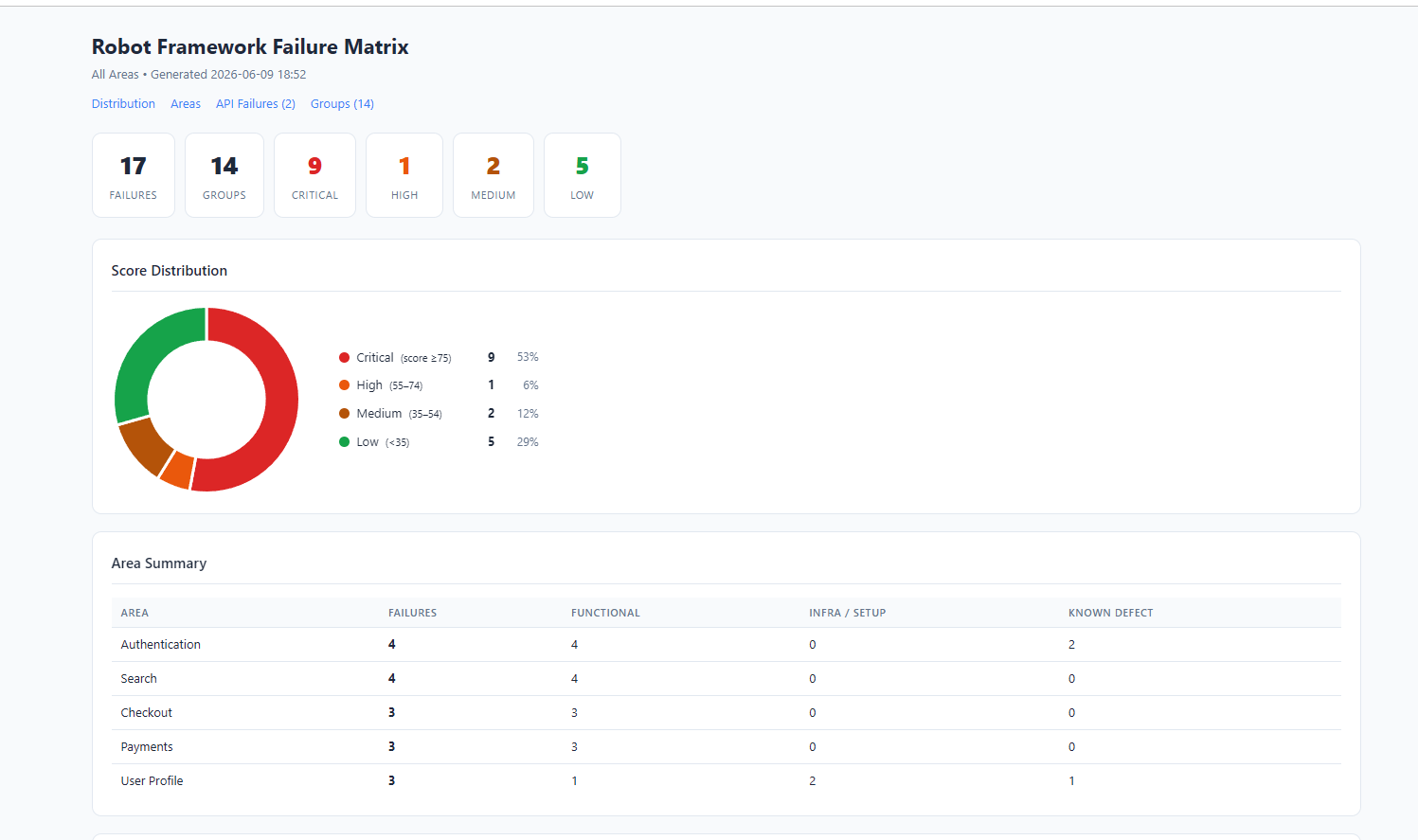
- generates interactive HTML reports with score-distribution charts
- provides Claude with full keyword traces for rapid debugging
The result: a triage session that takes minutes instead of hours.
Quick Start
# 1. Install
pip install -r requirements.txt
pip install mcp

# 2. Start the server
python -m uvicorn robot_mcp_server.http_server:app --host 127.0.0.1 --port 8000

# 3. In Claude — ingest your results, then triage
ingest_results(results_dir="/path/to/results")
generate_failure_matrix(output_path="/path/to/report.html")
get_triage_queue()
API docs available at http://127.0.0.1:8000/docs once the server is running.
Demo
Interactive HTML Report
Why not just inspect output.xml manually?
| Manual review | Robot Framework MCP Server |
|---|---|
| Hundreds of unranked failures | Ranked triage queue — highest impact first |
| Manual root-cause grouping | Automatic fingerprint clustering |
| Raw XML | Interactive HTML with doughnut chart |
| Ctrl+F through log files | SQL queries against a structured database |
| Status code only | Actual API error message extracted from response body |
| Separate tool per task | Single MCP interface for Claude Desktop and Claude Code |
Features
| Feature | Status |
|---|---|
| Root cause grouping via fingerprinting | ✅ |
| Failure scoring (0–100, multidimensional) | ✅ |
| API error escalation + message extraction | ✅ |
| Interactive HTML reports | ✅ |
| Claude Desktop support | ✅ |
| Claude Code support | ✅ |
| SQLite persistence | ✅ |
| Idempotent ingestion | ✅ |
| Ad-hoc SQL querying | ✅ |
| Per-test keyword trace for debug context | ✅ |
Installation
python -m pip install -r requirements.txt
pip install mcp
Connecting to Claude Desktop
Add to %APPDATA%\Claude\claude_desktop_config.json:
{
  "mcpServers": {
    "robot-framework-failure-review": {
      "command": "python",
      "args": ["C:\\path\\to\\robot-framework-mcp-server\\examples\\mcp_stdio_wrapper.py"],
      "env": {
        "BASE_URL": "http://127.0.0.1:8000"
      }
    }
  }
}
Then restart Claude Desktop. The server appears under the + → Connectors menu.
Connecting to Claude Code
The .claude/settings.json in this repo configures the MCP server automatically for Claude Code when working in this directory.
Documentation
- Architecture and design decisions
- Configuration — results layout, database initialisation, area categories
- MCP tools reference and typical workflow
- Failure scoring rubric
- SQL query examples
Tests
pytest
Installing Robot Framework Server
This server has no published package — it is built from source. Open the repository and follow its README.
▸ github.com/Matthew-M-King/robot-framework-mcp-serverFAQ
Is Robot Framework Server MCP free?
Yes, Robot Framework Server MCP is free — one-click install via Unyly at no cost.
Does Robot Framework Server need an API key?
No, Robot Framework Server runs without API keys or environment variables.
Is Robot Framework Server hosted or self-hosted?
Self-hosted: the server runs locally on your machine via the install command above.
How do I install Robot Framework Server in Claude Desktop, Claude Code or Cursor?
Open Robot Framework Server on unyly.org, pick your client tab (Claude Desktop, Claude Code, Cursor) and press Install — the config is generated automatically, no JSON editing.
Related MCPs
GitHub
PRs, issues, code search, CI status
 by GitHub
Filesystem
Secure file operations with configurable access controls.
Memory
Knowledge graph-based persistent memory system.
Template MCP Server
A CLI tool to create a new Model Context Protocol server project with TypeScript support, dual transport options, and an extensible structure
 by mcpdotdirect
Compare Robot Framework Server with
Not sure what to pick?
Find your stack in 60 seconds
Author?
Embed badge for your README
Browse similar
All development MCPs