
Saas Foundry
FreeNot checkedForkable starter blueprint for SaaS-focused MCP servers, with templates, examples, and release-readiness guardrails.

About
Forkable starter blueprint for SaaS-focused MCP servers, with templates, examples, and release-readiness guardrails.
README
mcp-saas-foundry
Build SaaS-focused MCP servers from a starter that already thinks about repo shape, security boundaries, and release readiness.
mcp-saas-foundry is the flagship repo for this portfolio. It is built for the gap between "toy MCP demo" and "starter a team could realistically fork", with opinionated guidance for architecture, operational constraints, and example integration patterns you can actually adapt.
Quick Proof
- A full starter blueprint in docs/blueprint.md, plus phased delivery guidance in docs/roadmap.md.
- A copyable zero-dependency starter in templates/node-starter, not just docs about how a starter should look.
- Concrete SaaS and internal API patterns in examples, plus a release-readiness gate in docs/checklist.md.
- A lightweight CLI preview via
npm run blueprintso you can inspect the intended repo shape immediately.
Start Here
npm run blueprint
npm test
Then take the shortest path for your use case:
- Want the architecture? Read docs/blueprint.md.
- Want a starter repo? Copy templates/node-starter.
- Want an adaptation pattern? Start in examples.
- Want a publish gate? Run through docs/checklist.md.
If this repo saves you time turning an MCP idea into a production-minded starter, star it before you fork.
What You Get
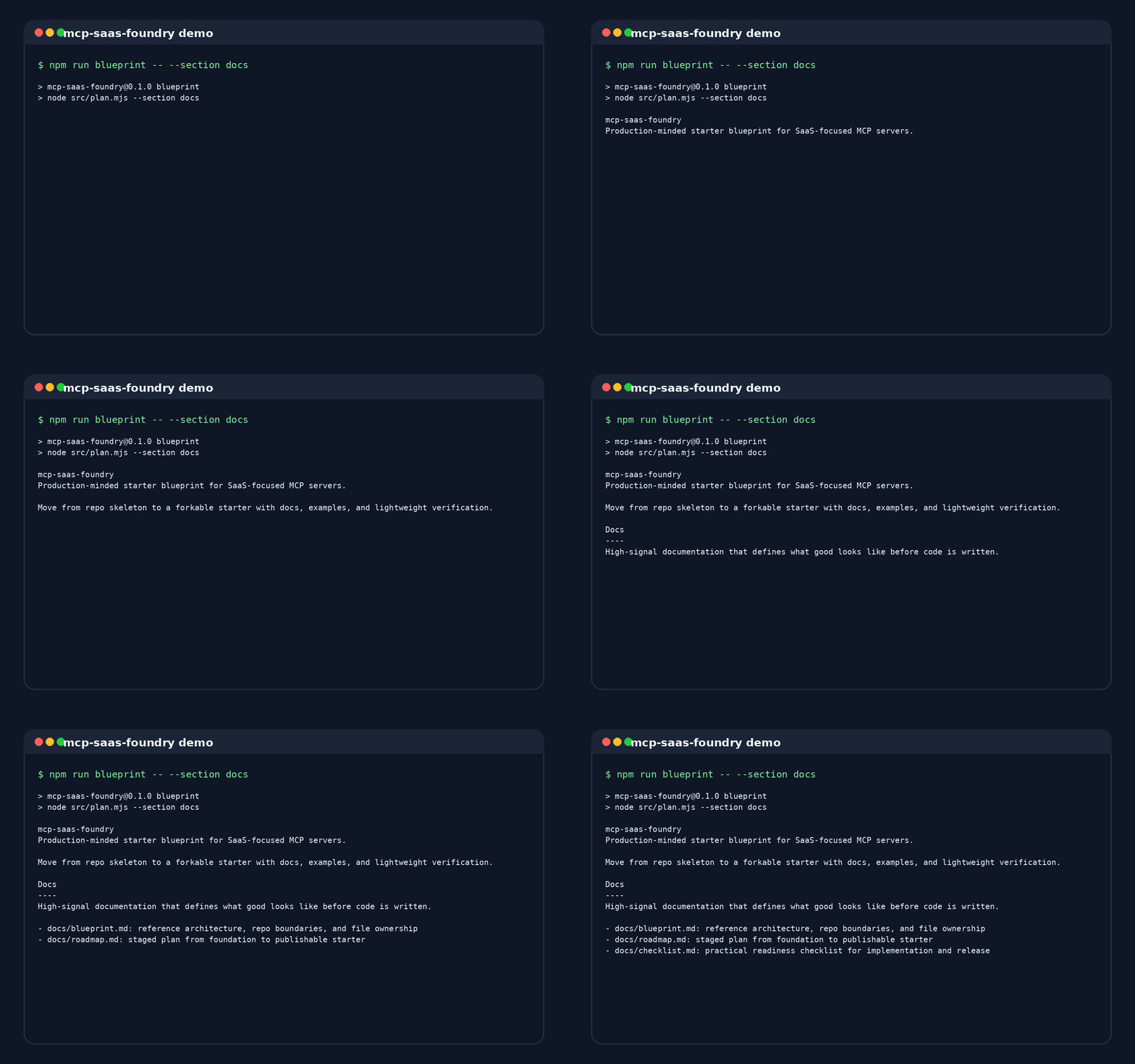
docs/blueprint.mdfor the target repository shape, core boundaries, and design rules.docs/roadmap.mdfor phased delivery and release gates.docs/checklist.mdfor implementation, security, quality, and publishing readiness.docs/releases/v0.1.0.mdfor the first release notes draft.templates/node-starter/for a copyable zero-dependency starter skeleton.examples/for concrete SaaS and internal API adaptation patterns..github/plus community health files for CI, issue intake, PR review, and security reporting.src/plan.mjsfor a lightweight blueprint CLI preview.
Repo Map
.
├── docs/
│   ├── blueprint.md
│   ├── checklist.md
│   └── roadmap.md
├── examples/
│   ├── github-issues/
│   └── internal-rest/
├── src/
│   ├── blueprint.mjs
│   └── plan.mjs
├── templates/
│   └── node-starter/
└── test/
    └── blueprint.test.mjs
Design Principles
- Keep transport, provider adapters, and tool contracts separate.
- Make auth, scope management, pagination, and rate limits explicit from day one.
- Optimize for starter clarity over framework cleverness.
- Include release readiness and supportability in the repo, not as an afterthought.
- Prefer examples that show naming, boundaries, and failure modes over vague prose.
Starter Flow
- Blueprint: use the docs to align on structure and delivery constraints.
- Template: copy the base starter and replace the placeholder provider/tool modules.
- Example: map your SaaS surface area onto one of the integration blueprints.
- Checklist: harden auth, observability, testing, and release metadata before shipping.
Included Assets
Docs
- Blueprint: recommended repository structure and responsibility split.
- Roadmap: staged plan from foundation to publishable starter.
- Checklist: practical "done means done" list for maintainers.
- Release Notes Draft: first-cut notes for the initial public release.
Template
- Node Starter: minimal skeleton with config, manifest, provider adapter, tools, and smoke tests.
Examples
- GitHub Issues: issue triage and release-oriented tool surface.
- Internal REST: adapter-focused pattern for private APIs with stricter guardrails.
Project Health
- Security Policy: supported versions, disclosure expectations, and reporting flow.
- Contributing Guide: local checks and scope rules for repository changes.
- Code of Conduct: participation standards for public collaboration.
- Pull Request Template: review checklist for repo changes.
Local Preview
npm run blueprint
npm run blueprint -- --json
npm run blueprint -- --section docs
Related Repositories
Install Saas Foundry in Claude Desktop, Claude Code & Cursor
unyly install saas-foundryInstalls into Claude Desktop, Claude Code, Cursor & VS Code — handles npx, uvx and build-from-source repos for you.
First time? Get the CLI: curl -fsSL https://unyly.org/install | sh
Or configure manually
Run in your terminal:
claude mcp add saas-foundry -- npx -y github:ToolmeshAI/mcp-saas-foundryStep-by-step: how to install Saas Foundry
FAQ
Is Saas Foundry MCP free?
Yes, Saas Foundry MCP is free — one-click install via Unyly at no cost.
Does Saas Foundry need an API key?
No, Saas Foundry runs without API keys or environment variables.
Is Saas Foundry hosted or self-hosted?
Self-hosted: the server runs locally on your machine via the install command above.
How do I install Saas Foundry in Claude Desktop, Claude Code or Cursor?
Open Saas Foundry on unyly.org, pick your client tab (Claude Desktop, Claude Code, Cursor) and press Install — the config is generated automatically, no JSON editing.
Related MCPs
GitHub
PRs, issues, code search, CI status
 by GitHub
Filesystem
Secure file operations with configurable access controls.
Memory
Knowledge graph-based persistent memory system.
Template MCP Server
A CLI tool to create a new Model Context Protocol server project with TypeScript support, dual transport options, and an extensible structure
 by mcpdotdirect
Amap Maps Mcp Server
MCP server for using the AMap Maps API
 by duxiaohui
Supabase
Database, auth and storage
 by Supabase
Everything
Reference / test server with prompts, resources, and tools.
Git
Tools to read, search, and manipulate Git repositories.
Sequential Thinking
Dynamic and reflective problem-solving through thought sequences.
Time
Time and timezone conversion capabilities.
Compare Saas Foundry with
Not sure what to pick?
Find your stack in 60 seconds
Author?
Embed badge for your README
Browse similar
All development MCPs