

About
Sap Btp Usage — Model Context Protocol server
README
Talk to your SAP BTP costs using natural language! This MCP server lets AI assistants (like SAP Joule) answer questions about your cloud consumption.
Examples of what you can ask:
- "How many cloud credits do we have left?"
- "Which services cost the most this month?"
- "Compare our spending: January vs February"
- "Are any services over their quota?"
Quick Start
# 1. Clone and enter the project
git clone https://github.com/ADS-Eng-TI-Cloud-Computing/sap-btp-usage-mcp-server.git
cd sap-btp-usage-mcp-server

# 2. Login to Cloud Foundry
cf login -a https://api.cf.<region>.hana.ondemand.com

# 3. Create required services
cf create-service xsuaa application sap-btp-usage-xsuaa -c xs-security.json
cf create-service destination lite sap-btp-usage-destination

# 4. Build and deploy
npm install && npm run build
cf push

# 5. Test it
curl https://<your-app-url>/health
Then configure the destinations in BTP Cockpit (see detailed steps below).
How It Works (Simple Version)
┌──────────────┐         ┌──────────────┐         ┌──────────────┐
│   You ask    │   ───►  │  MCP Server  │   ───►  │  SAP BTP     │
│   Joule      │         │  (this app)  │         │  Usage API   │
└──────────────┘         └──────────────┘         └──────────────┘
     "How many               Validates              Returns real
   credits left?"            & fetches               usage data
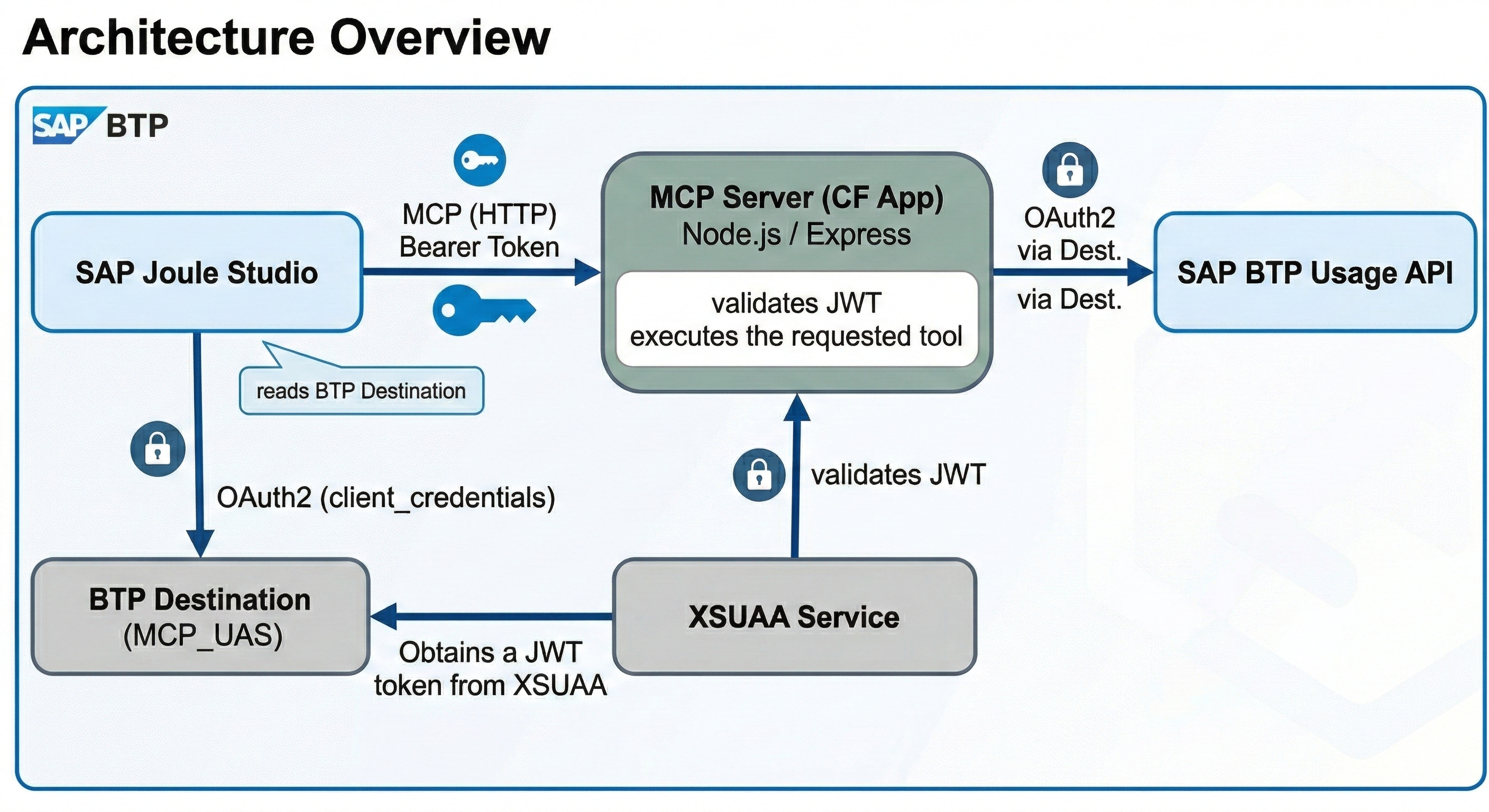
In plain English:
- You ask Joule a question about BTP costs
- Joule calls this MCP server with your question
- The MCP server fetches the data from SAP's Usage API
- You get a natural language answer
Security: All requests are authenticated using OAuth2/JWT tokens via XSUAA.
What Questions Can You Ask?
| Tool | What it does | Example question |
|---|---|---|
sap_btp_get_cloud_credits |
Shows your credit balance and contract info | "How many credits do we have?" |
sap_btp_top_services |
Lists most expensive services | "Top 5 services by cost" |
sap_btp_compare_months |
Compares spending between months | "Compare Jan vs Feb spending" |
sap_btp_check_overusage |
Finds services over quota | "Any services over limit?" |
sap_btp_new_services |
Shows recently enabled services | "What's new this quarter?" |
sap_btp_cost_summary |
Breaks down costs by category | "Costs by subaccount" |
Before You Start
You'll need:
- Node.js 18+ — Download
- Cloud Foundry CLI — Download
- SAP BTP Account with Cloud Foundry enabled
- Entitlements: XSUAA (application plan) + Destination (lite plan)
Part 1: Deploy the MCP Server
Step 1: Clone the Project
git clone https://github.com/ADS-Eng-TI-Cloud-Computing/sap-btp-usage-mcp-server.git
cd sap-btp-usage-mcp-server
Step 2: Login to Cloud Foundry
cf login -a https://api.cf.<region>.hana.ondemand.com
Replace
<region>with your region:us10,eu10,br10, etc.
Step 3: Create the Services
# Security service (authenticates requests)
cf create-service xsuaa application sap-btp-usage-xsuaa -c xs-security.json

# Destination service (connects to SAP APIs)
cf create-service destination lite sap-btp-usage-destination
Step 4: Build and Deploy
npm install
npm run build
cf push
Step 5: Verify It's Running
# Check app status
cf apps

# Test health endpoint
curl https://<your-app-url>/health
# Expected: {"status":"healthy","server":"sap-btp-usage-mcp-server"}
Part 2: Configure the Usage API Destination
The MCP server needs to connect to SAP's Usage API. Set this up in BTP Cockpit:
- Go to your Subaccount → Connectivity → Destinations
- Click New Destination
- Fill in:
| Field | Value |
|---|---|
| Name | SAP_BTP_USAGE_API |
| Type | HTTP |
| URL | https://uas-reporting.cfapps.<region>.hana.ondemand.com |
| Proxy Type | Internet |
| Authentication | OAuth2ClientCredentials |
| Client ID | (your UAS credentials) |
| Client Secret | (your UAS credentials) |
| Token Service URL | https://<subdomain>.authentication.<region>.hana.ondemand.com/oauth/token |
- Click Save → Check Connection
📖 Need UAS credentials? See SAP BTP Resource Consumption API
Part 3: Connect to SAP Joule Studio
Now let's tell Joule how to find your MCP server.
Step 1: Get Your Credentials
# Create and view the service key
cf create-service-key sap-btp-usage-xsuaa joule-key
cf service-key sap-btp-usage-xsuaa joule-key
Save these values: clientid, clientsecret, url
Step 2: Get Your App URL
cf app sap-btp-usage-mcp-server | grep routes
Step 3: Create the Joule Destination
In BTP Cockpit (in the subaccount with Joule Studio):
- Go to Connectivity → Destinations
- Click New Destination
- Fill in:
| Field | Value |
|---|---|
| Name | MCP_UAS |
| Type | HTTP |
| URL | https://<your-mcp-server-url> |
| Proxy Type | Internet |
| Authentication | OAuth2ClientCredentials |
| Client ID | (from service key: clientid) |
| Client Secret | (from service key: clientsecret) |
| Token Service URL | (from service key: url + /oauth/token) |
| Token Service URL Type | Dedicated |
Step 4: Add the Magic Property ⚠️
Click New Property and add:
| Property | Value |
|---|---|
sap-joule-studio-mcp-server |
true |
This property is required! Without it, Joule won't discover your MCP server.
Step 5: Save and Test the Destination
Click Save → Check Connection
✅ The destination is ready. Now create the agent in Joule Studio.
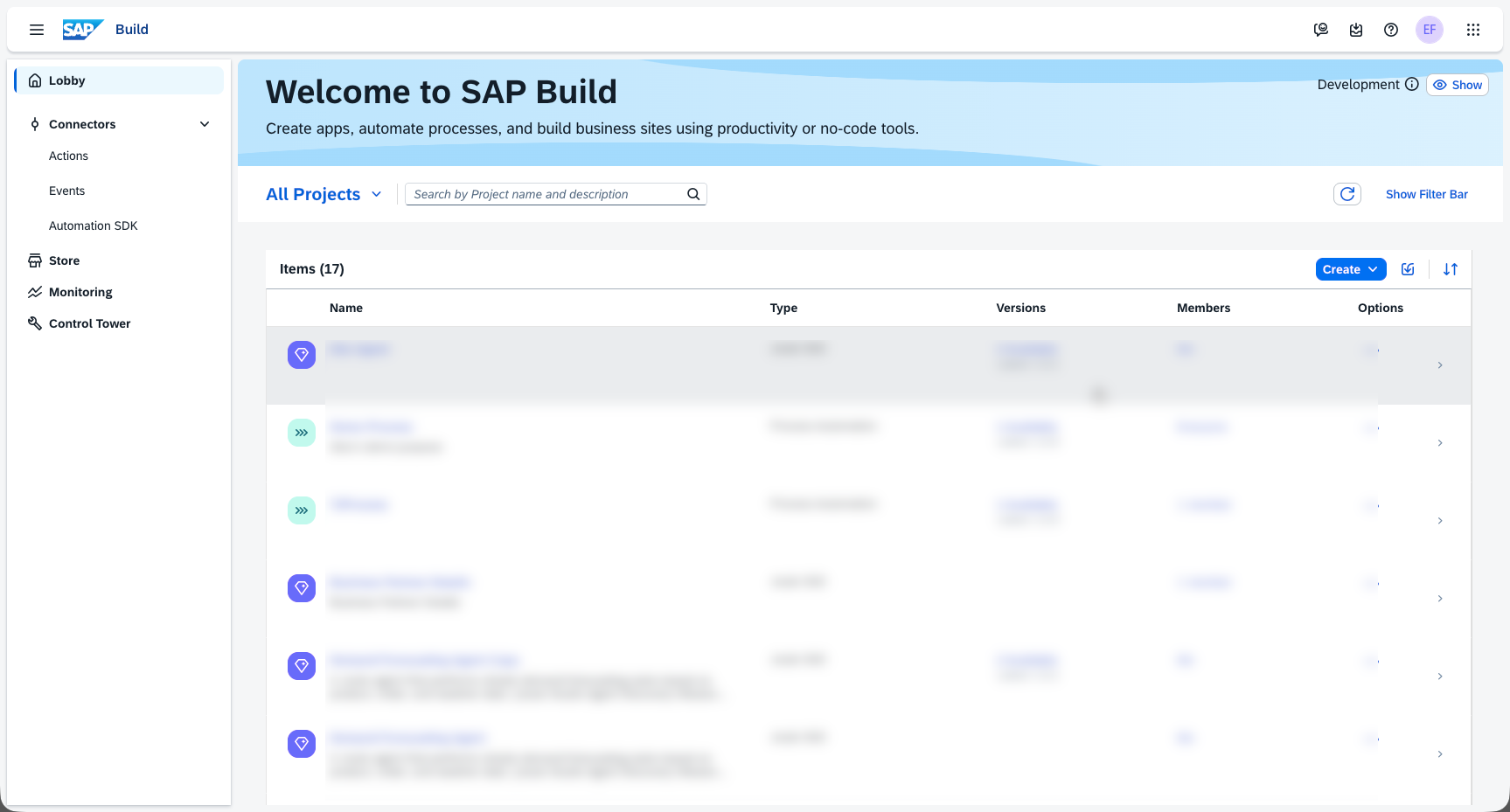
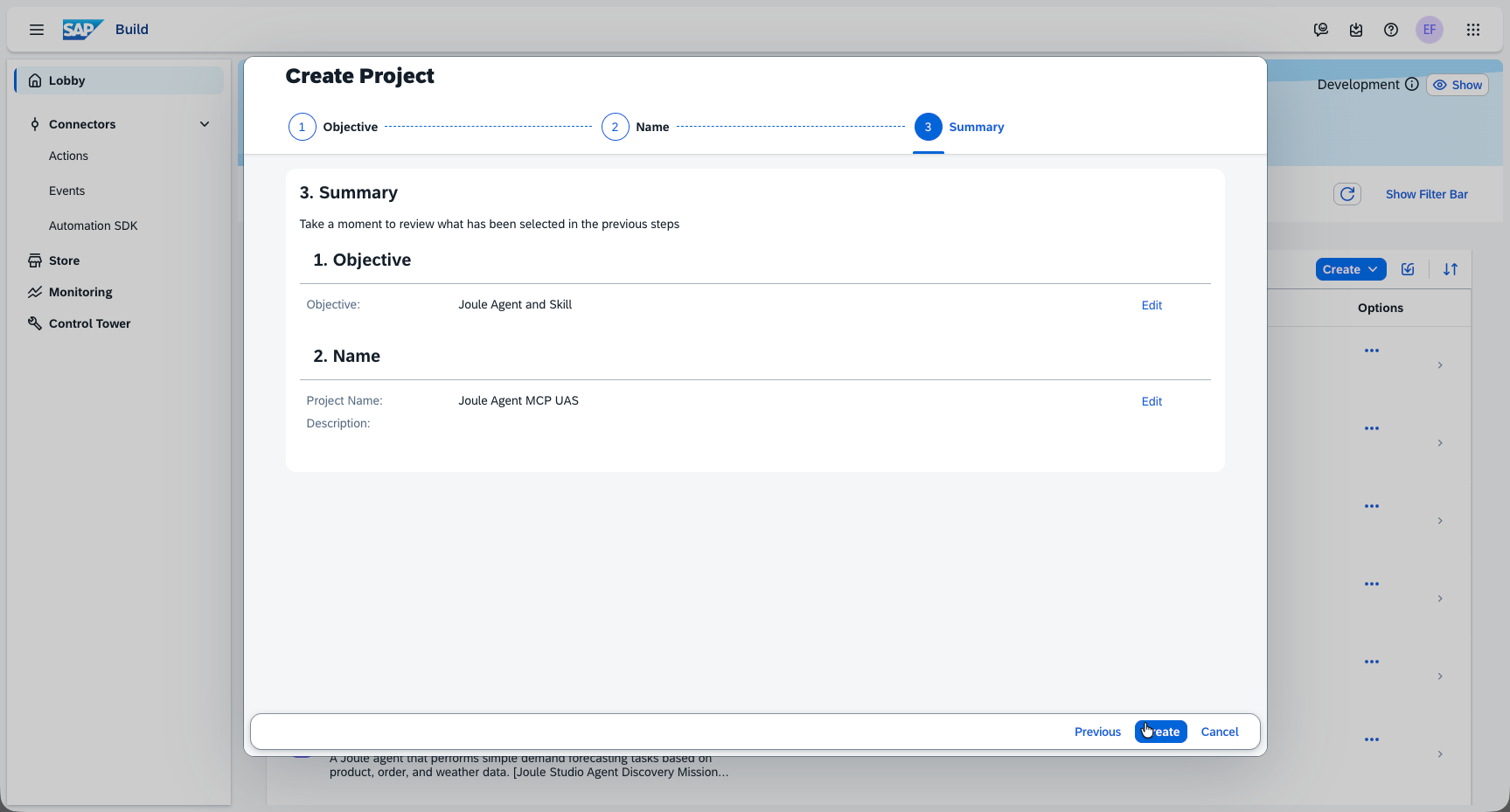
Step 6: Create a Project in SAP Build Lobby
Open the SAP Build Lobby.
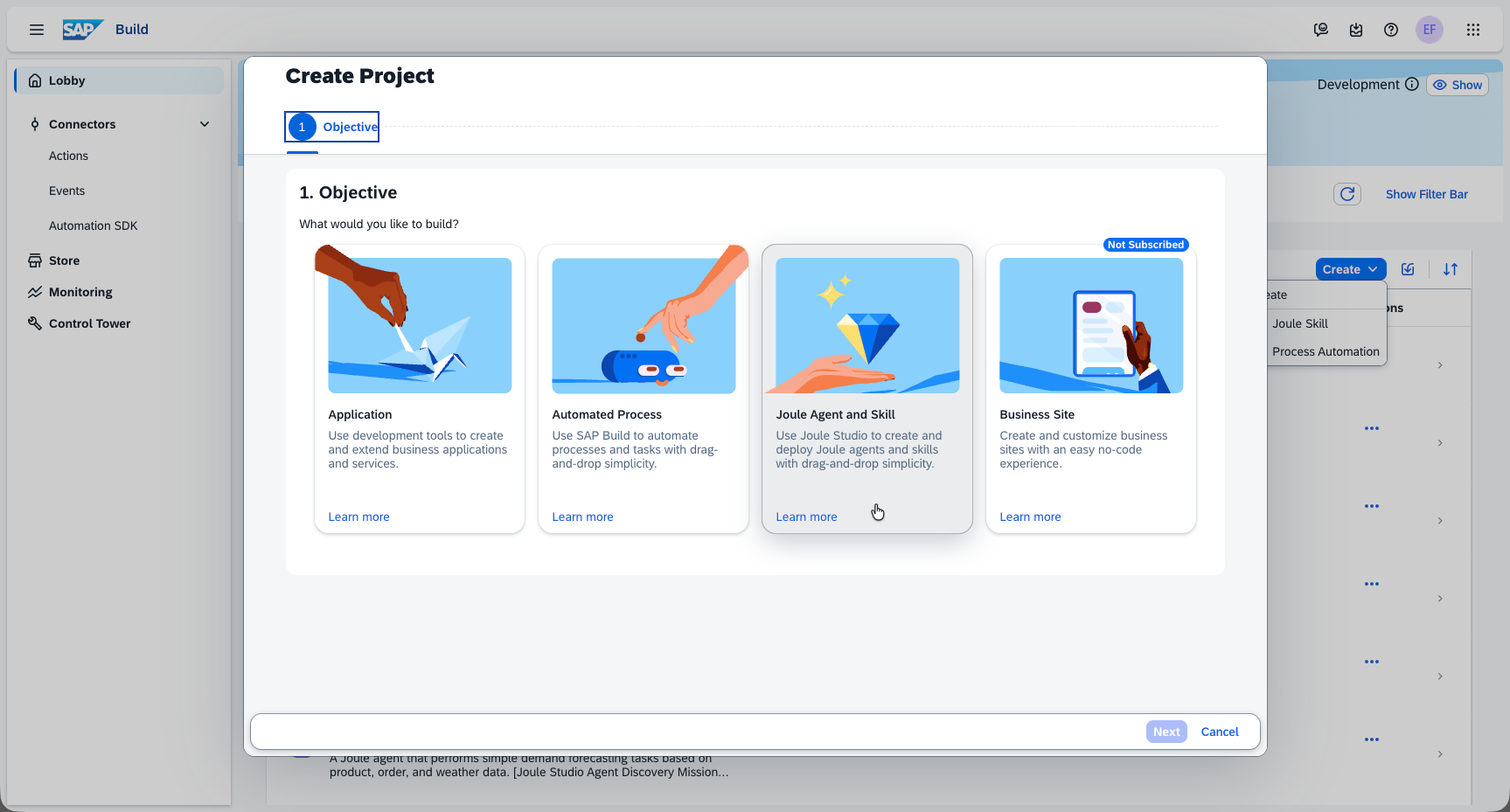
Select Joule Agent and Skill.
Enter a name for the project.
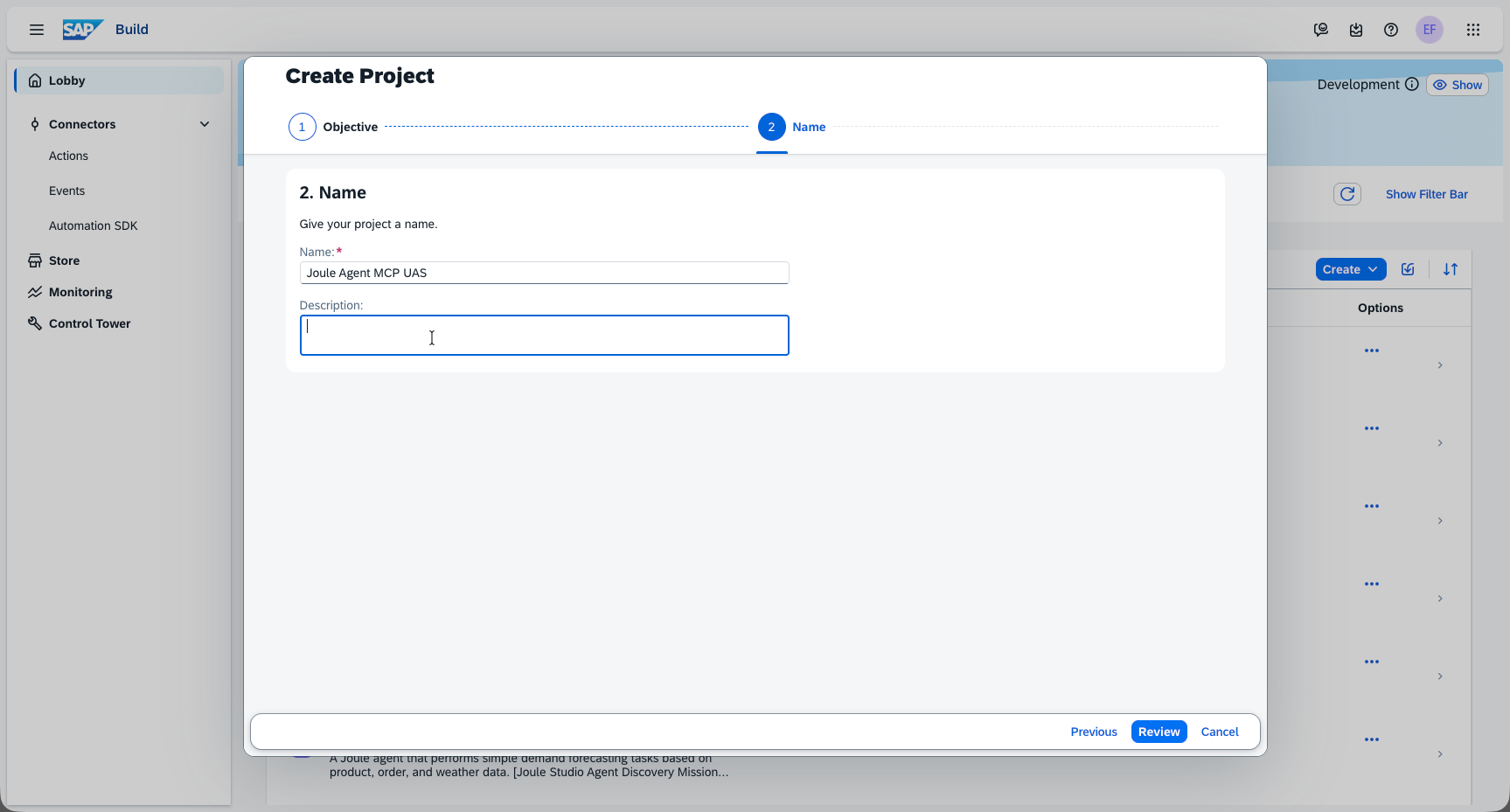
Click Create.
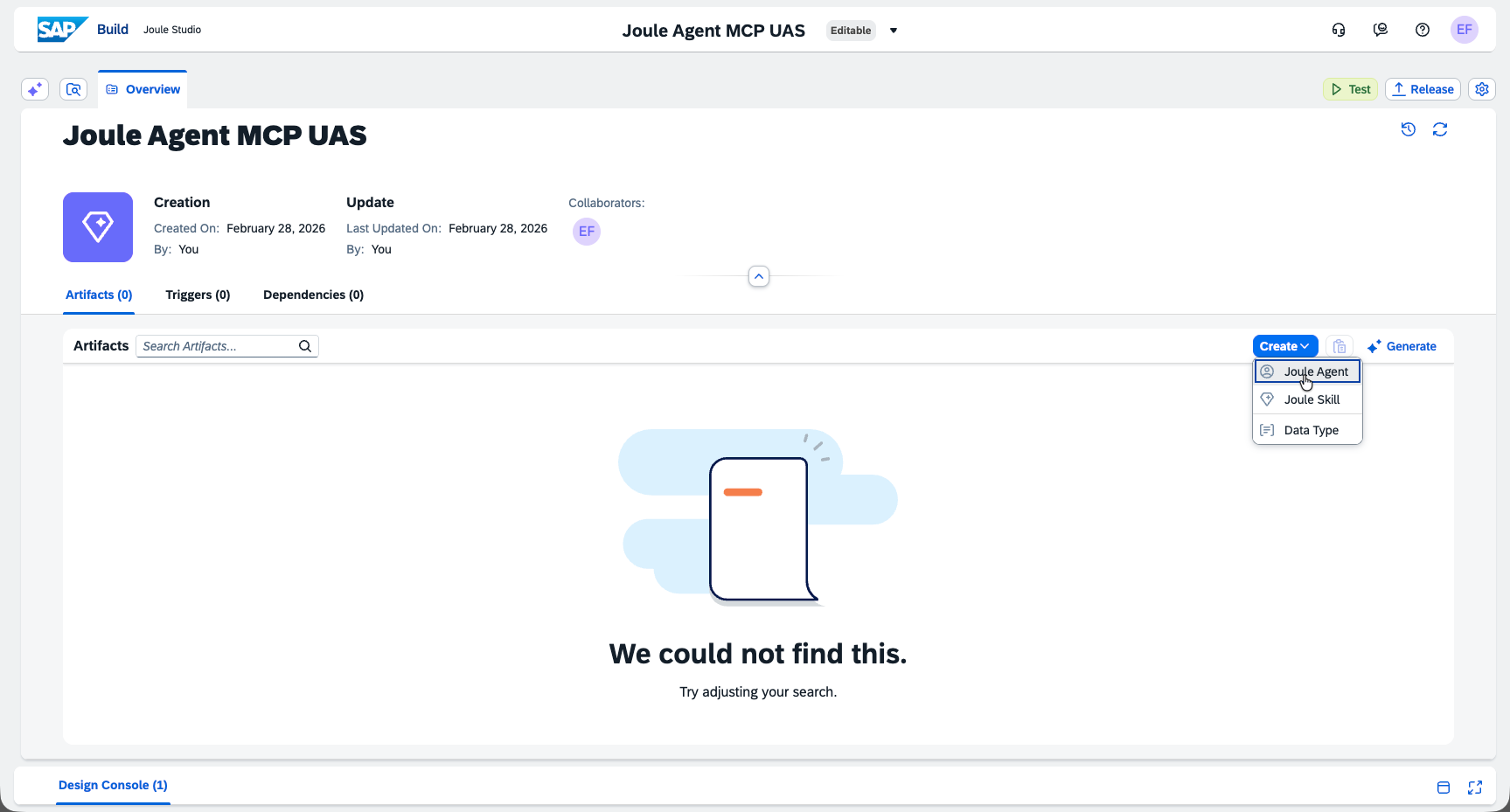
Step 7: Create an Agent Inside the Project
Inside the new project, click Create Agent.
Fill in the Name and Description fields.
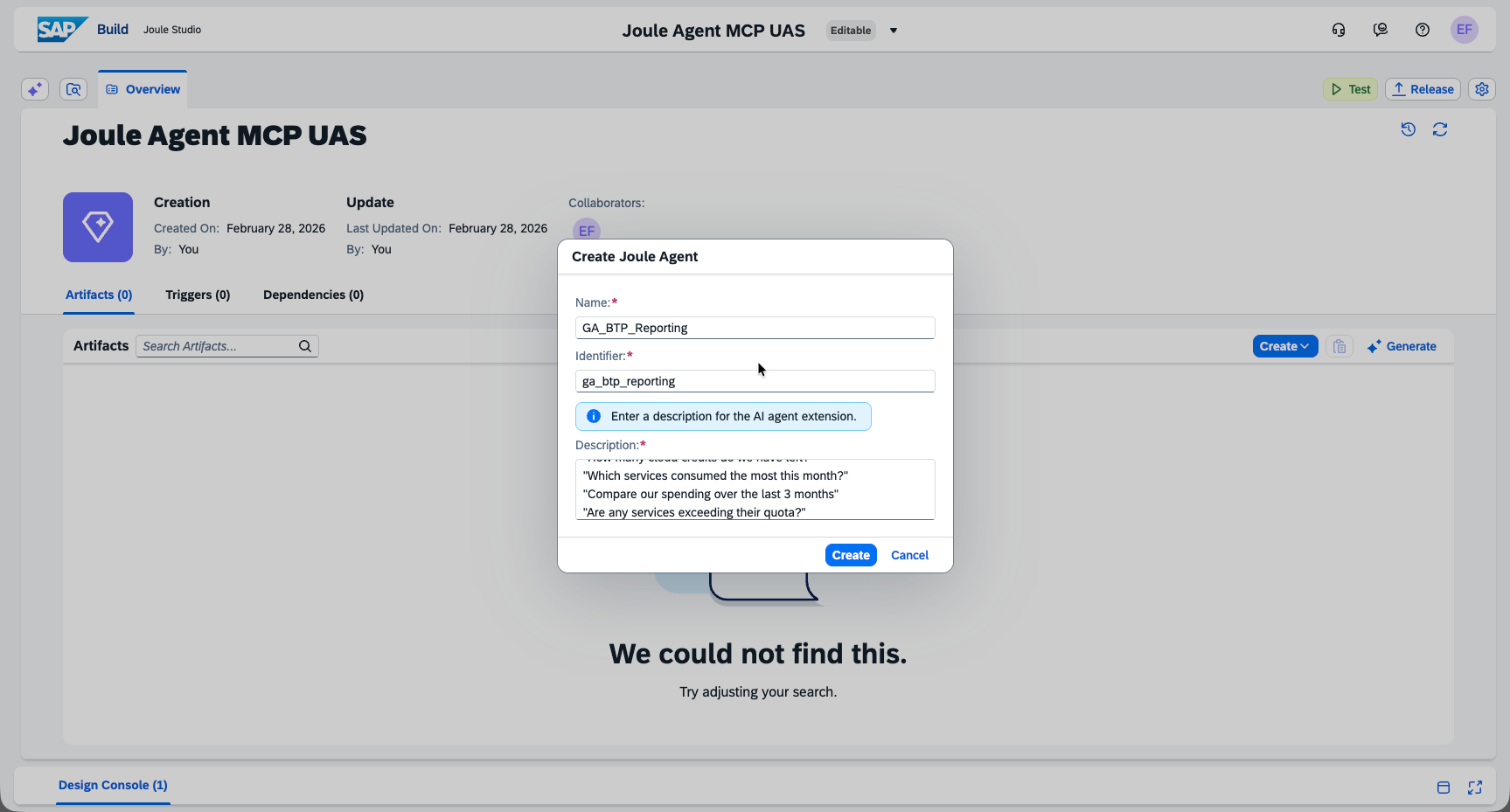
Field Value Name GA_BTP_ReportingDescription An AI-powered assistant that connects to your SAP BTP account to provide real-time insights on cloud consumption. Ask questions like: "How many cloud credits do we have left?", "Which services consumed the most this month?", "Compare our spending over the last 3 months", "Are any services exceeding their quota?" Fill in the Expertise and Instructions fields.
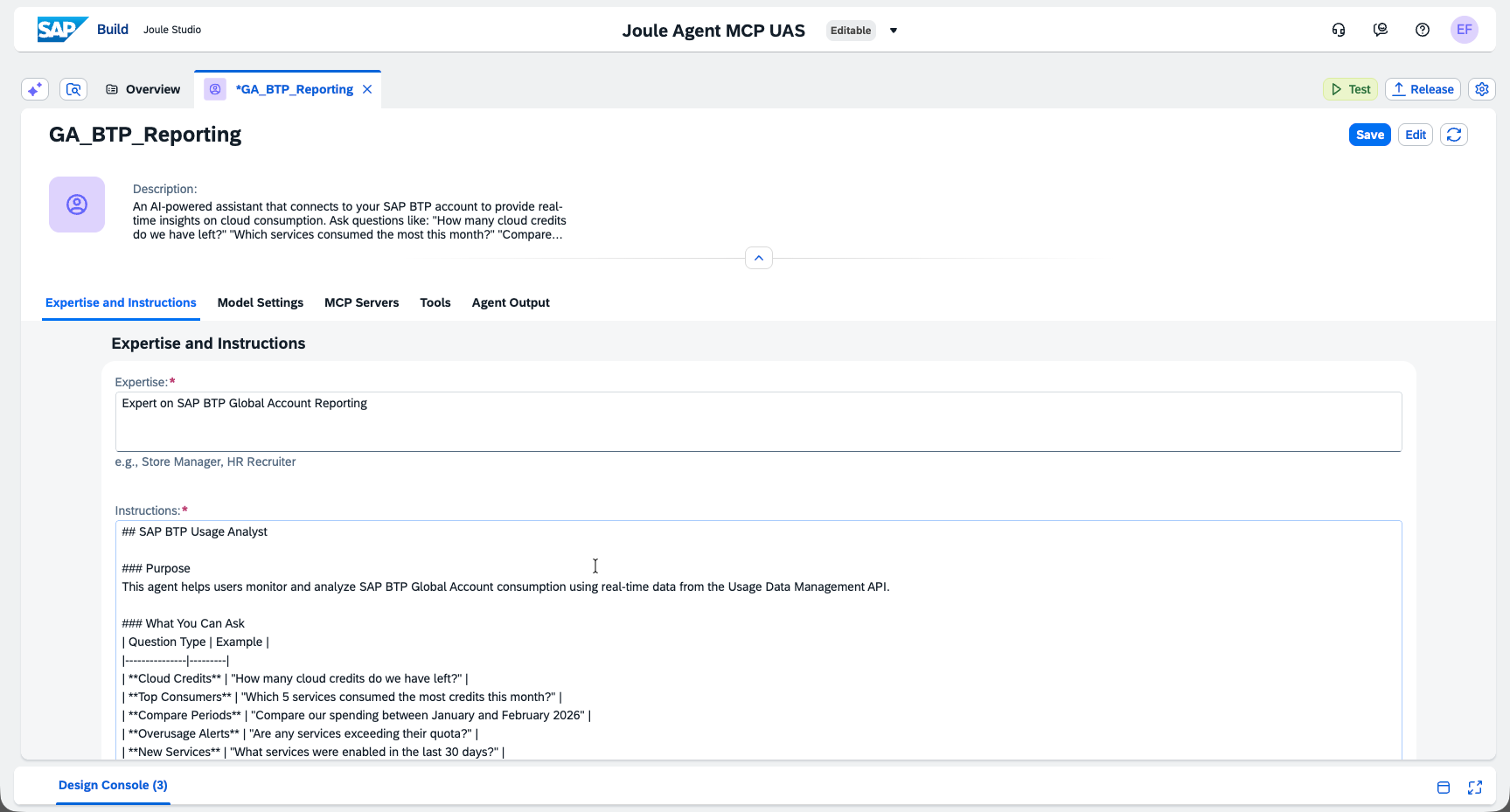
Field Value Expertise Expert on SAP BTP Global Account ReportingInstructions Copy the full text from the Agent Instructions section below.
Step 8: Add the MCP Server to the Agent
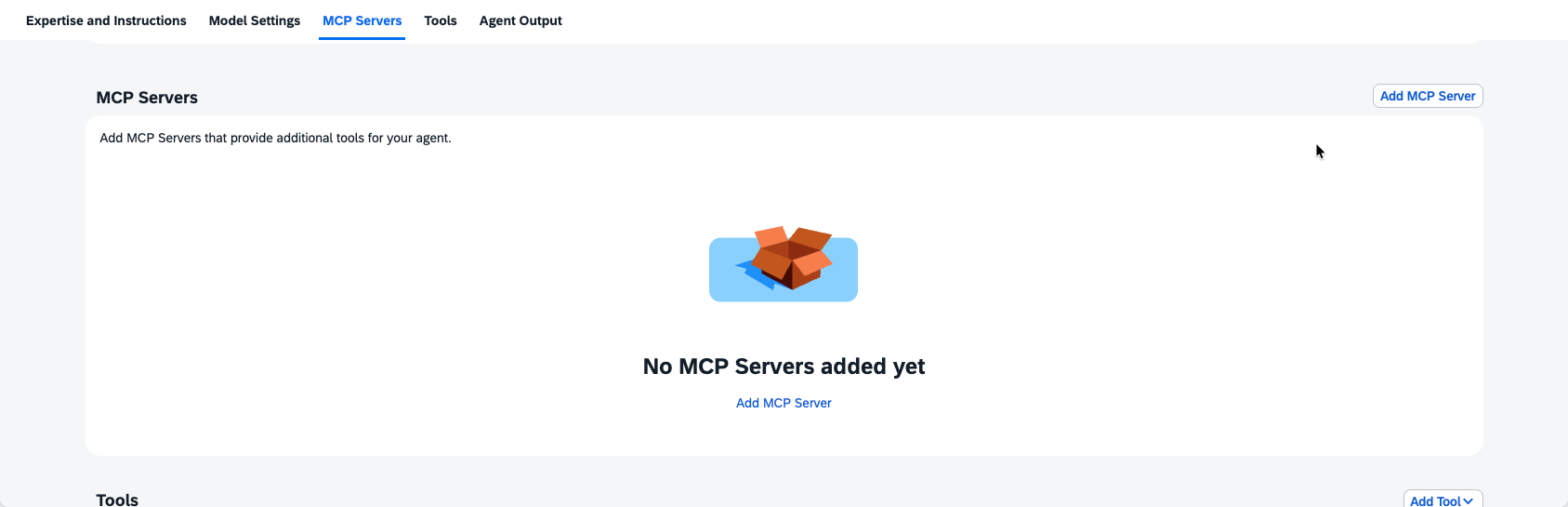
Click Add MCP Server.
Fill in the MCP Server details and select the destination created in Step 3.
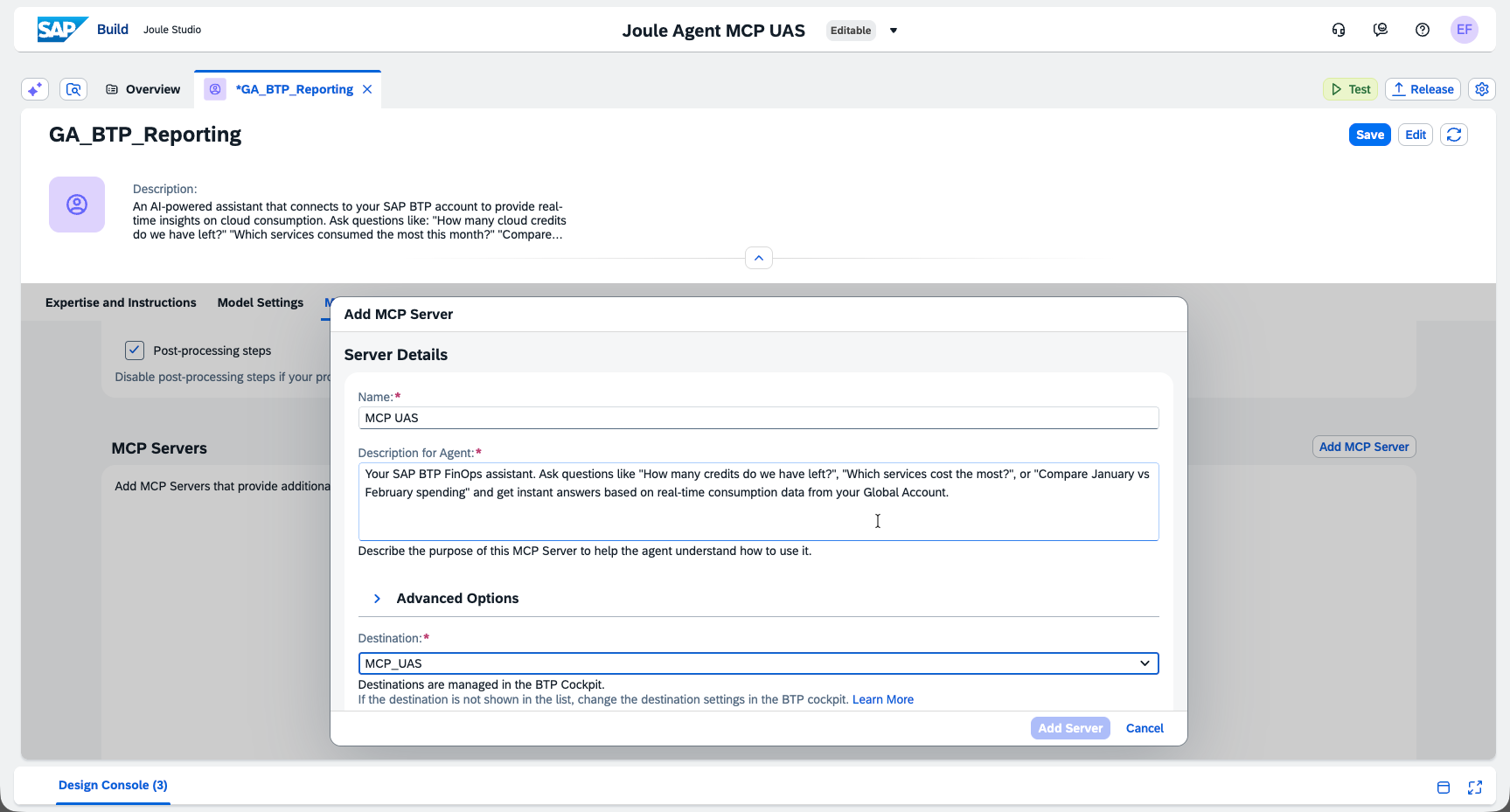
Field Value Name MCP_UASDescription for Agent Your SAP BTP FinOps assistant. Ask questions like "How many credits do we have left?", "Which services cost the most?", or "Compare January vs February spending" and get instant answers based on real-time consumption data from your Global Account. Destination Select MCP_UAS(created in Step 3)Click Add Server, then Save.
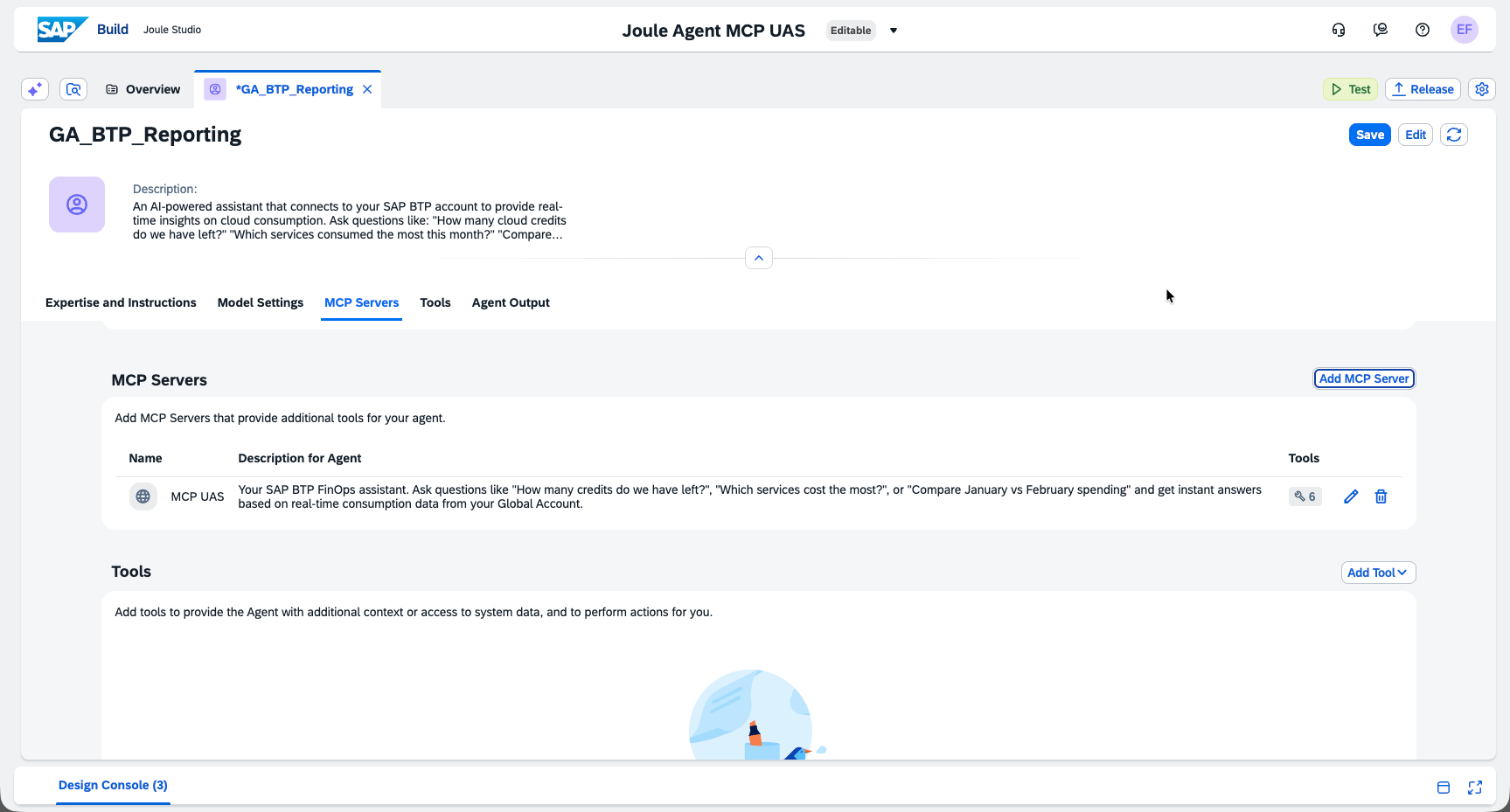
Add additional tools to the agent:
- Click Add Tool.
- Select Calculator from the list of available tools.
- Click Add to confirm.
This allows the agent to perform calculations when analyzing cost data.
Step 9: Test the Agent
Click Test to open the test panel.
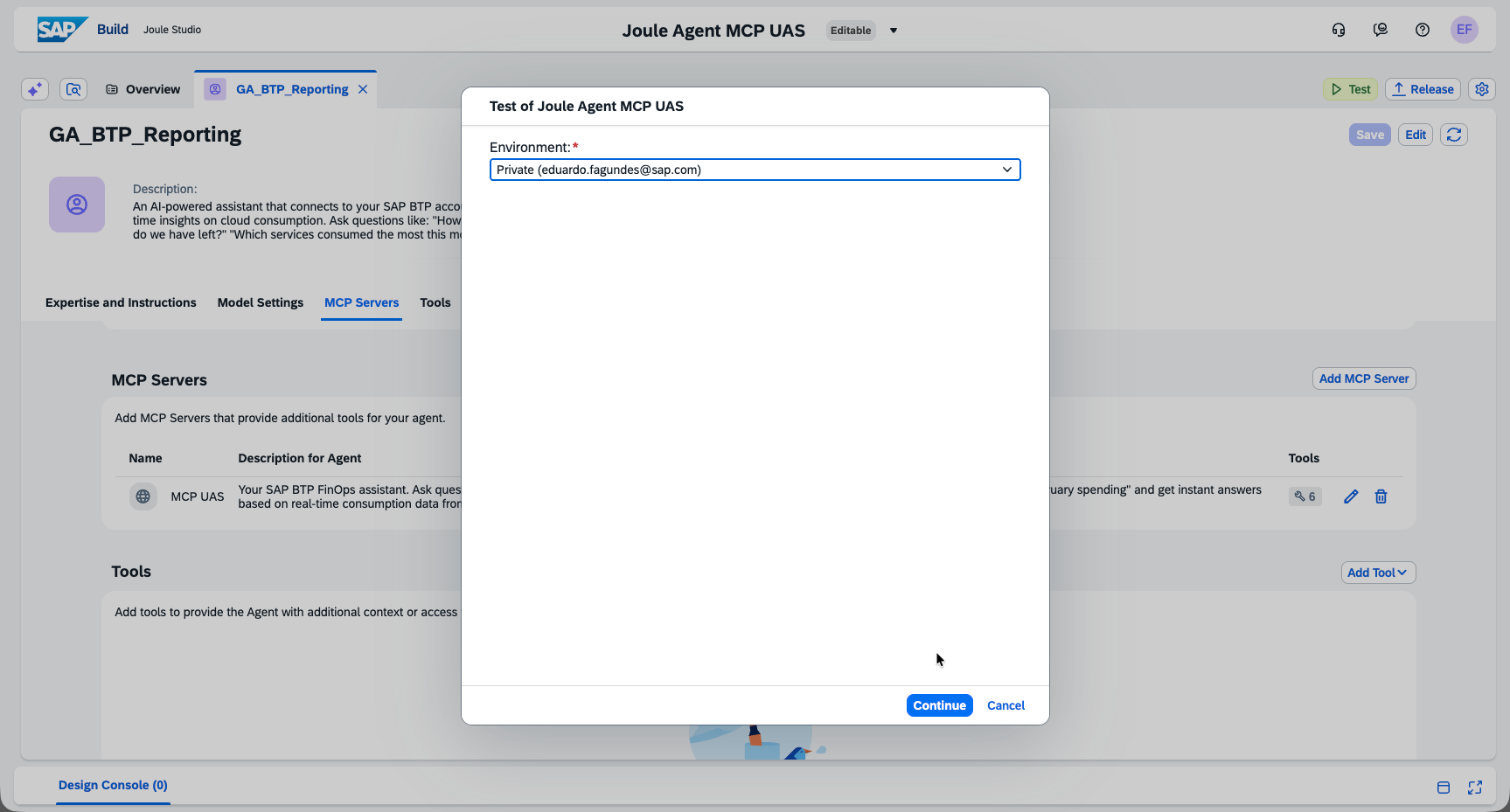
Ask your agent a question, for example:
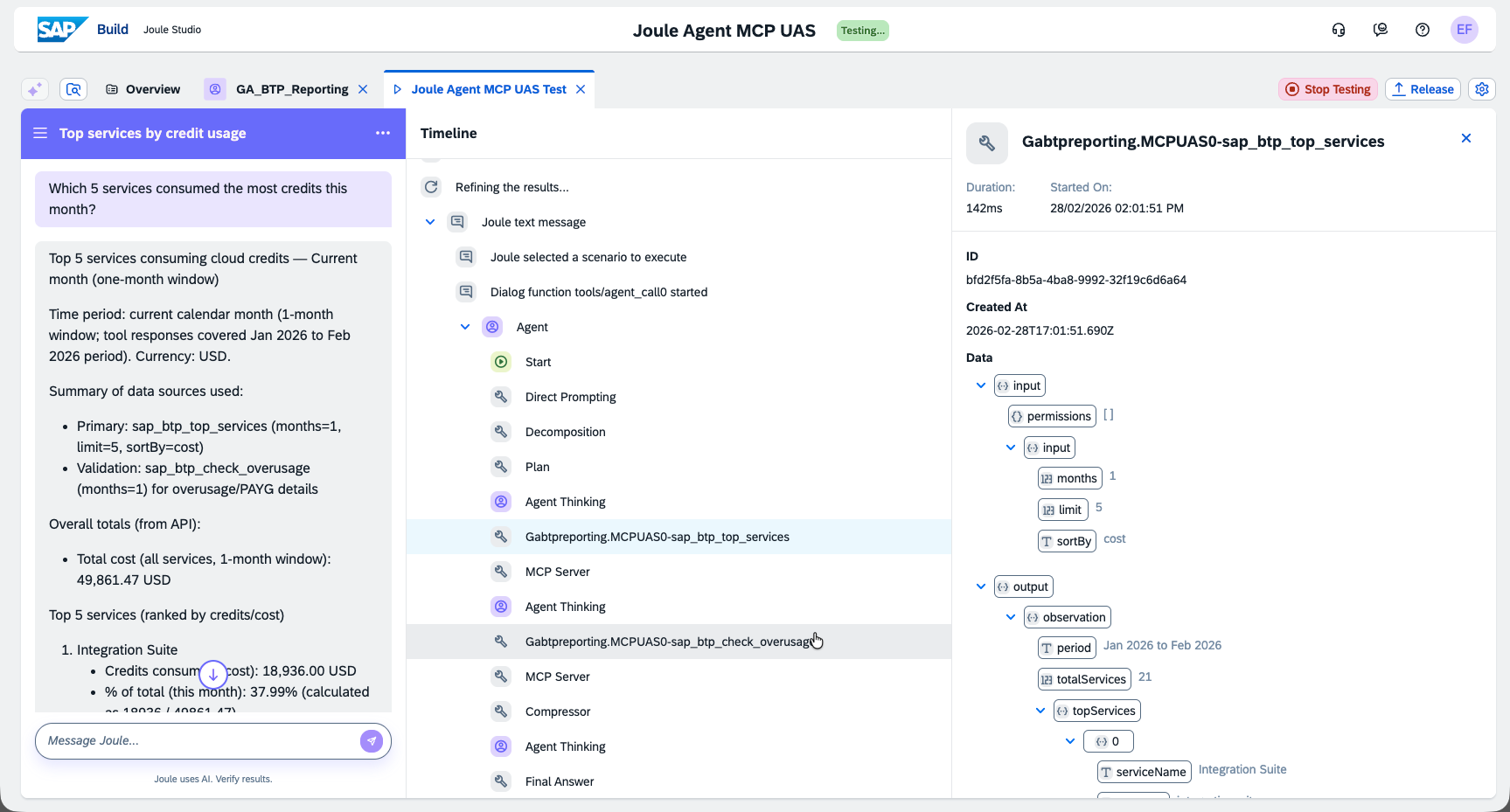
"Which 5 services consumed the most credits this month?"
✅ Done! Your Joule agent is now connected to the BTP Usage MCP Server.
Agent Instructions
Copy the text below and paste it into the Instructions field when configuring the agent (Step 7).
SAP BTP Usage Analyst
Purpose
This agent helps users monitor and analyze SAP BTP Global Account consumption using real-time data from the Usage Data Management API.
Tools
You may use the calculator tool to support your calculations if necessary.
What You Can Ask
| Question Type | Example |
|---|---|
| Cloud Credits | "How many cloud credits do we have left?" |
| Top Consumers | "Which 5 services consumed the most credits this month?" |
| Compare Periods | "Compare our spending between January and February 2026" |
| Overusage Alerts | "Are any services exceeding their quota?" |
| New Services | "What services were enabled in the last 30 days?" |
| Cost Breakdown | "Show cost summary by subaccount and datacenter" |
Available Tools
| Tool | Description |
|---|---|
sap_btp_get_cloud_credits |
Check cloud credit balance, phases, and expiry dates |
sap_btp_top_services |
List top N services by cost or usage |
sap_btp_compare_months |
Compare consumption between two months |
sap_btp_check_overusage |
Identify services exceeding quota or incurring PAYG costs |
sap_btp_new_services |
List recently enabled services |
sap_btp_cost_summary |
Get cost breakdown by service, subaccount, or datacenter |
Guidelines
- Always specify the time period when comparing data.
- Use the
topparameter (default: 5) when listing top consumers. - For cost breakdowns, specify
groupBy:service,subaccount, ordatacenter. - All data comes from the SAP BTP Usage Data Management API in real time.
Example Interactions
User: "How many credits do we have left?"
Agent: Calls sap_btp_get_cloud_credits → Returns balance, expiry, and phase info.
User: "Which services are over budget?"
Agent: Calls sap_btp_check_overusage → Returns list of services exceeding quota.
User: "Compare December vs January spending"
Agent: Calls sap_btp_compare_months with months 2025-12 and 2026-01 → Returns a comparison table.
Local Development (Optional)
Want to run the server on your machine for testing?
Step 1: Create default-env.json
Copy credentials from your Cloud Foundry services:
cf service-key sap-btp-usage-xsuaa local-key
cf service-key sap-btp-usage-destination local-key
Create default-env.json (⚠️ never commit this file):
{
  "VCAP_SERVICES": {
    "xsuaa": [{
      "label": "xsuaa",
      "name": "sap-btp-usage-xsuaa",
      "credentials": {
        "clientid": "...",
        "clientsecret": "...",
        "url": "https://..."
      }
    }],
    "destination": [{
      "label": "destination",
      "name": "sap-btp-usage-destination",
      "credentials": {
        "clientid": "...",
        "clientsecret": "...",
        "uri": "...",
        "url": "..."
      }
    }]
  }
}
Step 2: Run Locally
# With authentication (production-like)
npm run local

# Without authentication (easier for testing)
AUTH_ENABLED=false npm run local
Server runs at http://localhost:3000
API Endpoints
| Endpoint | What it does |
|---|---|
GET / |
Server info |
GET /health |
Health check |
POST /mcp |
MCP endpoint (protected) |
GET /mcp/sse |
SSE transport (protected) |
Troubleshooting
"Connection refused" or "401 Unauthorized"
- Check if the app is running:
cf apps - Verify the destination credentials match the service key
"Destination not found"
- Make sure
SAP_BTP_USAGE_APIdestination exists in BTP Cockpit - Check the destination name is exact (case-sensitive)
Joule doesn't see the MCP server
- Verify
sap-joule-studio-mcp-server: trueproperty is set - Make sure the destination is in the same subaccount as Joule Studio
Check the logs
cf logs sap-btp-usage-mcp-server --recent
Project Structure
sap-btp-usage-mcp-server/
├── src/
│   ├── auth/          # JWT validation & XSUAA
│   ├── schemas/       # Input validation (Zod)
│   ├── services/      # SAP BTP Usage API client
│   ├── tools/         # MCP tool definitions
│   └── index.ts       # Main entry point
├── manifest.yaml      # CF deployment config
├── xs-security.json   # XSUAA scopes & roles
└── package.json
Learn More
- SAP BTP Usage API — API documentation
- Model Context Protocol — MCP specification
- SAP Joule — AI assistant docs
Installing Sap Btp Usage
This server has no published package — it is built from source. Open the repository and follow its README.
▸ github.com/sap-ef/sap-btp-usage-mcp-serverFAQ
Is Sap Btp Usage MCP free?
Yes, Sap Btp Usage MCP is free — one-click install via Unyly at no cost.
Does Sap Btp Usage need an API key?
No, Sap Btp Usage runs without API keys or environment variables.
Is Sap Btp Usage hosted or self-hosted?
Self-hosted: the server runs locally on your machine via the install command above.
How do I install Sap Btp Usage in Claude Desktop, Claude Code or Cursor?
Open Sap Btp Usage on unyly.org, pick your client tab (Claude Desktop, Claude Code, Cursor) and press Install — the config is generated automatically, no JSON editing.
Related MCPs
GitHub
PRs, issues, code search, CI status
 by GitHub
Filesystem
Secure file operations with configurable access controls.
Memory
Knowledge graph-based persistent memory system.
Template MCP Server
A CLI tool to create a new Model Context Protocol server project with TypeScript support, dual transport options, and an extensible structure
 by mcpdotdirect
Compare Sap Btp Usage with
Not sure what to pick?
Find your stack in 60 seconds
Author?
Embed badge for your README
Browse similar
All development MCPs